
Extract dominant colors from images using various K-Means clustering approaches
Verified details
These details have been verified by PyPIProject links
GitHub Statistics
Maintainers

Project description
color-extract


A toolkit to extract dominant colors from images using various K-Means clustering approaches.
| Example |
|---|
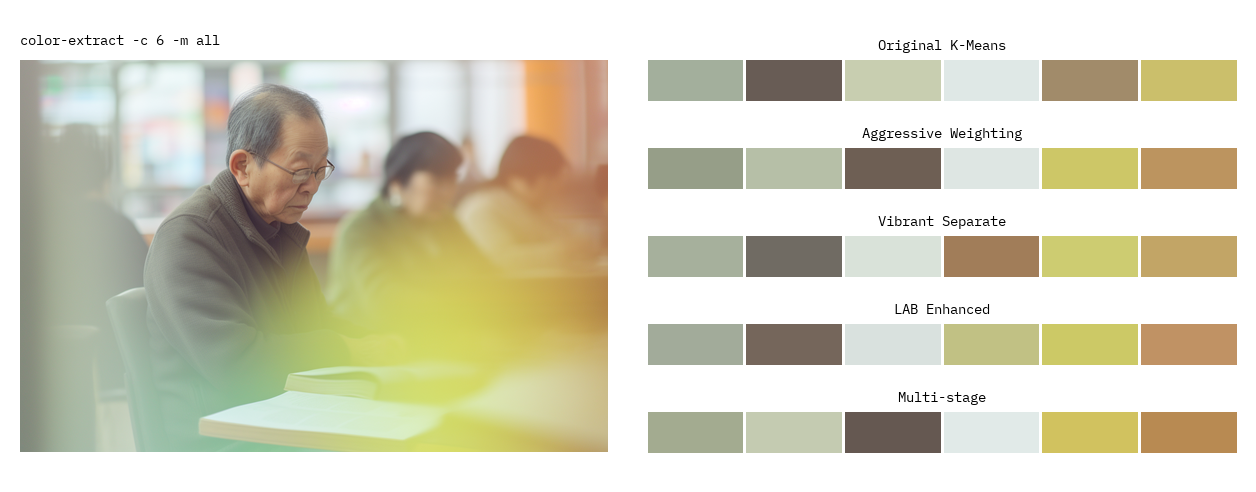 |
Features
Extraction Methods
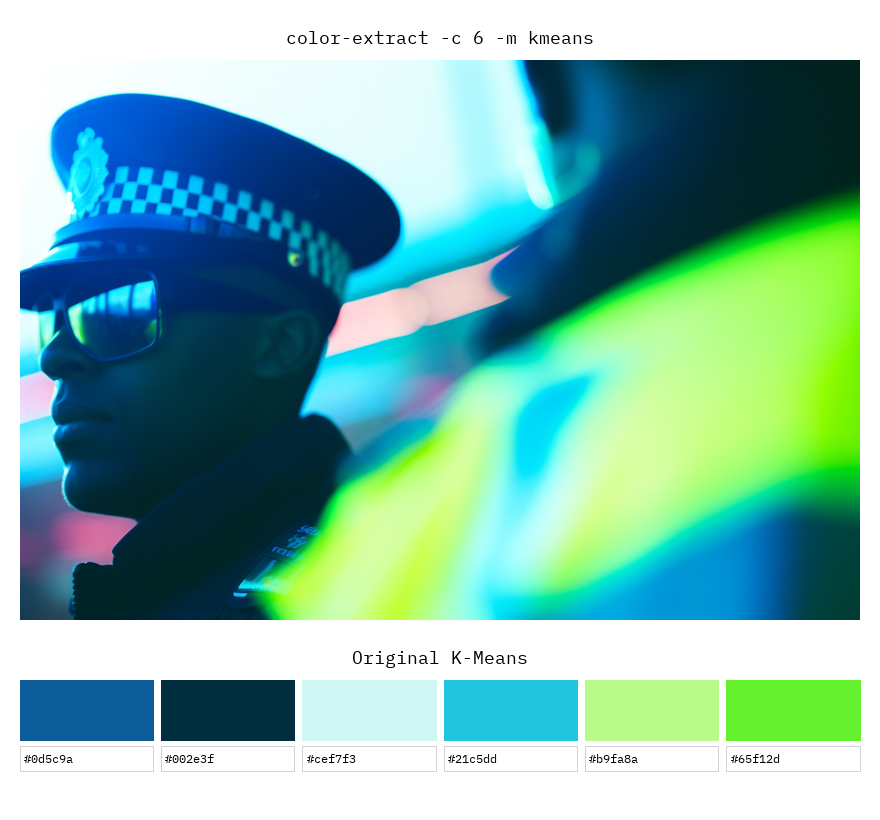
- Original K-Means: Standard K-Means clustering approach
- Aggressive Weighting: K-Means with aggressive saturation weighting to emphasize vibrant colors
- Vibrant Separate: Separate clustering for vibrant minority colors and base colors
- LAB Enhanced: LAB color space with saturation-weighted sampling for perceptually uniform clustering
- Multi-stage: Multi-stage extraction: vibrant colors first, then distinct base colors
Sorting
- Spatial sorting (left-to-right or top-to-bottom)
- Frequency-based sorting
Installation
pip install color-extract
Command Line Usage
# Basic extraction with default settings
color-extract image.jpg

# Extract 8 colors using the vibrant method
color-extract image.jpg -c 8 -m vibrant

# Compare all methods and define output folder
color-extract image.jpg -m all -o ./my-folder
CLI Options
usage: color-extract [options] image

Arguments:
  image                Path to the input image

Options:
  -h, --help           Show help message
  --colors, -c         Number of colors to extract (default: 6)
  --method, -m         Extraction method (default: lab)
  --output, -o         Output file path (default: ./output)
  --no-plot            Disable plot generation
  --sort               Color sorting: (default: x-axis)
  --max-dimension      Max dimension for downscaling (default: 64)
  --dpi                DPI for output plots (default: 150)
Output Examples
Console
┌─────────────────────────────────────┐
│ LAB Enhanced                        │
└─────────────────────────────────────┘
┌───────┬──────────┬──────────────────┐
│  ■■■  │ #277595  │ (39, 117, 149)   │
│  ■■■  │ #68b2c6  │ (104, 178, 198)  │
│  ■■■  │ #6c6963  │ (108, 105, 99)   │
│  ■■■  │ #394d4d  │ (57, 77, 77)     │
│  ■■■  │ #782722  │ (120, 39, 34)    │
│  ■■■  │ #102937  │ (16, 41, 55)     │
└───────┴──────────┴──────────────────┘
Result saved to output/colors_image_lab_6.png
Rendered Images
| Aggressive Weighting | LAB Enhanced |
|---|---|
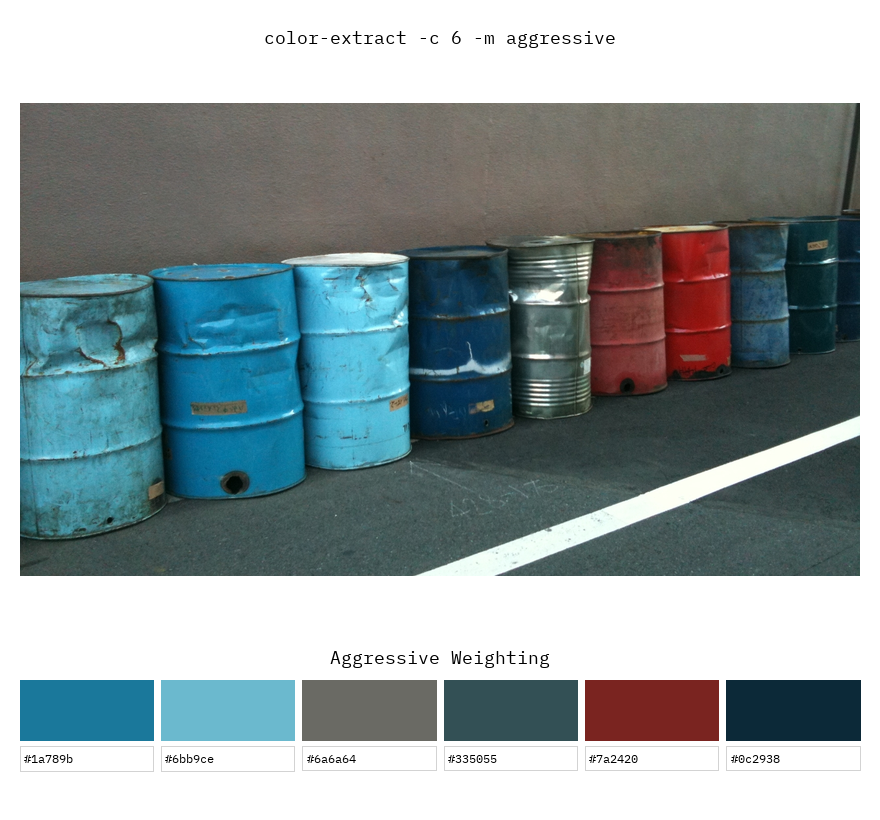 |
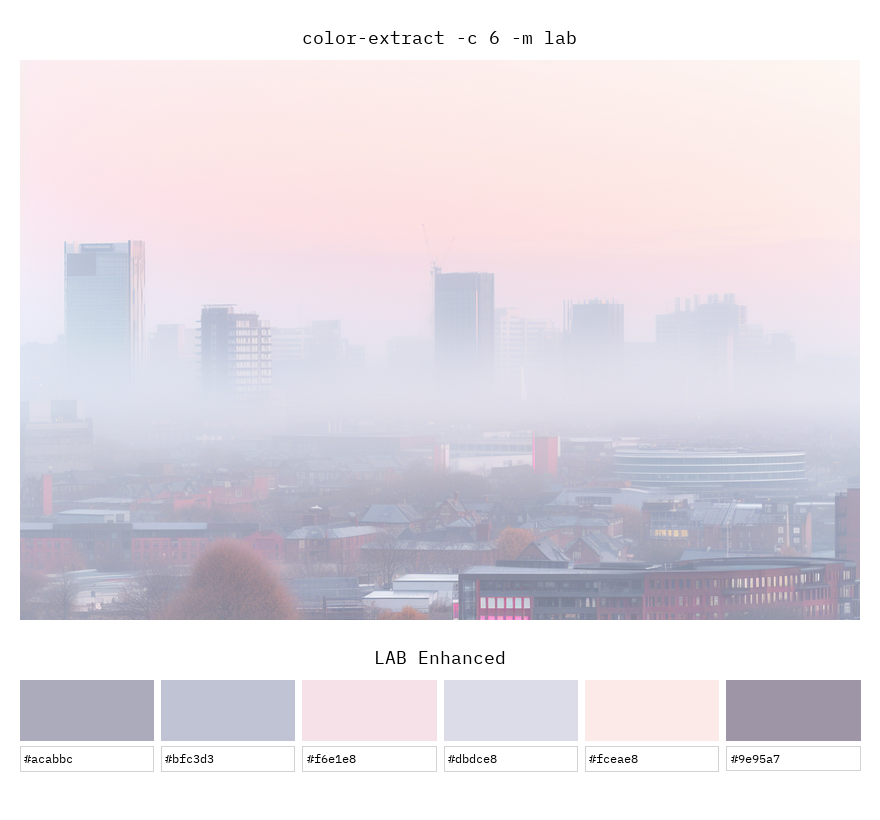 |
| Multi-stage | K-Means |
|---|---|
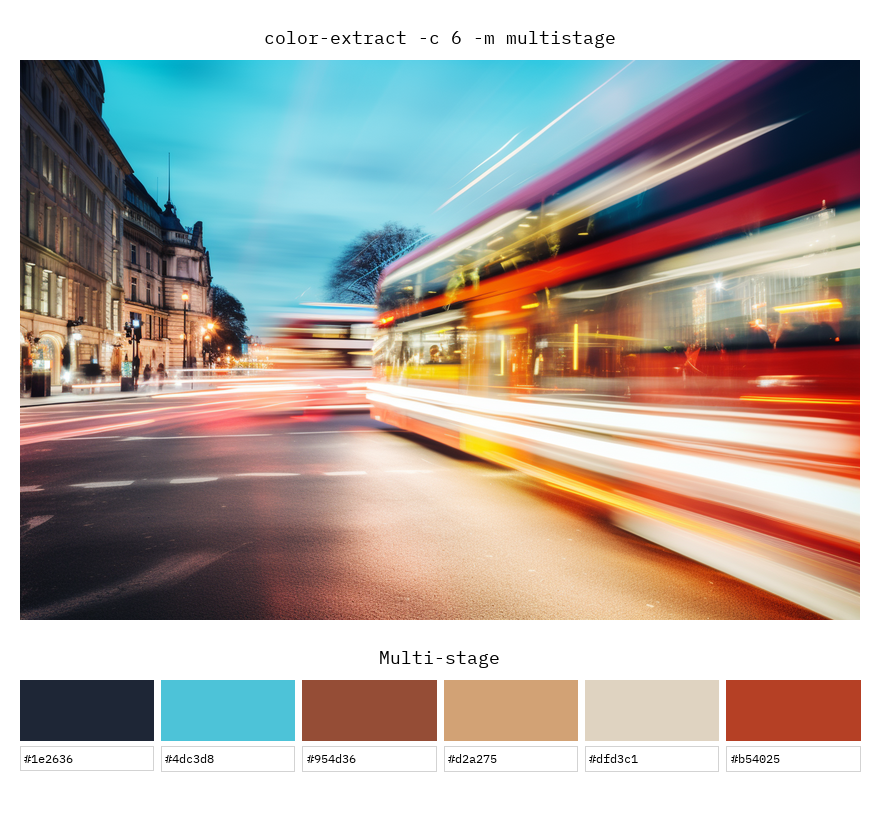 |
 |
Python API Usage
import color_extract
import numpy as np
from PIL import Image

# Simple extraction from file
colors = color_extract.extract_colors('image.jpg', method='lab', n_colors=5)
for color in colors:
    print(color_extract.rgb_to_hex(color))

# Use with numpy array
img = Image.open('image.jpg')
img_array = np.array(img)
colors = color_extract.extract_colors(img_array, method='aggressive')

# Advanced usage with visualization
from color_extract import plot_single_result, load_and_prepare_image

img, img_array = load_and_prepare_image('image.jpg')
colors = color_extract.extract_colors_lab_enhanced(img_array, n_colors=6)
sorted_colors = color_extract.sort_colors_by_spatial_position(img_array, colors)

# Generate visualization
plot_single_result(img, img_array, sorted_colors, 'LAB Enhanced', 'output.png')
API Reference
Main Functions
extract_colors(image, method='lab', n_colors=6, sort_by='x-axis')
Main convenience function for color extraction.
Parameters:
image: File path (str) or numpy array (H, W, 3)method: Extraction method namen_colors: Number of colors to extractsort_by: Sorting method ('x-axis', 'y-axis', 'frequency')
Returns:
- List of RGB tuples
Individual Extraction Methods
Each method can be used directly for more control:
# Original K-Means
colors = extract_colors_kmeans_original(img_array, n_colors=6)

# LAB color space
colors = extract_colors_lab_enhanced(img_array, n_colors=6, saturation_boost=5.0)

# Aggressive saturation weighting
colors = extract_colors_weighted_aggressive(img_array, n_colors=6, saturation_boost=10.0)

# Separate vibrant colors
colors = extract_colors_vibrant_separate(img_array, n_colors=6, n_vibrant=3)

# Multi-stage extraction
colors = extract_colors_multistage(img_array, n_colors=6)
Utility Functions
# Color conversion
hex_color = rgb_to_hex((255, 128, 0))  # Returns '#ff8000'
rgb = hex_to_rgb('#ff8000')  # Returns (255, 128, 0)

# Spatial sorting
sorted_colors = sort_colors_by_spatial_position(img_array, colors, axis='x')

# Calculate statistics
stats = calculate_color_statistics(img_array, colors)

# Normalize arrays (useful for TouchDesigner)
normalized = normalize_image_array(array, input_range=(0, 1), output_range=(0, 255))
Visualization Functions
# Plot single result
fig = plot_single_result(img, img_array, colors, 'Method Name', 'output.png')

# Compare multiple methods
algorithms_dict = {
    'Method 1': colors1,
    'Method 2': colors2
}
fig = plot_comparison(img, img_array, algorithms_dict, 'comparison.png')

# Create simple palette image
palette_array = create_color_palette_image(colors, width=100, height=100)
Further Reading
Project details
Verified details
These details have been verified by PyPIProject links
GitHub Statistics
Maintainers


Download files
Download the file for your platform. If you're not sure which to choose, learn more about installing packages.
Source Distribution
Built Distribution
Filter files by name, interpreter, ABI, and platform.
If you're not sure about the file name format, learn more about wheel file names.
Copy a direct link to the current filters
File details
Details for the file color_extract-0.0.3.tar.gz.
File metadata
- Download URL: color_extract-0.0.3.tar.gz
- Upload date:
- Size: 15.7 kB
- Tags: Source
- Uploaded using Trusted Publishing? Yes
- Uploaded via: twine/6.1.0 CPython/3.13.7
File hashes
| Algorithm | Hash digest | |
|---|---|---|
| SHA256 |
bec9c495f1b4e9ec032ce54eb1aa43c71352b8885bc5c424cbc050bf4591f267
|
|
| MD5 |
136778841ec2a5e0a480f8d169f38efc
|
|
| BLAKE2b-256 |
2d18137c91696d91f564254fc958a27cd2f0a4876146c9aacbc4cc49ababb878
|
Provenance
The following attestation bundles were made for color_extract-0.0.3.tar.gz:
Publisher:
publish.yml on brunoimbrizi/color-extract
-
Statement:
-
Statement type:
https://in-toto.io/Statement/v1 -
Predicate type:
https://docs.pypi.org/attestations/publish/v1 -
Subject name:
color_extract-0.0.3.tar.gz -
Subject digest:
bec9c495f1b4e9ec032ce54eb1aa43c71352b8885bc5c424cbc050bf4591f267 - Sigstore transparency entry: 634411973
- Sigstore integration time:
-
Permalink:
brunoimbrizi/color-extract@3deec1712ee31ff7a32fc2d826ab74906f70a406 -
Branch / Tag:
refs/tags/v0.0.3 - Owner: https://github.com/brunoimbrizi
-
Access:
public
-
Token Issuer:
https://token.actions.githubusercontent.com -
Runner Environment:
github-hosted -
Publication workflow:
publish.yml@3deec1712ee31ff7a32fc2d826ab74906f70a406 -
Trigger Event:
release
-
Statement type:
File details
Details for the file color_extract-0.0.3-py3-none-any.whl.
File metadata
- Download URL: color_extract-0.0.3-py3-none-any.whl
- Upload date:
- Size: 15.2 kB
- Tags: Python 3
- Uploaded using Trusted Publishing? Yes
- Uploaded via: twine/6.1.0 CPython/3.13.7
File hashes
| Algorithm | Hash digest | |
|---|---|---|
| SHA256 |
4e88faed0754cd8880a9036a24f4bfec04d35d31bdcc3ca65699486b0b8f0a98
|
|
| MD5 |
341f717b3b101a22c5506c03e8b3448d
|
|
| BLAKE2b-256 |
68f88509e93a33000d2240114e32762e8f060162d470121edce91f6b3687d552
|
Provenance
The following attestation bundles were made for color_extract-0.0.3-py3-none-any.whl:
Publisher:
publish.yml on brunoimbrizi/color-extract
-
Statement:
-
Statement type:
https://in-toto.io/Statement/v1 -
Predicate type:
https://docs.pypi.org/attestations/publish/v1 -
Subject name:
color_extract-0.0.3-py3-none-any.whl -
Subject digest:
4e88faed0754cd8880a9036a24f4bfec04d35d31bdcc3ca65699486b0b8f0a98 - Sigstore transparency entry: 634411974
- Sigstore integration time:
-
Permalink:
brunoimbrizi/color-extract@3deec1712ee31ff7a32fc2d826ab74906f70a406 -
Branch / Tag:
refs/tags/v0.0.3 - Owner: https://github.com/brunoimbrizi
-
Access:
public
-
Token Issuer:
https://token.actions.githubusercontent.com -
Runner Environment:
github-hosted -
Publication workflow:
publish.yml@3deec1712ee31ff7a32fc2d826ab74906f70a406 -
Trigger Event:
release
-
Statement type:






