
compas_wood
Getting started with this project
Setup code editor
- Open project folder in VS Code
- Select python environment for the project
- First time using VS Code and on Windows? Make sure select the correct terminal profile:
Ctrl+Shift+P,Terminal: Select Default Profileand selectCommand Prompt.
All terminal commands in the following sections can be run from the VS Code integrated terminal.
First steps with git
- Go to the
Source controltab - Make an initial commit with all newly created files
First steps with code
-
Install the newly created project
pip install -e . -
Install it on Rhino
python -m compas_rhino.install
Code conventions
Code convention follows PEP8 style guidelines and line length of 120 characters.
-
Check adherence to style guidelines
invoke lint -
Format code automatically
invoke format
Documentation
Documentation is generated automatically out of docstrings and RST files in this repository
-
Generate the docs
invoke docs -
Check links in docs are valid
invoke linkcheck -
Open docs in your browser (file explorer ->
dist/docs/index.html)
Testing
Tests are written using the pytest framework
-
Run all tests from terminal
invoke test -
Or run them from VS Code from the
Testingtab
Developing Grasshopper components
We use Grasshopper Componentizer to develop Python components that can be stored and edited on git.
-
Build components
invoke build-ghuser-componentspip -
Install components on Rhino
python -m compas_rhino.install
Publish release
Releases follow the semver versioning convention.
-
Create a new release
invoke release major
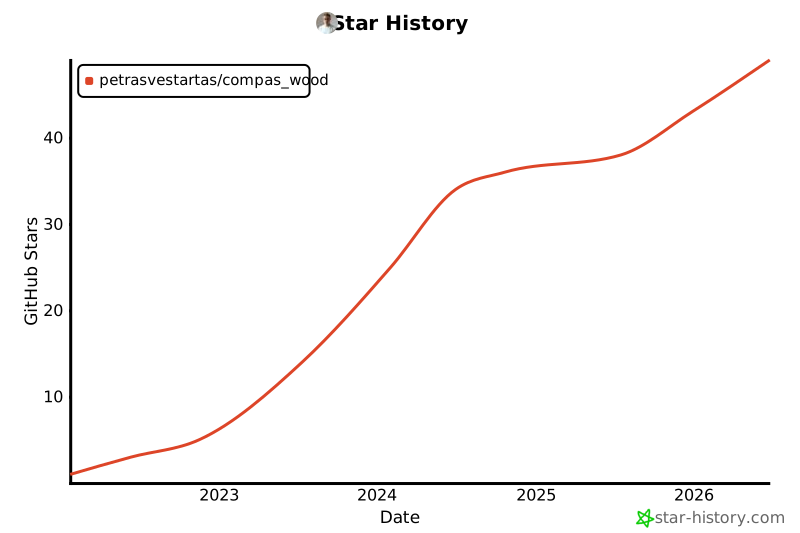
Star History
Local Rhino Install
C:\Users\petras.rhinocode\py39-rh8\python.exe -m pip install -e .
1 maintainer

Release files for compas-wood 2.4.0
For a detailed explanation of source distributions (sdists) and built distributions (wheels), please see the package formats documentation.
Source distribution (sdist)
| File | Size | Uploaded | |
|---|---|---|---|
| compas_wood-2.4.0.tar.gz | 19.4 MB | Details |
Built distribution (wheel)
| File | Interpreter | ABI | Platform | Reset |
|---|---|---|---|---|
| compas_wood-2.4.0-py2.py3-none-any.whl | Python 2, Python 3 | none | any | Details |
Total release size: 20.0 MB
Release files / compas_wood-2.4.0.tar.gz
| Download URL | compas_wood-2.4.0.tar.gz |
|---|---|
| Size | 19.4 MB |
| Tags | Source |
|
SHA-256 checksum How to use checksums |
394cb7a30f08bf2118819e4b3d89038964613fa23ce8d2ba7a033dea7948a7d0
|
|
BLAKE2b-256 checksum How to use checksums |
cf5ff39d109860e2025fc971410a012c45457363d463759634c898cce42174e5
|
| Upload date | |
|
Uploaded using Trusted Publishing? What is trusted publishing? |
No |
| Uploaded via |
twine/6.0.1 CPython/3.9.10
|
Release files / compas_wood-2.4.0-py2.py3-none-any.whl
| Download URL | compas_wood-2.4.0-py2.py3-none-any.whl |
|---|---|
| Size | 575.9 kB |
| Tags | Python 2 Python 3 |
|
SHA-256 checksum How to use checksums |
a71a32c769724f798b92621e6ce24f4ef672737092e11b0dfb93ed45ff83a8b3
|
|
BLAKE2b-256 checksum How to use checksums |
da321fea29eb0d86dd4a13254dee004153bd3cf49f8222a475b91b1137e7b11d
|
| Upload date | |
|
Uploaded using Trusted Publishing? What is trusted publishing? |
No |
| Uploaded via |
twine/6.0.1 CPython/3.9.10
|














