
MCP server that provides computer control capabilities, like mouse, keyboard, OCR, etc. using PyAutoGUI, RapidOCR, ONNXRuntime. Similar to 'computer-use' by Anthropic. With Zero External Dependencies.

Project description
Computer Control MCP
MCP server that provides computer control capabilities, like mouse, keyboard, OCR, etc. using PyAutoGUI, RapidOCR, ONNXRuntime. Similar to 'computer-use' by Anthropic. With Zero External Dependencies.
- Only tested on Windows. Should work on other platforms.


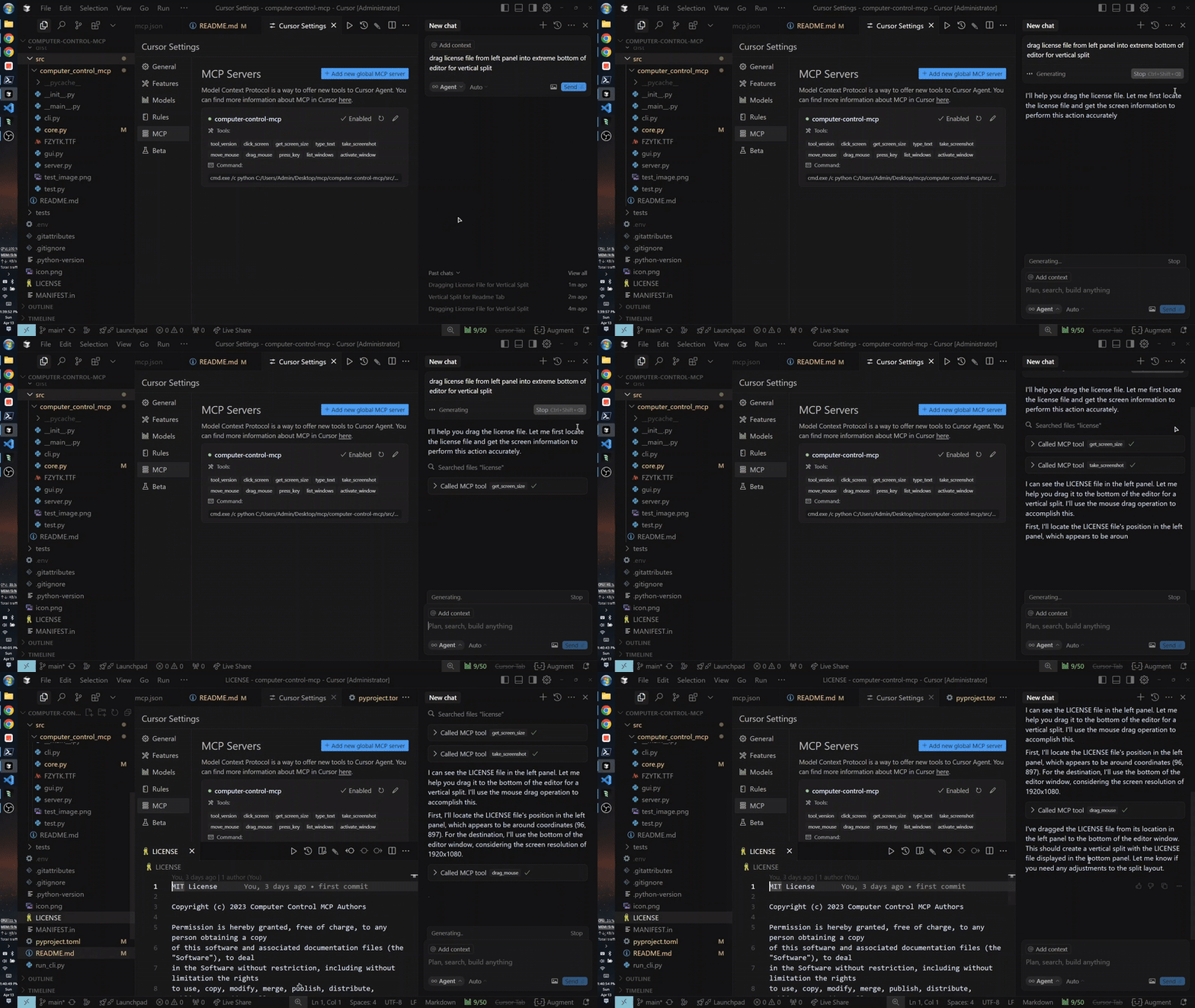
Quick Usage (MCP Setup Using uvx)
Note: Running uvx computer-control-mcp@latest for the first time will download python dependencies (around 70MB) which may take some time. Recommended to run this in a terminal before using it as MCP. Subsequent runs will be instant.
{
  "mcpServers": {
    "computer-control-mcp": {
      "command": "uvx",
      "args": ["computer-control-mcp@latest"]
    }
  }
}
OR install globally with pip:
pip install computer-control-mcp
Then run the server with:
computer-control-mcp # instead of uvx computer-control-mcp, so you can use the latest version, also you can `uv cache clean` to clear the cache and `uvx` again to use latest version.
Features
- Control mouse movements and clicks
- Type text at the current cursor position
- Take screenshots of the entire screen or specific windows with optional saving to downloads directory
- Extract text from screenshots using OCR (Optical Character Recognition)
- List and activate windows
- Press keyboard keys
- Drag and drop operations
Available Tools
Mouse Control
click_screen(x: int, y: int): Click at specified screen coordinatesmove_mouse(x: int, y: int): Move mouse cursor to specified coordinatesdrag_mouse(from_x: int, from_y: int, to_x: int, to_y: int, duration: float = 0.5): Drag mouse from one position to another
Keyboard Control
type_text(text: str): Type the specified text at current cursor positionpress_key(key: str): Press a specified keyboard key
Screen and Window Management
take_screenshot(title_pattern: str = None, use_regex: bool = False, threshold: int = 60, with_ocr_text_and_coords: bool = False, scale_percent_for_ocr: int = 100, save_to_downloads: bool = False): Capture screen or window with optional OCRget_screen_size(): Get current screen resolutionlist_windows(): List all open windowsactivate_window(title_pattern: str, use_regex: bool = False, threshold: int = 60): Bring specified window to foreground
Development
Setting up the Development Environment
# Clone the repository
git clone https://github.com/AB498/computer-control-mcp.git
cd computer-control-mcp

# Install in development mode
pip install -e .

# Start server
python -m computer_control_mcp.core
Running Tests
python -m pytest
API Reference
See the API Reference for detailed information about the available functions and classes.
License
MIT
For more information or help
Release history Release notifications | RSS feed


Download files
Download the file for your platform. If you're not sure which to choose, learn more about installing packages.
Source Distribution
Built Distribution
Filter files by name, interpreter, ABI, and platform.
If you're not sure about the file name format, learn more about wheel file names.
Copy a direct link to the current filters
File details
Details for the file computer_control_mcp-0.3.1.tar.gz.
File metadata
- Download URL: computer_control_mcp-0.3.1.tar.gz
- Upload date:
- Size: 1.8 MB
- Tags: Source
- Uploaded using Trusted Publishing? No
- Uploaded via: uv/0.8.11
File hashes
| Algorithm | Hash digest | |
|---|---|---|
| SHA256 |
79217e0b40b5c89b89b3946c46b9a68bb9d18ca20c754c6096d13621edd52bee
|
|
| MD5 |
52aaec6fe1831b85a0b6a25067bd0ff9
|
|
| BLAKE2b-256 |
bba9b5cfa7a5550e898498e0ec3c4e3e9253759a210bb07bdefc9802ed4fc113
|
File details
Details for the file computer_control_mcp-0.3.1-py3-none-any.whl.
File metadata
- Download URL: computer_control_mcp-0.3.1-py3-none-any.whl
- Upload date:
- Size: 1.8 MB
- Tags: Python 3
- Uploaded using Trusted Publishing? No
- Uploaded via: uv/0.8.11
File hashes
| Algorithm | Hash digest | |
|---|---|---|
| SHA256 |
e37cd305f80d9bae44f8c727f7707fa48780a33a1fea7455542cdc0f913c6486
|
|
| MD5 |
e671c9053493c71539e36bb3b2660bf3
|
|
| BLAKE2b-256 |
78e07881337f4132bf1bb75ffba68fa8da88b9c1ac444e348c8cf50f86fca9ff
|






