
This release is a pre-release and may not be stable for production use.
CrewAI Playground
A modern web interface for interacting with CrewAI crews through an intuitive, feature-rich chat UI.
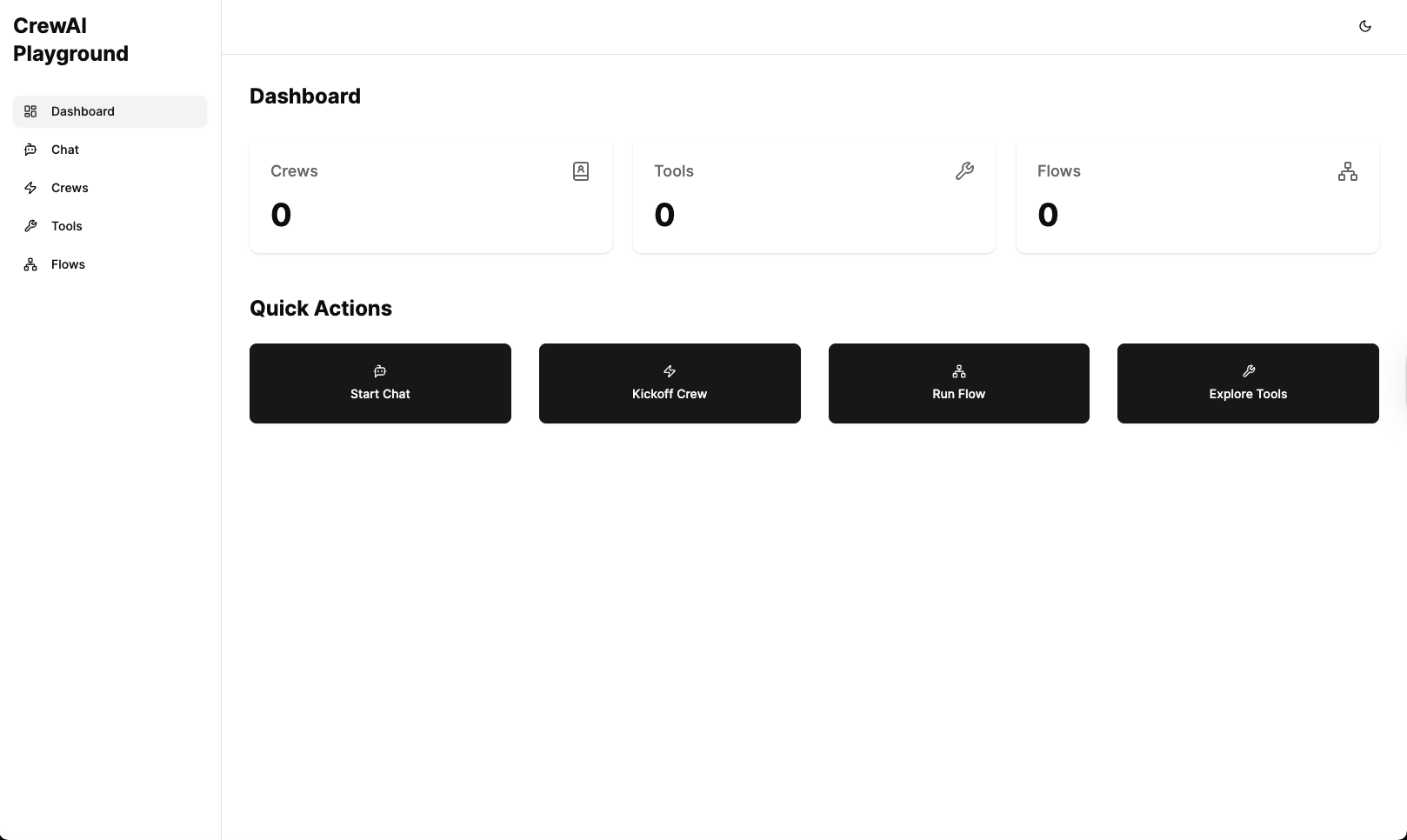

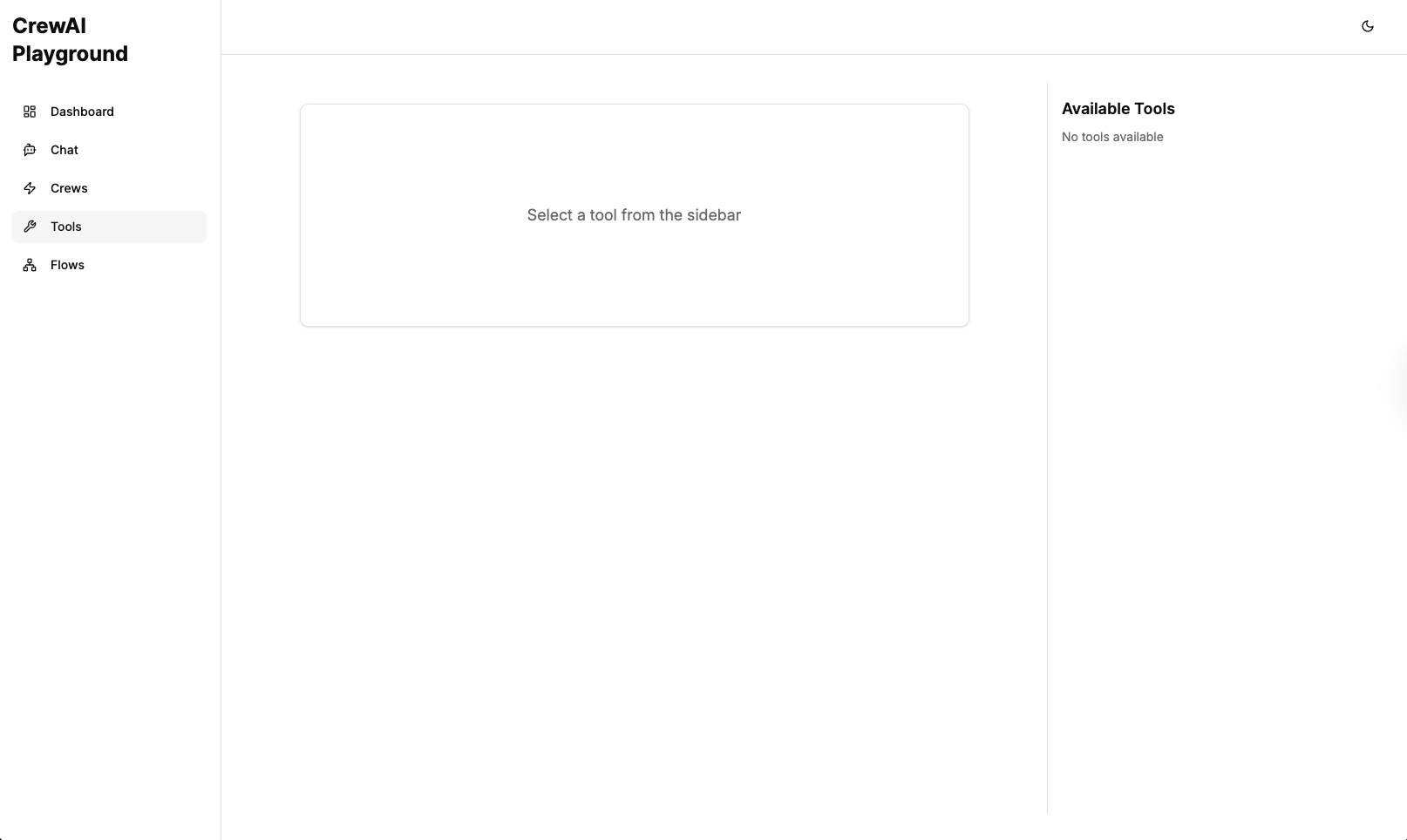
Screenshot: CrewAI Playground in action
Features
- 🌐 Modern Web Interface: Sleek, responsive chat UI for interacting with your CrewAI crews
- 🔍 Auto-Discovery: Automatically finds and loads your crew from the current directory
- 🎮 Interactive: Real-time chat with typing indicators and message formatting
- 📋 Chat History: Save and manage conversation threads with local storage
- 🗑️ Thread Management: Create new chats and delete old conversations
- 🔄 State Persistence: Conversations are saved and can be resumed
- 📱 Responsive Design: Optimized for various screen sizes
- 🚀 Easy to Use: Simple installation and setup process
- 🧵 Multi-Thread Support: Maintain multiple conversations with proper message tracking
- 🔔 Cross-Thread Notifications: Get notified when responses arrive in other threads
- 💬 Persistent Typing Indicators: Typing bubbles remain visible when switching threads
- 🔄 Synchronization: Messages are properly synchronized between client and server
- 🔧 Tool Execution: Support for executing CrewAI tools directly from the UI
- 📊 Telemetry & Tracing: Built-in OpenTelemetry integration for monitoring crew executions
- 🌊 Flow API Support: Create, manage, and visualize CrewAI flows through the UI
- 🔄 Real-time Flow Visualization: WebSocket-based real-time updates for flow executions
- 📝 Structured Inputs: Support for providing structured inputs to crews and flows
Installation
From PyPI (when published)
pip install crewai-playground
From source
- Clone this repository or download the source code
- Navigate to the directory containing the
pyproject.tomlfile - Install with pip:
pip install -e .
Requirements
- Python 3.9+
- CrewAI 0.98.0+
- A properly configured CrewAI project with a crew instance
Usage
- Navigate to your CrewAI project directory
- Run the chat UI:
crewai-playground
- Open your browser and go to
http://localhost:5000 - Start chatting with your crew!
How It Works
The CrewAI Playground:
- Searches for crew.py or *_crew.py files in your current directory
- Loads your crew instance
- Uses the crew's chat_llm to initialize a chat interface
- Provides a modern web-based UI for interacting with your crew
- Manages chat history using local storage for persistent conversations
- Discovers and makes available CrewAI tools for direct execution
- Automatically discovers and loads CrewAI flows from your project
- Provides real-time visualization of crew and flow executions
- Collects telemetry data for monitoring and debugging
Configuration
The chat UI uses the following configuration from your crew:
chat_llm: The language model to use for chat interactions (required)- Crew task descriptions: To understand your crew's purpose
- Agent descriptions: To understand the agents' roles
Flow Configuration
CrewAI Playground automatically discovers flows in your project directory. You can specify a custom flows directory using the environment variable:
CREWAI_FLOWS_DIR=/path/to/flows crewai-playground
Telemetry Configuration
Telemetry is enabled by default using OpenTelemetry. The application will:
- Log traces to the console for debugging
- Connect to an OpenTelemetry collector at
localhost:4318if available - Store execution traces in memory for viewing in the UI
Tool Configuration
Tools are automatically discovered from your CrewAI installation. No additional configuration is required.
Development
Project Structure
src/
└── crewai_playground/
    ├── __init__.py        # Package initialization
    ├── server.py          # Web server implementation
    ├── crew_loader.py     # Logic to load user's crew
    ├── chat_handler.py    # Chat functionality
    ├── flow_api.py        # Flow API endpoints and WebSocket handling
    ├── flow_loader.py     # Logic to discover and load flows
    ├── telemetry.py       # OpenTelemetry integration
    ├── tool_loader.py     # Logic to discover and load tools
    ├── event_listener.py  # Event listeners for crew visualization
    └── ui/                # Modern React frontend
        └── build/         # Built frontend assets
    └── static/            # Legacy frontend assets
        ├── index.html     # Main UI page
        ├── styles.css     # Styling
        └── scripts.js     # Client-side functionality
pyproject.toml          # Package configuration
README.md               # Documentation
UI Features
Chat History Management
The UI provides several ways to manage your conversations:
- Create New Chat: Click the "New Chat" button in the sidebar to start a fresh conversation
- View Past Conversations: All your conversations are saved and accessible from the sidebar
- Delete Conversations: Each conversation in the sidebar has a delete button (trash icon) to remove unwanted threads
- Clear Current Chat: The "Clear" button in the header removes all messages in the current conversation while keeping the thread
Thread Management
The application supports sophisticated thread management:
- Multiple Concurrent Threads: Maintain multiple conversations with different crews simultaneously
- Thread Persistence: All messages are correctly stored in their respective threads
- Cross-Thread Notifications: When a response arrives in a thread you're not currently viewing, you'll receive a notification
- Persistent Typing Indicators: Typing bubbles remain visible when switching between threads until a response is received
- Thread Synchronization: Messages are properly synchronized between client and server to ensure no messages are lost
Advanced Features
Flow API
The CrewAI Playground includes comprehensive support for CrewAI Flows:
- Flow Discovery: Automatically finds and loads Flow classes from your project
- Flow Execution: Execute flows with structured inputs through the UI
- Real-time Visualization: Monitor flow execution with WebSocket-based updates
- Flow State Management: Track the state of flow executions and their steps
- Flow Traces: View detailed execution traces for debugging and analysis
To use the Flow API:
- Create Flow classes in your project following the CrewAI Flow conventions
- Start CrewAI Playground in your project directory
- Access the Flows tab in the UI to see your available flows
- Select a flow and provide the required inputs to execute it
- Monitor the execution in real-time through the visualization interface
Telemetry & Tracing
The CrewAI Playground includes built-in telemetry capabilities:
- OpenTelemetry Integration: Collect and export traces using the OpenTelemetry standard
- Execution Tracing: Track crew, agent, and task executions with detailed spans
- In-Memory Storage: View traces directly in the UI without external dependencies
- Collector Support: Export traces to an OpenTelemetry collector if available
- Visualization: Explore execution traces with a visual interface
The telemetry features help you:
- Debug complex crew interactions
- Analyze agent performance and behavior
- Understand the flow of information between agents and tasks
- Optimize your crew designs based on execution patterns
Tool Execution
CrewAI Playground provides direct access to CrewAI tools:
- Tool Discovery: Automatically finds and loads tools from your CrewAI installation
- Tool Execution: Execute tools directly from the UI with structured inputs
- Schema Validation: Input validation based on tool schemas
- Result Visualization: View tool execution results in a formatted display
This feature allows you to:
- Test tools independently of crew executions
- Debug tool behavior with different inputs
- Understand tool capabilities and requirements
- Develop and test new tools more efficiently
Development
Building the Package
To build the package:
pip install build
python -m build
The package will be available in the dist/ directory.
License
MIT
Contributing
Contributions are welcome! Please feel free to submit a Pull Request.
1 maintainer

Metadata
1 maintainer
Release files for crewai-playground 0.1.0a13
For a detailed explanation of source distributions (sdists) and built distributions (wheels), please see the package formats documentation.
Source distribution (sdist)
| File | Size | Uploaded | |
|---|---|---|---|
| crewai_playground-0.1.0a13.tar.gz | 464.3 kB | Details |
Built distribution (wheel)
| File | Interpreter | ABI | Platform | Reset |
|---|---|---|---|---|
| crewai_playground-0.1.0a13-py3-none-any.whl | Python 3 | none | any | Details |
Total release size: 949.8 kB
Release files / crewai_playground-0.1.0a13.tar.gz
| Download URL | crewai_playground-0.1.0a13.tar.gz |
|---|---|
| Size | 464.3 kB |
| Tags | Source |
|
SHA-256 checksum How to use checksums |
39a854a13422d9f5f47d20c2b15033bcb1e7a37f9dd8cf8728e00f9bbc712743
|
|
BLAKE2b-256 checksum How to use checksums |
eedce985448b72768e4e36e29f5f8a8c99f51d1cb882b7a7b3db3d2ba59d9544
|
| Upload date | |
|
Uploaded using Trusted Publishing? What is trusted publishing? |
No |
| Uploaded via |
twine/6.1.0 CPython/3.12.8
|
Release files / crewai_playground-0.1.0a13-py3-none-any.whl
| Download URL | crewai_playground-0.1.0a13-py3-none-any.whl |
|---|---|
| Size | 485.5 kB |
| Tags | Python 3 |
|
SHA-256 checksum How to use checksums |
a38e40882f7c4cce309bb5122ff2dd047604238704e818f11532686c5f511cfd
|
|
BLAKE2b-256 checksum How to use checksums |
41e48c8c16a8079baa9416ba3045878a272def9c72dd3da9cf5a900d785fc001
|
| Upload date | |
|
Uploaded using Trusted Publishing? What is trusted publishing? |
No |
| Uploaded via |
twine/6.1.0 CPython/3.12.8
|














