
CrewAI playground web interface

Project description
CrewAI Playground
A modern web interface for interacting with CrewAI crews through an intuitive, feature-rich chat UI.
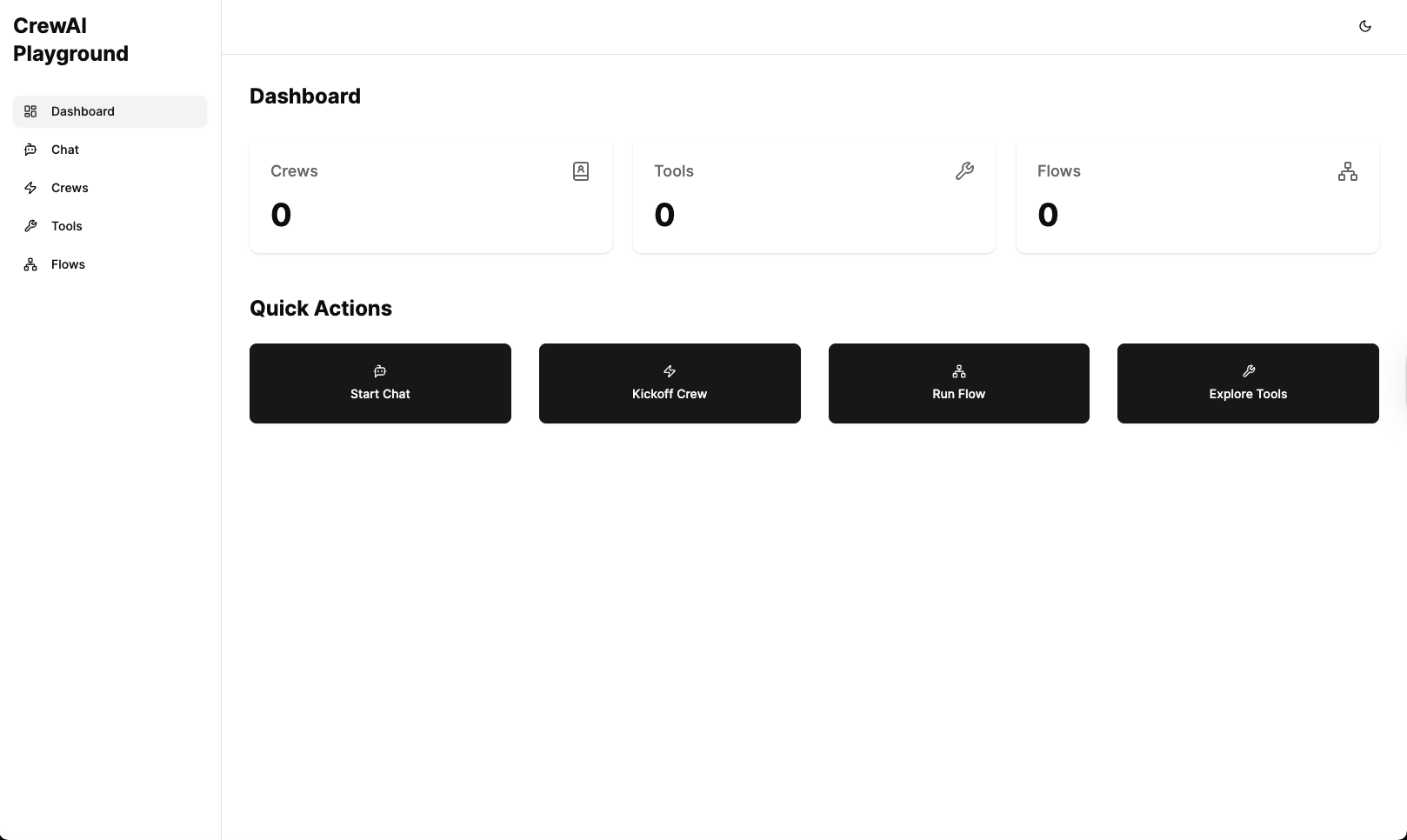

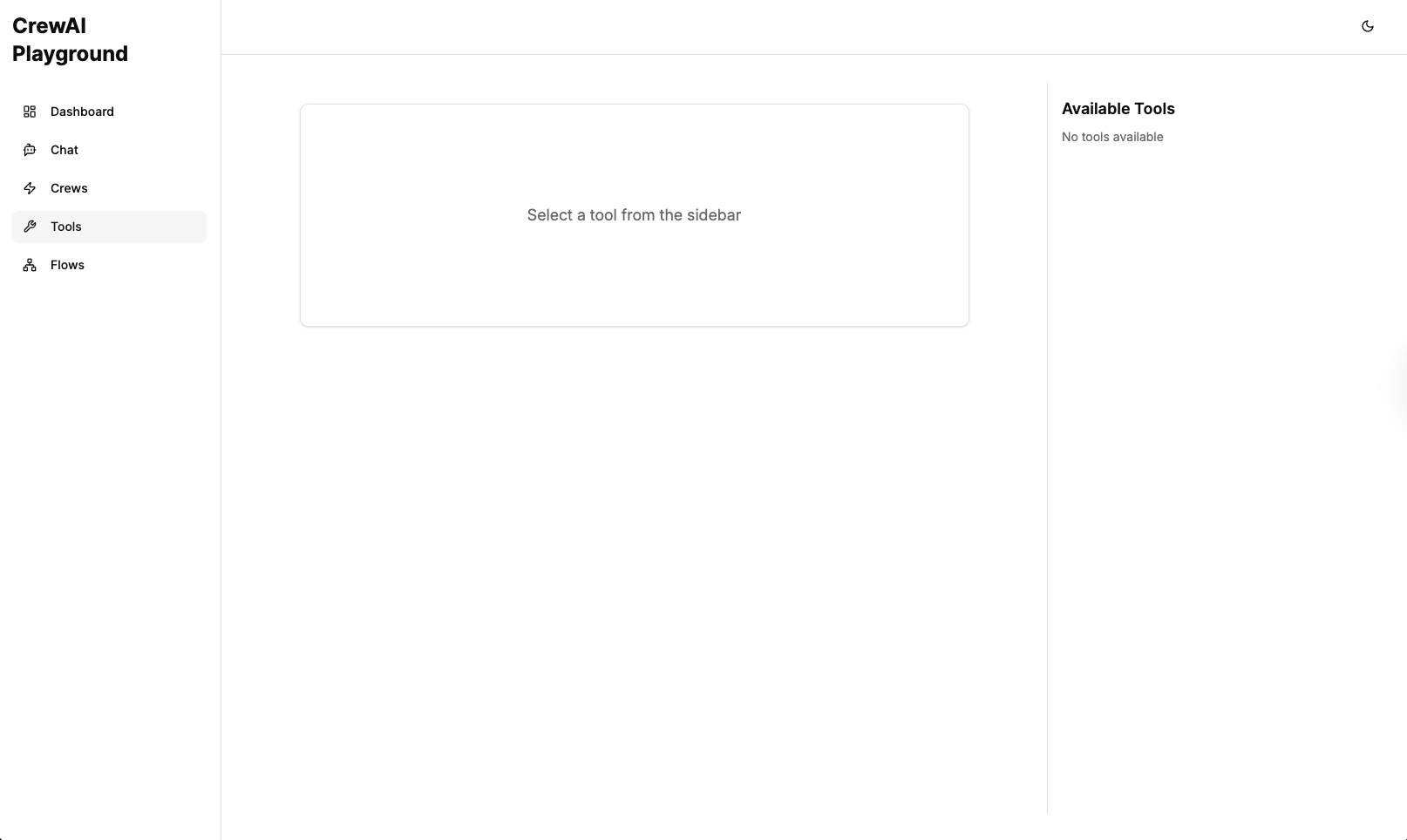
Screenshot: CrewAI Playground in action
Features
- 🌐 Modern Web Interface: Sleek, responsive chat UI for interacting with your CrewAI crews
- 🔍 Auto-Discovery: Automatically finds and loads your crew from the current directory
- 🎮 Interactive: Real-time chat with typing indicators and message formatting
- 📋 Chat History: Save and manage conversation threads with local storage
- 🗑️ Thread Management: Create new chats and delete old conversations
- 🔄 State Persistence: Conversations are saved and can be resumed
- 📱 Responsive Design: Optimized for various screen sizes
- 🚀 Easy to Use: Simple installation and setup process
- 🧵 Multi-Thread Support: Maintain multiple conversations with proper message tracking
- 🔔 Cross-Thread Notifications: Get notified when responses arrive in other threads
- 💬 Persistent Typing Indicators: Typing bubbles remain visible when switching threads
- 🔄 Synchronization: Messages are properly synchronized between client and server
- 🔧 Tool Execution: Support for executing CrewAI tools directly from the UI
- 📊 Telemetry & Tracing: Built-in OpenTelemetry integration for monitoring crew executions
- 🌊 Flow API Support: Create, manage, and visualize CrewAI flows through the UI
- 🔄 Real-time Flow Visualization: WebSocket-based real-time updates for flow executions
- 📝 Structured Inputs: Support for providing structured inputs to crews and flows
Installation
From PyPI (when published)
pip install crewai-playground
From source
- Clone this repository or download the source code
- Navigate to the directory containing the
pyproject.tomlfile - Install with pip:
pip install -e .
Requirements
- Python 3.9+
- CrewAI 0.98.0+
- A properly configured CrewAI project with a crew instance
Usage
- Navigate to your CrewAI project directory
- Run the chat UI:
crewai-playground
- Open your browser and go to
http://localhost:5000 - Start chatting with your crew!
How It Works
The CrewAI Playground:
- Searches for crew.py or *_crew.py files in your current directory
- Loads your crew instance
- Uses the crew's chat_llm to initialize a chat interface
- Provides a modern web-based UI for interacting with your crew
- Manages chat history using local storage for persistent conversations
- Discovers and makes available CrewAI tools for direct execution
- Automatically discovers and loads CrewAI flows from your project
- Provides real-time visualization of crew and flow executions
- Collects telemetry data for monitoring and debugging
Configuration
The chat UI uses the following configuration from your crew:
chat_llm: The language model to use for chat interactions (required)- Crew task descriptions: To understand your crew's purpose
- Agent descriptions: To understand the agents' roles
Flow Configuration
CrewAI Playground automatically discovers flows in your project directory. You can specify a custom flows directory using the environment variable:
CREWAI_FLOWS_DIR=/path/to/flows crewai-playground
Telemetry Configuration
Telemetry is enabled by default using OpenTelemetry. The application will:
- Log traces to the console for debugging
- Connect to an OpenTelemetry collector at
localhost:4318if available - Store execution traces in memory for viewing in the UI
Tool Configuration
Tools are automatically discovered from your CrewAI installation. No additional configuration is required.
Development
Project Structure
src/
└── crewai_playground/
    ├── __init__.py        # Package initialization
    ├── server.py          # Web server implementation
    ├── crew_loader.py     # Logic to load user's crew
    ├── chat_handler.py    # Chat functionality
    ├── flow_api.py        # Flow API endpoints and WebSocket handling
    ├── flow_loader.py     # Logic to discover and load flows
    ├── telemetry.py       # OpenTelemetry integration
    ├── tool_loader.py     # Logic to discover and load tools
    ├── event_listener.py  # Event listeners for crew visualization
    └── ui/                # Modern React frontend
        └── build/         # Built frontend assets
    └── static/            # Legacy frontend assets
        ├── index.html     # Main UI page
        ├── styles.css     # Styling
        └── scripts.js     # Client-side functionality
pyproject.toml          # Package configuration
README.md               # Documentation
UI Features
Chat History Management
The UI provides several ways to manage your conversations:
- Create New Chat: Click the "New Chat" button in the sidebar to start a fresh conversation
- View Past Conversations: All your conversations are saved and accessible from the sidebar
- Delete Conversations: Each conversation in the sidebar has a delete button (trash icon) to remove unwanted threads
- Clear Current Chat: The "Clear" button in the header removes all messages in the current conversation while keeping the thread
Thread Management
The application supports sophisticated thread management:
- Multiple Concurrent Threads: Maintain multiple conversations with different crews simultaneously
- Thread Persistence: All messages are correctly stored in their respective threads
- Cross-Thread Notifications: When a response arrives in a thread you're not currently viewing, you'll receive a notification
- Persistent Typing Indicators: Typing bubbles remain visible when switching between threads until a response is received
- Thread Synchronization: Messages are properly synchronized between client and server to ensure no messages are lost
Advanced Features
Flow API
The CrewAI Playground includes comprehensive support for CrewAI Flows:
- Flow Discovery: Automatically finds and loads Flow classes from your project
- Flow Execution: Execute flows with structured inputs through the UI
- Real-time Visualization: Monitor flow execution with WebSocket-based updates
- Flow State Management: Track the state of flow executions and their steps
- Flow Traces: View detailed execution traces for debugging and analysis
To use the Flow API:
- Create Flow classes in your project following the CrewAI Flow conventions
- Start CrewAI Playground in your project directory
- Access the Flows tab in the UI to see your available flows
- Select a flow and provide the required inputs to execute it
- Monitor the execution in real-time through the visualization interface
Telemetry & Tracing
The CrewAI Playground includes built-in telemetry capabilities:
- OpenTelemetry Integration: Collect and export traces using the OpenTelemetry standard
- Execution Tracing: Track crew, agent, and task executions with detailed spans
- In-Memory Storage: View traces directly in the UI without external dependencies
- Collector Support: Export traces to an OpenTelemetry collector if available
- Visualization: Explore execution traces with a visual interface
The telemetry features help you:
- Debug complex crew interactions
- Analyze agent performance and behavior
- Understand the flow of information between agents and tasks
- Optimize your crew designs based on execution patterns
Tool Execution
CrewAI Playground provides direct access to CrewAI tools:
- Tool Discovery: Automatically finds and loads tools from your CrewAI installation
- Tool Execution: Execute tools directly from the UI with structured inputs
- Schema Validation: Input validation based on tool schemas
- Result Visualization: View tool execution results in a formatted display
This feature allows you to:
- Test tools independently of crew executions
- Debug tool behavior with different inputs
- Understand tool capabilities and requirements
- Develop and test new tools more efficiently
Development
Building the Package
To build the package:
pip install build
python -m build
The package will be available in the dist/ directory.
License
MIT
Contributing
Contributions are welcome! Please feel free to submit a Pull Request.
Release history Release notifications | RSS feed


Download files
Download the file for your platform. If you're not sure which to choose, learn more about installing packages.
Source Distribution
Built Distribution
Filter files by name, interpreter, ABI, and platform.
If you're not sure about the file name format, learn more about wheel file names.
Copy a direct link to the current filters
File details
Details for the file crewai_playground-0.1.0a12.tar.gz.
File metadata
- Download URL: crewai_playground-0.1.0a12.tar.gz
- Upload date:
- Size: 461.1 kB
- Tags: Source
- Uploaded using Trusted Publishing? No
- Uploaded via: twine/6.1.0 CPython/3.12.8
File hashes
| Algorithm | Hash digest | |
|---|---|---|
| SHA256 |
a46804dfb44d7e11521663423ff6fa6038cf365cb93e4e27dc485a2df2397fca
|
|
| MD5 |
5aeaf07f7a19a7d318913ee84cc81cd6
|
|
| BLAKE2b-256 |
18f0915f84db7dfe6fbb737aa91500342fa7bb719c044ae34c60903919841b4a
|
File details
Details for the file crewai_playground-0.1.0a12-py3-none-any.whl.
File metadata
- Download URL: crewai_playground-0.1.0a12-py3-none-any.whl
- Upload date:
- Size: 482.2 kB
- Tags: Python 3
- Uploaded using Trusted Publishing? No
- Uploaded via: twine/6.1.0 CPython/3.12.8
File hashes
| Algorithm | Hash digest | |
|---|---|---|
| SHA256 |
d85c3cfb05d3c5011b5f7c852c1b6ad7f00be71debac8bd0145d6d975d4520f9
|
|
| MD5 |
5fc65e4f61680f9c5831b36567b0441e
|
|
| BLAKE2b-256 |
d45b8fe707955e32b85a6d97d1fc07425f2a136b67405efd7ed2beed6ca073f7
|






