
CRUDAdmin

Modern admin interface for FastAPI with built-in authentication, event tracking, and security features



CRUDAdmin is a robust admin interface generator for FastAPI applications, offering secure authentication, comprehensive event tracking, and essential monitoring features. Built with FastCRUD and HTMX, it helps you create production-ready admin panels with minimal configuration.
Documentation: https://benavlabs.github.io/crudadmin/
[!IMPORTANT]
v0.6.0: Authentication now runs on crudauth. Upgrading signs every admin out once, logout is a POST, the Memcached session backend is gone, and new admins aren't superusers by default. Read the v0.6.0 release notes before upgrading.
[!WARNING]
CRUDAdmin is still experimental. While actively developed and tested, APIs may change between versions. Upgrade with caution in production environments, always carefully reading the changelog.
Features
- 🔒 Session Management: Sessions in memory, Redis or the admin database, built on crudauth, with a Sessions page to sign devices out
- 🛡️ Built-in Security: CSRF protection, login lockout, password confirmation before admin-account changes, IP allowlists, HTTPS enforcement, and secure session cookies (HttpOnly, Secure, SameSite=Strict)
- 👥 Roles: Superusers manage admin accounts and see the event log; other admins work with your models
- 📝 Event Tracking & Audit Logs: Comprehensive audit trails for all admin actions with user attribution
- 📊 Auto-generated Interface: Creates admin UI directly from your SQLAlchemy models with intelligent field detection
- 🔍 Advanced Filtering: Type-aware field filtering, search, and pagination with bulk operations
- 🌗 Modern UI: Clean, responsive interface built with HTMX and FastCRUD
Video Preview
To see what CRUDAdmin dashboard actually looks like in practice, watch the video demo on youtube:

Quick Start
Installation
uv add crudadmin
For production with Redis sessions:
uv add "crudadmin[redis]"
Or using pip:
pip install "crudadmin[redis]"
Basic Setup
from contextlib import asynccontextmanager
from fastapi import FastAPI
from sqlalchemy.ext.asyncio import AsyncSession, create_async_engine
from crudadmin import CRUDAdmin

from .user import (
    Base,
    User,
    UserCreate,
    UserUpdate,
)

engine = create_async_engine("sqlite+aiosqlite:///app.db")


async def get_session():
    async with AsyncSession(engine) as session:
        yield session


admin = CRUDAdmin(
    session=get_session,
    SECRET_KEY="your-secret-key-here",
    initial_admin={
        "username": "admin",
        "password": "secure_password123",
    },
)

admin.add_view(
    model=User,
    create_schema=UserCreate,
    update_schema=UserUpdate,
    allowed_actions={"view", "create", "update"},
)


@asynccontextmanager
async def lifespan(app: FastAPI):
    async with engine.begin() as conn:
        await conn.run_sync(Base.metadata.create_all)
    await admin.initialize()
    yield
    await admin.shutdown()


app = FastAPI(lifespan=lifespan)
app.mount("/admin", admin.app)
SECRET_KEY keys the stored session and CSRF identifiers; changing it signs every admin out. admin.initialize() creates the admin tables and the initial admin, and admin.shutdown() closes the session store.
Navigate to /admin to access your admin interface with:
- User authentication
- CRUD operations for your models
- Responsive UI with dark/light themes
- Built-in security features
[!WARNING] Important for SQLite users: If you're using SQLite databases (which is the default for CRUDAdmin), make sure to add database files to your
.gitignoreto avoid committing sensitive data like admin credentials and session tokens.*.db *.sqlite *.sqlite3 crudadmin_data/ *.db-journal *.sqlite3-journal
Session Backends
Sessions, CSRF tokens and login-lockout counters live in one of three backends.
Development (default)
admin = CRUDAdmin(session=get_session, SECRET_KEY="key")
Memory is per process: fine for development and a single worker. With several workers an admin would be logged out whenever a request lands on another worker.
Redis
from crudadmin import CRUDAdmin, RedisConfig

admin = CRUDAdmin(
    session=get_session,
    SECRET_KEY="key",
    session_backend="redis",
    redis_config=RedisConfig(url="redis://localhost:6379/0"),
)
redis_config also accepts RedisConfig(host=..., port=..., db=..., password=...) or a plain dict.
Admin database
admin = CRUDAdmin(
    session=get_session,
    SECRET_KEY="key",
    session_backend="database",
)
Keeps sessions and lockout counters in the admin database, shared by every worker without extra infrastructure.
Production with Security Features
from crudadmin import CRUDAdmin, RedisConfig

admin = CRUDAdmin(
    session=get_session,
    SECRET_KEY=SECRET_KEY,
    session_backend="redis",
    redis_config=RedisConfig(host="localhost", port=6379, db=0, password="your-redis-password"),
    max_sessions_per_user=3,
    session_timeout_minutes=15,
    cleanup_interval_minutes=5,
    allowed_ips=["10.0.0.1"],
    allowed_networks=["192.168.1.0/24"],
    trusted_proxy_hops=1,
    secure_cookies=True,
    enforce_https=True,
    track_events=True,
)
Logins are locked after 5 failures, for one minute at first and at most five. Anyone who knows an admin's username can trigger that, so pair it with allowed_ips / allowed_networks. Set trusted_proxy_hops to the number of reverse proxies in front of the app so lockouts and the allowlist see the real client IP.
Backend Options
| Backend | Use Case | Shared Across Workers | Survives Restarts | Extra Infrastructure |
|---|---|---|---|---|
| Memory | Development, single worker | No | No | None |
| Redis | Production (recommended) | Yes | With Redis persistence | Redis |
| Database | Production without Redis | Yes | Yes | None |
What You Get
- Secure Authentication - Login with lockout, CSRF-protected changes, and a Sessions page to sign devices out
- Auto-Generated Forms - Create and edit forms built from your Pydantic schemas
- Data Tables - Paginated, sortable tables for viewing your data
- CRUD Operations - Full Create, Read, Update, Delete functionality
- Responsive UI - Works on desktop and mobile devices
- Dark/Light Themes - Toggle between themes
- Input Validation - Built-in validation using your Pydantic schemas
- Event Tracking - Monitor all admin actions with audit trails
- Health Monitoring - Real-time system status and diagnostics
Documentation
- Quick Start: Get up and running in 5 minutes
- Usage Guide: Complete usage documentation
- API Reference: Full API documentation
- Advanced Topics: Production features and configurations
License
This project is licensed under the MIT License - see the LICENSE file for details.
Build a full SaaS on FastAPI
Need more than an admin panel? FastroAI is the complete FastAPI SaaS template from the same team: auth, Stripe payments (subscriptions, credits, discounts), entitlements, transactional email, an Astro frontend, and PydanticAI agents, wired together and production-ready.
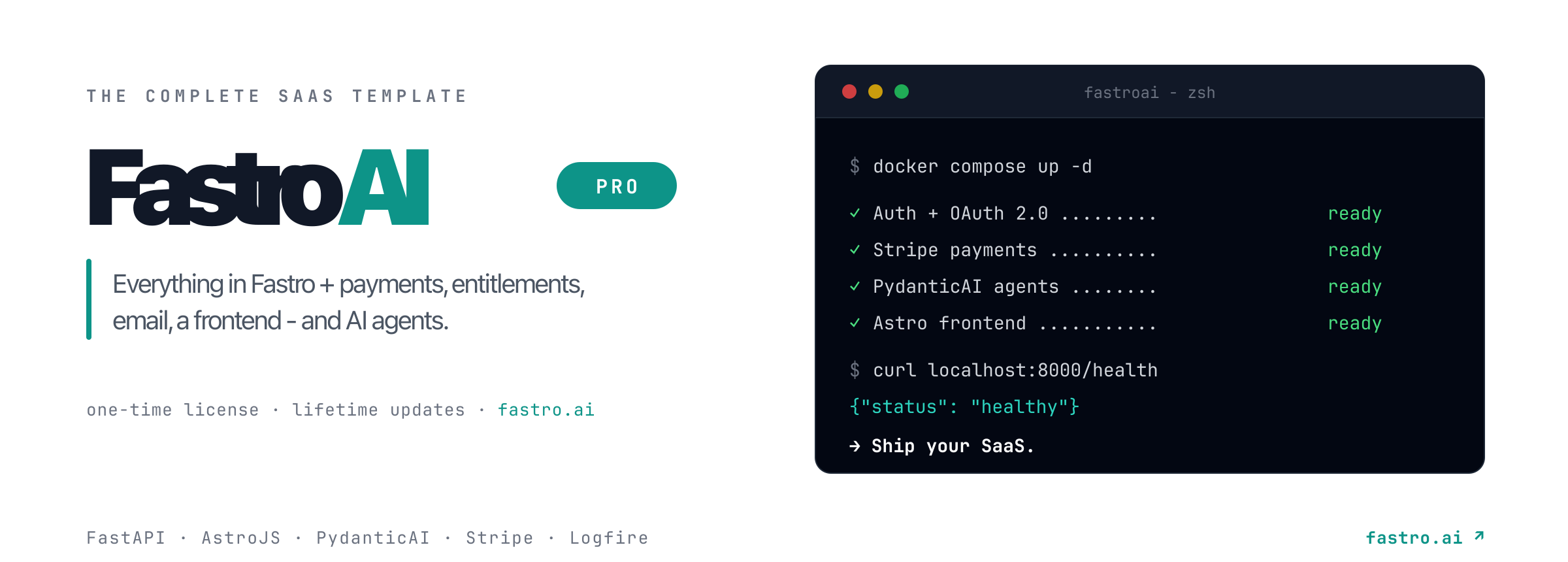
Ship your SaaS faster with FastroAI →

1 maintainer

Metadata
1 maintainer
Release files for crudadmin 0.6.0
For a detailed explanation of source distributions (sdists) and built distributions (wheels), please see the package formats documentation.
Source distribution (sdist)
| File | Size | Uploaded | |
|---|---|---|---|
| crudadmin-0.6.0.tar.gz | 191.6 kB | Details |
Built distribution (wheel)
| File | Interpreter | ABI | Platform | Reset |
|---|---|---|---|---|
| crudadmin-0.6.0-py3-none-any.whl | Python 3 | none | any | Details |
Total release size: 404.6 kB
Release files / crudadmin-0.6.0.tar.gz
| Download URL | crudadmin-0.6.0.tar.gz |
|---|---|
| Size | 191.6 kB |
| Tags | Source |
|
SHA-256 checksum How to use checksums |
7f91aa948882959d68681e3f8e7cd20374fbf537032ec8e62202594293fa94fd
|
|
BLAKE2b-256 checksum How to use checksums |
bea61d63353fbf4c604a7c4192696a8eca233901f8fc16c0d5d3a3b8210e662d
|
| Upload date | |
|
Uploaded using Trusted Publishing? What is trusted publishing? |
No |
| Uploaded via |
uv/0.10.11 {"installer":{"name":"uv","version":"0.10.11","subcommand":["publish"]},"python":null,"implementation":{"name":null,"version":null},"distro":{"name":"macOS","version":null,"id":null,"libc":null},"system":{"name":null,"release":null},"cpu":null,"openssl_version":null,"setuptools_version":null,"rustc_version":null,"ci":null}
|
Release files / crudadmin-0.6.0-py3-none-any.whl
| Download URL | crudadmin-0.6.0-py3-none-any.whl |
|---|---|
| Size | 212.9 kB |
| Tags | Python 3 |
|
SHA-256 checksum How to use checksums |
02aa512769840ed5d5af1e5a9984b26319f0ad8c77b166e606b1684071f60f13
|
|
BLAKE2b-256 checksum How to use checksums |
5c251dca5885e7175ea2ea4d29f9c0f85d0bb1913993c92620bd7033f65cdf11
|
| Upload date | |
|
Uploaded using Trusted Publishing? What is trusted publishing? |
No |
| Uploaded via |
uv/0.10.11 {"installer":{"name":"uv","version":"0.10.11","subcommand":["publish"]},"python":null,"implementation":{"name":null,"version":null},"distro":{"name":"macOS","version":null,"id":null,"libc":null},"system":{"name":null,"release":null},"cpu":null,"openssl_version":null,"setuptools_version":null,"rustc_version":null,"ci":null}
|














