
97% cheaper AI coding. ctx init → ctx build → ctx ask. Knowledge graphs, token-efficient capsules, query history, skills, and multi-provider LLM answers (Ollama, Claude, OpenAI, Azure). Cut context costs from cents to fractions of a cent.

Project description
ctxgraph — AI Context Engine for Python
Slash your LLM token costs by 97%. Stop dumping entire files into AI context. ctxgraph builds a multi-layer knowledge graph from your Python codebase and generates compact context capsules — delivering only what your AI needs, not every line of code.
pip install ctxgraph

ctx init                           # Scaffold .ctxgraph with config + default skills
ctx build                          # Build knowledge graph (AST analysis → SQLite)
ctx ask "how does JWT auth work"   # Ask questions with automatic token savings
ctx capsule "fix JWT expiry"       # 92-99% fewer tokens vs raw code
ctx history --stats                # Track total tokens saved across all queries
ccg "fix the login redirect bug"   # Launch Claude with context pre-loaded
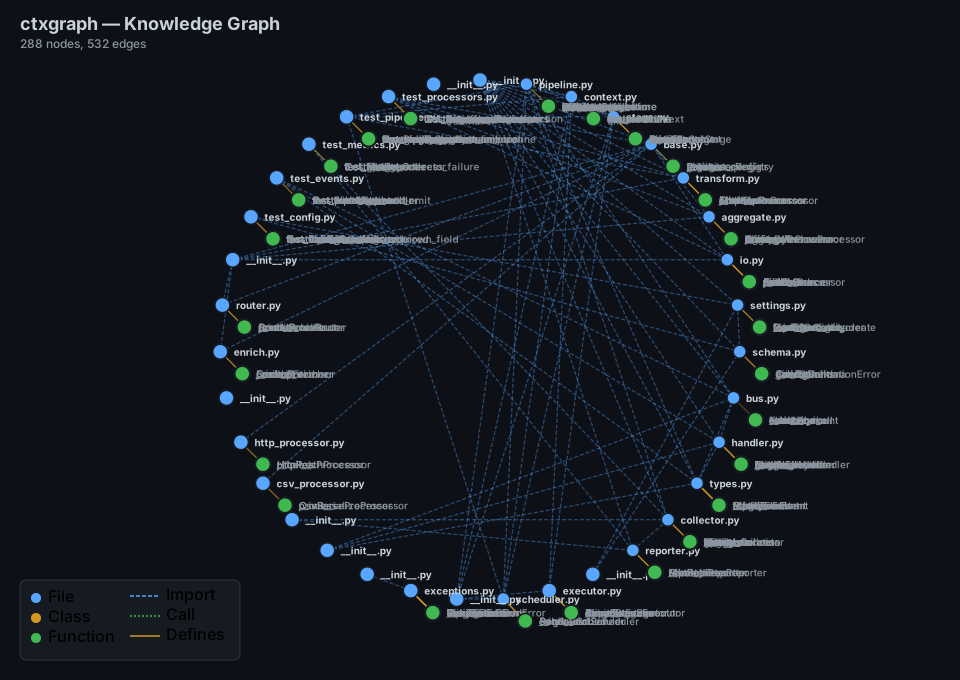
ctx view                           # Interactive D3.js visualization (or --svg for static)
Quick Start
# 1. Initialize project
ctx init                           # Creates .ctxgraph/config.toml + default skills

# 2. Build the knowledge graph
ctx build                          # AST analysis → SQLite graph

# 3. Ask questions (requires Ollama or other LLM provider)
ctx ask "how does authentication work"

# 4. Or generate a capsule for your AI tool
ctx capsule "fix login rate limiter" --savings
Why ctxgraph?
Sending entire files to an AI is wasteful. ctxgraph analyzes your code with AST-based static analysis, stores the result in a queryable SQLite graph, and retrieves only the relevant nodes — compressed into a token-efficient DSL format.
| Without ctxgraph | With ctxgraph | Savings |
|---|---|---|
| All files dumped to context | Targeted capsule (10-40 nodes) | 97% fewer tokens |
| JSON-formatted metadata | Custom DSL format | 4.7× less than JSON |
| Model guesses filenames | Graph provides exact paths | +16.7pp answer coverage |
How It Works
Repository (.py files)
    │
    ▼
┌─────────────────────────────────────────────────────────┐
│  ctx build                                               │
│                                                          │
│  1. importer.py (AST)  →  import edges (file→file)       │
│  2. symbols.py (AST)   →  classes, functions, methods    │
│  3. semantic.py        →  docstring summaries            │
│                                                          │
│  Store: SQLite (nodes + edges)                           │
└────────────────────────┬────────────────────────────────┘
                         │
                         ▼
┌─────────────────────────────────────────────────────────┐
│  ctx capsule "<query>"                                  │
│                                                          │
│  1. Tokenize query → keyword search                      │
│  2. Score: name matches (2x), text (0.5x)                │
│  3. BFS neighborhood expansion (depth=1-3)               │
│  4. Render token-efficient DSL → AI-ready capsule        │
└─────────────────────────────────────────────────────────┘
Token Efficiency
The DSL Advantage
ctxgraph's compact format uses 79% fewer tokens than JSON for the same data:
JSON: 426 tokens                        DSL: 143 tokens
─────                                     ────
{                                         [CTX]calculator expression parsing
  "nodes": [
    {                                     [F]calc/parser.py
      "id": "file:calc/parser.py",         D:Tokenize and parse math expressions
      "type": "file",                      S:tokenize, parse, Expression
      "name": "parser.py",               [F]calc/core.py
      ...                                  D:Core math operations
    }                                     [C]Calculator
  ],                                       D:Main calculator class
  "edges": [...]                          [DEP]
}                                           parser.py → core.py
                                            parser.py → plugins.py
4.7× compression ratio vs equivalent JSON — tested across all benchmark projects.
Capsule vs Raw Files
| Project | Files | Raw Tokens | Avg Capsule | Savings | Build Time |
|---|---|---|---|---|---|
| tiny_app | 7 | 1,558 | ~112 | 92.8% | ~82ms |
| web_api | 23 | 6,567 | ~136 | 97.9% | ~474ms |
| microsvc | 22 | 10,587 | ~63 | 99.4% | ~916ms |
| dataflow | 35 | ~12,500 | ~78 | ~99.4% | ~560ms |
97.0% average token reduction across 4 projects, 42 benchmark runs. The larger the project, the greater the savings.
Token Savings Display
ctx capsule "user authentication" --savings
# ┌──────────────────────────┬──────────────┐
# │ Metric                   │ Value        │
# ├──────────────────────────┼──────────────┤
# │ Raw Project .py Files    │ 10,587 tokens│
# │ Capsule DSL              │ 132 tokens   │
# │ JSON Equivalent          │ 490 tokens   │
# │ Savings vs Raw           │ 98.8%        │
# │ DSL vs JSON              │ 73.1%        │
# └──────────────────────────┴──────────────┘
ctx ask shows this automatically on every query. See how many tokens you save with each question.
Commands
ctx init — Scaffold project
ctx init                              # Default: current directory
ctx init /path/to/project             # Specific path
Creates a .ctxgraph/ directory with everything you need:
.ctxgraph/
├── config.toml          # API provider, model, context settings
├── history.jsonl        # Query history (auto-created, auto-pruned to 1000)
└── skills/
    ├── project-style.toml   # Default skill: project conventions
    └── field-guide.toml     # Default skill: field guide
Idempotent — safe to run on existing projects. Existing files are never overwritten.
ctx build — Build knowledge graph
ctx build                        # Current directory
ctx build /path/to/project       # Specific repo
ctx build --exclude "vendor/*"   # Custom exclude patterns
ctx build --provider claude      # Set LLM provider for later use
ctx build --model gpt-4o         # Set LLM model for later use
ctx ask <query> — Ask questions via LLM
The marquee command. Generates a context capsule, sends it to your LLM provider, and shows token savings.
ctx ask "how does JWT auth work"                       # Uses configured provider (default: Ollama)
ctx ask "fix login bug" --provider claude --model claude-sonnet-4-20250514
ctx ask "refactor payment flow" --skill project-style   # Activate a skill as system prompt
ctx ask "find auth code" --graph                        # Show graph search results table
ctx ask "deep dive" --mode deep                         # Use deep graph context (40 nodes)
ctx ask "explain" --skill field-guide --graph            # Combine skill + graph results
Flags:
| Flag | Description |
|---|---|
--provider |
LLM provider: ollama, claude, openai, azure, custom |
--model |
Model name (e.g. gpt-4o, claude-sonnet-4-20250514) |
--skill |
Skill name to activate (e.g. project-style, field-guide) |
--graph |
Show ranked graph search results alongside the answer |
--mode |
Graph context mode: fast, balanced (default), deep |
Requirements:
- A built graph (run
ctx buildfirst) - A running LLM provider (Ollama by default at
http://localhost:11434)
Example output:
$ ctx ask "how does the greeting system work"

# (Token savings table shown automatically)
┌──────────────────────────┬──────────────┐
│ Metric                   │ Value        │
├──────────────────────────┼──────────────┤
│ Raw Project .py Files    │ 1,234 tokens │
│ Capsule DSL              │ 45 tokens    │
│ JSON Equivalent          │ 180 tokens   │
│ Savings vs Raw           │ 96.4%        │
│ DSL vs JSON              │ 75.0%        │
└──────────────────────────┴──────────────┘

Answer:
The greeting system is implemented in `src/greet.py`. The `greet()` function takes a name
and returns a formatted greeting string. The `Greeter` class extends this with a configurable
prefix. Both use type hints and follow the project conventions.
ctx capsule <query> — Generate context capsule
Generate a token-efficient DSL capsule for use with any AI tool.
ctx capsule "fix JWT token validation"              # Balanced (default: 20 nodes, depth 2)
ctx capsule "fix JWT token validation" --mode fast  # Fast (10 nodes, depth 1)
ctx capsule "fix JWT token validation" --mode deep  # Deep (40 nodes, depth 3)
ctx capsule --overview                              # Project architecture overview
ctx capsule "fix auth" --savings                    # Show token savings table
ctx capsule "fix auth" --skill project-style         # Prepends skill context
| Mode | Max Nodes | BFS Depth | When to Use |
|---|---|---|---|
fast |
10 | 1 | Quick questions, small fixes |
balanced (default) |
20 | 2 | General development |
deep |
40 | 3 | Complex refactoring, architecture |
ctx query <search> — Search graph
ctx query "user auth"
ctx query "payment gateway" --mode deep
Returns ranked nodes with relevance scores, displaying type, name, path, and score.
ctx view — Visualize graph
ctx view                              # Opens interactive D3.js HTML in browser
ctx view --output graph.html          # Save to custom path
ctx view --svg                        # Generate static SVG
ctx view --no-open                    # Generate without opening browser
ctx history — Query history
Review past questions, token savings, and provider usage.
ctx history                           # Last 10 queries
ctx history -n 20                     # Last 20
ctx history --filter "auth"           # Filter by keyword in query text
ctx history --stats                   # Aggregate statistics
Example output:
$ ctx history
┌────────────┬──────────────────────────────────────────────────┬─────────┬──────────┬──────────┐
│ Time       │ Query                                            │ Savings │ Provider │ Skill    │
├────────────┼──────────────────────────────────────────────────┼─────────┼──────────┼──────────┤
│ 2026-06-06 │ how does the greeting system work                │ 96.4%   │ ollama   │ -        │
│ 2026-06-06 │ fix login rate limiter                           │ 97.1%   │ ollama   │ -        │
│ 2026-06-06 │ refactor payment module with proper error handl… │ 95.8%   │ claude   │ project-style │
└────────────┴──────────────────────────────────────────────────┴─────────┴──────────┴──────────┘

$ ctx history --stats
┌──────────────────────┬───────────┐
│ Metric               │ Value     │
├──────────────────────┼───────────┤
│ Total Queries        │ 24        │
│ Total Raw Tokens     │ 254,088   │
│ Total Tokens Saved   │ 246,465   │
│ Avg Savings          │ 96.5%     │
│   Provider: ollama   │ 18        │
│   Provider: claude   │ 6         │
└──────────────────────┴───────────┘
History is stored as JSONL in .ctxgraph/history.jsonl. Auto-prunes to 1000 entries (oldest dropped).
ctx skill — Manage skills
Skills are reusable system prompts that prepend project knowledge to your capsule context.
ctx skill list                         # Show all available skills
ctx skill show project-style           # Display a skill's contents
Example:
$ ctx skill list
┌─────────┬─────────────────┬────────────────────────────────────────────────────┐
│ Source  │ Name            │ Preview                                            │
├─────────┼─────────────────┼────────────────────────────────────────────────────┤
│ builtin │ project-style   │ # Project Style Guide — default ctxgraph skill     │
│ builtin │ field-guide     │ # Project Field Guide — default ctxgraph skill     │
└─────────┴─────────────────┴────────────────────────────────────────────────────┘

$ ctx skill show project-style
Skill: project-style

# Project Style Guide — default ctxgraph skill
# Activate with: ctx ask --skill project-style "..."

[about]
name = "Project Style Guide"
description = "Enforces project conventions, code style, and naming patterns"

[rules]
import_style = "absolute imports, grouped: stdlib, third-party, local"
naming = "snake_case for functions/variables, PascalCase for classes, UPPER_CASE for constants"
...
Activating a skill:
ctx ask "refactor payment flow" --skill project-style
ctx capsule "fix auth" --skill field-guide
When activated, the skill contents are prepended as a ## Project Knowledge section before the capsule DSL.
Creating your own skills:
Skills are TOML files in .ctxgraph/skills/. Create a new file:
# .ctxgraph/skills/my-team-rules.toml

[about]
name = "Team Conventions"
description = "Custom team coding conventions"

[rules]
testing = "must write pytest tests for all new functions"
documentation = "every public API needs a docstring with Args and Returns"
branching = "prefer early returns over nested if-else"
Now it appears in ctx skill list and can be activated with --skill my-team-rules.
ctx info — Graph statistics
ctx info
# ┌────────────────────┬───────┐
# │ Total Nodes        │ 1090  │
# │ Total Edges        │ 1565  │
# │   files            │ 147   │
# │   classes          │ 45    │
# │   functions        │ 312   │
# └────────────────────┴───────┘
ctx serve — MCP server
pip install ctxgraph[mcp]
ctx serve
Claude Desktop config:
{
  "mcpServers": {
    "ctxgraph": {
      "command": "ctx",
      "args": ["serve"]
    }
  }
}
Tools: search_graph, get_context_capsule, get_file_dependencies, get_project_overview.
Claude Wrapper (ccg)
The ccg command launches Claude Code with ctxgraph context pre-loaded:
ccg "fix the JWT expiry bug in auth module"          # Single-shot
ccg --chat "refactor the payment flow"               # Interactive session
ccg --overview                                        # Project overview
ccg --mode deep "redesign the database schema"        # Deep mode
Configuration
.ctxgraph/config.toml is auto-created by ctx init:
[graph]
exclude = ["legacy/*", "vendor/*"]

[ai]
provider = "ollama"           # ollama, claude, openai, azure, custom
model = "qwen2.5-coder:7b"
endpoint = "http://localhost:11434"
api_key = ""

[context]
mode = "balanced"
max_nodes = 20
max_depth = 2
Environment variables
| Variable | Overrides | Required For |
|---|---|---|
CTXGRAPH_PROVIDER |
ai.provider |
— |
CTXGRAPH_MODEL |
ai.model |
— |
CTXGRAPH_ENDPOINT |
ai.endpoint |
— |
ANTHROPIC_API_KEY |
ai.api_key |
Claude provider |
OPENAI_API_KEY |
ai.api_key |
OpenAI provider |
AZURE_OPENAI_API_KEY |
ai.api_key |
Azure provider |
Provider examples
# Ollama (default — no env vars needed)
ctx ask "how does auth work"

# Claude
CTXGRAPH_PROVIDER=claude CTXGRAPH_MODEL=claude-sonnet-4-20250514 ctx ask "explain the architecture"

# OpenAI
CTXGRAPH_PROVIDER=openai CTXGRAPH_MODEL=gpt-4o ctx ask "find the bug"

# Azure OpenAI
CTXGRAPH_PROVIDER=azure \
  CTXGRAPH_MODEL=gpt-4o \
  CTXGRAPH_ENDPOINT=https://my-resource.openai.azure.com \
  AZURE_OPENAI_API_KEY=sk-... \
  ctx ask "refactor this"

# Custom (OpenAI-compatible)
CTXGRAPH_PROVIDER=custom CTXGRAPH_ENDPOINT=http://my-api/v1 ctx ask "explain"

# Per-command override (overrides both config and env vars)
ctx ask "how does this work" --provider claude --model claude-sonnet-4-20250514
Windows (PowerShell): Use
$env:prefix instead:$env:CTXGRAPH_PROVIDER = "azure"; $env:CTXGRAPH_MODEL = "gpt-4o"; ctx ask "query"
Use Cases
Debug a failing test
ctx build
ctx capsule "test_user_login is failing with auth error" --mode deep
# → [F]tests/test_auth.py
#   [F]src/auth/login.py
#   [C]AuthService
#   [DEP] auth/login.py → core/database.py, auth/session.py

# Or ask directly:
ctx ask "test_user_login is failing" --mode deep
# → Explains the issue with file references and suggests fixes
Understand a new codebase
ctx build
ctx capsule "project architecture" --overview
ccg --chat "explain the overall architecture and data flow"

# Or explore with skills active:
ctx ask "explain the architecture" --skill field-guide
Refactor across modules
ctx capsule "extract payment processing into separate module" --mode deep
ctx ask "plan the payment module extraction" --skill project-style --mode deep
Track your LLM usage
ctx history --stats
# Shows total queries, tokens saved, avg savings, provider breakdown
Framework Integrations
ctxgraph is a Python library first — the CLI is just a wrapper. This makes it easy to feed code context into LangChain, LangGraph, OpenAI Agents, or any LLM pipeline.
How the Python API works
The flow is always the same:
build_graph(path)→ scans your code, stores a knowledge graph inpath/.ctxgraph/graph.dbget_storage(path)→ opens that SQLite database for queries (fast, no re-scanning)render_capsule(storage, query)→ searches the graph, returns a compact text capsule
from pathlib import Path
from ctxgraph.graph.builder import build_graph, get_storage
from ctxgraph.capsule.renderer import render_capsule
from ctxgraph.graph.query import search_relevant_nodes

# --- Step 1: Build (one-time, ~0.1-1s per project) ---
stats = build_graph(Path("/path/to/my_project"))
print(f"Built: {stats['total_nodes']} nodes, {stats['total_edges']} edges")

# --- Step 2: Use (instant — reads the .db file) ---
storage = get_storage(Path("/path/to/my_project"))

# Generate a capsule — a token-efficient DSL string
capsule = render_capsule(storage, "fix JWT token validation", max_nodes=20)
print(capsule)
# → [CTX]fix JWT token validation
#   [F]src/auth/jwt.py
#     D:JWT token creation and validation
#   [F]src/auth/middleware.py
#     D:Auth middleware for request validation
#   ...

# Or search for nodes programmatically
results = search_relevant_nodes(storage, "auth login", max_nodes=10, max_depth=2)
for node, score in results:
    print(f"  {node.type}:{node.name}  (score={score})")
Tip:
build_graphis a one-time setup. In production, runctx buildduring CI/deployment and let your app code only callget_storage+render_capsule.
Compose with skill context
from ctxgraph.skills import load_skill

storage = get_storage(Path("./my_project"))
skill_text = load_skill(Path("./my_project"), "project-style")
capsule = render_capsule(storage, "fix auth", max_nodes=20, skill_context=skill_text)
# Capsule now has "## Project Knowledge" section prepended
Compute token savings
from ctxgraph.capsule.savings import compute_savings

savings = compute_savings(Path("./my_project"), capsule_text)
print(f"Saved {savings['savings_pct']}% tokens")
print(f"DSL is {savings['dsl_vs_json']}% more efficient than JSON")
LangChain
Pass the capsule as context in your prompt template. The LLM gets exactly the files, classes, and dependencies it needs — no token waste.
from pathlib import Path
from langchain_openai import ChatOpenAI
from langchain_core.prompts import ChatPromptTemplate
from ctxgraph.graph.builder import get_storage
from ctxgraph.capsule.renderer import render_capsule

storage = get_storage(Path("./my_project"))
context = render_capsule(storage, "login rate limiter", max_nodes=15)

prompt = ChatPromptTemplate.from_messages([
    ("system", "You are a senior Python dev. Answer using the code context below.\n\n{context}"),
    ("user", "{question}"),
])

llm = ChatOpenAI(model="gpt-4o")
response = prompt | llm | (lambda msg: msg.content)

print(response.invoke({
    "context": context,
    "question": "Where is the rate limiter applied in the login flow?",
}))
LangGraph
Expose ctxgraph as a tool the agent calls on-demand.
from pathlib import Path
from langgraph.graph import StateGraph, MessagesState
from langgraph.prebuilt import ToolNode
from langchain_openai import ChatOpenAI
from langchain_core.tools import tool
from ctxgraph.graph.builder import get_storage
from ctxgraph.capsule.renderer import render_capsule

_storage = get_storage(Path("./my_project"))

@tool
def code_context(task: str) -> str:
    """Fetch relevant source code for a development task."""
    return render_capsule(_storage, task, max_nodes=20)

tools = [code_context]
model = ChatOpenAI(model="gpt-4o", temperature=0).bind_tools(tools)

def agent_node(state: MessagesState):
    return {"messages": [model.invoke(state["messages"])]}

graph = StateGraph(MessagesState)
graph.add_node("agent", agent_node)
graph.add_node("tools", ToolNode(tools))
graph.set_entry_point("agent")
graph.add_conditional_edges(
    "agent",
    lambda s: "tools" if s["messages"][-1].tool_calls else "__end__",
)
graph.add_edge("tools", "agent")

app = graph.compile()

for chunk in app.stream({"messages": [("user", "How does payment retry work?")]}):
    for node, vals in chunk.items():
        msg = vals["messages"][0]
        if hasattr(msg, "content") and msg.content:
            print(f"[{node}]: {msg.content[:300]}")
OpenAI Agents SDK
from pathlib import Path
from agents import Agent, Runner, function_tool
from ctxgraph.graph.builder import get_storage
from ctxgraph.capsule.renderer import render_capsule

_storage = get_storage(Path("./my_project"))

@function_tool
def fetch_code_context(task_description: str) -> str:
    """Retrieve code context from the project's knowledge graph."""
    return render_capsule(_storage, task_description, max_nodes=20)

agent = Agent(
    name="Code Assistant",
    instructions="You help developers understand their codebase. Use fetch_code_context to get relevant files before answering.",
    model="gpt-4o",
    tools=[fetch_code_context],
)

result = Runner.run_sync(agent, "How does the notification system handle email vs SMS?")
print(result.final_output)
Azure OpenAI (direct client)
import os
from openai import AzureOpenAI
from pathlib import Path
from ctxgraph.graph.builder import get_storage
from ctxgraph.capsule.renderer import render_capsule

storage = get_storage(Path("./my_project"))
context = render_capsule(storage, "event bus architecture", max_nodes=25)

client = AzureOpenAI(
    api_version="2024-08-01-preview",
    azure_endpoint=os.environ["AZURE_OPENAI_ENDPOINT"],
    api_key=os.environ["AZURE_OPENAI_API_KEY"],
)

response = client.chat.completions.create(
    model="gpt-4o",
    messages=[
        {"role": "system", "content": f"You are a senior developer. Code context:\n\n{context}"},
        {"role": "user", "content": "How do I add a new event handler?"},
    ],
)
print(response.choices[0].message.content)
Development
git clone https://github.com/shashi3070/ctxgraph.git
cd ctxgraph
pip install -e ".[dev]"
pytest                          # 88+ tests
python benchmarks/run_benchmarks.py
python benchmarks/run_ollama_comparison.py   # Requires local Ollama
Project Structure
src/ctxgraph/
├── cli/main.py              — Typer CLI (9 commands)
├── graph/
│   ├── models.py            — Node, Edge, Graph dataclasses
│   ├── storage.py           — SQLite persistence
│   ├── builder.py           — Graph build orchestrator
│   └── query.py             — Tokenizer + BFS + relevance scoring
├── capsule/
│   ├── renderer.py          — DSL context generation
│   └── savings.py           — Token savings computation
├── analyzers/python/
│   ├── importer.py          — AST import extraction
│   ├── symbols.py           — AST class/function/method analysis
│   └── semantic.py          — Docstring summarization
├── config/
│   ├── init.py              — Project scaffold (.ctxgraph dir)
│   ├── settings.py          — TOML/JSON/env config loading
│   └── providers.py         — Ollama, Claude, OpenAI clients
├── clients/models.py        — Mode enum (fast/balanced/deep)
├── exclude/patterns.py      — Exclusion pattern matching
├── view/visualizer.py       — D3.js HTML graph generator
├── wrapper/claude.py        — ccg Claude wrapper
├── mcp/server.py            — MCP protocol server
├── skills/
│   ├── __init__.py          — Skill discovery + loading
│   ├── project-style.toml   — Default skill: project conventions
│   └── field-guide.toml     — Default skill: field guide
└── history.py               — JSONL history append/query/stats
Limitations
- Python-only analysis — other languages get file-level nodes only
- Keyword-based search — no semantic/embedding matching (planned)
- No incremental rebuild — full rebuild on every
ctx build(planned) - MCP server — stdio mode only, SSE not yet supported
License
MIT
Release history Release notifications | RSS feed


Download files
Download the file for your platform. If you're not sure which to choose, learn more about installing packages.
Source Distribution
Built Distribution
Filter files by name, interpreter, ABI, and platform.
If you're not sure about the file name format, learn more about wheel file names.
Copy a direct link to the current filters
File details
Details for the file ctxgraph-0.3.2.tar.gz.
File metadata
- Download URL: ctxgraph-0.3.2.tar.gz
- Upload date:
- Size: 55.7 kB
- Tags: Source
- Uploaded using Trusted Publishing? No
- Uploaded via: twine/6.2.0 CPython/3.11.3
File hashes
| Algorithm | Hash digest | |
|---|---|---|
| SHA256 |
81d4515692be8fb766c9e15116c99d81eed3b876682bed84635388971763cfca
|
|
| MD5 |
c51da1cf5db339c864da2ef89997fc49
|
|
| BLAKE2b-256 |
50d47f4e859d56e48f94683f2bbe16b516b74b19e4b3c748ccfc899bf2c9a352
|
File details
Details for the file ctxgraph-0.3.2-py3-none-any.whl.
File metadata
- Download URL: ctxgraph-0.3.2-py3-none-any.whl
- Upload date:
- Size: 44.1 kB
- Tags: Python 3
- Uploaded using Trusted Publishing? No
- Uploaded via: twine/6.2.0 CPython/3.11.3
File hashes
| Algorithm | Hash digest | |
|---|---|---|
| SHA256 |
56289812fffc197061a8678cbd7922194311cb8ce51eaa3c975253b9bd13f9c2
|
|
| MD5 |
da6cb46a5a9c100d92770ba4e8a1449b
|
|
| BLAKE2b-256 |
2197868bd6fed3b7c73ab1f2bf04d6020a9975c3f94e3557e2f3d35721c2600a
|






