

Computational Uncertainty Quantification for Inverse Problems in python



CUQIpy stands for Computational Uncertainty Quantification for Inverse Problems in python. It's a robust Python package designed for modeling and solving inverse problems using Bayesian inference. Here's what it brings to the table:
- A straightforward high-level interface for UQ analysis.
- Complete control over the models and methods.
- An array of predefined distributions, samplers, models, and test problems.
- Easy extendability for your unique needs.
CUQIpy is part of the CUQI project supported by the Villum Foundation.
📚 Resources
-
Documentation: CUQIpy website
-
CUQI book: CUQI book website
-
User showcases: Showcase repository
🚀 Quickstart
Install CUQIpy using pip:
pip install cuqipy
For more detailed instructions, see the Getting Started guide.
🧪 Quick Example - UQ in a few lines of code
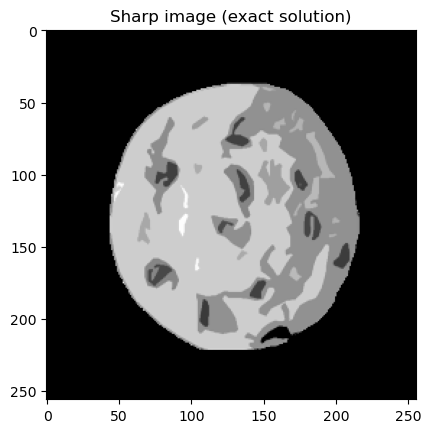
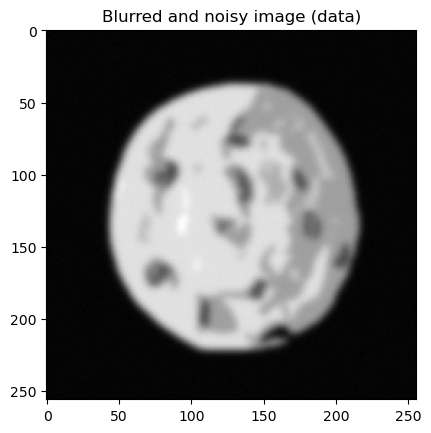
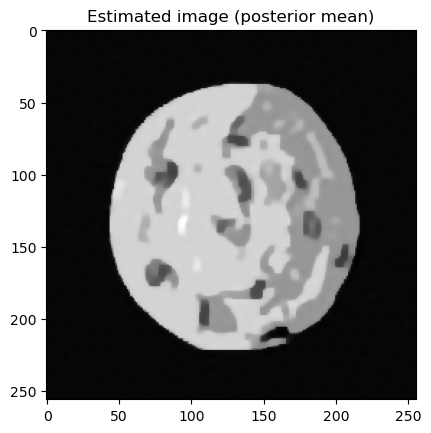
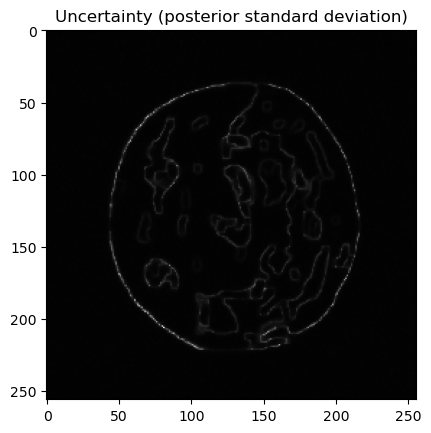
Experience the simplicity and power of CUQIpy with this Image deconvolution example. Getting started with UQ takes just a few lines of code:
# Imports
import matplotlib.pyplot as plt
from cuqi.testproblem import Deconvolution2D
from cuqi.distribution import Gaussian, LMRF, Gamma
from cuqi.problem import BayesianProblem

# Step 1: Set up forward model and data, y = Ax
A, y_data, info = Deconvolution2D(dim=256, phantom="cookie").get_components()

# Step 2: Define distributions for parameters
d = Gamma(1, 1e-4)
s = Gamma(1, 1e-4)
x = LMRF(0, lambda d: 1/d, geometry=A.domain_geometry)
y = Gaussian(A@x, lambda s: 1/s)

# Step 3: Combine into Bayesian Problem and sample posterior
BP = BayesianProblem(y, x, d, s)
BP.set_data(y=y_data)
samples = BP.sample_posterior(200)

# Step 4: Analyze results
info.exactSolution.plot(); plt.title("Sharp image (exact solution)")
y_data.plot(); plt.title("Blurred and noisy image (data)")
samples["x"].plot_mean(); plt.title("Estimated image (posterior mean)")
samples["x"].plot_std(); plt.title("Uncertainty (posterior standard deviation)")
samples["s"].plot_trace(); plt.suptitle("Noise level (posterior trace)")
samples["d"].plot_trace(); plt.suptitle("Regularization parameter (posterior trace)")


🔌 Plugins
CUQIpy can be extended with additional functionality by installing optional plugins. We currently offer the following plugins:
-
CUQIpy-CIL A plugin for the Core Imaging Library (CIL) providing access to forward models for X-ray computed tomography.
-
CUQIpy-FEniCS: A plugin providing access to the finite element modelling tool FEniCS, which is used for solving PDE-based inverse problems.
-
CUQIpy-PyTorch: A plugin providing access to the automatic differentiation framework of PyTorch within CUQIpy. It allows gradient-based sampling methods without manually providing derivative information of distributions and forward models.
💻 Maintainers
🌟 Contributors
A big shoutout to our passionate team! Discover the talented individuals behind CUQIpy here.
🤝 Contributing
We welcome contributions to CUQIpy. Please see our contributing guidelines for more information.
1 maintainer

Metadata
1 maintainer
Release files for CUQIpy 1.5.1
For a detailed explanation of source distributions (sdists) and built distributions (wheels), please see the package formats documentation.
Source distribution (sdist)
| File | Size | Uploaded | |
|---|---|---|---|
| cuqipy-1.5.1.tar.gz | 2.4 MB | Details |
Built distribution (wheel)
| File | Interpreter | ABI | Platform | Reset |
|---|---|---|---|---|
| cuqipy-1.5.1-py3-none-any.whl | Python 3 | none | any | Details |
Total release size: 4.7 MB
Release files / cuqipy-1.5.1.tar.gz
| Download URL | cuqipy-1.5.1.tar.gz |
|---|---|
| Size | 2.4 MB |
| Tags | Source |
|
SHA-256 checksum How to use checksums |
ff31a620dae6bec23eb079fb97c453f000eba63b9fdb24a4319ee85ea1c35d46
|
|
BLAKE2b-256 checksum How to use checksums |
b30555710c5de2557e8890c6c5109389ca77c7966056cbe96f865c3b668b4eed
|
| Upload date | |
|
Uploaded using Trusted Publishing? What is trusted publishing? |
No |
| Uploaded via |
twine/6.1.0 CPython/3.13.7
|
Release files / cuqipy-1.5.1-py3-none-any.whl
| Download URL | cuqipy-1.5.1-py3-none-any.whl |
|---|---|
| Size | 2.3 MB |
| Tags | Python 3 |
|
SHA-256 checksum How to use checksums |
ca36ec6994d99a846f2870635c908db6631360a8c6c0d6ee83b17f15df8d3e99
|
|
BLAKE2b-256 checksum How to use checksums |
7e6b4cfada4c4df2435b5c22d0ac94af397124922b15aadec8cd2bff42b88040
|
| Upload date | |
|
Uploaded using Trusted Publishing? What is trusted publishing? |
No |
| Uploaded via |
twine/6.1.0 CPython/3.13.7
|














