

Introduction
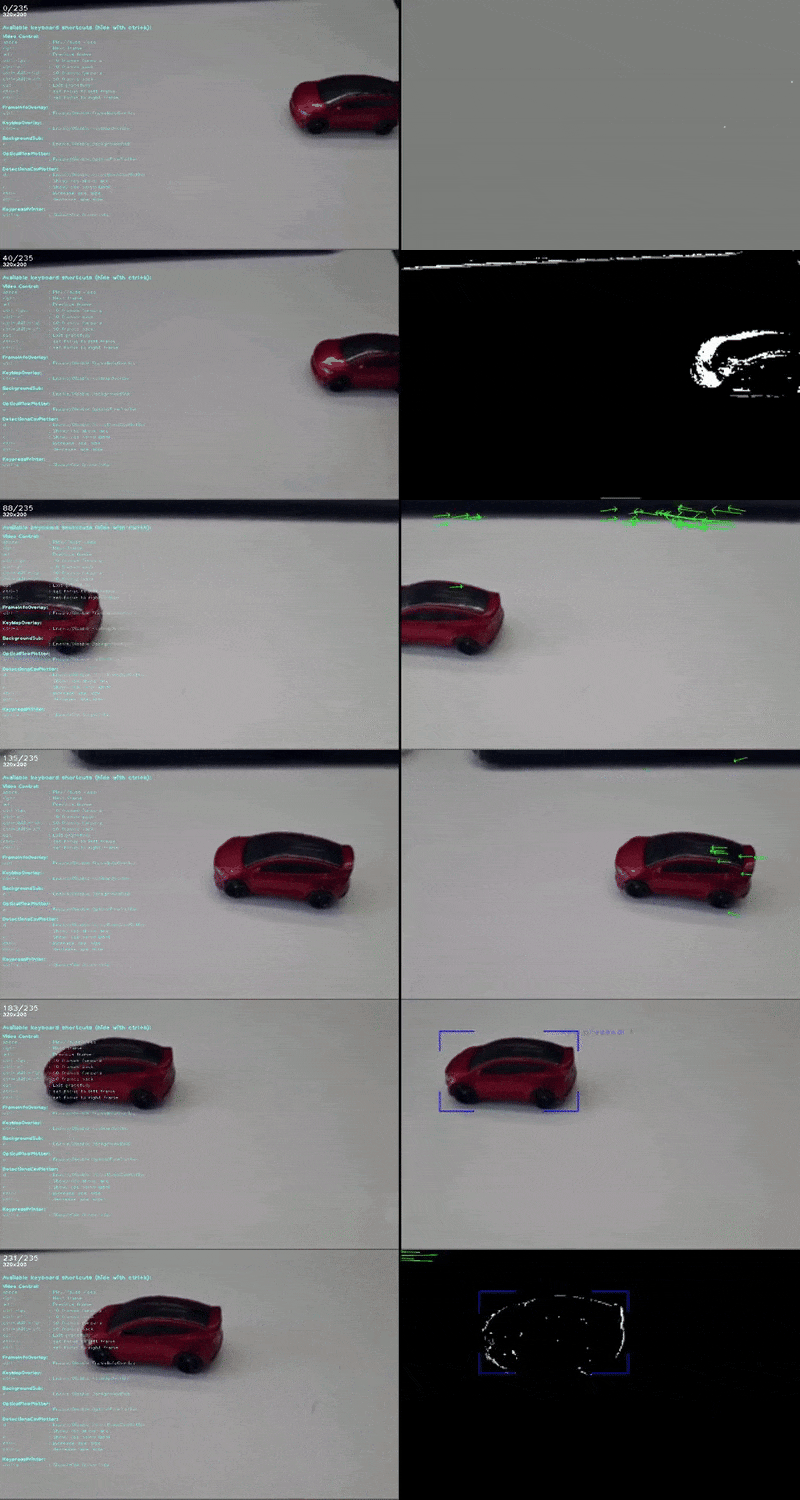
CV video player is a Python-based customizable video player that helps computer vision practitioners develop, analyze, and debug their video-related algorithms and models.
The video player is made with simplicity in mind to allow users to easily add or remove functionality. It is only based OpenCV with no additional GUI frameworks, and It's interactivity is based on keyboard presses (no buttons).
The player is designed as a callback system. When initialized the player receives a
list of callbacks, each with a edit_frame method.
On runtime the callbacks will run in order as specified in the input list. Each callback can also optionally add
keyboard shortcuts to change visualization settings in real time.
Installation
pip install cvvideoplayer
Quick Start
from cvvideoplayer import create_video_player
from cvvideoplayer.frame_editors import FrameInfoOverlay, KeyMapOverlay, FitFrameToScreen

VIDEO_OR_FRAME_FOLDER_PATH = "<add local path here>"


def run_player():
    video_player = create_video_player(
        video_source=VIDEO_OR_FRAME_FOLDER_PATH,
        frame_edit_callbacks=[
            FitFrameToScreen(),
            FrameInfoOverlay(),
            KeyMapOverlay(),
        ],
        record=True,
    )

    video_player.run()


if __name__ == "__main__":
    run_player()
In this example, we initiate a very basic video player that will play "example_video.mp4" with added basic frame edit callbacks:
FitFrameToScreen: Resizes the frame to fit the screen sizeFrameInfoOverlay: Prints the current frame number and original frame resolution in the top left cornerKeyMapOverlay: prints all optional shortcuts registered by all callbacks
Check out the ./demos folder which shows the use of other cool frame edit callback
such as OpticalFlow and DetectionCsvPlotter
See it in action
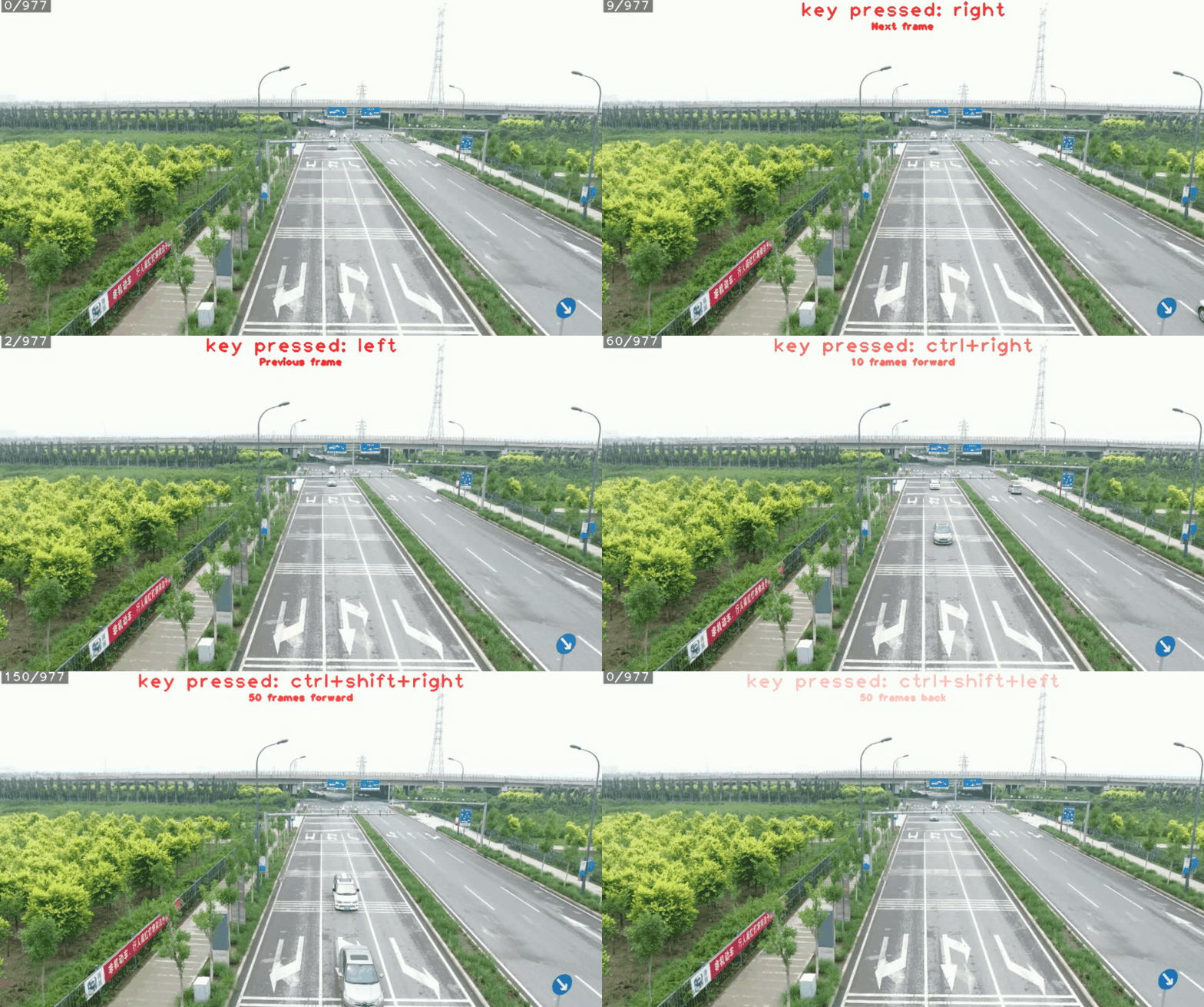
Running frame by frame
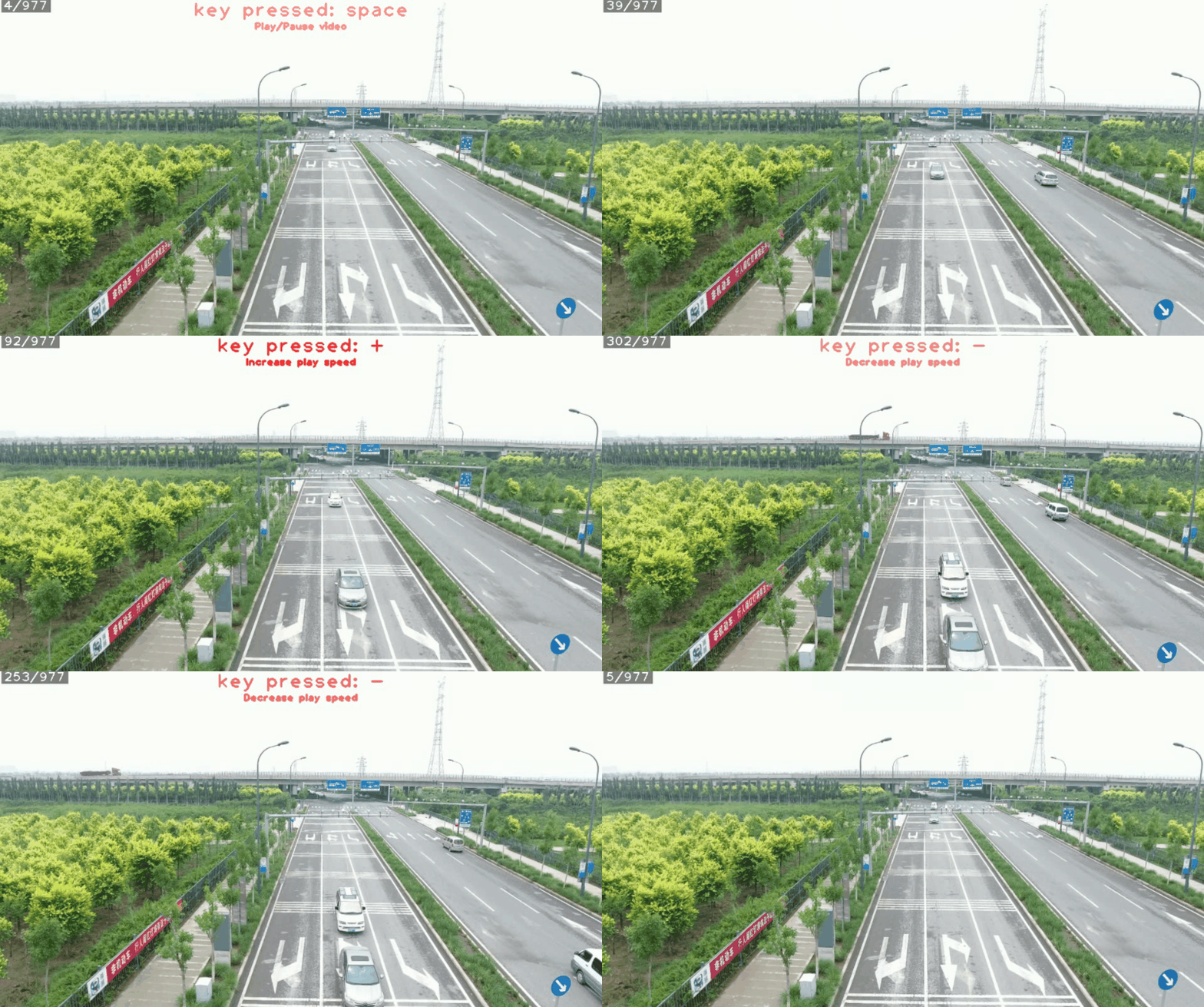
Play/Pause and control play speed and direction
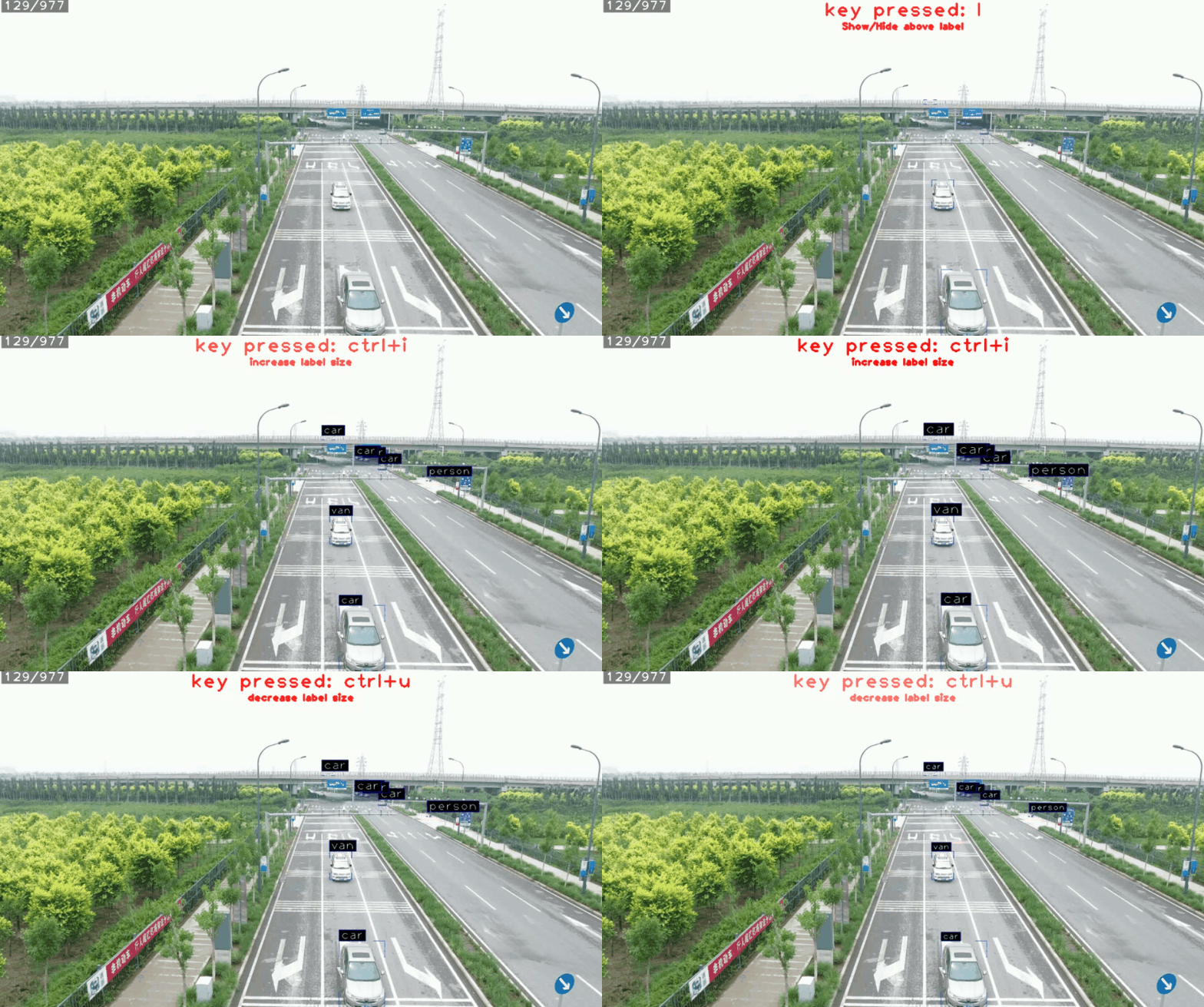
Draw bounding boxes and adjust labels
1 maintainer

Release files for cvvideoplayer 1.2.9
For a detailed explanation of source distributions (sdists) and built distributions (wheels), please see the package formats documentation.
Source distribution (sdist)
| File | Size | Uploaded | |
|---|---|---|---|
| cvvideoplayer-1.2.9.tar.gz | 81.5 kB | Details |
Built distribution (wheel)
| File | Interpreter | ABI | Platform | Reset |
|---|---|---|---|---|
| cvvideoplayer-1.2.9-py3-none-any.whl | Python 3 | none | any | Details |
Total release size: 169.0 kB
Release files / cvvideoplayer-1.2.9.tar.gz
| Download URL | cvvideoplayer-1.2.9.tar.gz |
|---|---|
| Size | 81.5 kB |
| Tags | Source |
|
SHA-256 checksum How to use checksums |
bf4e5147b64ff9b1cb36b1ae0adeed87695e53326966f1a9f3ccea8810a58956
|
|
BLAKE2b-256 checksum How to use checksums |
adbb93d786323908e24aea3fd1b9f254150da64d23e7c9cd14a894bd0aa16d80
|
| Upload date | |
|
Uploaded using Trusted Publishing? What is trusted publishing? |
Yes |
| Uploaded via |
twine/6.0.1 CPython/3.12.8
|
Provenance
Provenance describes where a file came from. On PyPI, provenance is shared via attestations, which provide a verifiable record of the build or publishing details. View details, limitations and caveats.


PyPI Publish Attestation
PyPI verified that this artifact, at this checksum, originated from the publisher listed below.
Signed by GitHub Actions, verified by PyPI on Dec 12, 2024.
Transparency logRelease files / cvvideoplayer-1.2.9-py3-none-any.whl
| Download URL | cvvideoplayer-1.2.9-py3-none-any.whl |
|---|---|
| Size | 87.5 kB |
| Tags | Python 3 |
|
SHA-256 checksum How to use checksums |
c5eb71cd31b974f439afac3e935aa30efd2c7f71200dd782fffddadfd352efce
|
|
BLAKE2b-256 checksum How to use checksums |
1f94128ad9c37b8b4093ec0aa7e82d574b7bcee647f9d8a1a22dfc9b170f0465
|
| Upload date | |
|
Uploaded using Trusted Publishing? What is trusted publishing? |
Yes |
| Uploaded via |
twine/6.0.1 CPython/3.12.8
|
Provenance
Provenance describes where a file came from. On PyPI, provenance is shared via attestations, which provide a verifiable record of the build or publishing details. View details, limitations and caveats.
PyPI Publish Attestation
PyPI verified that this artifact, at this checksum, originated from the publisher listed below.
Signed by GitHub Actions, verified by PyPI on Dec 12, 2024.
Transparency log













