
moduler multi purpose video player for debugging algorithms in python
Verified details
These details have been verified by PyPIProject links
GitHub Statistics
Maintainers

Project description

Introduction
CV video player is a Python-based customizable video player that helps computer vision practitioners to develop, analyze, and debug their video-related algorithms and models.
The video player is interactive, operating only with keyboard presses (no UI buttons). The user can register shortcuts using the VideoPlayer class's API.
The player is designed as a callback system. When initialized the player receives a list of callbacks, each with optional hooks for setup, before frame resize, and after frame resize. on runtime the callbacks hooks will run in order as specified in the input list.
See it in action
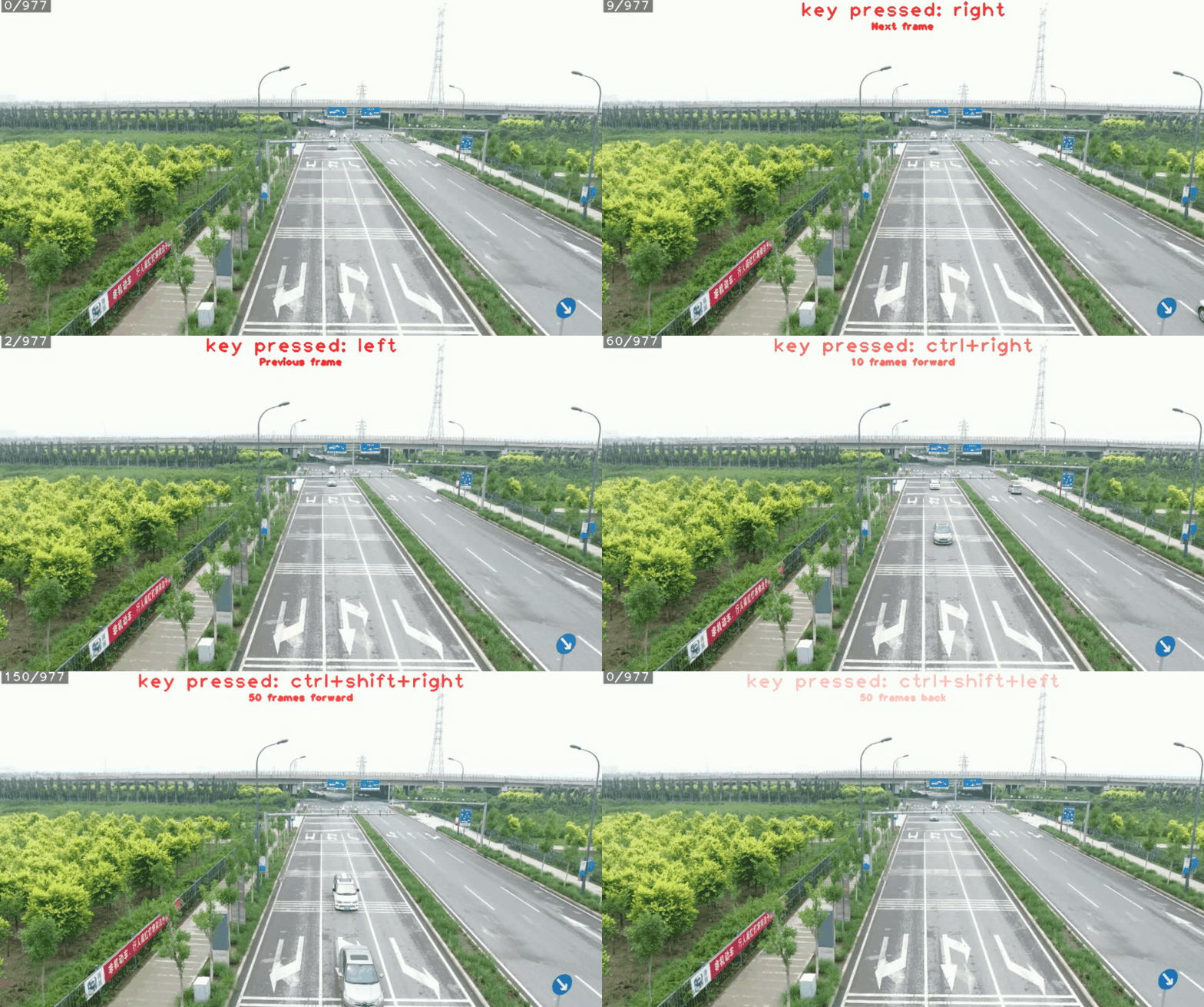
Running frame by frame
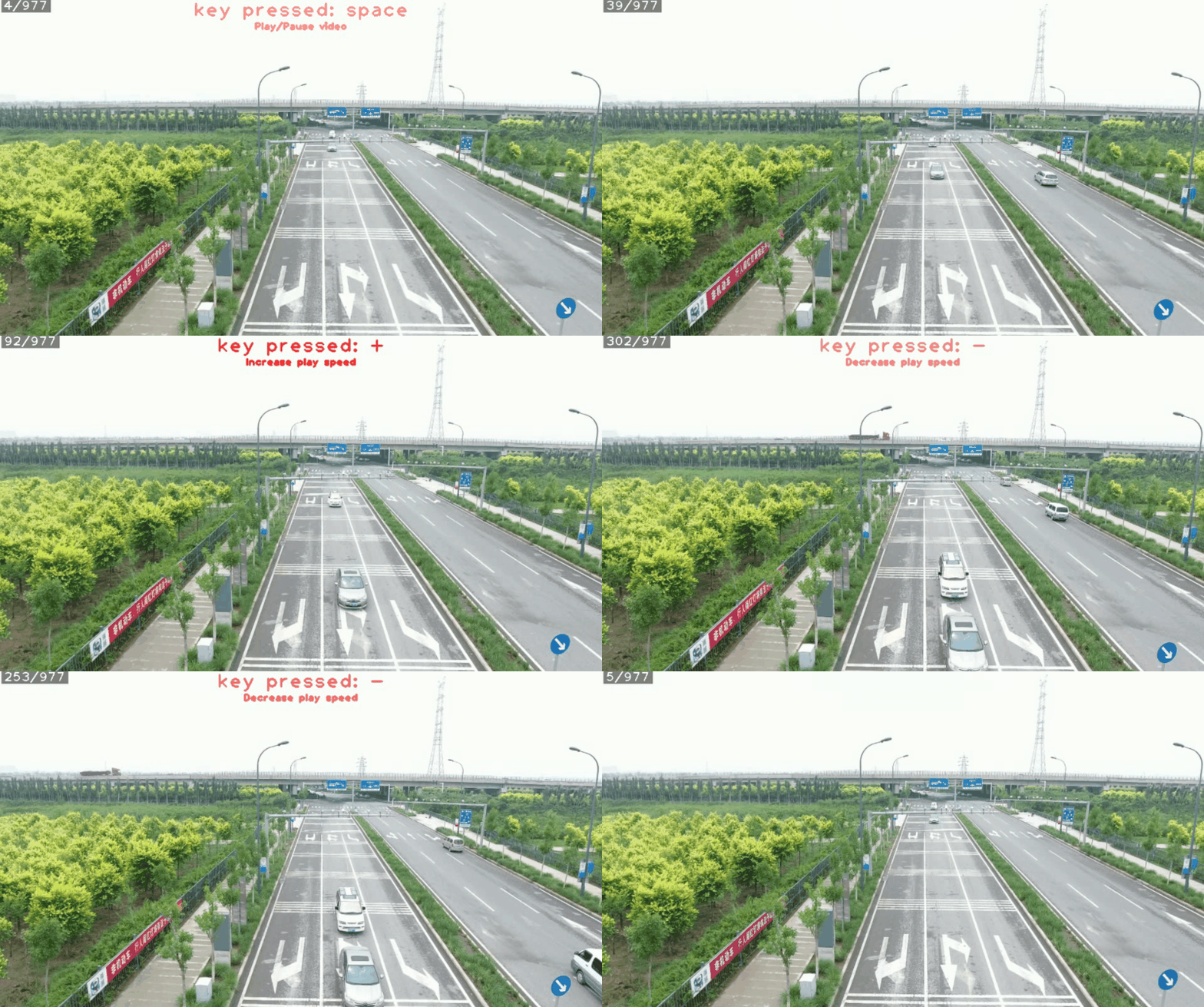
Play/Pause and control play speed and direction
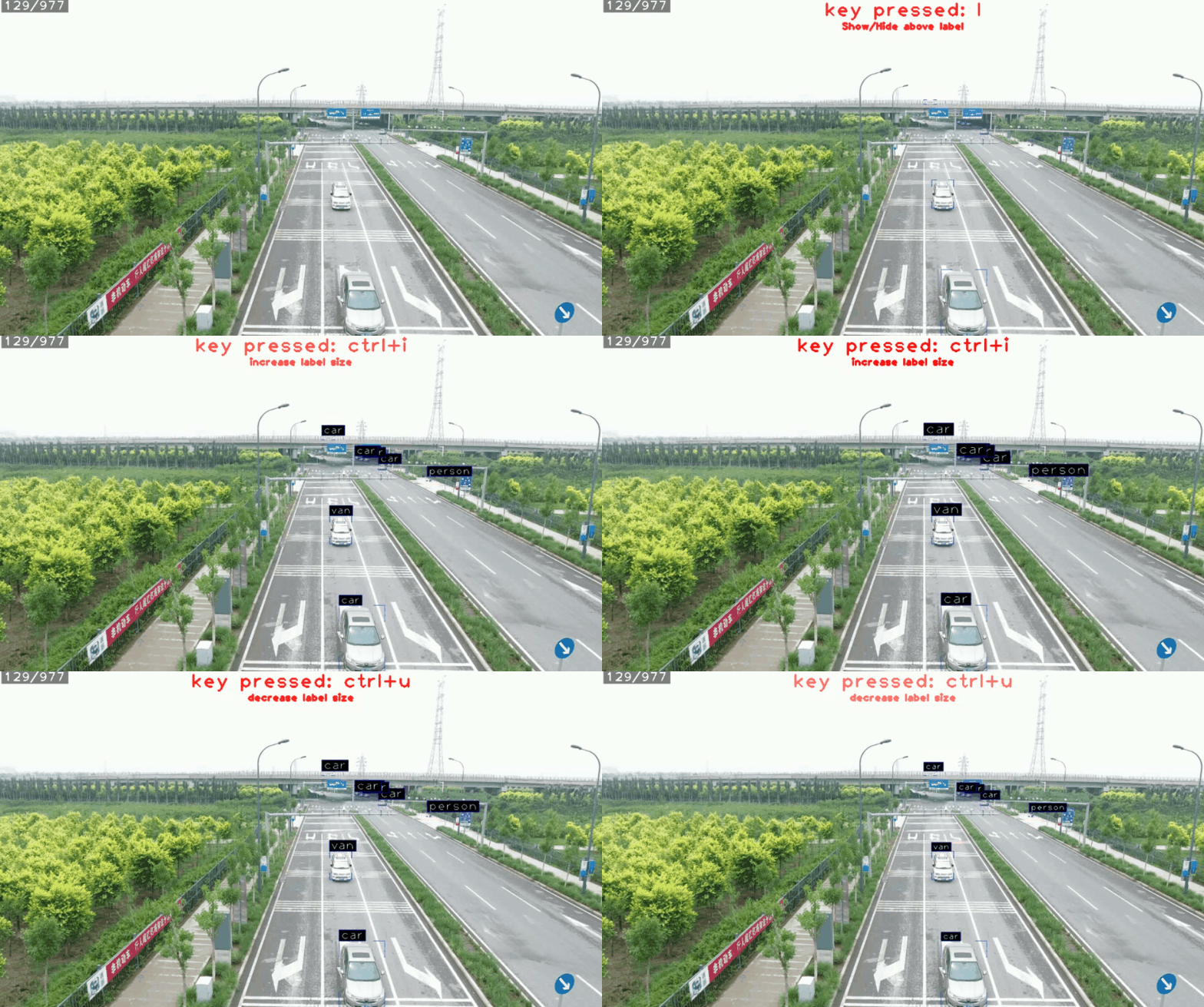
Draw bounding boxes and adjust labels
Installation
pip install cvvideoplayer
Quick Start
from cvvideoplayer import create_video_player
from cvvideoplayer.frame_editors import FrameInfoOverlay, HistogramEqualizer, FrameNormalizer, KeyMapOverlay

VIDEO_OR_FRAME_FOLDER_PATH = "<add local path here>"

def run_player():
    video_player = create_video_player(
        video_source=VIDEO_OR_FRAME_FOLDER_PATH,
        frame_edit_callbacks=[
            FrameInfoOverlay(),
            HistogramEqualizer(),
            FrameNormalizer(),
            KeyMapOverlay(),
        ],
        record=True,
    )

    video_player.run()


if __name__ == "__main__":
    run_player()
In this example, we initiate a very basic video player that will play "example_video.mp4" with added basic frame edit callbacks:
FrameInfoOverlay: Prints the current frame number and original frame resolution in the top left cornerHistogramEqualizer: Preforms histogram equalization on the imageFrameNormalizer: Allows the user to set a dynamic range for the image.KeyMapOverlay: prints all optional shortcuts registered by all callbacks
Check out the ./demos folder which shows the use of other cool frame edit callback
such as OpticalFlow and DetectionCsvPlotter
Project details
Verified details
These details have been verified by PyPIProject links
GitHub Statistics
Maintainers
Release history Release notifications | RSS feed


Download files
Download the file for your platform. If you're not sure which to choose, learn more about installing packages.
Source Distribution
Built Distribution
Filter files by name, interpreter, ABI, and platform.
If you're not sure about the file name format, learn more about wheel file names.
Copy a direct link to the current filters
File details
Details for the file cvvideoplayer-1.1.5.tar.gz.
File metadata
- Download URL: cvvideoplayer-1.1.5.tar.gz
- Upload date:
- Size: 78.5 kB
- Tags: Source
- Uploaded using Trusted Publishing? Yes
- Uploaded via: twine/5.1.1 CPython/3.12.7
File hashes
| Algorithm | Hash digest | |
|---|---|---|
| SHA256 |
7382c97f2435ecefdbb3540af0d2e3bc1217e23082e563ab9c84d64096cc7269
|
|
| MD5 |
ca48fe8c43706323af66b27ea6f7d3ae
|
|
| BLAKE2b-256 |
8c1a67c9edc3fe1d544ce6a9b67e42942a4ff12190918c52d67e4689ce292cde
|
Provenance
The following attestation bundles were made for cvvideoplayer-1.1.5.tar.gz:
Publisher:
publish.yml on danieltomer1/CVVideoPlayer
-
Statement:
-
Statement type:
https://in-toto.io/Statement/v1 -
Predicate type:
https://docs.pypi.org/attestations/publish/v1 -
Subject name:
cvvideoplayer-1.1.5.tar.gz -
Subject digest:
7382c97f2435ecefdbb3540af0d2e3bc1217e23082e563ab9c84d64096cc7269 - Sigstore transparency entry: 148750751
- Sigstore integration time:
-
Permalink:
danieltomer1/CVVideoPlayer@e59cf6f9722acdc3bfc8eceec4649af38b3f6a4d -
Branch / Tag:
refs/tags/1.1.5 - Owner: https://github.com/danieltomer1
-
Access:
public
-
Token Issuer:
https://token.actions.githubusercontent.com -
Runner Environment:
github-hosted -
Publication workflow:
publish.yml@e59cf6f9722acdc3bfc8eceec4649af38b3f6a4d -
Trigger Event:
release
-
Statement type:
File details
Details for the file cvvideoplayer-1.1.5-py3-none-any.whl.
File metadata
- Download URL: cvvideoplayer-1.1.5-py3-none-any.whl
- Upload date:
- Size: 81.3 kB
- Tags: Python 3
- Uploaded using Trusted Publishing? Yes
- Uploaded via: twine/5.1.1 CPython/3.12.7
File hashes
| Algorithm | Hash digest | |
|---|---|---|
| SHA256 |
e84bc88aefb0222eecbaf8c996ba92a15aa86a0ecdccdae88605dad33c1f88a1
|
|
| MD5 |
2fefefcc3d5f265f5df36fcd1e9a9aa8
|
|
| BLAKE2b-256 |
da25094407c935213cc0d4be2bb8ba128a3d5956f87da8521f14349b3d1413a4
|
Provenance
The following attestation bundles were made for cvvideoplayer-1.1.5-py3-none-any.whl:
Publisher:
publish.yml on danieltomer1/CVVideoPlayer
-
Statement:
-
Statement type:
https://in-toto.io/Statement/v1 -
Predicate type:
https://docs.pypi.org/attestations/publish/v1 -
Subject name:
cvvideoplayer-1.1.5-py3-none-any.whl -
Subject digest:
e84bc88aefb0222eecbaf8c996ba92a15aa86a0ecdccdae88605dad33c1f88a1 - Sigstore transparency entry: 148750752
- Sigstore integration time:
-
Permalink:
danieltomer1/CVVideoPlayer@e59cf6f9722acdc3bfc8eceec4649af38b3f6a4d -
Branch / Tag:
refs/tags/1.1.5 - Owner: https://github.com/danieltomer1
-
Access:
public
-
Token Issuer:
https://token.actions.githubusercontent.com -
Runner Environment:
github-hosted -
Publication workflow:
publish.yml@e59cf6f9722acdc3bfc8eceec4649af38b3f6a4d -
Trigger Event:
release
-
Statement type:






