


D2 Widget 
Bring the power of D2 to Python notebooks.
d2-widget is an AnyWidget for displaying declarative diagrams written in D2.
- 🎨 D2 Diagram Rendering: Create and display interactive D2 diagrams directly in Python notebooks
- ⚙️ Configurability: Support for all D2 compilation options including themes, layouts, and rendering configurations
- 📤 SVG Export: Programmatically access the SVG representation for use in other documents
- ✨ Jupyter Cell Magic: Use the convenient
%%d2cell magic for quick diagram creation - 🧩 Notebook Compatibility: Works in Jupyter, Google Colab, Marimo, and other AnyWidget-enabled Python notebook environments
- 🎬 Animation Support: Create animated diagrams with D2's native animation capabilities
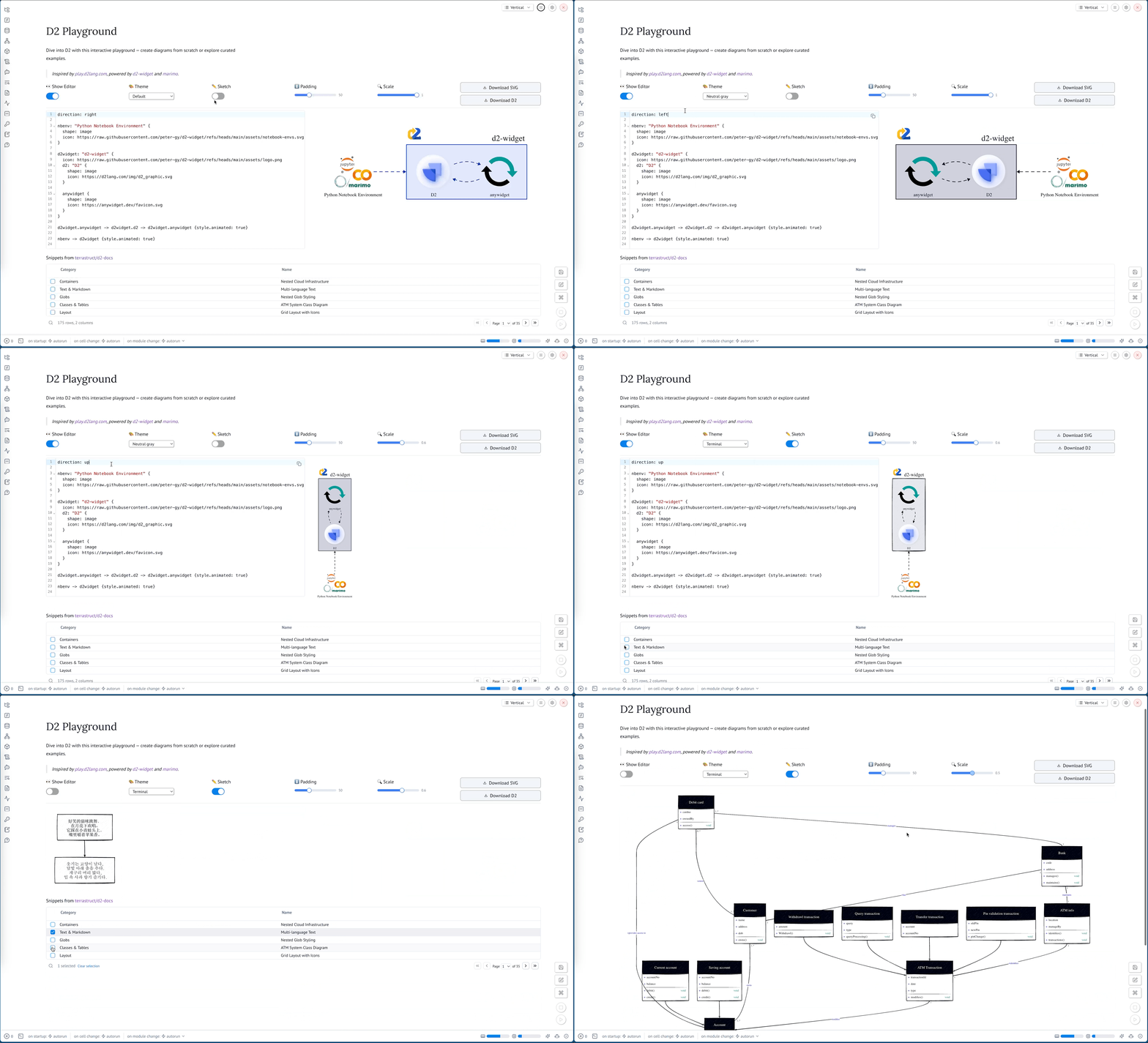
Playground
Visit the interactive playground to try out what d2-widget can do.
Installation
pip install d2-widget
or with uv:
uv add d2-widget
Usage
The following examples demonstrate how to use Widget with increasing complexity.
Basic Usage
The simplest way to use Widget is to pass a D2 diagram as a string to the constructor.
from d2_widget import Widget

Widget("x -> y")

Inline Configuration
You can add direction and layout settings directly in the D2 markup.
from d2_widget import Widget

Widget("""
direction: right
x -> y
""")

Compile Options
You can specify compile options using the second argument to the constructor. You can read about the semantics of the options in the D2 documentation.
from d2_widget import Widget

Widget("""
direction: right
x -> y
""",
  {
      "themeID": 200,  # ID of the "Dark mauve" theme
      "pad": 0,        # Disable padding
      "sketch": True,  # Enable sketch mode
  },
)

Accessing the SVG
You can access the generated SVG using the svg attribute.
from d2_widget import Widget

w = Widget("x -> y")
w.svg
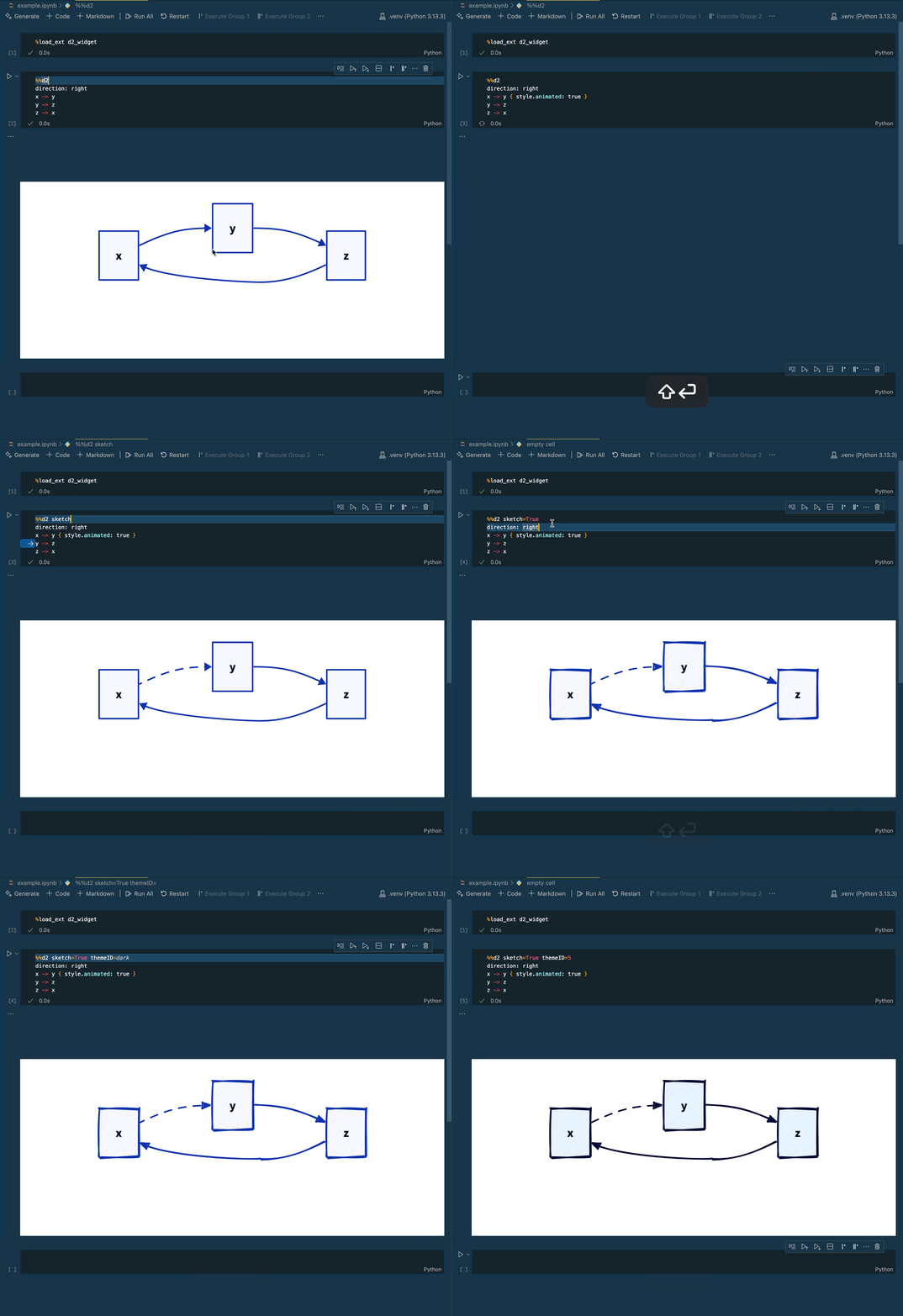
%%d2 Cell Magic
You can use the %%d2 cell magic to display a D2 diagram in a Jupyter notebook.
First, you need to load the extension:
%load_ext d2_widget
Then, you can use the %%d2 cell magic to display a D2 diagram.
You can pass compile options to the cell magic using keyword arguments.
%%d2 sketch=True themeID=200
direction: right
x -> y
y -> z { style.animated: true }
z -> x
Contributing
Contributor setup, dev workflow, and QA commands are in CONTRIBUTING.md.
1 maintainer

Metadata
1 maintainer
Release files for d2-widget 0.2.0
For a detailed explanation of source distributions (sdists) and built distributions (wheels), please see the package formats documentation.
Source distribution (sdist)
| File | Size | Uploaded | |
|---|---|---|---|
| d2_widget-0.2.0.tar.gz | 7.3 kB | Details |
Built distribution (wheel)
| File | Interpreter | ABI | Platform | Reset |
|---|---|---|---|---|
| d2_widget-0.2.0-py3-none-any.whl | Python 3 | none | any | Details |
Total release size: 16.6 kB
Release files / d2_widget-0.2.0.tar.gz
| Download URL | d2_widget-0.2.0.tar.gz |
|---|---|
| Size | 7.3 kB |
| Tags | Source |
|
SHA-256 checksum How to use checksums |
94564102cd58ab68051d22e9849f9e44c23663870254fcfa33cbea89fc39c7fb
|
|
BLAKE2b-256 checksum How to use checksums |
cb656af0d460a4b430e6fda146dd5b04290230a4fb944ed7b5e2b217cf9a8b58
|
| Upload date | |
|
Uploaded using Trusted Publishing? What is trusted publishing? |
Yes |
| Uploaded via |
uv/0.11.23 {"installer":{"name":"uv","version":"0.11.23","subcommand":["publish"]},"python":null,"implementation":{"name":null,"version":null},"distro":{"name":"Ubuntu","version":"24.04","id":"noble","libc":null},"system":{"name":null,"release":null},"cpu":null,"openssl_version":null,"setuptools_version":null,"rustc_version":null,"ci":true}
|
Release files / d2_widget-0.2.0-py3-none-any.whl
| Download URL | d2_widget-0.2.0-py3-none-any.whl |
|---|---|
| Size | 9.3 kB |
| Tags | Python 3 |
|
SHA-256 checksum How to use checksums |
0c5c4b08f325976b9fdb2fa87e4aca845d9dd6ac507ee5bed1c62c4f394dbe93
|
|
BLAKE2b-256 checksum How to use checksums |
e3866d9c7622af7a60c1ef40bc76c2a7fcab58fe2ea82dc373a608ddc33cfd64
|
| Upload date | |
|
Uploaded using Trusted Publishing? What is trusted publishing? |
Yes |
| Uploaded via |
uv/0.11.23 {"installer":{"name":"uv","version":"0.11.23","subcommand":["publish"]},"python":null,"implementation":{"name":null,"version":null},"distro":{"name":"Ubuntu","version":"24.04","id":"noble","libc":null},"system":{"name":null,"release":null},"cpu":null,"openssl_version":null,"setuptools_version":null,"rustc_version":null,"ci":true}
|














