
database2prompt
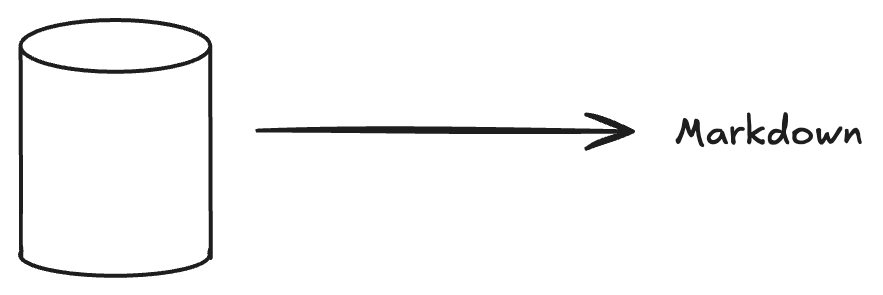
An open-source project designed to extract relevant data from databases and transform it into context for Retrieval-Augmented Generation (RAG) in generative AI applications.
How is it useful?
database2prompt makes it easy to generate prompts to LLMS by reading your database and generating a markdown containing its schema. This provides context for the AI to maximize the effectiveness of your prompts.
Databases Support (WIP)
| Databases | Support |
|---|---|
| PostgreSQL | ✅ |
We will add support for most databases including analytical databases
Output Formats
| Output Format | Support |
|---|---|
| JSON | ✅ |
| Markdown | ✅ |
Example Outputs
You can find example outputs generated by database2prompt in the following files:
- summary-database.md - Example of markdown output
- summary-database.json - Example of JSON output
Usage
Installation
pip install database2prompt
Quick Start
Here's a simple example of how to use database2prompt:
from database2prompt.database.core.database_config import DatabaseConfig
from database2prompt.database.core.database_params import DatabaseParams
from database2prompt.database.core.database_factory import DatabaseFactory
from database2prompt.database.processing.database_processor import DatabaseProcessor
from database2prompt.markdown.markdown_generator import MarkdownGenerator

# 1. Configure database connection
config = DatabaseConfig(
    host="localhost",
    port=5432,
    user="your_user",
    password="your_password",
    database="your_database",
    schema="your_schema"
)

# 2. Connect to database
strategy = DatabaseFactory.run("pgsql", config)
next(strategy.connection())

# 3. Configure which tables to document
params = DatabaseParams()

# Option A: Document specific tables
params.tables(["schema.table1", "schema.table2"])

# Option B: Ignore specific tables
params.ignore_tables(["schema.table_to_ignore"])

# 4. Process database information
database_processor = DatabaseProcessor(strategy, params)

# 5. Generate content to prompt (markdown or json)
content = database_processor.database_to_prompt(output_format="json")
Configuration
Configure the database connection:
   # .env file
   DB_HOST=localhost
   DB_PORT=5432
   DB_USER=postgres
   DB_PASSWORD=postgres
   DB_NAME=postgres
   DB_SCHEMA=public
config = DatabaseConfig.from_env()
Contributing
Development Setup
-
Clone the repository:
git clone https://github.com/orladigital/database2prompt.git
cd database2prompt
-
Create a virtual environment:
python -m venv .venv
source .venv/bin/activate  # On Windows: .venv\Scripts\activate
-
Install development dependencies:
pip install poetry
poetry install
-
Start the development database (optional):
docker compose up -d
-
Run the project:
poetry run python database2prompt/main.py
How to Contribute
You can contribute to database2prompt in many different ways:
- Suggest a feature
- Code an approved feature idea (check our issues)
- Report a bug
- Fix something and open a pull request
- Help with documentation
- Spread the word!
License
Licensed under the MIT License, see LICENSE for more information.
1 maintainer

Metadata
1 maintainer
Release files for database2prompt 0.2.0
For a detailed explanation of source distributions (sdists) and built distributions (wheels), please see the package formats documentation.
Source distribution (sdist)
| File | Size | Uploaded | |
|---|---|---|---|
| database2prompt-0.2.0.tar.gz | 9.7 kB | Details |
Built distribution (wheel)
| File | Interpreter | ABI | Platform | Reset |
|---|---|---|---|---|
| database2prompt-0.2.0-py3-none-any.whl | Python 3 | none | any | Details |
Total release size: 22.5 kB
Release files / database2prompt-0.2.0.tar.gz
| Download URL | database2prompt-0.2.0.tar.gz |
|---|---|
| Size | 9.7 kB |
| Tags | Source |
|
SHA-256 checksum How to use checksums |
5058999058d6c00cdd7f879bf2b0c210cdbb9e4a7e5aaec4d7941625e33d854f
|
|
BLAKE2b-256 checksum How to use checksums |
38fb8e5cff66ce54530989fd21459b90a24c10c6ee1114423f6eeb0d9fee7b13
|
| Upload date | |
|
Uploaded using Trusted Publishing? What is trusted publishing? |
Yes |
| Uploaded via |
twine/6.1.0 CPython/3.12.9
|
Provenance
Provenance describes where a file came from. On PyPI, provenance is shared via attestations, which provide a verifiable record of the build or publishing details. View details, limitations and caveats.


PyPI Publish Attestation
PyPI verified that this artifact, at this checksum, originated from the publisher listed below.
Signed by GitHub Actions, verified by PyPI on Jun 4, 2025.
Transparency logRelease files / database2prompt-0.2.0-py3-none-any.whl
| Download URL | database2prompt-0.2.0-py3-none-any.whl |
|---|---|
| Size | 12.8 kB |
| Tags | Python 3 |
|
SHA-256 checksum How to use checksums |
c7920c1807c5020e1036c6e54282112c72414e6e889733dc9b546e29e42b8997
|
|
BLAKE2b-256 checksum How to use checksums |
f6a60f72b68d44ca4f567495792c00d5c2700da1355f0b01a6050da4b3261abc
|
| Upload date | |
|
Uploaded using Trusted Publishing? What is trusted publishing? |
Yes |
| Uploaded via |
twine/6.1.0 CPython/3.12.9
|
Provenance
Provenance describes where a file came from. On PyPI, provenance is shared via attestations, which provide a verifiable record of the build or publishing details. View details, limitations and caveats.
PyPI Publish Attestation
PyPI verified that this artifact, at this checksum, originated from the publisher listed below.
Signed by GitHub Actions, verified by PyPI on Jun 4, 2025.
Transparency log













