
No project description provided

Project description
database2prompt
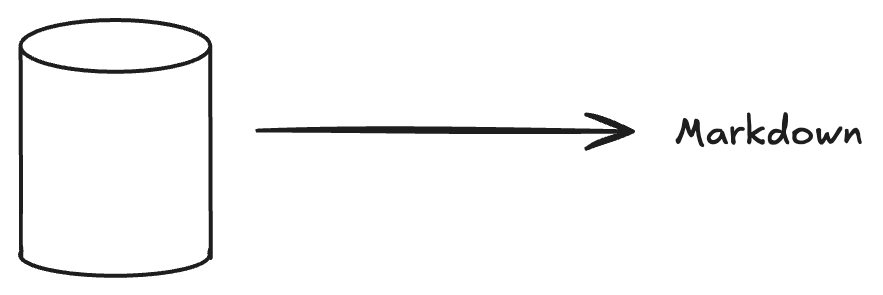
An open-source project designed to extract relevant data from databases and transform it into context for Retrieval-Augmented Generation (RAG) in generative AI applications.
How is it useful?
database2prompt makes it easy to generate prompts to LLMS by reading your database and generating a markdown containing its schema. This provides context for the AI to maximize the effectiveness of your prompts.
Usage
Installation
pip install database2prompt
Quick Start
Here's a simple example of how to use database2prompt:
from database2prompt.database.core.database_config import DatabaseConfig
from database2prompt.database.core.database_params import DatabaseParams
from database2prompt.database.core.database_factory import DatabaseFactory
from database2prompt.database.processing.database_processor import DatabaseProcessor
from database2prompt.markdown.markdown_generator import MarkdownGenerator

# 1. Configure database connection
config = DatabaseConfig(
    host="localhost",
    port=5432,
    user="your_user",
    password="your_password",
    database="your_database",
    schema="your_schema"
)

# 2. Connect to database
strategy = DatabaseFactory.run("pgsql", config)
next(strategy.connection())

# 3. Configure which tables to document
params = DatabaseParams()

# Option A: Document specific tables
params.tables(["schema.table1", "schema.table2"])

# Option B: Ignore specific tables
params.ignore_tables(["schema.table_to_ignore"])

# 4. Process database information
database_processor = DatabaseProcessor(strategy, params)
processed_info = database_processor.process_data(verbose=True)

# 5. Generate markdown
generator = MarkdownGenerator(processed_info)
generated_markdown = generator.generate()

# 6. Save to file
with open("database-docs.md", "w") as f:
    f.write(generated_markdown)
Configuration
Configure the database connection:
   # .env file
   DB_HOST=localhost
   DB_PORT=5432
   DB_USER=postgres
   DB_PASSWORD=postgres
   DB_NAME=postgres
   DB_SCHEMA=public
config = DatabaseConfig.from_env()
Contributing
Development Setup
-
Clone the repository:
git clone https://github.com/orladigital/database2prompt.git
cd database2prompt
-
Create a virtual environment:
python -m venv .venv
source .venv/bin/activate  # On Windows: .venv\Scripts\activate
-
Install development dependencies:
pip install poetry
poetry install
-
Start the development database (optional):
docker compose up -d
-
Run the project:
poetry run python database2prompt/main.py
How to Contribute
You can contribute to database2prompt in many different ways:
- Suggest a feature
- Code an approved feature idea (check our issues)
- Report a bug
- Fix something and open a pull request
- Help with documentation
- Spread the word!
License
Licensed under the MIT License, see LICENSE for more information.


Download files
Download the file for your platform. If you're not sure which to choose, learn more about installing packages.
Source Distribution
Built Distribution
Filter files by name, interpreter, ABI, and platform.
If you're not sure about the file name format, learn more about wheel file names.
Copy a direct link to the current filters
File details
Details for the file database2prompt-0.1.3.tar.gz.
File metadata
- Download URL: database2prompt-0.1.3.tar.gz
- Upload date:
- Size: 7.0 kB
- Tags: Source
- Uploaded using Trusted Publishing? No
- Uploaded via: poetry/2.1.2 CPython/3.12.3 Linux/6.11.0-21-generic
File hashes
| Algorithm | Hash digest | |
|---|---|---|
| SHA256 |
cef201d5a096633d88b9a43f944d141870b4235eea850cce574bec6fd45ecad6
|
|
| MD5 |
1e0ff840af9a3088a432f9670f6cd121
|
|
| BLAKE2b-256 |
043714a9d242d37ae60386eef615c68b7982fc1a1d74323e9d548f3c3e323467
|
File details
Details for the file database2prompt-0.1.3-py3-none-any.whl.
File metadata
- Download URL: database2prompt-0.1.3-py3-none-any.whl
- Upload date:
- Size: 10.7 kB
- Tags: Python 3
- Uploaded using Trusted Publishing? No
- Uploaded via: poetry/2.1.2 CPython/3.12.3 Linux/6.11.0-21-generic
File hashes
| Algorithm | Hash digest | |
|---|---|---|
| SHA256 |
eb70204d434de90eda5eb2cc67019bd0f6437ce53dfd7848dcb1b9806aa04bbb
|
|
| MD5 |
e1b2646e4ec21f1779f97c3b2d15cc3e
|
|
| BLAKE2b-256 |
5e62967b680a5a5cd6f938943ace75d1d24cc69e96742007a61b616b26ab12c3
|






