
Display Dataframe with buttons


Project description
Dataframe with button
Streamlit component that allows you to display Dataframe with a button
Installation instructions
pip install dataframe_with_buttons
Usage instructions
import streamlit as st
import pandas as pd
from dataframe_with_button import static_dataframe
from dataframe_with_button import editable_dataframe
import json
df = pd.DataFrame({
    "BATCH_ID": ["item1", "item2", "item3"],
    "Name": ["Apple", "Banana", "Cherry"],
    "Price": [1.2, 0.8, 2.5],
    "IN_STOCK": [True, False, True],
    "EMAIL": ["abc@gmail.com", "cde@k.com", "abc@gmail.com"]
})

df["EMAIL"] = pd.Categorical(df["EMAIL"], categories=["abc@gmail.com", "cde@k.com"])
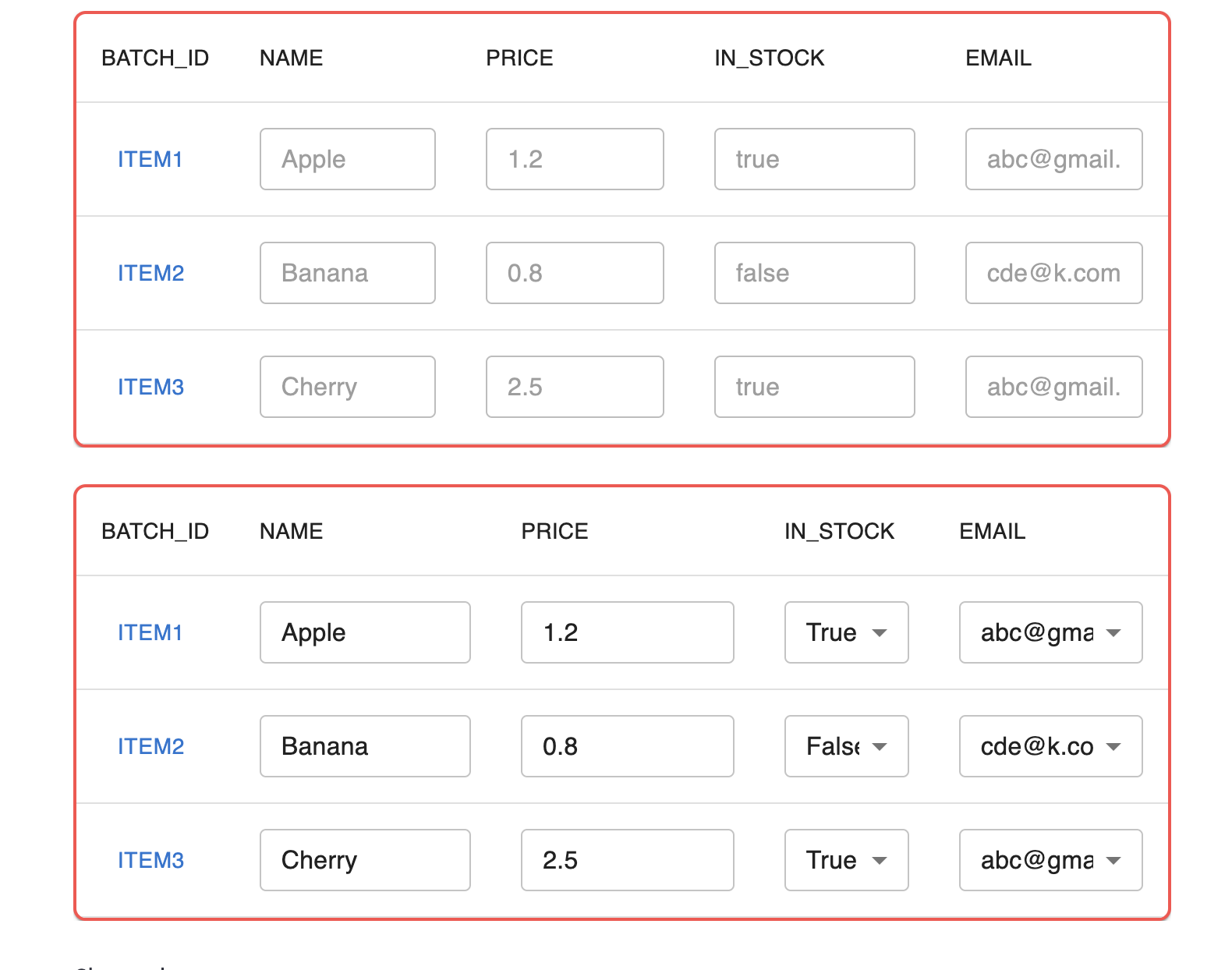
result = static_dataframe(df, clickable_column="BATCH_ID")
result2 = editable_dataframe(df, clickable_column="BATCH_ID")
Release history Release notifications | RSS feed


Download files
Download the file for your platform. If you're not sure which to choose, learn more about installing packages.
Source Distribution
Built Distribution
Filter files by name, interpreter, ABI, and platform.
If you're not sure about the file name format, learn more about wheel file names.
Copy a direct link to the current filters






