
Automatically processes data files in directories, converts array-like strings to NumPy arrays, detects and fixes data type issues, and saves results as optimized Parquet files and MORE!

Project description
deepcsv





"You think you saved a list. You open it tomorrow — and it's a string."
deepcsv was built to solve exactly this problem.
The Problem

Your CSV files are lying to you.
- You save a list — you open it tomorrow and it's a string
- Your column has numbers — it secretly has 3 different data types
- You have 200 CSV files across 40 folders — and you process them one by one
- You load a file and spend 20 minutes just picking the right reader
- You have nulls scattered everywhere with no clean way to handle them
This is the silent killer of every data pipeline.
The Solution ✅
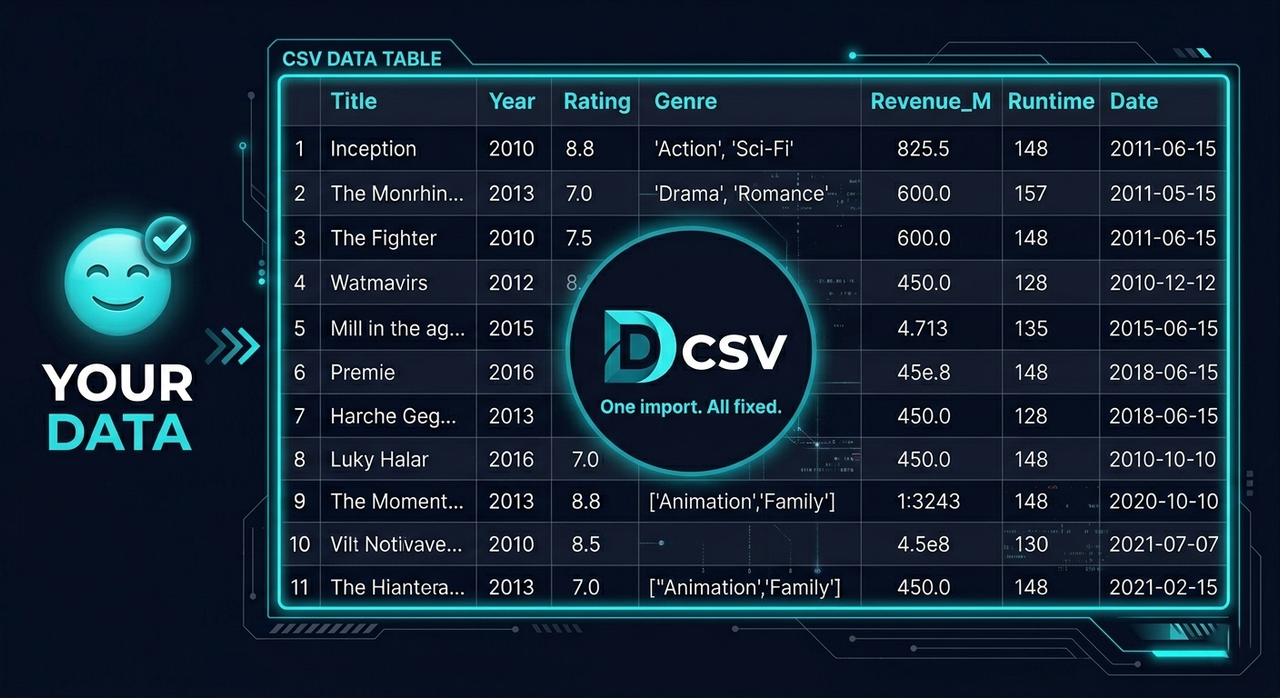
deepcsv handles all of this in one import.
- Walks through every folder and subfolder automatically
- Detects columns storing lists as strings and converts them to real NumPy arrays
- Catches mixed-type columns and fixes them automatically
- Saves everything in any format you choose — not just Parquet
- Reads any file format with one function — no more picking the right reader
- Cleans nulls with full control over columns, rows, indexes, values, and types
⚙️ Installation
pip install deepcsv
🗺️ Functions Overview
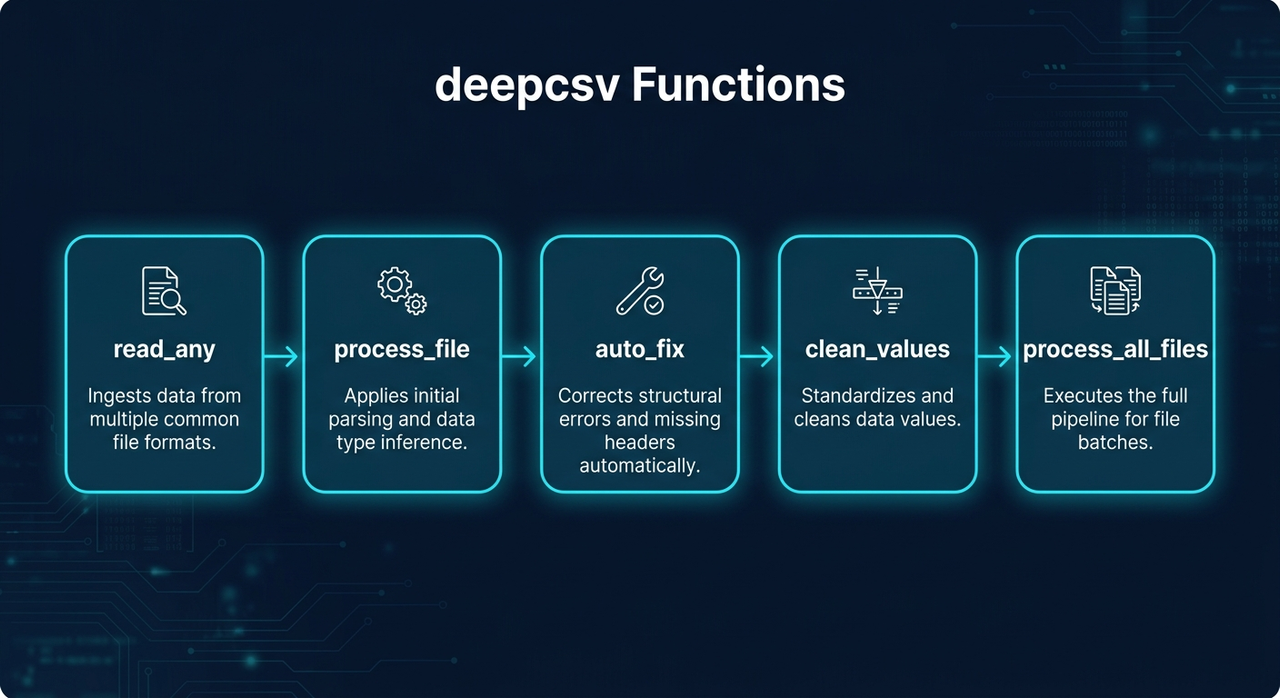
| Function | What it does |
|---|---|
process_file() |
Converts string lists → NumPy arrays, fixes mixed types |
process_all_files() |
Batch processes entire folder trees |
read_any() |
Reads any file format automatically |
clean_values() |
Cleans nulls, values, types with full control |
auto_fix() |
Detects and fixes mixed data types automatically |
📖 Functions
process_file(data_input, file_format=None, to_list=False)
Reads a file or DataFrame, converts array-like strings to NumPy arrays, fixes mixed-type columns, and optionally saves the result.
import deepcsv

# Process only
df = deepcsv.process_file('path/to/file.csv')

# Process and save as parquet
df = deepcsv.process_file('path/to/file.csv', file_format='parquet')

# Process and convert to real Python lists
df = deepcsv.process_file('path/to/file.csv', to_list=True)
Supported save formats: .csv .tsv .txt .xlsx .json .parquet .pkl .feather .html .xml
process_all_files(directory_path, output_dir="All CSV Files is Converted Here", file_format="parquet")
Walks through all folders and subfolders, applies process_file on every supported file, and saves results.
import deepcsv

# Default — saves as parquet
deepcsv.process_all_files('path/to/folder')

# Custom output folder
deepcsv.process_all_files('path/to/folder', output_dir='Converted Files')

# Save as CSV
deepcsv.process_all_files('path/to/folder', file_format='csv')
Supported input formats: .csv .txt .tsv .xls .xlsx .json .parquet .pkl .feather .db .sqlite
read_any(file_path)
Reads any supported file format and returns a pandas DataFrame — one function for everything.
from deepcsv import read_any

df = read_any('data/users.csv')
df = read_any('reports/sales.xlsx')
df = read_any('warehouse/orders.parquet')
df = read_any('local.db')
Supported formats: .csv .txt .tsv .xls .xlsx .json .parquet .pkl .feather .db .sqlite
clean_values(data_input, ...)
Cleans a DataFrame by removing nulls, specific values, specific types, or rows by index.
from deepcsv import clean_values

# Drop fully-null columns
df = clean_values('data.csv', cols=['age', 'salary'])

# Drop rows that have nulls in specific cols
df = clean_values('data.csv', cols=['age', 'salary'], ax_0=True)

# Drop rows by index
df = clean_values(df, index=[0, 5, 12])

# Remove rows where a specific value exists
df = clean_values(df, cols=['status'], finding_value='N/A')

# Remove rows where value meets a condition
df = clean_values(df, cols=['score'], finding_value='N/A', condition=['>=', 500])

# Remove rows by Python type
df = clean_values(df, cols=['age'], finding_type=str)

# Apply on all columns except some
df = clean_values('data.csv', all_cols_except=['id', 'name'])
| Parameter | Type | Default | Description |
|---|---|---|---|
data_input |
str | DataFrame |
required | File path or DataFrame |
cols |
list |
None |
Columns to apply on |
ax_0 |
bool |
False |
True: drop rows with nulls — False: drop fully-null cols |
index |
list |
None |
Row indexes to drop |
condition |
list |
None |
[operator, value] — ex: ['>=', 500] |
all_cols_except |
list |
None |
Apply on all columns except these |
finding_value |
any |
None |
Find and remove rows containing this value |
finding_type |
type |
None |
Find and remove rows matching this Python type |
Supported operators: >= <= > < == !=
auto_fix(data_input)
Automatically detects columns with mixed data types and fixes them by converting all values to the most dominant type. Logs every change made.
from deepcsv import auto_fix

df = auto_fix('data.csv')
df = auto_fix(my_dataframe)
📋 Function Signatures
process_file(data_input: Union[str, pd.DataFrame], file_format: str = None, to_list: bool = False) -> pd.DataFrame
process_all_files(directory_path: str, output_dir: str = "All CSV Files is Converted Here", file_format: str = "parquet") -> None
read_any(file_path: str) -> pd.DataFrame
clean_values(data_input, cols=None, ax_0=False, index=None, condition=None, all_cols_except=None, finding_value=None, finding_type=None) -> pd.DataFrame
auto_fix(data_input: Union[str, pd.DataFrame]) -> pd.DataFrame
✨ Key Features
- String list → real NumPy array conversion (fast, no manual parsing)
- Mixed-type column detection and auto-fix with logging
- Save in any format — CSV, Excel, JSON, Parquet, Feather, and more
- One universal file reader supporting 10+ formats
- Flexible null cleaning by column, row, index, value, or type
- Conditional filtering with 6 operators
- Recursive directory traversal
- Warning messages for full transparency
📝 Notes
- Requires
pyarrowfor Parquet and Feather support - Only saves files in
process_all_filesif the DataFrame contains converted array columns
📦 Requirements
- Python >= 3.7
- pandas
- pyarrow
Release history Release notifications | RSS feed


Download files
Download the file for your platform. If you're not sure which to choose, learn more about installing packages.
Source Distribution
Built Distribution
Filter files by name, interpreter, ABI, and platform.
If you're not sure about the file name format, learn more about wheel file names.
Copy a direct link to the current filters
File details
Details for the file deepcsv-0.6.7.tar.gz.
File metadata
- Download URL: deepcsv-0.6.7.tar.gz
- Upload date:
- Size: 131.4 kB
- Tags: Source
- Uploaded using Trusted Publishing? No
- Uploaded via: twine/6.2.0 CPython/3.14.3
File hashes
| Algorithm | Hash digest | |
|---|---|---|
| SHA256 |
e01adc9b50439d0a769dc04a096945549c450e195e3f2d52d546a618e02aa620
|
|
| MD5 |
10a50e75cc1bc53d682c941b4150776e
|
|
| BLAKE2b-256 |
6b4157330dbc4f30b8c588406d6bd7af768106e68a4a154b5f108689cfca559f
|
File details
Details for the file deepcsv-0.6.7-py3-none-any.whl.
File metadata
- Download URL: deepcsv-0.6.7-py3-none-any.whl
- Upload date:
- Size: 144.8 kB
- Tags: Python 3
- Uploaded using Trusted Publishing? No
- Uploaded via: twine/6.2.0 CPython/3.14.3
File hashes
| Algorithm | Hash digest | |
|---|---|---|
| SHA256 |
bcae156ec4760ee513cc6d95be18831ed590d8c6765ca13bcd8518bf2eb8850a
|
|
| MD5 |
0227b0515e51c36946e7e1d5421fbabf
|
|
| BLAKE2b-256 |
d5f93bad3f629db583d1a5a4b6b6288c1baeee20097924d1b35f9e79d7f4ddc3
|






