
🔍 DeepRecon





A powerful, modular Python library for comprehensive domain and IP analysis
🚀 Installation • 📖 Documentation • 💡 Examples • 🤝 Contributing
✨ Features
DeepRecon provides a comprehensive suite of tools for analyzing domains and IP addresses with ease:
🎯 Core Analysis
- DNS Resolution: Convert domains to IPs and vice versa
- DNS Records: Fetch A, AAAA, MX, NS, TXT, CNAME, SOA records
- WHOIS Information: Domain registration details and IP ownership
- Geolocation: IP-based geographical information with ISP details
🔒 Security Analysis
- SSL/TLS Certificates: Certificate validation, expiry checking, and grading
- Security Headers: HSTS, CSP, X-Frame-Options analysis
- WAF Detection: Identify Web Application Firewalls
- Blacklist Checking: Multi-provider blacklist verification
🌐 Connectivity & Performance
- Availability Testing: Ping, HTTP status, response time measurement
- Port Scanning: TCP port connectivity testing
- Traceroute: Network path analysis
- Response Analysis: HTTP headers and redirect chain tracking
💻 Technology Detection
- Web Technologies: CMS, frameworks, analytics tools detection
- Server Identification: Web server and proxy detection
- Meta Information: Page titles, meta tags extraction
🌐 Network Analysis
- Interface Discovery: Network interface monitoring and analysis
- Device Scanning: Local network device identification
- Port Scanning: Advanced multi-threaded port scanning
- Performance Metrics: Network speed and latency analysis
- Security Assessment: Network vulnerability scanning
- Topology Mapping: Network structure visualization
🌍 Multi-language Support
- English and Persian (فارسی) interface
- Internationalization: Easy to extend for more languages
📊 Flexible Output
- JSON: Machine-readable structured data
- CSV: Spreadsheet-compatible format
- Pretty Print: Human-readable console output
- CLI Interface: Command-line tool with rich options
🚀 Installation
Using pip (Recommended)
pip install deeprecon
From source
git clone https://github.com/DeepPythonist/DeepRecon.git
cd DeepRecon
pip install -e .
Dependencies
DeepRecon automatically installs these required packages:
requests- HTTP client librarydnspython- DNS toolkitpython-whois- WHOIS clientipwhois- IP WHOIS clientpyOpenSSL- SSL/TLS toolkitbeautifulsoup4- HTML parserlxml- XML/HTML parserpsutil- System and network monitoringnetifaces- Network interface managementspeedtest-cli- Network speed testing
💡 Quick Start
CLI Usage
# Analyze a domain with all modules
deeprecon google.com

# Specific analysis modules
deeprecon github.com --modules resolve dns ssl

# Include network analysis
deeprecon example.com --modules resolve dns network

# Output in JSON format
deeprecon example.com --output json

# Save results to file
deeprecon stackoverflow.com --file results.json

# Use Persian language
deeprecon google.com --language fa

# Quiet mode (results only)
deeprecon google.com --quiet

# Network analysis only
deeprecon --modules network
Python API Usage
from deeprecon import resolve, dns, geoip, ssl, network

# Basic domain to IP resolution
ip = resolve.get_ip('google.com')
print(f"Google IP: {ip}")

# Get all DNS records
dns_records = dns.get_dns_records('github.com')
print(f"DNS Records: {dns_records}")

# IP geolocation
location = geoip.geoip('8.8.8.8')
print(f"Location: {location['city']}, {location['country']}")

# SSL certificate information
ssl_info = ssl.get_ssl_info('github.com')
print(f"SSL Issuer: {ssl_info['issuer']['organizationName']}")

# Network analysis
interfaces = network.get_network_interfaces()
print(f"Network Interfaces: {list(interfaces.keys())}")

# Scan network devices
devices = network.scan_network_devices()
print(f"Found {len(devices)} devices on network")
📖 Documentation
Command Line Interface
Basic Syntax
deeprecon <target> [options]
Options
--modules, -m: Specify analysis modules- Available:
resolve,dns,whois,geoip,ssl,availability,security,tech,network
- Available:
--output, -o: Output format (json,csv,pretty)--file, -f: Save output to file--language, -l: Interface language (en,fa)--quiet, -q: Quiet mode
Examples
# Domain analysis
deeprecon example.com

# IP analysis
deeprecon 8.8.8.8

# Custom modules
deeprecon google.com -m resolve dns ssl

# Network analysis
deeprecon -m network

# Combined analysis
deeprecon example.com -m resolve dns network

# JSON output to file
deeprecon github.com -o json -f analysis.json
Python API Reference
Resolve Module
from deeprecon.resolve import get_ip, get_ips, get_domain, resolve_all

# Convert domain to IP
ip = get_ip('example.com')

# Get all IPs for domain
ips = get_ips('example.com')

# Reverse DNS lookup
domain = get_domain('8.8.8.8')

# Complete resolution analysis
result = resolve_all('example.com')
DNS Module
from deeprecon.dns import get_dns_records, get_ns_records, get_mx_records

# Get all DNS records
records = get_dns_records('example.com')

# Get name servers
nameservers = get_ns_records('example.com')

# Get MX records
mx_records = get_mx_records('example.com')
GeoIP Module
from deeprecon.geoip import geoip, get_country, get_asn

# Complete geolocation data
geo_data = geoip('8.8.8.8')

# Get specific information
country = get_country('8.8.8.8')
asn = get_asn('8.8.8.8')
SSL Module
from deeprecon.ssl import get_ssl_info, check_ssl_validity, ssl_grade

# Get SSL certificate information
ssl_data = get_ssl_info('example.com')

# Check if certificate is valid
is_valid = check_ssl_validity('example.com')

# Get SSL grade
grade = ssl_grade('example.com')
Security Module
from deeprecon.security import is_filtered, has_waf, get_security_score

# Check if domain/IP is filtered
filtered = is_filtered('example.com')

# Detect WAF protection
waf = has_waf('example.com')

# Get overall security score
score = get_security_score('example.com')
Network Module
from deeprecon.network import (
    get_network_interfaces, scan_network_devices,
    advanced_port_scan, network_performance, network_security_scan
)

# Get network interfaces
interfaces = get_network_interfaces()

# Scan network devices
devices = scan_network_devices('192.168.1.0/24')

# Advanced port scanning
ports = advanced_port_scan('192.168.1.1', '1-1000')

# Network performance analysis
performance = network_performance()

# Network security scan
security = network_security_scan()
🏗️ Architecture
DeepRecon follows a modular architecture:
deeprecon/
├── config.py          # Configuration and constants
├── resolve.py          # Domain ↔ IP resolution
├── dns.py             # DNS record analysis
├── whois.py           # WHOIS information
├── geoip.py           # Geographic location
├── ssl.py             # SSL/TLS analysis
├── availability.py    # Connectivity testing
├── security.py        # Security analysis
├── tech_detect.py     # Technology detection
├── network.py         # Network analysis and scanning
├── utils/
│   ├── validator.py   # Input validation
│   ├── formatter.py   # Output formatting
│   └── network_utils.py # Network utility functions
└── locales/           # Internationalization
    ├── en.json
    └── fa.json
🎯 Use Cases
Security Research
- Domain reconnaissance for penetration testing
- SSL/TLS analysis for security audits
- Blacklist monitoring for threat intelligence
- WAF detection for security assessment
DevOps & Monitoring
- Infrastructure monitoring with availability checks
- DNS monitoring for domain management
- Performance analysis with response time measurement
- Certificate monitoring for SSL expiry tracking
Network Analysis
- Network path analysis with traceroute
- Port scanning for connectivity testing
- Geolocation analysis for CDN optimization
- Technology stack identification
- Local network discovery and device mapping
- Network performance monitoring and optimization
- Network security assessment and vulnerability scanning
Research & Analytics
- Domain analysis for market research
- Technology trends analysis
- Geographic distribution of services
- Compliance checking for regulations
🤝 Contributing
We welcome contributions! Here's how you can help:
Development Setup
-
Fork and clone the repository
git clone https://github.com/DeepPythonist/DeepRecon.git
cd DeepRecon
-
Create a virtual environment
python -m venv venv
source venv/bin/activate  # Linux/macOS
# or
venv\Scripts\activate     # Windows
-
Install dependencies
pip install -r requirements.txt
pip install -e .
-
Run tests
python -m pytest tests/
Contribution Guidelines
- Code Style: Follow PEP 8 standards
- Documentation: Update docstrings and README
- Testing: Add tests for new features
- Commits: Use clear, descriptive commit messages
Areas for Contribution
- 🌐 Additional language support
- 🔧 New analysis modules
- 📊 Enhanced output formats
- 🚀 Performance optimizations
- 🌐 Extended network analysis features
- 🔒 Advanced security scanning
- 🐛 Bug fixes and improvements
📄 License
This project is licensed under the MIT License - see the LICENSE file for details.
👨💻 Author
Mohammad Rasol Esfandiari
- GitHub: @DeepPythonist
- Email: mrasolesfandiari@gmail.com
🙏 Acknowledgments
- Thanks to all contributors who helped make this project better
- Special thanks to the open-source community for the amazing libraries
- Inspired by the need for comprehensive domain and IP analysis tools
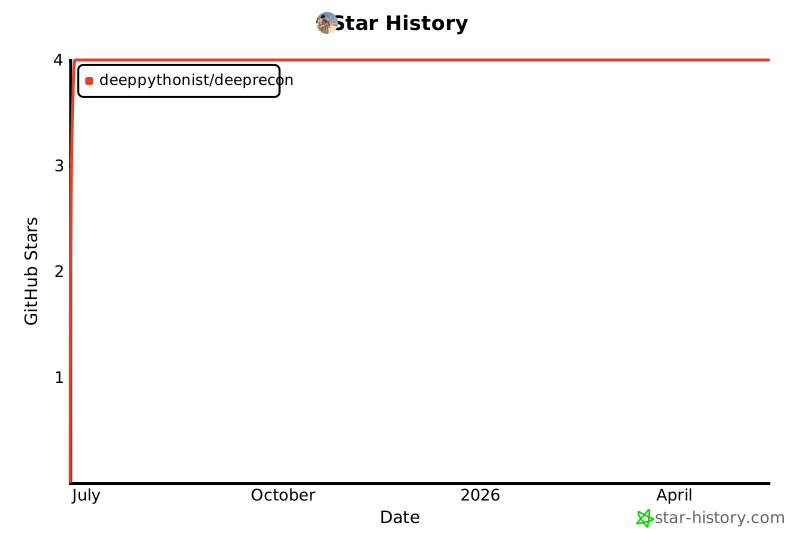
⭐ Star History
If you find DeepRecon useful, please consider giving it a star on GitHub!
Made with ❤️ by Mohammad Rasol Esfandiari
1 maintainer

Metadata
1 maintainer
Release files for deeprecon 1.1.0
For a detailed explanation of source distributions (sdists) and built distributions (wheels), please see the package formats documentation.
Source distribution (sdist)
| File | Size | Uploaded | |
|---|---|---|---|
| deeprecon-1.1.0.tar.gz | 36.0 kB | Details |
Built distribution (wheel)
| File | Interpreter | ABI | Platform | Reset |
|---|---|---|---|---|
| deeprecon-1.1.0-py3-none-any.whl | Python 3 | none | any | Details |
Total release size: 67.0 kB
Release files / deeprecon-1.1.0.tar.gz
| Download URL | deeprecon-1.1.0.tar.gz |
|---|---|
| Size | 36.0 kB |
| Tags | Source |
|
SHA-256 checksum How to use checksums |
f05bd006cd35c63f90ddaf0940c142d8bc337b3010a826bbafff82ed76387ec8
|
|
BLAKE2b-256 checksum How to use checksums |
80bd8b71270f012bad9013f40d1f60bc46e3f4907a2fb30441fb4f4dc0a34505
|
| Upload date | |
|
Uploaded using Trusted Publishing? What is trusted publishing? |
No |
| Uploaded via |
twine/6.1.0 CPython/3.12.4
|
Release files / deeprecon-1.1.0-py3-none-any.whl
| Download URL | deeprecon-1.1.0-py3-none-any.whl |
|---|---|
| Size | 31.0 kB |
| Tags | Python 3 |
|
SHA-256 checksum How to use checksums |
aed8f82dea07f8020f1f131d3f2b98b1ded97296f4b8190b206f983149d24a8b
|
|
BLAKE2b-256 checksum How to use checksums |
6a2f41cbffed85ae1516c4500e74cbb900f17d1b190b5faf6b50ddf4f14e2886
|
| Upload date | |
|
Uploaded using Trusted Publishing? What is trusted publishing? |
No |
| Uploaded via |
twine/6.1.0 CPython/3.12.4
|














