
A powerful, modular Python library for comprehensive domain and IP analysis

Project description
🔍 DeepRecon





A powerful, modular Python library for comprehensive domain and IP analysis
🚀 Installation • 📖 Documentation • 💡 Examples • 🤝 Contributing
✨ Features
DeepRecon provides a comprehensive suite of tools for analyzing domains and IP addresses with ease:
🎯 Core Analysis
- DNS Resolution: Convert domains to IPs and vice versa
- DNS Records: Fetch A, AAAA, MX, NS, TXT, CNAME, SOA records
- WHOIS Information: Domain registration details and IP ownership
- Geolocation: IP-based geographical information with ISP details
🔒 Security Analysis
- SSL/TLS Certificates: Certificate validation, expiry checking, and grading
- Security Headers: HSTS, CSP, X-Frame-Options analysis
- WAF Detection: Identify Web Application Firewalls
- Blacklist Checking: Multi-provider blacklist verification
🌐 Connectivity & Performance
- Availability Testing: Ping, HTTP status, response time measurement
- Port Scanning: TCP port connectivity testing
- Traceroute: Network path analysis
- Response Analysis: HTTP headers and redirect chain tracking
💻 Technology Detection
- Web Technologies: CMS, frameworks, analytics tools detection
- Server Identification: Web server and proxy detection
- Meta Information: Page titles, meta tags extraction
🌍 Multi-language Support
- English and Persian (فارسی) interface
- Internationalization: Easy to extend for more languages
📊 Flexible Output
- JSON: Machine-readable structured data
- CSV: Spreadsheet-compatible format
- Pretty Print: Human-readable console output
- CLI Interface: Command-line tool with rich options
🚀 Installation
Using pip (Recommended)
pip install deeprecon
From source
git clone https://github.com/DeepPythonist/DeepRecon.git
cd DeepRecon
pip install -e .
Dependencies
DeepRecon automatically installs these required packages:
requests- HTTP client librarydnspython- DNS toolkitpython-whois- WHOIS clientipwhois- IP WHOIS clientpyOpenSSL- SSL/TLS toolkitbeautifulsoup4- HTML parserlxml- XML/HTML parser
💡 Quick Start
CLI Usage
# Analyze a domain with all modules
deeprecon google.com

# Specific analysis modules
deeprecon github.com --modules resolve dns ssl

# Output in JSON format
deeprecon example.com --output json

# Save results to file
deeprecon stackoverflow.com --file results.json

# Use Persian language
deeprecon google.com --language fa

# Quiet mode (results only)
deeprecon google.com --quiet
Python API Usage
from deeprecon import resolve, dns, geoip, ssl

# Basic domain to IP resolution
ip = resolve.get_ip('google.com')
print(f"Google IP: {ip}")

# Get all DNS records
dns_records = dns.get_dns_records('github.com')
print(f"DNS Records: {dns_records}")

# IP geolocation
location = geoip.geoip('8.8.8.8')
print(f"Location: {location['city']}, {location['country']}")

# SSL certificate information
ssl_info = ssl.get_ssl_info('github.com')
print(f"SSL Issuer: {ssl_info['issuer']['organizationName']}")
📖 Documentation
Command Line Interface
Basic Syntax
deeprecon <target> [options]
Options
--modules, -m: Specify analysis modules- Available:
resolve,dns,whois,geoip,ssl,availability,security,tech
- Available:
--output, -o: Output format (json,csv,pretty)--file, -f: Save output to file--language, -l: Interface language (en,fa)--quiet, -q: Quiet mode
Examples
# Domain analysis
deeprecon example.com

# IP analysis
deeprecon 8.8.8.8

# Custom modules
deeprecon google.com -m resolve dns ssl

# JSON output to file
deeprecon github.com -o json -f analysis.json
Python API Reference
Resolve Module
from deeprecon.resolve import get_ip, get_ips, get_domain, resolve_all

# Convert domain to IP
ip = get_ip('example.com')

# Get all IPs for domain
ips = get_ips('example.com')

# Reverse DNS lookup
domain = get_domain('8.8.8.8')

# Complete resolution analysis
result = resolve_all('example.com')
DNS Module
from deeprecon.dns import get_dns_records, get_ns_records, get_mx_records

# Get all DNS records
records = get_dns_records('example.com')

# Get name servers
nameservers = get_ns_records('example.com')

# Get MX records
mx_records = get_mx_records('example.com')
GeoIP Module
from deeprecon.geoip import geoip, get_country, get_asn

# Complete geolocation data
geo_data = geoip('8.8.8.8')

# Get specific information
country = get_country('8.8.8.8')
asn = get_asn('8.8.8.8')
SSL Module
from deeprecon.ssl import get_ssl_info, check_ssl_validity, ssl_grade

# Get SSL certificate information
ssl_data = get_ssl_info('example.com')

# Check if certificate is valid
is_valid = check_ssl_validity('example.com')

# Get SSL grade
grade = ssl_grade('example.com')
Security Module
from deeprecon.security import is_filtered, has_waf, get_security_score

# Check if domain/IP is filtered
filtered = is_filtered('example.com')

# Detect WAF protection
waf = has_waf('example.com')

# Get overall security score
score = get_security_score('example.com')
🏗️ Architecture
DeepRecon follows a modular architecture:
deeprecon/
├── config.py          # Configuration and constants
├── resolve.py          # Domain ↔ IP resolution
├── dns.py             # DNS record analysis
├── whois.py           # WHOIS information
├── geoip.py           # Geographic location
├── ssl.py             # SSL/TLS analysis
├── availability.py    # Connectivity testing
├── security.py        # Security analysis
├── tech_detect.py     # Technology detection
├── utils/
│   ├── validator.py   # Input validation
│   └── formatter.py   # Output formatting
└── locales/           # Internationalization
    ├── en.json
    └── fa.json
🎯 Use Cases
Security Research
- Domain reconnaissance for penetration testing
- SSL/TLS analysis for security audits
- Blacklist monitoring for threat intelligence
- WAF detection for security assessment
DevOps & Monitoring
- Infrastructure monitoring with availability checks
- DNS monitoring for domain management
- Performance analysis with response time measurement
- Certificate monitoring for SSL expiry tracking
Network Analysis
- Network path analysis with traceroute
- Port scanning for connectivity testing
- Geolocation analysis for CDN optimization
- Technology stack identification
Research & Analytics
- Domain analysis for market research
- Technology trends analysis
- Geographic distribution of services
- Compliance checking for regulations
🤝 Contributing
We welcome contributions! Here's how you can help:
Development Setup
-
Fork and clone the repository
git clone https://github.com/DeepPythonist/DeepRecon.git
cd DeepRecon
-
Create a virtual environment
python -m venv venv
source venv/bin/activate  # Linux/macOS
# or
venv\Scripts\activate     # Windows
-
Install dependencies
pip install -r requirements.txt
pip install -e .
-
Run tests
python -m pytest tests/
Contribution Guidelines
- Code Style: Follow PEP 8 standards
- Documentation: Update docstrings and README
- Testing: Add tests for new features
- Commits: Use clear, descriptive commit messages
Areas for Contribution
- 🌐 Additional language support
- 🔧 New analysis modules
- 📊 Enhanced output formats
- 🚀 Performance optimizations
- 🐛 Bug fixes and improvements
📄 License
This project is licensed under the MIT License - see the LICENSE file for details.
👨💻 Author
Mohammad Rasol Esfandiari
- GitHub: @DeepPythonist
- Email: mrasolesfandiari@gmail.com
🙏 Acknowledgments
- Thanks to all contributors who helped make this project better
- Special thanks to the open-source community for the amazing libraries
- Inspired by the need for comprehensive domain and IP analysis tools
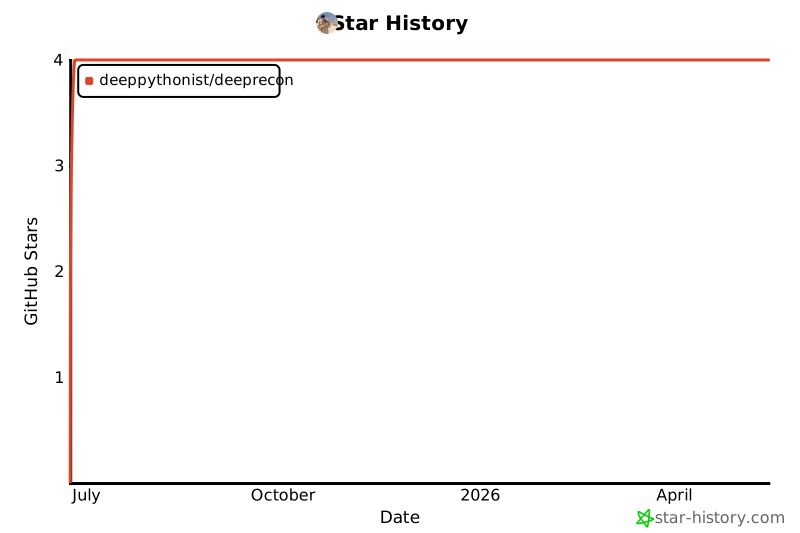
⭐ Star History
If you find DeepRecon useful, please consider giving it a star on GitHub!
Made with ❤️ by Mohammad Rasol Esfandiari
Release history Release notifications | RSS feed


Download files
Download the file for your platform. If you're not sure which to choose, learn more about installing packages.
Source Distribution
Built Distribution
Filter files by name, interpreter, ABI, and platform.
If you're not sure about the file name format, learn more about wheel file names.
Copy a direct link to the current filters
File details
Details for the file deeprecon-1.0.0.tar.gz.
File metadata
- Download URL: deeprecon-1.0.0.tar.gz
- Upload date:
- Size: 27.8 kB
- Tags: Source
- Uploaded using Trusted Publishing? No
- Uploaded via: twine/6.1.0 CPython/3.12.4
File hashes
| Algorithm | Hash digest | |
|---|---|---|
| SHA256 |
216e13c255de93e2a4e27e42ce1745c577bf50d0e853b70c397ceb82c9c19318
|
|
| MD5 |
1034143b9e5a6ca907948265bb4416ed
|
|
| BLAKE2b-256 |
cf0dca2066b555255eeac98e0e7bb22ab9821a16b6dcc5f1745f7b0602131efa
|
File details
Details for the file deeprecon-1.0.0-py3-none-any.whl.
File metadata
- Download URL: deeprecon-1.0.0-py3-none-any.whl
- Upload date:
- Size: 23.0 kB
- Tags: Python 3
- Uploaded using Trusted Publishing? No
- Uploaded via: twine/6.1.0 CPython/3.12.4
File hashes
| Algorithm | Hash digest | |
|---|---|---|
| SHA256 |
80fb97629c21280a628a6f9ebdac6a9effbb6af4a9f508f6219ae7013b6a1fcb
|
|
| MD5 |
ae52e97064cf020b9e2ff5e74cf5352d
|
|
| BLAKE2b-256 |
f066b1903782153678fe7b70bbb455b0bba933bfae53b7c90e7ebbf796ac3a6a
|






