
Downloads songs, albums or playlists from deezer and spotify (clone from deezloader)

Project description
DeezSpot 🎵
A powerful Python and Lightweight library for downloading music from Deezer and Spotify. Clone of the original deezloader with additional features and improvements.
⚠️ IMPORTANT NOTES !!!!! ⚠️
USE AS YOUR OWN RISK I'M NOT RESPONSIBLE TO ANY YOUR PROBLEM AT SPOTIFY OR DEEZER ACCOUNT !
✨ Features
- Download songs, albums, playlists from Deezer
- Download songs, albums, playlists, episode from Spotify
- Support for multiple audio qualities (MP3, FLAC) and OGG for spotify
- Download podcast episodes
- Batch downloading
- Progress bar support
- ID3 tags and artwork
🚀 Installation
pip install deezspot
Or
pip install git+https://github.com/jakiepari/deezspot
🔑 Authentication Setup
Deezer Authentication
- Get your Deezer ARL token from browser cookies after logging in to Deezer
- Use the token in your code:
from deezspot.deezloader import DeeLogin

dl = DeeLogin(arl='your_arl_token', email='your_Deezer_email', password='your_Deezer_password')
Spotify Authentication
- Clone the librespot-auth repository:
git clone https://github.com/dspearson/librespot-auth
cd librespot-auth
cargo build --release
- Generate credentials:
./target/release/librespot-auth
- Adjust your credentials.json with the format:
{
    "username": "your_spotify_username",
    "credentials": "your_credentials_string",
    "type": "AUTHENTICATION_STORED_SPOTIFY_CREDENTIALS"
}
Or also you can use this code
from librespot.zeroconf import ZeroconfServer
import time
import logging
import pathlib

zs = ZeroconfServer.Builder().create()
logging.warning("Transfer playback from desktop client to librespot-python via Spotify Connect in order to store session")

while True:
    time.sleep(1)
    if zs._ZeroconfServer__session:
        logging.warning(f"Grabbed {zs._ZeroconfServer__session} for {zs._ZeroconfServer__session.username()}")

        if pathlib.Path("credentials.json").exists():
            logging.warning("Session stored in credentials.json. Now you can Ctrl+C")
            break
Steps: Its same like using the code from librespot-auth. but you need a premium plan to use this code! Just play 1 song and then click connect to a device and select librespot-python then your credentials.json will be appear
📚 Usage Examples
Downloading with Deezer
from deezspot.deezloader import DeeLogin

dl = DeeLogin(arl='your_arl_token', email='', password='')

# Download single track
dl.download_trackdee(
    link_track='https://www.deezer.com/track/123456789',
    output_dir='./downloads',
    quality_download='MP3_320',
    recursive_quality=False,
    recursive_download=False
)

# Download album
dl.download_albumdee(
    link_album='https://www.deezer.com/album/123456789',
    output_dir='./downloads/albums',
    quality_download='FLAC',
    recursive_quality=True,
    recursive_download=False
)

# Download playlist
dl.download_playlistdee(
    link_playlist='https://www.deezer.com/playlist/123456789',
    output_dir='./downloads/playlists',
    quality_download='MP3_320',
    recursive_quality=True,
    recursive_download=False
)

# Download artist
dl.download_artistdee(
    link_artist='https://www.deezer.com/artist/123456789',
    output_dir='./downloads/artists',
    quality_download='MP3_320',
    recursive_quality=True,
    recursive_download=False
)

# Download episode
dl.download_episode(
    link_episode='https://www.deezer.com/episode/123456789',
    output_dir='./downloads/episode',
    quality_download='MP3_320',
    recursive_quality=True,
    recursive_download=False
)
Downloading with Spotify
import sys
import os
import traceback

# Add the local deezloader directory to the sys.path
sys.path.insert(0, os.path.abspath(os.path.join(os.path.dirname(__file__), '..', '..')))
from deezspot.spotloader import SpoLogin

try:
    # Initialize Spotify client
    # Make sure to generate credentials.json using librespot-auth first
    credentials_path = os.path.abspath(os.path.join(os.path.dirname(__file__), 'credentials.json'))
    spo = SpoLogin(credentials_path=credentials_path)

    # Download single track
    track = spo.download_track(
        link_track="https://open.spotify.com/track/4tCtwWceOPWzenK2HAIJSb",
        output_dir="./downloads/tracks",
        quality_download="NORMAL",
        recursive_quality=False,
        recursive_download=False,
        not_interface=False,
        method_save=1
    )

    # Download album
    album = spo.download_album(
        link_album="https://open.spotify.com/album/6n4YU8iRm07O7lR1zQZypN",
        output_dir="./downloads/albums",
        quality_download="NORMAL",
        recursive_quality=True,
        recursive_download=False,
        not_interface=False,
        method_save=1,
        make_zip=True
    )

    # Download playlist
    playlist = spo.download_playlist(
        link_playlist="https://open.spotify.com/playlist/1ZyEi4bBTYGTIlY23U1kwG",
        output_dir="./downloads/playlists",
        quality_download="NORMAL",
        recursive_quality=True,
        recursive_download=False,
        not_interface=False,
        method_save=1,
        make_zip=True
    )

    # Download episode
    episode = spo.download_episode(
        link_episode="https://open.spotify.com/episode/1hgO8Y3CCymyxn934lNtDq",
        output_dir="./downloads/episodes",
        quality_download="NORMAL",
        recursive_quality=False,
        recursive_download=False,
        not_interface=False,
        method_save=1
    )

except Exception as e:
    traceback.print_exc()
📋 Supported Formats
Deezer
- MP3_128
- MP3_320 (SOMETIMES NEED PAID DEEZER)
- FLAC (PAID DEEZER ONLY)
Spotify
- NORMAL
- HIGH
- VERY_HIGH
NOTE !
Sometimes when you using spotloader after downloading 20+ tracks, Will be giving an error about audio key. its because you're using free spotify!
🤝 Contributing
- Fork the repository
- Create your feature branch (
git checkout -b feature/amazing-feature) - Commit your changes (
git commit -m 'Add some amazing feature') - Push to the branch (
git push origin feature/amazing-feature) - Open a Pull Request
⚖️ License
This project is licensed under the GNU Affero General Public License v3 - see the
LICENSE
file for details.
🙏 Acknowledgments
- Original deezloader project
- Deezer API
- Spotify API
- Spotify Anon
- librespot-python
- librespot-auth
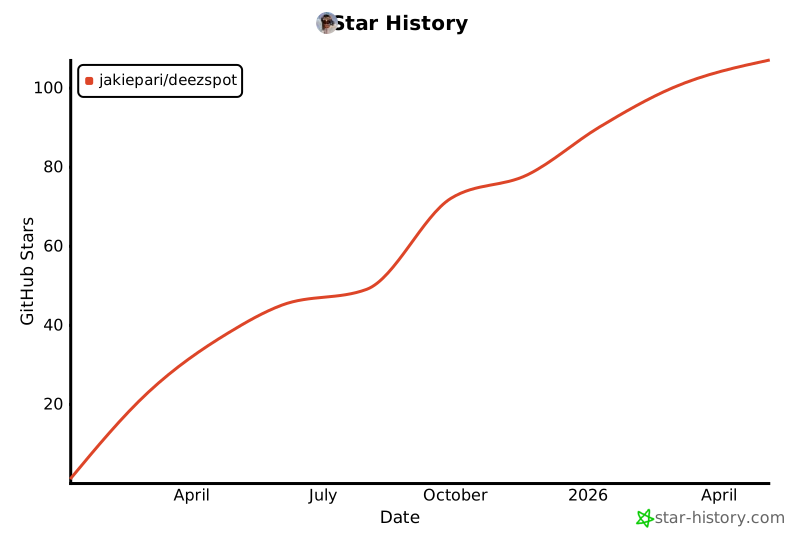
⭐️ Star History


Download files
Download the file for your platform. If you're not sure which to choose, learn more about installing packages.
Source Distribution
Built Distribution
Filter files by name, interpreter, ABI, and platform.
If you're not sure about the file name format, learn more about wheel file names.
Copy a direct link to the current filters
File details
Details for the file deezspot-1.4.tar.gz.
File metadata
- Download URL: deezspot-1.4.tar.gz
- Upload date:
- Size: 40.7 kB
- Tags: Source
- Uploaded using Trusted Publishing? No
- Uploaded via: twine/6.1.0 CPython/3.12.1
File hashes
| Algorithm | Hash digest | |
|---|---|---|
| SHA256 |
19a9070ca12e53b1fed47824e11b3b135b5fa4dca0fe0aead90cd57ee5250a54
|
|
| MD5 |
dd15e962f26a8b009f00a9b3fa41f67f
|
|
| BLAKE2b-256 |
cd809f10aedfd8ba0b532db3d10f7033b763ed69f3dca786720ac89e67a2f56e
|
File details
Details for the file deezspot-1.4-py3-none-any.whl.
File metadata
- Download URL: deezspot-1.4-py3-none-any.whl
- Upload date:
- Size: 44.8 kB
- Tags: Python 3
- Uploaded using Trusted Publishing? No
- Uploaded via: twine/6.1.0 CPython/3.12.1
File hashes
| Algorithm | Hash digest | |
|---|---|---|
| SHA256 |
de4a70fd7a30cb6c7583b6e1ffaa60c98b71d856d4605151fe5b720169a77c16
|
|
| MD5 |
4d83c4c4194c2087c2e0bce279832778
|
|
| BLAKE2b-256 |
59440b4c5d716741348d7eb89ed5372815552d8e12656c752fca3cde441ad449
|






