
DEGIRO Portfolio Tracker
A desktop application that helps you track and visualize your DEGIRO investment portfolio with beautiful charts and performance metrics.


Full Documentation | Release Notes
What Does This Do?
This application takes your DEGIRO transaction exports (the Excel files you download from DEGIRO) and creates an interactive dashboard where you can:
- See all your stocks in one place - View your current holdings with live prices
- Track your gains and losses - See how much money you've made or lost on each stock
- View beautiful charts - Interactive price charts showing your buy/sell transactions
- Compare against market indices - See how your stocks perform vs S&P 500 and Euro Stoxx 50
- Monitor multiple currencies - Automatic conversion to EUR for stocks in USD, SEK, GBP
- Upload new transactions easily - Just click and upload your Excel file
All data is stored securely on your own computer - nothing is sent to external servers.
Screenshots
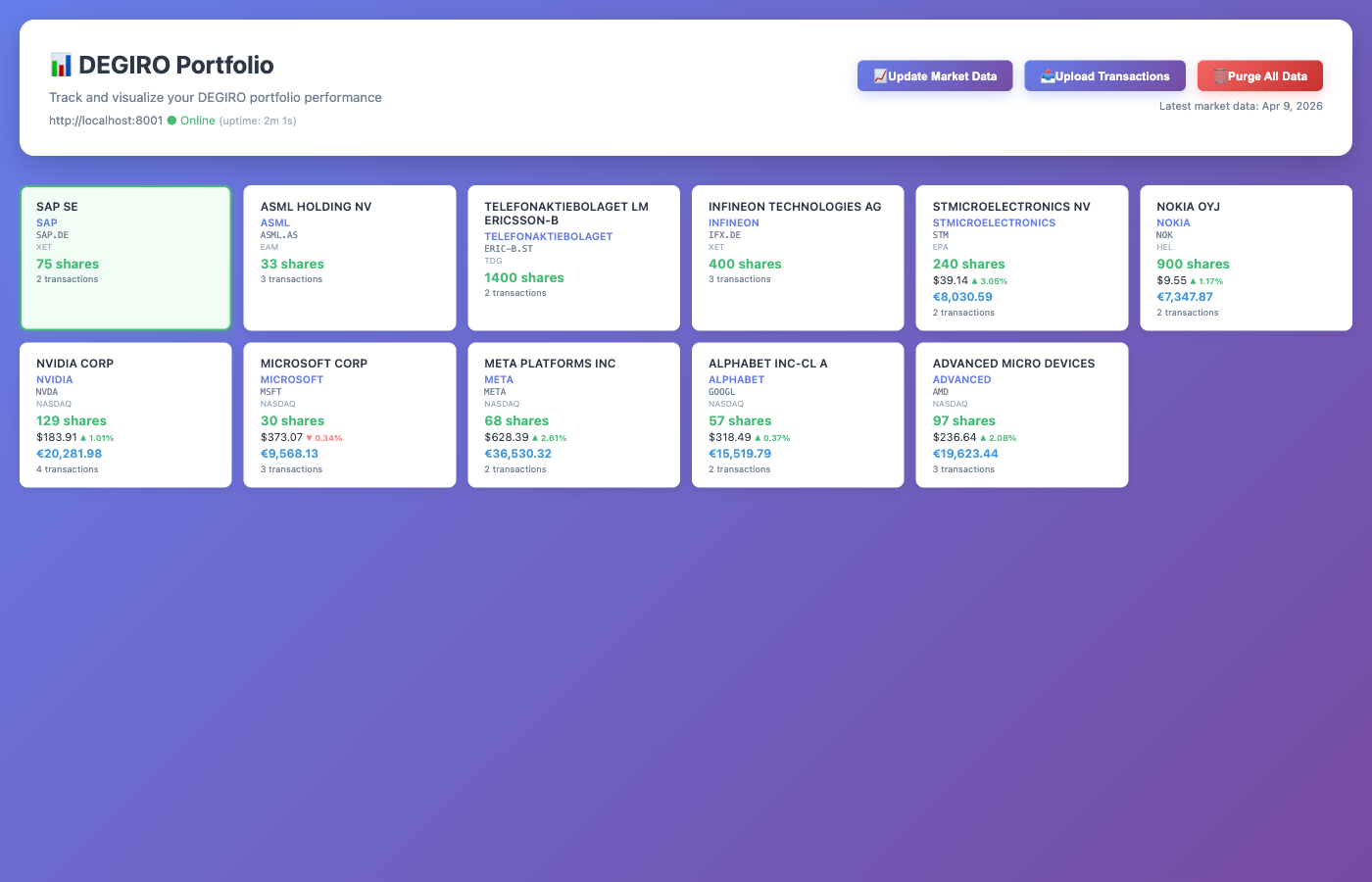
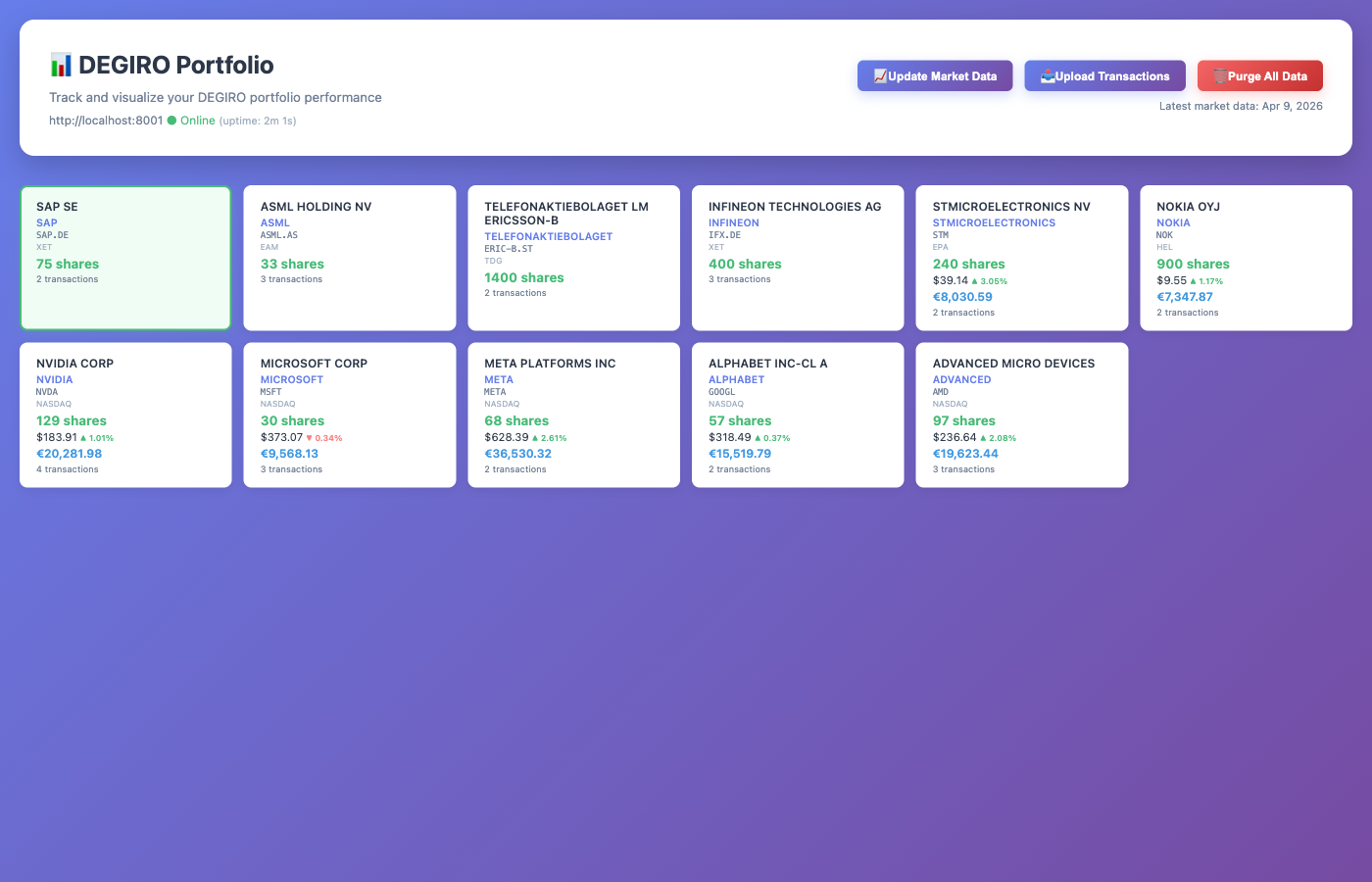
Portfolio Dashboard
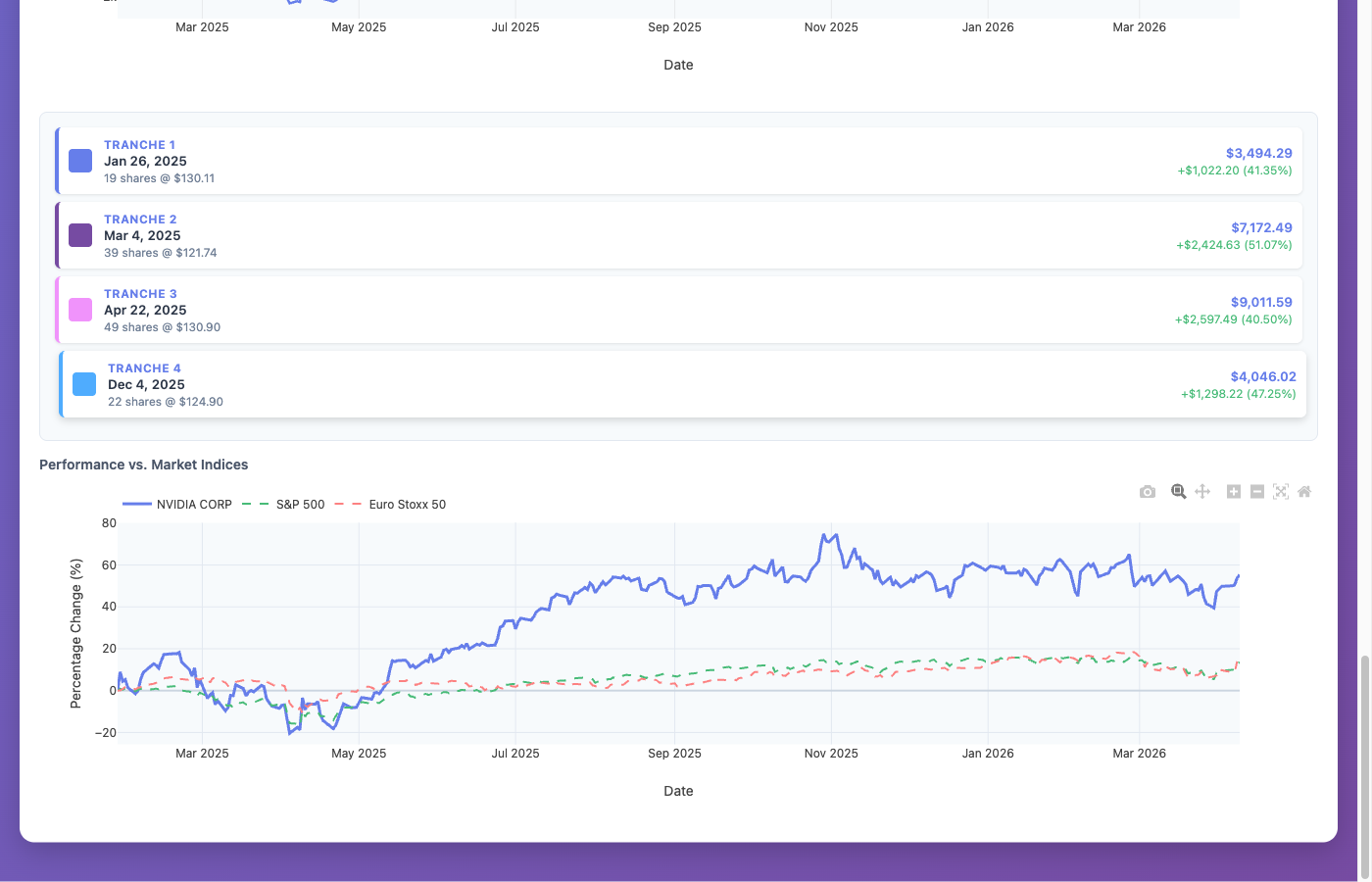
Individual Stock View
Quick Start
1. Install
pip install degiro_portfolio
You need Python 3.10 or newer (download here).
2. Launch
python -m degiro_portfolio --desktop
The application opens in a native window. No browser needed - the server starts and stops automatically with the window.
3. Upload Your Transactions
- Export your transactions from DEGIRO (Transactions -> Export as CSV or Excel)
- Click Upload Transactions in the app
- Select your file (.csv or .xlsx)
The app automatically downloads stock prices and displays your portfolio.
Alternative: Web Server Mode
If you prefer to use a browser, you can run the application as a web server:
pip install degiro_portfolio
python -m degiro_portfolio
Then open http://localhost:8000 in your browser.
Mac/Linux also supports the CLI:
degiro_portfolio start    # Start the server
degiro_portfolio stop     # Stop the server
degiro_portfolio status   # Check if running
Windows: Use python -m degiro_portfolio for all commands.
Using the Application
Uploading Transactions
-
Export from DEGIRO:
- Log in at trader.degiro.nl/trader/#/transactions
- Set your date range and click Export
- Choose CSV or Excel format
- All DEGIRO languages are supported (English, Dutch, German, etc.)
-
Upload to the Application:
- Click the Upload Transactions button
- Select your DEGIRO file (.csv or .xlsx)
- Wait for the upload to complete
Updating Stock Prices
Click the Update Market Data button to refresh all stock prices. Prices are fetched from Yahoo Finance (free, no API key needed).
Clearing All Data
Click Purge All Data to start fresh. This permanently deletes all stored data.
Understanding Your Portfolio
Stock Cards
Each stock shows:
- Company name - Click to search for investor relations info
- Number of shares you own
- Current price with daily change
- Position value in EUR
- Ticker symbol - Click to view on Google Finance
Charts
Click any stock card to see:
- Price Chart - Historical prices with your buy/sell transactions marked
- Position Value % - Shows if you're profitable (above 100% = profit)
- Investment Tranches - Performance of each individual purchase
- Market Comparison - How your stock compares to S&P 500 and Euro Stoxx 50
Features
- Native desktop app with embedded web view (Mac, Windows, Linux)
- Import DEGIRO transaction exports (English and Dutch)
- Automatic historical price downloads via Yahoo Finance
- Live exchange rate conversion (EUR, USD, SEK, GBP)
- Interactive candlestick charts with transaction markers
- Portfolio performance tracking
- Market index comparison (S&P 500, Euro Stoxx 50)
- Multi-currency support with automatic conversion
- One-click market data updates
Data Privacy
All your financial data stays on your computer:
- Data stored locally in
degiro_portfolio.db - Only connects to internet for stock prices
- Does NOT send your transaction data anywhere
- Does NOT require creating an account
Troubleshooting
The app won't start
- Make sure Python 3.10+ is installed:
python --version - On Windows: use
python -m degiro_portfolio --desktop - If port 8000 is busy:
python -m degiro_portfolio --desktop --port 8001
My stocks don't show prices
- Click "Update Market Data"
- Check your internet connection
The upload fails
- Make sure you're uploading a DEGIRO transaction export (.csv or .xlsx)
- All DEGIRO languages are supported
Getting Help
- Full Documentation — installation, features, advanced setup
- Release Notes — what's new in each version
- GitHub Issues — report bugs or request features
License
See LICENSE file for details.
1 maintainer

Metadata
1 maintainer
Release files for degiro-portfolio 0.5.13
For a detailed explanation of source distributions (sdists) and built distributions (wheels), please see the package formats documentation.
Source distribution (sdist)
| File | Size | Uploaded | |
|---|---|---|---|
| degiro_portfolio-0.5.13.tar.gz | 3.6 MB | Details |
Built distribution (wheel)
| File | Interpreter | ABI | Platform | Reset |
|---|---|---|---|---|
| degiro_portfolio-0.5.13-py3-none-any.whl | Python 3 | none | any | Details |
Total release size: 3.7 MB
Release files / degiro_portfolio-0.5.13.tar.gz
| Download URL | degiro_portfolio-0.5.13.tar.gz |
|---|---|
| Size | 3.6 MB |
| Tags | Source |
|
SHA-256 checksum How to use checksums |
a9ef1418da3d21cefe61109df92c3bd476b43d878d72dc5987998f4de4975b87
|
|
BLAKE2b-256 checksum How to use checksums |
2178d214d06e7aae08c69c019d566162df7c6bde23d639b8da2e0364dd9a27a9
|
| Upload date | |
|
Uploaded using Trusted Publishing? What is trusted publishing? |
Yes |
| Uploaded via |
twine/6.1.0 CPython/3.13.12
|
Provenance
Provenance describes where a file came from. On PyPI, provenance is shared via attestations, which provide a verifiable record of the build or publishing details. View details, limitations and caveats.


PyPI Publish Attestation
PyPI verified that this artifact, at this checksum, originated from the publisher listed below.
Signed by GitHub Actions, verified by PyPI on May 12, 2026.
Transparency logRelease files / degiro_portfolio-0.5.13-py3-none-any.whl
| Download URL | degiro_portfolio-0.5.13-py3-none-any.whl |
|---|---|
| Size | 87.8 kB |
| Tags | Python 3 |
|
SHA-256 checksum How to use checksums |
0175ff300222bb96aafa1f9749a854859ef5773646ae81219511a2eb89dc9005
|
|
BLAKE2b-256 checksum How to use checksums |
12143435fe3bed9e25bc45ca522f8dca5a68006ebb506cdfa9d12ba0194282e3
|
| Upload date | |
|
Uploaded using Trusted Publishing? What is trusted publishing? |
Yes |
| Uploaded via |
twine/6.1.0 CPython/3.13.12
|
Provenance
Provenance describes where a file came from. On PyPI, provenance is shared via attestations, which provide a verifiable record of the build or publishing details. View details, limitations and caveats.
PyPI Publish Attestation
PyPI verified that this artifact, at this checksum, originated from the publisher listed below.
Signed by GitHub Actions, verified by PyPI on May 12, 2026.
Transparency log













