
Intelligent AI Agents to ensure accurate, unique, and reliable customer data

Project description

Delpha Data Quality MCP
Intelligent AI Agents to ensure accurate, unique, and reliable customer data

📋 Table of Contents
🌟 Overview
Delpha is an AI-driven data quality solution that uses intelligent AI Agents to ensure accurate, unique, and reliable customer data. Delpha's specialized AI Agents automate data cleansing and enrichment, helping businesses enhance operational efficiency and drive stronger revenue performance.
- Reduce Data Maintenance Costs: Delpha minimizes the need for manual data cleanup, reducing labor costs and overhead associated with constant data maintenance.
- Improve Sales Productivity: By automating data quality tasks, Delpha frees up significant portions of sales teams' schedules, allowing them to focus on selling rather than data entry and correction.
- Shorten Data Migration: Delpha accelerates the process of unifying CRM datasets, enabling sales reps to confidently approach newly acquired customers and drive incremental revenue sooner.
- Deduplication with AI: Delpha's advanced AI accurately scores potential duplicates by analyzing multiple fields and detecting subtle variations, offering both automatic and manual merging options.
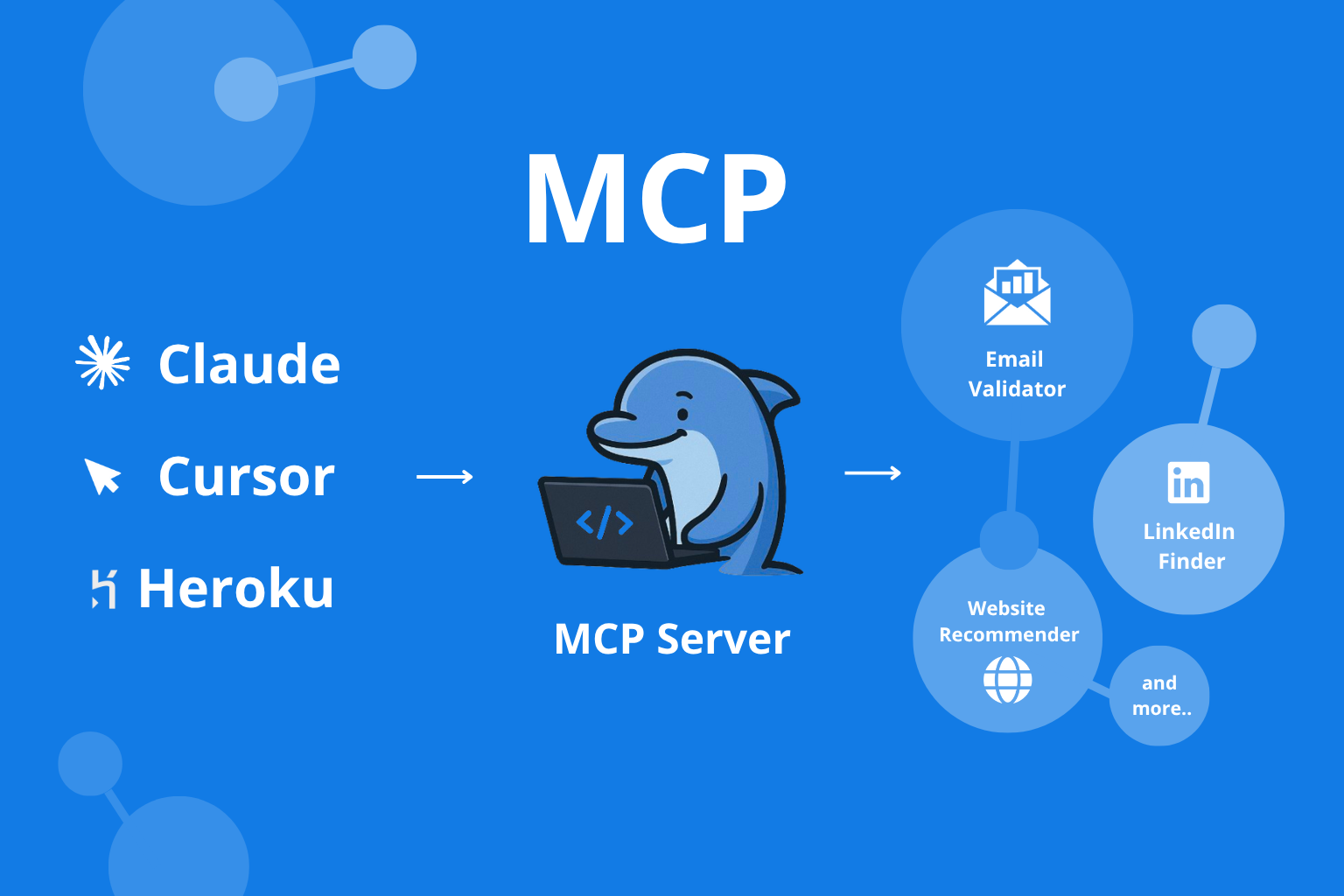
🎬 Demo
See Delpha MCP in action—validate and enrich data directly from your AI assistant.
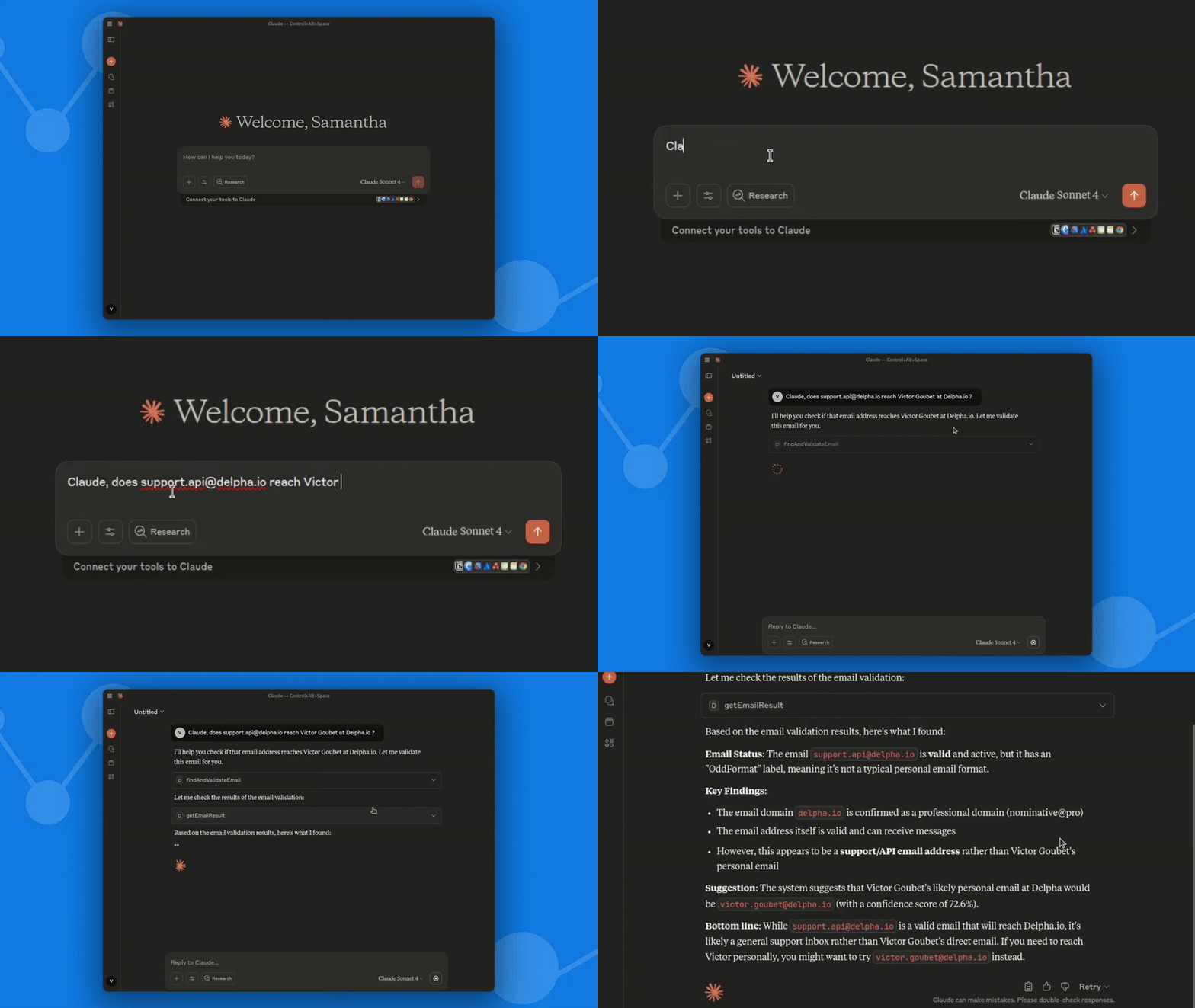
🚀 Quickstart
-
Install the package
pip install delpha-mcp
-
Configure Add this to your MCP settings (replace env values with your credentials):
{
  "mcpServers": {
    "Delpha": {
      "command": "python",
      "args": ["-m", "delpha_mcp"],
      "env": {
        "DELPHA_CLIENT_ID": "your_client_id_here",
        "DELPHA_CLIENT_SECRET": "your_client_secret_here"
      }
    }
  }
}
-
Restart your app — Delpha tools are now available.
🗝️ Getting Client Credentials
Delpha MCP uses OAuth2. Please contact support.api@delpha.io to request your client ID and secret.
🛠️ Tools
Delpha MCP exposes a set of intelligent tools to assess and improve the quality of your data. Each tool is designed to address specific data quality challenges, providing actionable insights and suggestions for improvement.
MCP Tool Names
findAndValidateEmailgetEmailResult
What it does Keep email data deliverable and up-to-date by discovering missing addresses and validating existing ones.
How we assess
- Completeness: Find and populate missing addresses.
- Validity: Check syntax and deliverability signals.
- Accuracy: Ensure the email fits the intended person/entity context.
- Consistency: Align inputs with normalized output.
Extras
- Classification (e.g., professional vs. personal) to support compliant outreach.
- AI recommendations with confidence scores when a better email is likely.
Address
MCP Tool Names
findAndValidateAddressgetAddressResult
What it does Standardize, validate, and complete postal addresses to improve delivery, analytics, and territory planning.
How we assess
- Completeness: Fill missing elements (street no., street, city, postal code, country).
- Validity: Conformity to country-specific postal rules and canonical formats.
- Accuracy: Normalize structure and resolve ambiguities.
- Consistency: Compare input vs. normalized output.
Extras
- Returns a normalized, well-structured address.
- AI recommendations with confidence scores when multiple plausible addresses exist.
Website
MCP Tool Names
findAndValidateWebsitegetWebsiteResult
What it does Normalize and canonicalize company websites (domain, scheme, redirects) and suggest likely sites when the input is missing or off.
How we assess
- Completeness: Populate missing websites/root domains.
- Validity: Confirm proper URL formatting and safe normalization (scheme, subdomain, trailing slash, redirects).
- Accuracy: Check that the URL matches the intended entity.
- Consistency: Compare input vs. normalized/canonical URL.
Extras
- Returns the normalized (and redirected if applicable) URL.
- AI recommendations with confidence scores.
MCP Tool Names
findAndValidateLinkedingetLinkedinResult
What it does Normalize LinkedIn profile/company URLs and, when needed, suggest the most relevant pages using context like name, company, and website.
How we assess
- Completeness: Detect presence/absence of a LinkedIn URL.
- Validity: Validate format (e.g.,
/in/for people, company page patterns); not a live profile/existence check. - Accuracy: Check that the URL aligns with provided context (first/last name, company name, website).
- Consistency: Compare input vs. normalized URL.
Extras
- Recommendations include URL, confidence, and helpful metadata (e.g., profile/page name, title/description, location, rank) to speed selection.
Phone
MCP Tool Names
findAndValidatePhonegetPhoneResult
What it does Normalize phone numbers to international standards and check basic plausibility.
How we assess
- Completeness: Is a value present.
- Validity: Does the number conform to country/region rules and basic plausibility checks (e.g., non-blacklisted patterns).
- Consistency: Compare input vs. normalized E.164 output.
Notes
- No accuracy score or side-field recommendations.
- If no country is provided, inference follows a configured country preference order.
Name
MCP Tool Names
findAndValidateNamegetNameResult
What it does Normalize person names and detect common data-entry issues to keep contact data clean.
How we assess
- Completeness: Separate scoring for FirstName and LastName.
- Validity: Check both parts against reference databases.
- Consistency: Compare input vs. normalized casing, hyphenation, etc.
- Misspelled: Flag likely typos and propose close alternatives.
- Reversed: Detect when first and last names appear swapped.
Extras
- Suggestions include corrected spelling, swapped order when appropriate, or simply the normalized version when everything looks good.
- No accuracy score for names.
Legal ID
MCP Tool Names
findAndValidateLegalIDgetLegalIDResult
What it does Validate, normalize, and enrich company legal identifiers across supported countries and ID types.
How we assess
- Completeness: Determine ID type from provided country or input; populate when possible.
- Validity: Normalize to canonical representation and verify against supported country rules and reference datasets.
- Accuracy: Check that the ID corresponds to the intended entity using side fields (e.g., company name, address, website).
- Consistency: Compare input vs. normalized value.
Extras
- Returns enriched context for matched entities (e.g., company name, website, address, industry) and ranked recommendations when input and side fields point to multiple candidates.
The list of supported countries and ID types is maintained in Delpha’s documentation; implementations should rely on what’s enabled in your environment.
Email Insights
MCP Tool Name
getEmailInsights
What it does Extract structured signals from email bodies to update/contact records faster.
Examples of extracted fields
- Name, phone(s), title, company, department, address
- Social links
- Out-of-office window
- Confidence score
LinkedIn Import
MCP Tool Names
submitLinkedinImportgetLinkedinImportResult
What it does High-throughput importer for LinkedIn / Sales Navigator searches and lists. Submit a source URL and receive normalized profiles or companies at scale.
Flow
- Start a job with
submitLinkedinImport. - We handle throttling and retries.
- Poll with
getLinkedinImportResultfor the final dataset URL.
Refer to the OpenAPI schemas for the exact input fields and outputs supported in your environment.
LinkedIn Scraper
MCP Tool Names
submitLinkedinScrapergetLinkedinScraperResult
What it does Efficiently extract public LinkedIn profile data for companies and organizations. The LinkedIn Scraper allows you to retrieve structured information from public LinkedIn company pages, enabling automated data collection and enrichment workflows.
Scope
- Currently supports public company profiles (public LinkedIn company pages)
Input
- LinkedIn company page URL
Flow
- Asynchronous job with a returned
job_id; you retrieve the scraped data when ready
Output
- Clean, structured company data including name, description, industry, location, website, and other publicly available information
Use cases
- Company research, CRM enrichment, lead generation, market intelligence, data aggregation
Ideal for bulk data collection from public LinkedIn sources without requiring authentication or session management.
📞 Support
If you encounter any issues or have questions, please reach out to the Delpha team at support.api@delpha.io or open an issue in the repository.
Release history Release notifications | RSS feed


Download files
Download the file for your platform. If you're not sure which to choose, learn more about installing packages.
Source Distribution
Built Distribution
Filter files by name, interpreter, ABI, and platform.
If you're not sure about the file name format, learn more about wheel file names.
Copy a direct link to the current filters
File details
Details for the file delpha_mcp-0.1.19.tar.gz.
File metadata
- Download URL: delpha_mcp-0.1.19.tar.gz
- Upload date:
- Size: 9.4 kB
- Tags: Source
- Uploaded using Trusted Publishing? No
- Uploaded via: uv/0.9.7
File hashes
| Algorithm | Hash digest | |
|---|---|---|
| SHA256 |
8cdcbaa54af7cd21928325ddb41b1a84d7a83126f655f7f3fba65a3f1d5a9060
|
|
| MD5 |
68593bbf608b60d67b7befb799a6ac89
|
|
| BLAKE2b-256 |
7ddd11e7c8595f0cf98411334bf8ea248f8ff37e0016b49813450b0869ffe455
|
File details
Details for the file delpha_mcp-0.1.19-py3-none-any.whl.
File metadata
- Download URL: delpha_mcp-0.1.19-py3-none-any.whl
- Upload date:
- Size: 9.6 kB
- Tags: Python 3
- Uploaded using Trusted Publishing? No
- Uploaded via: uv/0.9.7
File hashes
| Algorithm | Hash digest | |
|---|---|---|
| SHA256 |
61590b33646f239358114013f04afca17aefadd0c346c236383f77f39422de67
|
|
| MD5 |
f48d8386d47aa29c8683bf3b0e30e9e8
|
|
| BLAKE2b-256 |
47f5ff4122a361d6e3a9ab418a15628e5b25ad7fe3e49a8df70919ed590759b7
|






