






DEM-Shadows
Generate high-resolution terrain shadow rasters and animations from DEM GeoTIFFs.
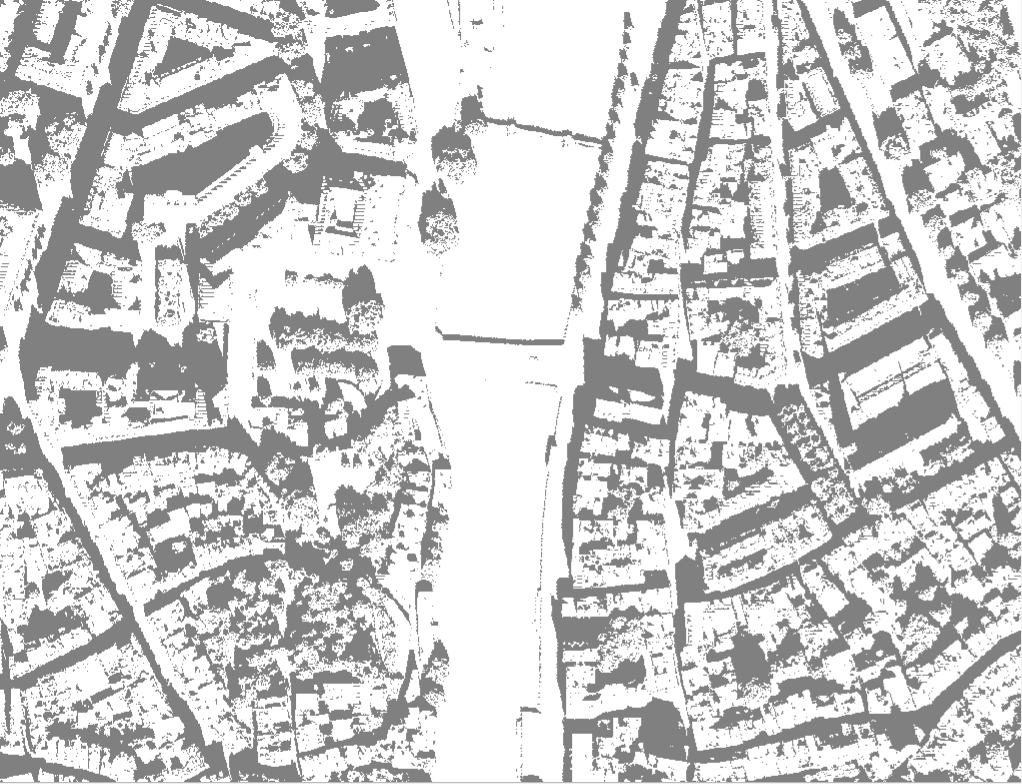
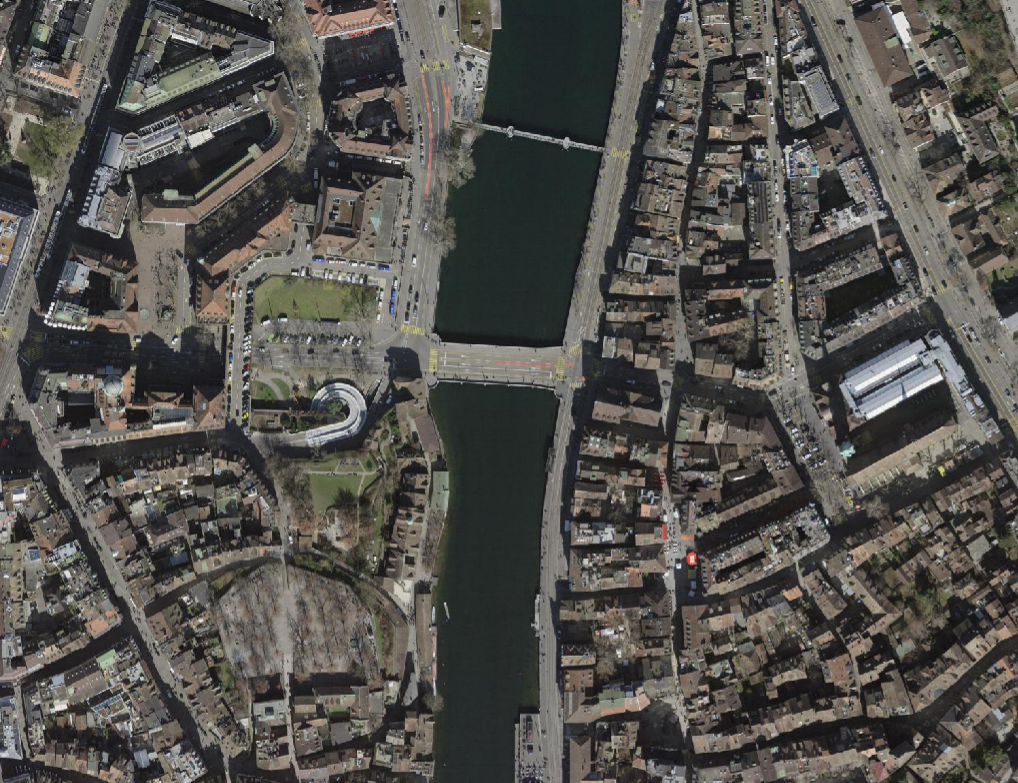
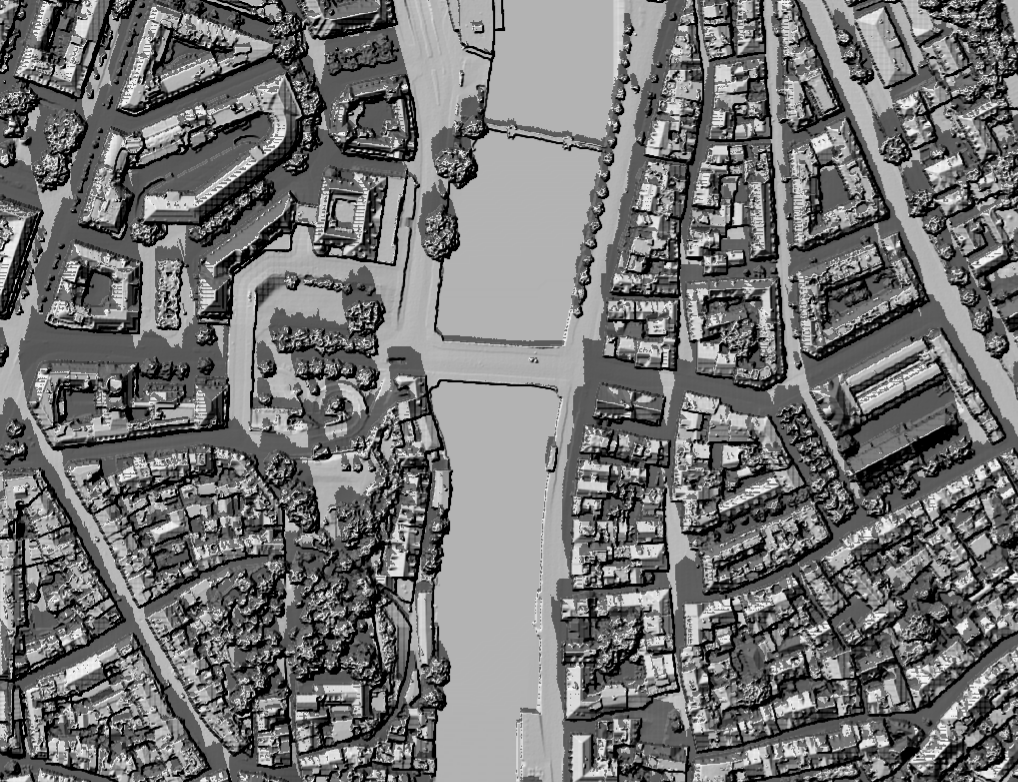
Table of Contents
- Overview
- Features
- Installation
- Project Structure
- Quick Start
- CLI Reference
- Examples
- Notebooks
- Testing
- Streamlit App
- Author
- License
Overview
dem-shadows is a lightweight Python toolchain for:
- Merging DEM tiles
- Converting DEMs to metric projected CRS
- Computing per-timestamp shadow rasters using the
insolationpackage - Auto-detecting latitude, longitude, and timezone from DEM extent
- Rendering animated GIFs of shadow progression
- Rendering cumulative “shadow exposure maps"
The goal is to provide easy, reproducible, and open-source shadow modelling for any DEM.
Features
✔ Merge DEM tiles automatically
✔ Auto lat/lon from DEM center
✔ Auto timezone inference via tzfpy
✔ Robust shadow modeling (insolation sunvector + doshade)
✔ Zero-dependency GIF animation (Pillow only)
✔ Transparent or white-background output modes
✔ Cumulative exposure computation
✔ Optional Streamlit GUI
✔ Fully cross-platform (Windows / Linux / macOS)
Installation
Clone & install locally
git clone https://github.com/marcop11/dem-shadows.git
cd dem-shadows
pip install -e .
Requirements
Automatically installed:
- rasterio
- numpy
- pandas
- Pillow
- tqdm
- astral
- insolation>=0.1.9
- tzfpy
Optional:
pip install streamlit
Project Structure
dem-shadows/
│
├── app/
│   └── streamlit_app.py
│
├── examples/
│   └── dem.tif              # Example DEM for README & demos
│
├── img/
│   ├── app.png
│   ├── icon.svg
│   ├── logo.svg
│   ├── zh_example_sh.png
│   ├── zh_example_dtm.png
│   ├── zh_example_ortho.png
│   ├── zh_example_sh_cum.png
│   └── zh_example_animate.gif
│
├── notebooks/
│   └── try_it_yourself.ipynb
│
├── src/
│   └── dem_shadows/
│       ├── shadows.py       # DEM → shadows
│       ├── animate.py       # GIF generation
│       ├── analysis.py      # Cumulative shadows
│       ├── preprocess.py
│       ├── utils.py
│       ├── schedule.py
│       ├── config.py
│       └── __init__.py
│
├── tests/
│   └── test_basic.py
│
├── README.md
├── pyproject.toml
└── requirements.txt
Quick Start
1. Generate Shadows
Generate a single shadow at 11:55 on March 8th 2025 — automatically detects lat/lon + timezone:
dem-shadows-generate ^
  --dem-dir "examples" ^
  --out-dir "out" ^
  --auto-latlon ^
  --auto-timezone ^
  --start 2025-03-08 ^
  --end 2025-03-08 ^
  --only-time 11:55
Minimal example for a whole day shadow generation hourly on March 8th 2025 — automatically detects lat/lon + timezone:
dem-shadows-generate ^
  --dem-dir "examples" ^
  --out-dir "shadows_day" ^
  --auto-latlon ^
  --auto-timezone ^
  --start 2025-03-08 ^
  --end 2025-03-08
Resulting output (example):
shadows_day/
│
├── shadow_20250308T070000_EuropeZurich.tif
├── shadow_20250308T080000_EuropeZurich.tif
├── shadow_20250308T090000_EuropeZurich.tif
├── ...
└── schedule.csv
Each GeoTIFF contains:
0 = shadow1 = sunlit255 = nodata
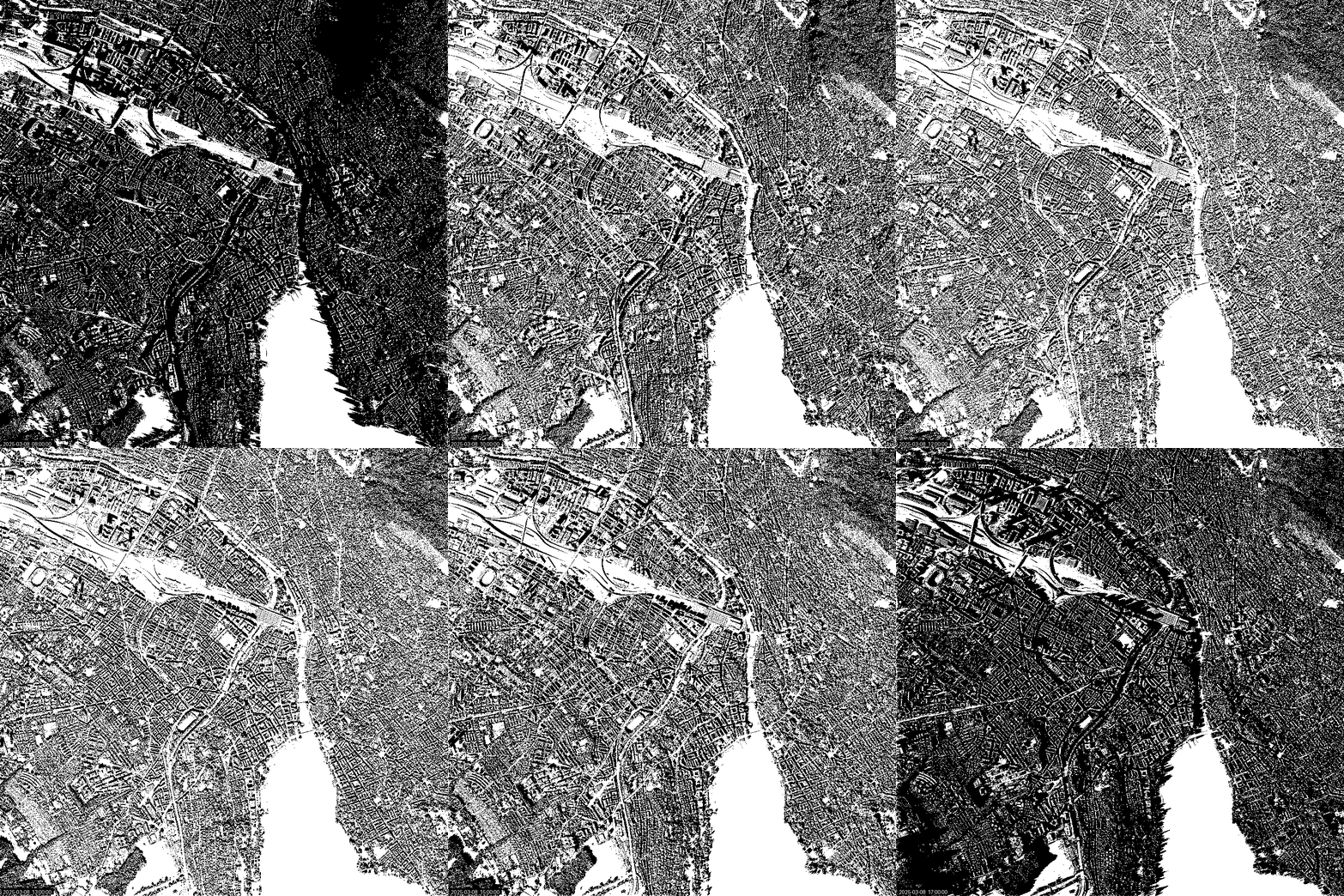
2. Animate Shadows
Create a GIF from the folder:
dem-shadows-animate ^
  --shadow-folder "shadows_day" ^
  --out-gif "shadows_day.gif"
Example GIF (included in repo):
Shadows of Zürich on 8th March 2025.
3. Cumulative Shadow Map
dem-shadows-cumulate ^
  --shadow-folder "shadows_day" ^
  --out "shadow_cumulative.tif"
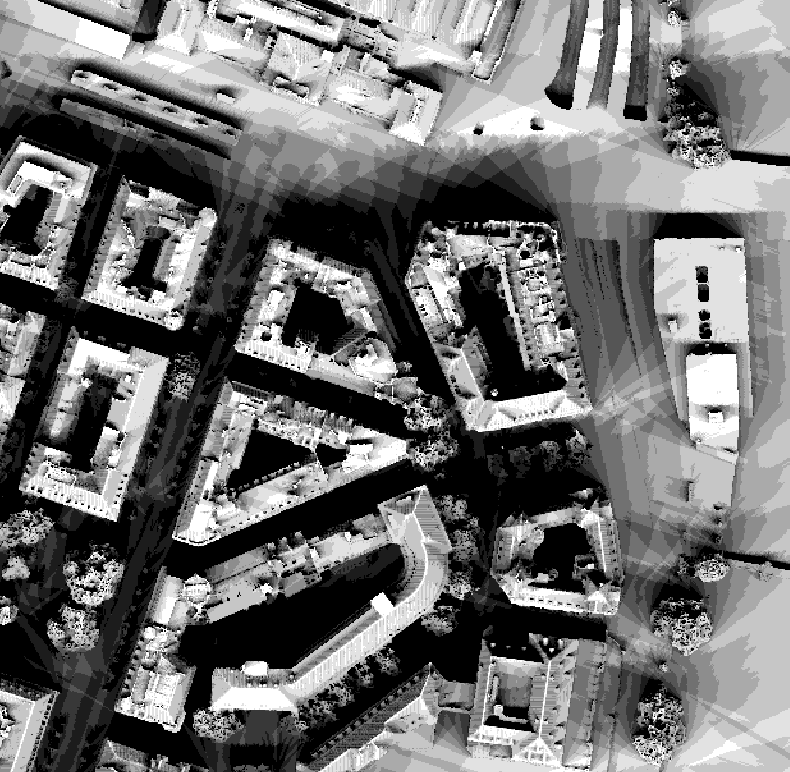
This produces a raster where the value of each pixel equals:
Number of hours of sun per pixel
Example Cumulative Shadows (included in repo):
Cumulative shadows of Zürich on 8th March 2025.
CLI Reference
dem-shadows-generate
usage: dem-shadows-generate [OPTIONS]
Required
--dem PATH                # or --dem-dir PATH (automerge)
--out-dir PATH
--start YYYY-MM-DD
--end   YYYY-MM-DD
Optional
--auto-latlon
--auto-timezone
--lat FLOAT
--lon FLOAT
--timezone "Europe/Zurich"
--step-minutes 60
--only-time HH:MM
--dem-pattern "*.tif"
dem-shadows-animate
usage: dem-shadows-animate [OPTIONS]
Required
--shadow-folder PATH
--out-gif PATH
Optional
--start YYYY-MM-DD
--end YYYY-MM-DD
--hour INT
--minute INT
--duration-ms 250
--sample-stride 1
--target-width 900
--target-height 0
--scale-factor FLOAT
--no-timestamp
--font-path PATH
dem-shadows-cumulate
usage: dem-shadows-cumulate [OPTIONS]
--shadow-folder PATH
--out PATH
Python API example
You can also call the core functionality from Python:
from pathlib import Path
from datetime import date
from dem_shadows import LocationConfig, ShadowConfig, run_shadow_batch

dem_path = Path("examples/dem.tif")
out_dir = Path("out")

loc = LocationConfig(latitude=47.38, longitude=8.53, timezone="Europe/Zurich")
cfg = ShadowConfig(
    dem_path=dem_path,
    out_dir=out_dir,
    location=loc,
    start_date=date(2025, 3, 8),
    end_date=date(2025, 3, 8),
    step_minutes=60,
)

run_shadow_batch(cfg)
Examples
Example DEM
Located at:
examples/
├── dem.tif
├── dem_is.tif
└── dem_fr.tif
Example imagery and shadow screenshots
Located at:
img/
├── app.png
├── icon.svg
├── logo.svg
├── zh_example_sh.png
├── zh_example_dtm.png
├── zh_example_ortho.png
├── zh_example_sh_cum.png
└── zh_example_animate.gif
These are referenced inside this README.
Notebooks
Google Colab notebook:
Testing
Run all tests:
pytest -q
The tests/ folder contains:
tests/
└── test_basic.py
test_basic.py ensures basic imports and config structures work.
Streamlit App
Try the live web interface:
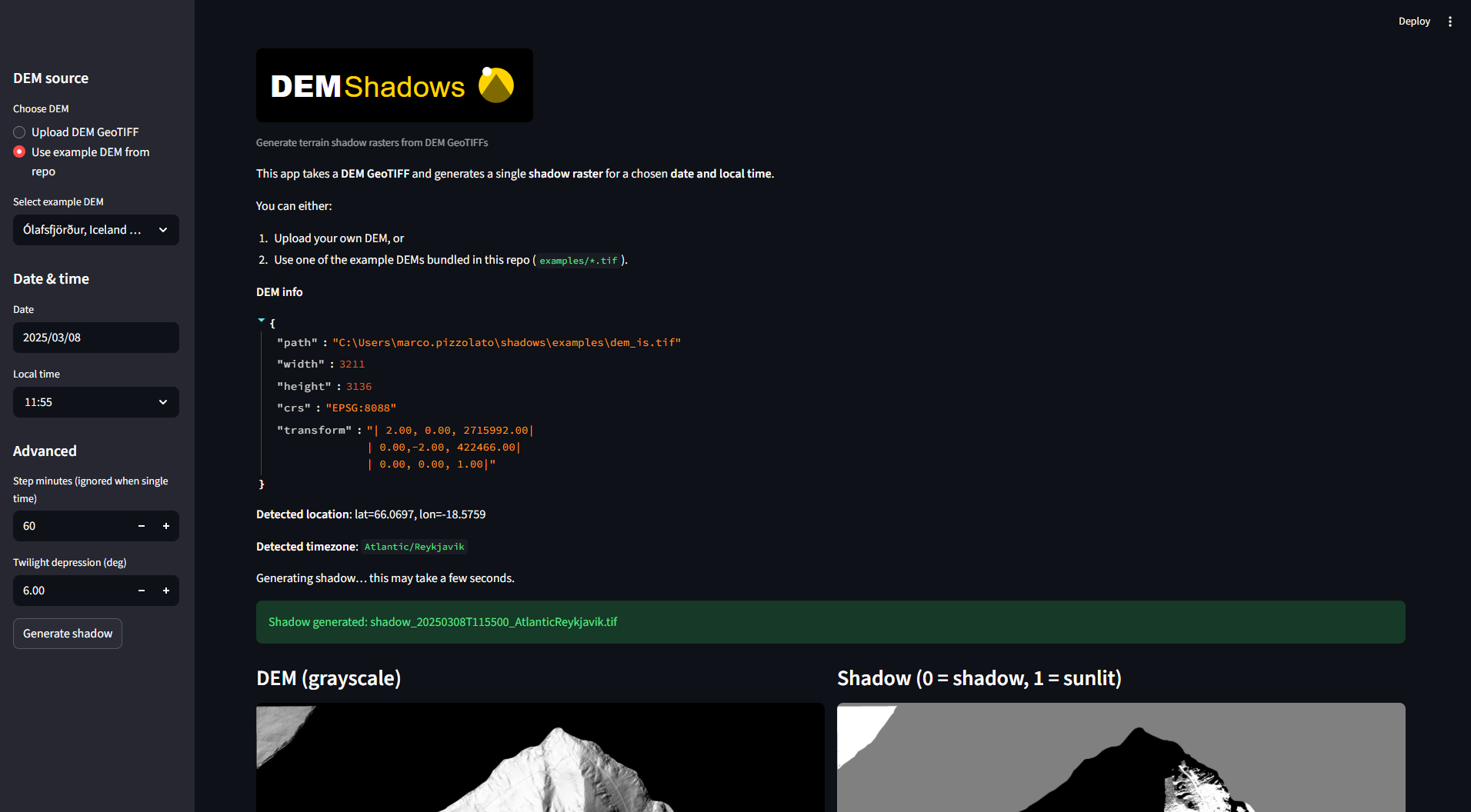
You can run the GUI with:
streamlit run app/streamlit_app.py
Features:
- Upload DEM
- Choose start/end time
- Generate shadows
- Preview results
- Download outputs and GIF
Find more digital elevation or terrain models to try:
Author
Marco Pizzolato – marcop11
Date: 24.11.2025
Version: 0.1.0
License
This project is licensed under GPLv3.
1 maintainer

Release files for dem-shadows 0.1.0
For a detailed explanation of source distributions (sdists) and built distributions (wheels), please see the package formats documentation.
Source distribution (sdist)
| File | Size | Uploaded | |
|---|---|---|---|
| dem_shadows-0.1.0.tar.gz | 61.2 MB | Details |
Built distribution (wheel)
| File | Interpreter | ABI | Platform | Reset |
|---|---|---|---|---|
| dem_shadows-0.1.0-py3-none-any.whl | Python 3 | none | any | Details |
Total release size: 61.2 MB
Release files / dem_shadows-0.1.0.tar.gz
| Download URL | dem_shadows-0.1.0.tar.gz |
|---|---|
| Size | 61.2 MB |
| Tags | Source |
|
SHA-256 checksum How to use checksums |
0d760621a7cbdcffecd7b089ee4d09b6e1af774f3604b5dd3b9c6a869b6c6b4c
|
|
BLAKE2b-256 checksum How to use checksums |
42154efd409298563405efedaeca84ba5961582d292d2daf115241893c6e1723
|
| Upload date | |
|
Uploaded using Trusted Publishing? What is trusted publishing? |
No |
| Uploaded via |
twine/6.2.0 CPython/3.12.0
|
Release files / dem_shadows-0.1.0-py3-none-any.whl
| Download URL | dem_shadows-0.1.0-py3-none-any.whl |
|---|---|
| Size | 32.9 kB |
| Tags | Python 3 |
|
SHA-256 checksum How to use checksums |
5bdd2dfe105af14a37f41039d3d18e4e49d2c233887cc38a1a5ae19e6726690e
|
|
BLAKE2b-256 checksum How to use checksums |
bc2af6b41ed10c3bcb0d4063877753754eedb693010e0282ab95a9f431cdf88e
|
| Upload date | |
|
Uploaded using Trusted Publishing? What is trusted publishing? |
No |
| Uploaded via |
twine/6.2.0 CPython/3.12.0
|













