
Generate terrain shadow rasters and animations from DEM GeoTIFFs

Project description






DEM-Shadows
Generate high-resolution terrain shadow rasters and animations from DEM GeoTIFFs.
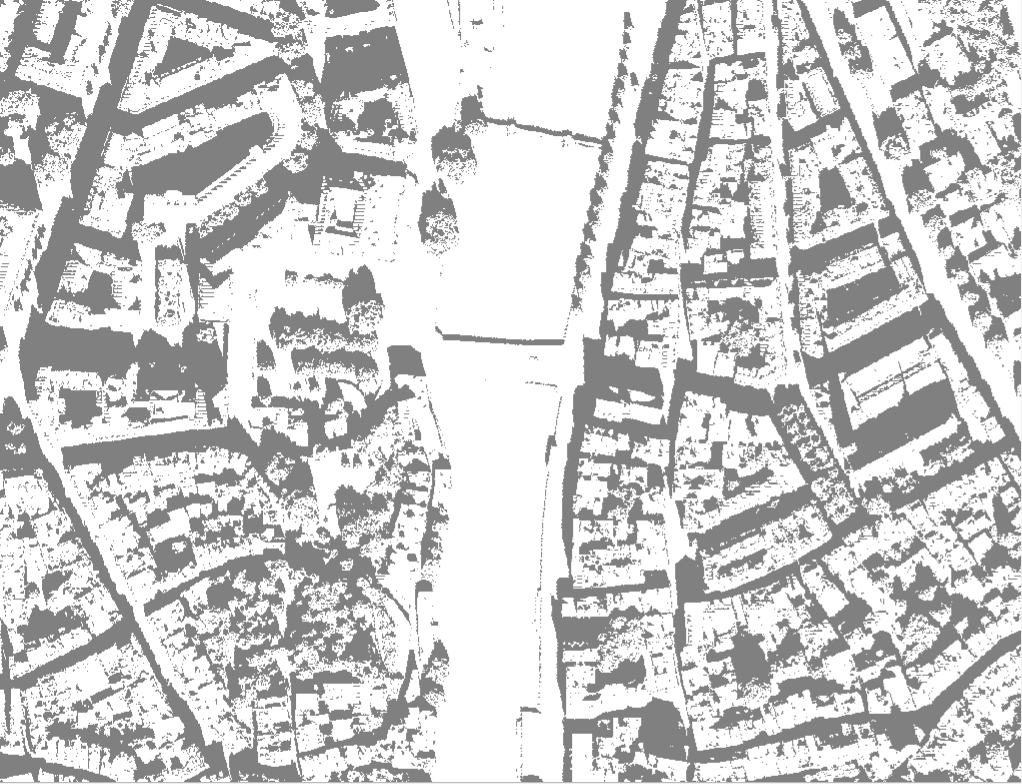
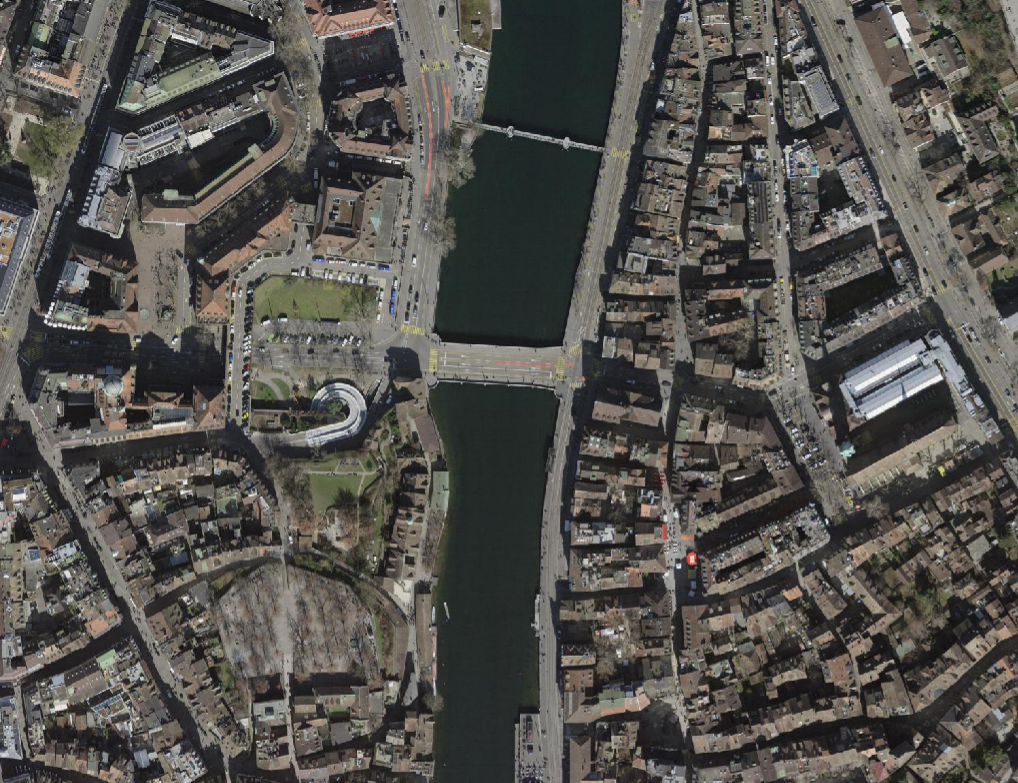
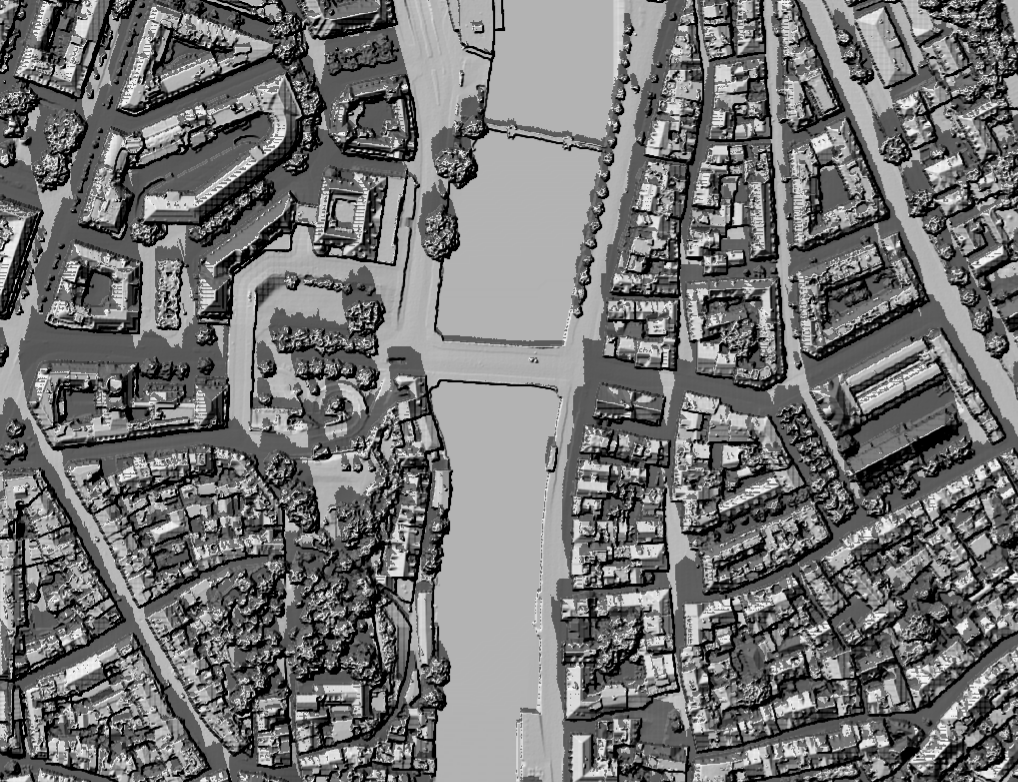
Table of Contents
- Overview
- Features
- Installation
- Project Structure
- Quick Start
- CLI Reference
- Examples
- Notebooks
- Testing
- Streamlit App
- Author
- License
Overview
dem-shadows is a lightweight Python toolchain for:
- Merging DEM tiles
- Converting DEMs to metric projected CRS
- Computing per-timestamp shadow rasters using the
insolationpackage - Auto-detecting latitude, longitude, and timezone from DEM extent
- Rendering animated GIFs of shadow progression
- Rendering cumulative “shadow exposure maps"
The goal is to provide easy, reproducible, and open-source shadow modelling for any DEM.
Features
✔ Merge DEM tiles automatically
✔ Auto lat/lon from DEM center
✔ Auto timezone inference via tzfpy
✔ Robust shadow modeling (insolation sunvector + doshade)
✔ Zero-dependency GIF animation (Pillow only)
✔ Transparent or white-background output modes
✔ Cumulative exposure computation
✔ Optional Streamlit GUI
✔ Fully cross-platform (Windows / Linux / macOS)
Installation
Clone & install locally
git clone https://github.com/marcop11/dem-shadows.git
cd dem-shadows
pip install -e .
Requirements
Automatically installed:
- rasterio
- numpy
- pandas
- Pillow
- tqdm
- astral
- insolation>=0.1.9
- tzfpy
Optional:
pip install streamlit
Project Structure
dem-shadows/
│
├── app/
│   └── streamlit_app.py
│
├── examples/
│   └── dem.tif              # Example DEM for README & demos
│
├── img/
│   ├── app.png
│   ├── icon.svg
│   ├── logo.svg
│   ├── zh_example_sh.png
│   ├── zh_example_dtm.png
│   ├── zh_example_ortho.png
│   ├── zh_example_sh_cum.png
│   └── zh_example_animate.gif
│
├── notebooks/
│   └── try_it_yourself.ipynb
│
├── src/
│   └── dem_shadows/
│       ├── shadows.py       # DEM → shadows
│       ├── animate.py       # GIF generation
│       ├── analysis.py      # Cumulative shadows
│       ├── preprocess.py
│       ├── utils.py
│       ├── schedule.py
│       ├── config.py
│       └── __init__.py
│
├── tests/
│   └── test_basic.py
│
├── README.md
├── pyproject.toml
└── requirements.txt
Quick Start
1. Generate Shadows
Generate a single shadow at 11:55 on March 8th 2025 — automatically detects lat/lon + timezone:
dem-shadows-generate ^
  --dem-dir "examples" ^
  --out-dir "out" ^
  --auto-latlon ^
  --auto-timezone ^
  --start 2025-03-08 ^
  --end 2025-03-08 ^
  --only-time 11:55
Minimal example for a whole day shadow generation hourly on March 8th 2025 — automatically detects lat/lon + timezone:
dem-shadows-generate ^
  --dem-dir "examples" ^
  --out-dir "shadows_day" ^
  --auto-latlon ^
  --auto-timezone ^
  --start 2025-03-08 ^
  --end 2025-03-08
Resulting output (example):
shadows_day/
│
├── shadow_20250308T070000_EuropeZurich.tif
├── shadow_20250308T080000_EuropeZurich.tif
├── shadow_20250308T090000_EuropeZurich.tif
├── ...
└── schedule.csv
Each GeoTIFF contains:
0 = shadow1 = sunlit255 = nodata
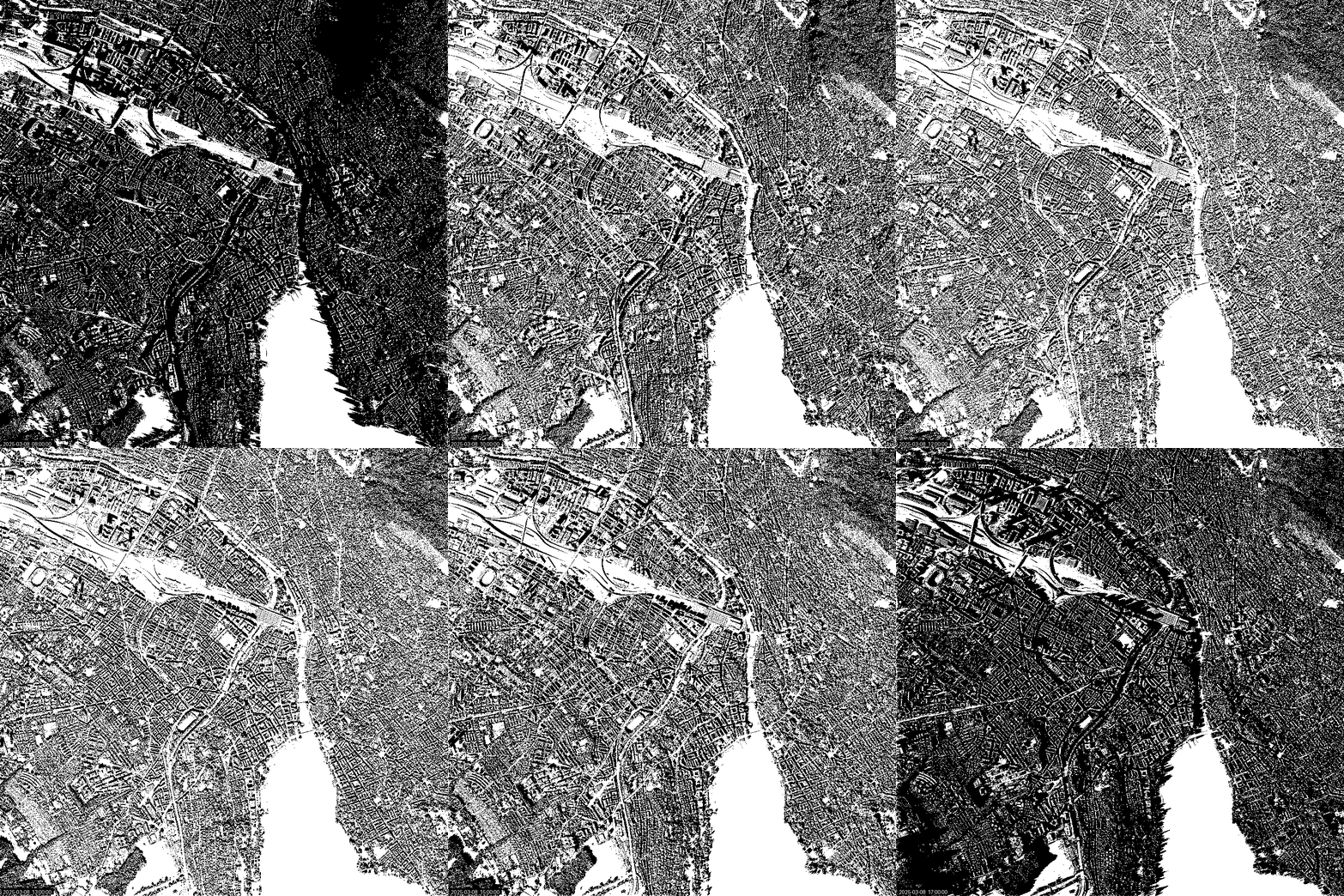
2. Animate Shadows
Create a GIF from the folder:
dem-shadows-animate ^
  --shadow-folder "shadows_day" ^
  --out-gif "shadows_day.gif"
Example GIF (included in repo):
Shadows of Zürich on 8th March 2025.
3. Cumulative Shadow Map
dem-shadows-cumulate ^
  --shadow-folder "shadows_day" ^
  --out "shadow_cumulative.tif"
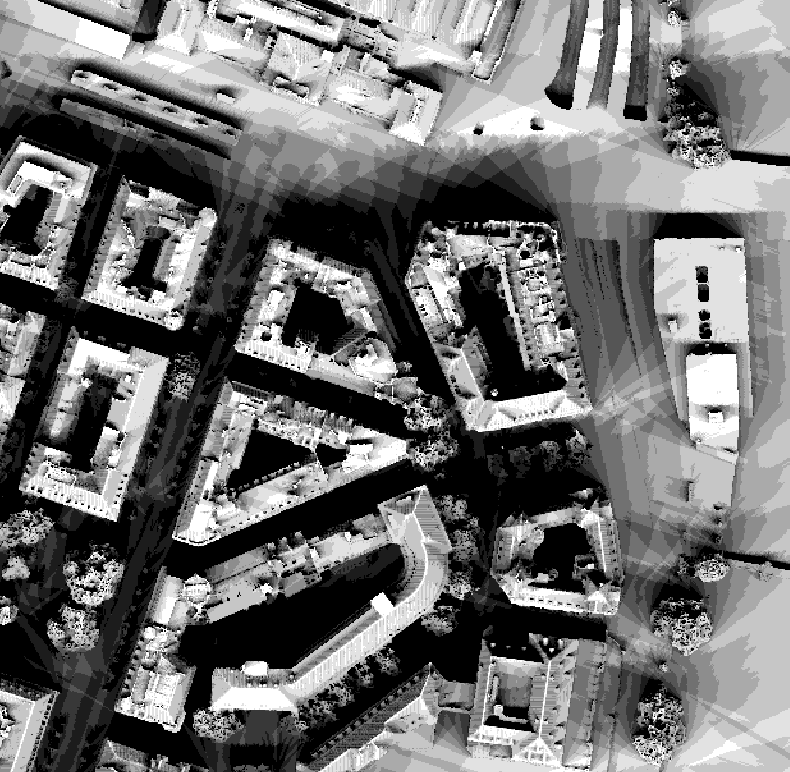
This produces a raster where the value of each pixel equals:
Number of hours of sun per pixel
Example Cumulative Shadows (included in repo):
Cumulative shadows of Zürich on 8th March 2025.
CLI Reference
dem-shadows-generate
usage: dem-shadows-generate [OPTIONS]
Required
--dem PATH                # or --dem-dir PATH (automerge)
--out-dir PATH
--start YYYY-MM-DD
--end   YYYY-MM-DD
Optional
--auto-latlon
--auto-timezone
--lat FLOAT
--lon FLOAT
--timezone "Europe/Zurich"
--step-minutes 60
--only-time HH:MM
--dem-pattern "*.tif"
dem-shadows-animate
usage: dem-shadows-animate [OPTIONS]
Required
--shadow-folder PATH
--out-gif PATH
Optional
--start YYYY-MM-DD
--end YYYY-MM-DD
--hour INT
--minute INT
--duration-ms 250
--sample-stride 1
--target-width 900
--target-height 0
--scale-factor FLOAT
--no-timestamp
--font-path PATH
dem-shadows-cumulate
usage: dem-shadows-cumulate [OPTIONS]
--shadow-folder PATH
--out PATH
Python API example
You can also call the core functionality from Python:
from pathlib import Path
from datetime import date
from dem_shadows import LocationConfig, ShadowConfig, run_shadow_batch

dem_path = Path("examples/dem.tif")
out_dir = Path("out")

loc = LocationConfig(latitude=47.38, longitude=8.53, timezone="Europe/Zurich")
cfg = ShadowConfig(
    dem_path=dem_path,
    out_dir=out_dir,
    location=loc,
    start_date=date(2025, 3, 8),
    end_date=date(2025, 3, 8),
    step_minutes=60,
)

run_shadow_batch(cfg)
Examples
Example DEM
Located at:
examples/
├── dem.tif
├── dem_is.tif
└── dem_fr.tif
Example imagery and shadow screenshots
Located at:
img/
├── app.png
├── icon.svg
├── logo.svg
├── zh_example_sh.png
├── zh_example_dtm.png
├── zh_example_ortho.png
├── zh_example_sh_cum.png
└── zh_example_animate.gif
These are referenced inside this README.
Notebooks
Google Colab notebook:
Testing
Run all tests:
pytest -q
The tests/ folder contains:
tests/
└── test_basic.py
test_basic.py ensures basic imports and config structures work.
Streamlit App
Try the live web interface:
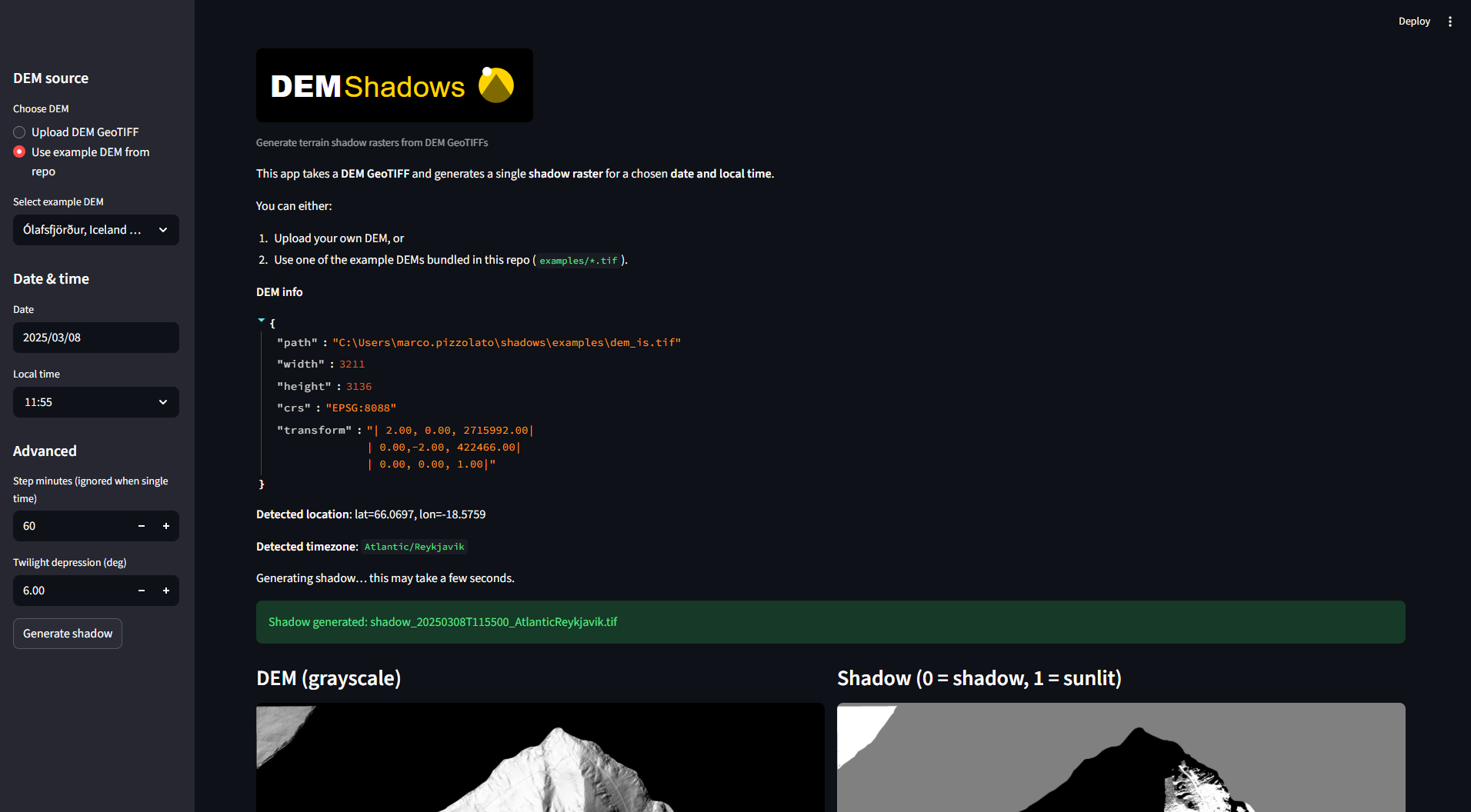
You can run the GUI with:
streamlit run app/streamlit_app.py
Features:
- Upload DEM
- Choose start/end time
- Generate shadows
- Preview results
- Download outputs and GIF
Find more digital elevation or terrain models to try:
Author
Marco Pizzolato – marcop11
Date: 24.11.2025
Version: 0.1.0
License
This project is licensed under GPLv3.
Release history Release notifications | RSS feed

Download files
Download the file for your platform. If you're not sure which to choose, learn more about installing packages.
Source Distribution
Built Distribution
Filter files by name, interpreter, ABI, and platform.
If you're not sure about the file name format, learn more about wheel file names.
Copy a direct link to the current filters
File details
Details for the file dem_shadows-0.1.0.tar.gz.
File metadata
- Download URL: dem_shadows-0.1.0.tar.gz
- Upload date:
- Size: 61.2 MB
- Tags: Source
- Uploaded using Trusted Publishing? No
- Uploaded via: twine/6.2.0 CPython/3.12.0
File hashes
| Algorithm | Hash digest | |
|---|---|---|
| SHA256 |
0d760621a7cbdcffecd7b089ee4d09b6e1af774f3604b5dd3b9c6a869b6c6b4c
|
|
| MD5 |
f09e0f4aa3e4d81810ebddb1ffa8ce0d
|
|
| BLAKE2b-256 |
42154efd409298563405efedaeca84ba5961582d292d2daf115241893c6e1723
|
File details
Details for the file dem_shadows-0.1.0-py3-none-any.whl.
File metadata
- Download URL: dem_shadows-0.1.0-py3-none-any.whl
- Upload date:
- Size: 32.9 kB
- Tags: Python 3
- Uploaded using Trusted Publishing? No
- Uploaded via: twine/6.2.0 CPython/3.12.0
File hashes
| Algorithm | Hash digest | |
|---|---|---|
| SHA256 |
5bdd2dfe105af14a37f41039d3d18e4e49d2c233887cc38a1a5ae19e6726690e
|
|
| MD5 |
5914173cc3bb1b589a6c69dbc8f61700
|
|
| BLAKE2b-256 |
bc2af6b41ed10c3bcb0d4063877753754eedb693010e0282ab95a9f431cdf88e
|






