
SBEL Chrono DEM-Engine
Now version 3: GPU-accelerated discrete element simulation built for performance, with C++ and Python APIs.
DEM-Engine (DEME) simulates granular materials using one or two NVIDIA GPUs. This branch supports sphere clumps, mesh particles, analytical boundaries, rigid combined owners, and customizable contact force models. It also provides an interactive visualizer and host/device data access for co-simulation.
What's new in DEME 3?
Get started with DEME 3: installation guide — Python packages, C++ source builds, and system requirements.
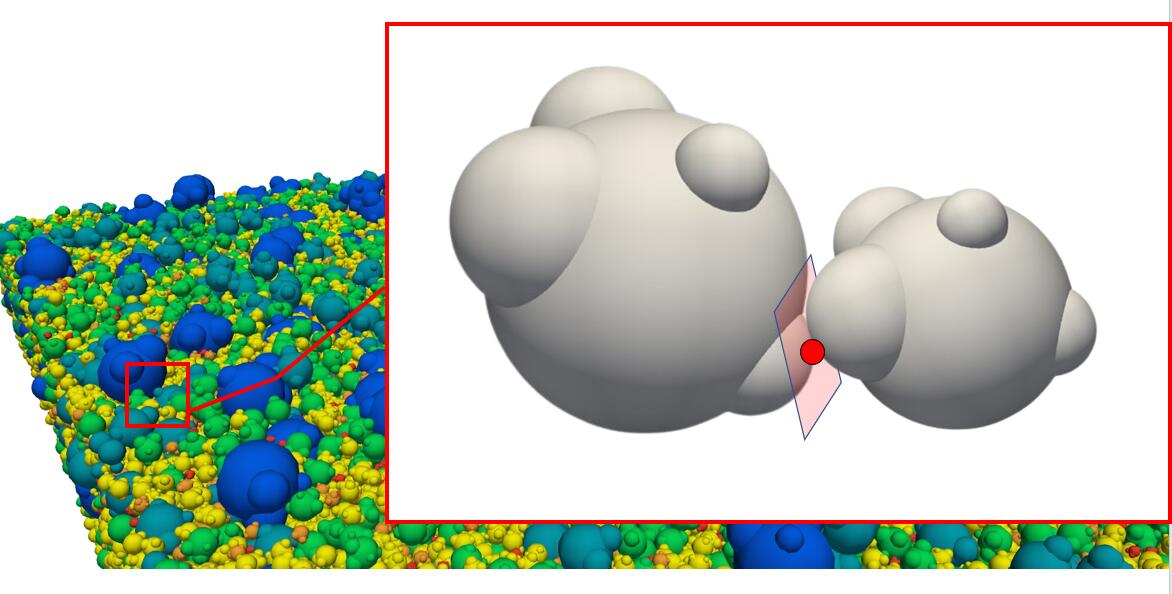
- Mesh contact: mesh–mesh collisions and a new clump–mesh scheme that combines triangle contributions into patch/island contacts before evaluating forces.
- Rigid combined bodies: group members into one rigid assembly, replacing geometry-wildcard-based constructions with member-level controls.
- On-device coupling: exchange state and forces directly with other GPU packages.
- Persistent kernel caching: reuse compiled kernels across compatible repeated runs to reduce initialization time.
- Interactive visualization and expanded Python workflows.
When to stay with DEME 2: DEME 3 currently supports only NVIDIA GPUs and may use more memory. If you need non-NVIDIA GPU support, or your application does not need mesh–mesh contact or the new aggregated clump–mesh contact scheme, consider staying with DEME 2.4.2, the final DEME 2 release.
For C++, use the upstream v2.4.2 tag:
git clone --branch v2.4.2 --recurse-submodules https://github.com/projectchrono/DEM-Engine.git DEM-Engine-2.4.2
For pyDEME, explicitly pin the Python distribution: python -m pip install "deme==2.4.2".
Use version 2.4.2's installation requirements and examples for either route.
See DEME 3 features and migration considerations
for details, including the contact-model changes and memory tradeoffs.
Why use DEME?
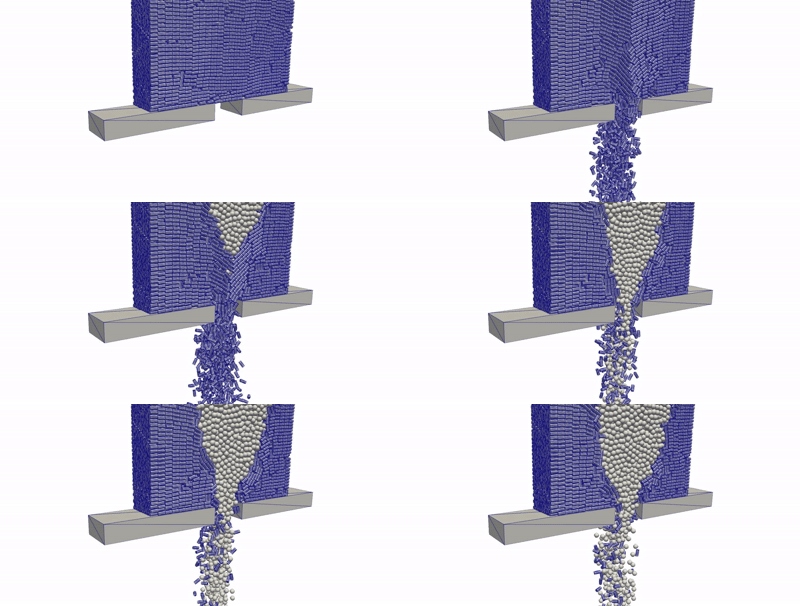
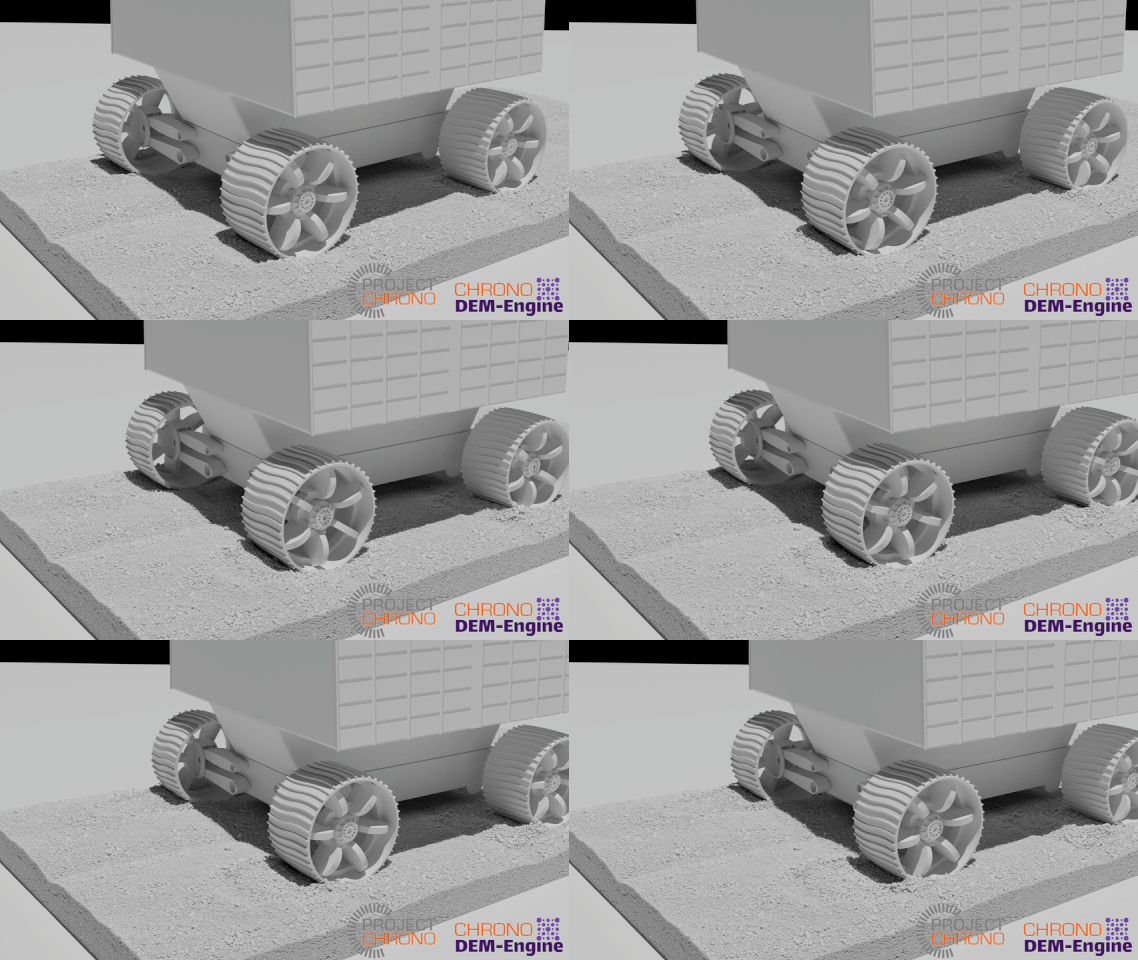
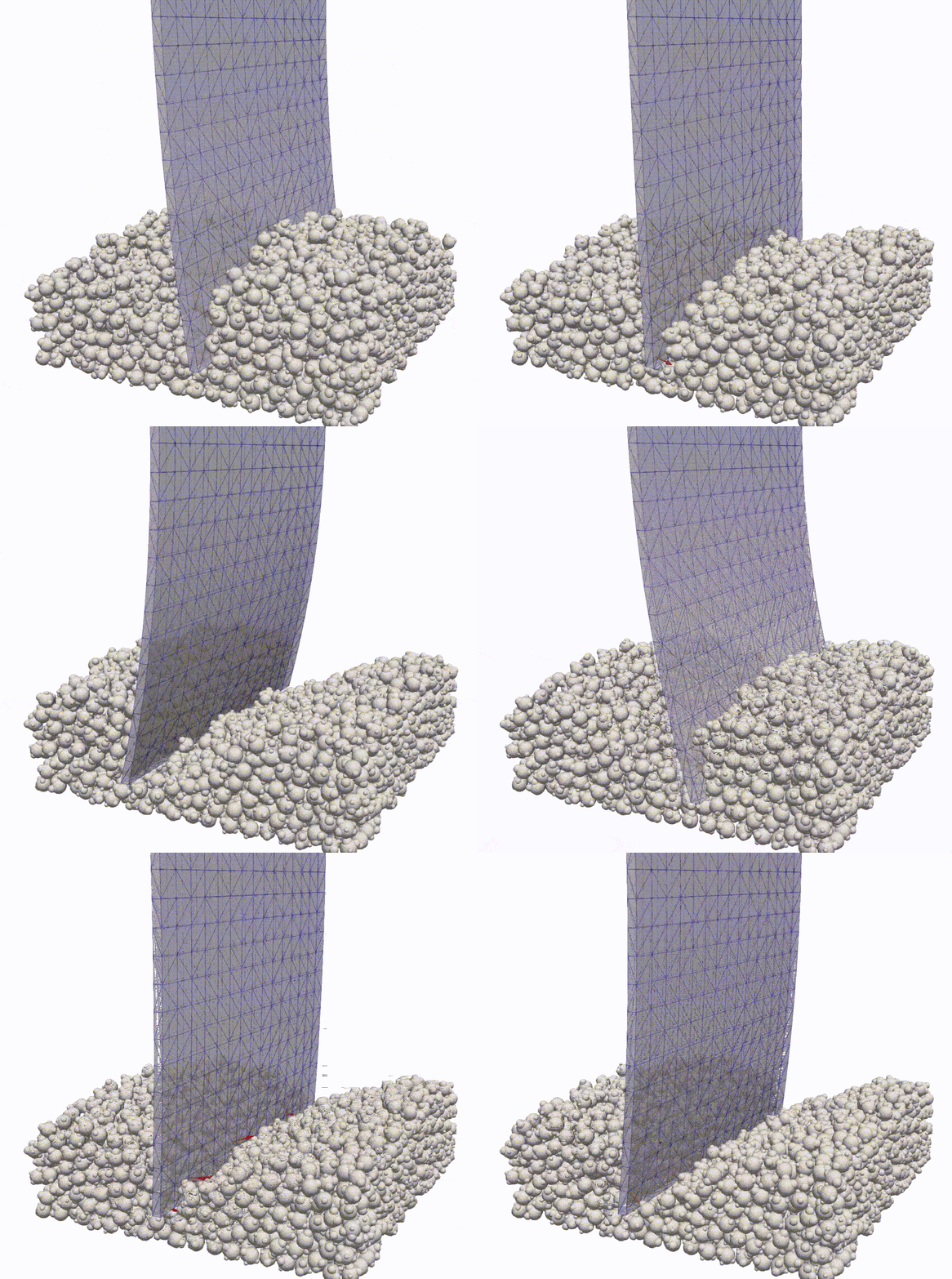
DEME is designed for large granular simulations where particle shape, contact physics, and computational cost matter. Typical applications include mixing, hopper flow, soil penetration, wheel–terrain interaction, and granular impact.
- Complex particle shapes. Represent grains with clumped spheres or mesh particles, and build rigid assemblies with combined owners. DEME supports mesh–mesh contact, allowing mesh particles to collide with one another.
- Custom contact physics. Define your own contact force models, including cohesion, electrostatic interactions, and bonds that can break. Material properties and per-contact variables let you tailor the model to your problem.
- GPU performance. Use one or two NVIDIA GPUs, including consumer and data center hardware. As an illustrative benchmark from the main-branch README, one million three-sphere clumps simulated for one million timesteps takes around one hour on RTX 3080s. Runtime depends on the geometry, contact model, and simulation settings.
- Control over the simulation. Prescribe motion, extract forces, and update geometry to model processes such as mesh deformation or grain breakage. The examples show how to supply these behaviors through the API.
- On-device co-simulation. Exchange simulation state and forces directly with other GPU-based packages through device buffers, avoiding CPU round trips for the exchanged data. Host data access also supports coupling to solvers such as Chrono for multibody dynamics or other physics.
- C++ and Python workflows. Start with Python or integrate the C++ library into an application. The C++ API follows a Chrono-like design, and the interactive visualizer helps inspect simulations as they run.
Start here
Online documentation · Python API and methods · C++ API reference
| Task | Documentation |
|---|---|
| Install Python, build C++, or install the C++ library | Installation |
| Run a first simulation | Quickstart · Python example |
| Understand owners, families, frames, and runtime setup | Core concepts |
| Use mesh particles, templates, and combined bodies | Mesh particles |
| Find a demo to adapt | Examples · C++ sources |
| Use Python | Python guide · Demos · API reference |
| Look up the C++ API | C++ reference |
| Select GPUs or exchange simulation data | Device selection · Data access |
| Visualize results | Interactive visualization and ParaView |
| Diagnose installation or runtime errors | Troubleshooting |
| Build or host the documentation website | Build and preview · Hosting |
| Contribute or cite DEME | Project information · Architecture |
The documentation index collects the guide sources. The linked
site is currently hosted by the Ruochun fork. GitHub Actions rebuilds and publishes
it on pushes to the branch selected by that repository's DOCS_PUBLISH_BRANCH
variable. See Hosting for setup
and switching publication to main. The C++ reference is generated from headers;
the Python reference must be regenerated and committed when bindings change.
Python in brief
On a supported Linux or WSL2 host with a CUDA 12.8-compatible NVIDIA driver:
python -m pip install "deme[cuda12]"
The cuda12 extra installs CUDA runtime libraries, NVRTC, and headers through pip;
no system CUDA Toolkit installation is needed for Python wheels. This setup applies
only to the Python extension; standalone C++ applications keep their normal CUDA
configuration. Use plain pip install deme to use an existing toolkit.
import deme

solver = deme.DEMSolver()
After installation, run a Python demo from the repository root:
python python/demos/single_sphere_collide.py --smoke-test
This headless example simulates two colliding spheres over meshes and writes visualization files. The first run may take time to compile CUDA kernels. See the Python demos for more examples, command-line options, and instructions for viewing their output.
See installation requirements for wheel compatibility
and source builds. New scripts should use import deme; import DEME remains
a compatibility alias. Features in this checkout may be newer than a released wheel.
Community and license
Demo videos · Project Chrono forum · Contributors · BSD-3-Clause license · Citation
Citation
If you use DEME in your research, please cite the DEM-Engine design and usage paper:
@article{zhang_2024_deme,
title = {Chrono {DEM-Engine}: A Discrete Element Method dual-{GPU} simulator with customizable contact forces and element shape},
journal = {Computer Physics Communications},
volume = {300},
pages = {109196},
year = {2024},
issn = {0010-4655},
doi = {https://doi.org/10.1016/j.cpc.2024.109196},
author = {Ruochun Zhang and Bonaventura Tagliafierro and Colin {Vanden Heuvel} and Shlok Sabarwal and Luning Bakke and Yulong Yue and Xin Wei and Radu Serban and Dan Negruţ},
keywords = {Discrete Element Method, GPU computing, Physics-based simulation, Scientific package, BSD3 open-source},
}
For the clump-based granular solver and its application to rover dynamics, see the granular simulation paper:
@article{ruochunGRC-DEM2023,
      title={A {GPU}-accelerated simulator for the {DEM} analysis of granular systems composed of clump-shaped elements},
      author={Ruochun Zhang and Colin {Vanden Heuvel} and Alexander Schepelmann and Arno Rogg and Dimitrios Apostolopoulos and Samuel Chandler and Radu Serban and Dan Negrut},
      year={2024},
      journal={Engineering with Computers},
      doi={https://doi.org/10.1007/s00366-023-01921-9}
}
1 maintainer

Metadata
1 maintainer
Release files for deme3 3.0.15
For a detailed explanation of source distributions (sdists) and built distributions (wheels), please see the package formats documentation.
Built distributions (wheels)
| File | Reset | |||
|---|---|---|---|---|
| deme3-3.0.15-cp314-cp314-manylinux_2_27_x86_64.manylinux_2_28_x86_64.whl | CPython 3.14 | CPython 3.14 | Linux glibc 2.28+ x86-64, Linux glibc 2.27+ x86-64 | Details |
| deme3-3.0.15-cp313-cp313-manylinux_2_27_x86_64.manylinux_2_28_x86_64.whl | CPython 3.13 | CPython 3.13 | Linux glibc 2.28+ x86-64, Linux glibc 2.27+ x86-64 | Details |
| deme3-3.0.15-cp312-cp312-manylinux_2_27_x86_64.manylinux_2_28_x86_64.whl | CPython 3.12 | CPython 3.12 | Linux glibc 2.28+ x86-64, Linux glibc 2.27+ x86-64 | Details |
| deme3-3.0.15-cp311-cp311-manylinux_2_27_x86_64.manylinux_2_28_x86_64.whl | CPython 3.11 | CPython 3.11 | Linux glibc 2.28+ x86-64, Linux glibc 2.27+ x86-64 | Details |
| deme3-3.0.15-cp310-cp310-manylinux_2_27_x86_64.manylinux_2_28_x86_64.whl | CPython 3.10 | CPython 3.10 | Linux glibc 2.28+ x86-64, Linux glibc 2.27+ x86-64 | Details |
| deme3-3.0.15-cp39-cp39-manylinux_2_27_x86_64.manylinux_2_28_x86_64.whl | CPython 3.9 | CPython 3.9 | Linux glibc 2.27+ x86-64, Linux glibc 2.28+ x86-64 | Details |
Total release size: 264.3 MB
Release files / deme3-3.0.15-cp314-cp314-manylinux_2_27_x86_64.manylinux_2_28_x86_64.whl
| Download URL | deme3-3.0.15-cp314-cp314-manylinux_2_27_x86_64.manylinux_2_28_x86_64.whl |
|---|---|
| Size | 44.1 MB |
| Tags | CPython 3.14 Linux glibc 2.27+ x86-64 Linux glibc 2.28+ x86-64 |
|
SHA-256 checksum How to use checksums |
e08dbb9f7961b6c6b10d8407e0a9e0fabc8f9124fb12d46236d964ad2ed6710a
|
|
BLAKE2b-256 checksum How to use checksums |
f03aa6f2568b2cc66b6cf09c7eaabcb9cff504c49fc47b5cfd7af39596ebb286
|
| Upload date | |
|
Uploaded using Trusted Publishing? What is trusted publishing? |
Yes |
| Uploaded via |
twine/7.0.0 CPython/3.13.14
|
Provenance
Provenance describes where a file came from. On PyPI, provenance is shared via attestations, which provide a verifiable record of the build or publishing details. View details, limitations and caveats.


PyPI Publish Attestation
PyPI verified that this artifact, at this checksum, originated from the publisher listed below.
Signed by GitHub Actions, verified by PyPI on Oct 6, 2026.
Transparency logRelease files / deme3-3.0.15-cp313-cp313-manylinux_2_27_x86_64.manylinux_2_28_x86_64.whl
| Download URL | deme3-3.0.15-cp313-cp313-manylinux_2_27_x86_64.manylinux_2_28_x86_64.whl |
|---|---|
| Size | 44.1 MB |
| Tags | CPython 3.13 Linux glibc 2.27+ x86-64 Linux glibc 2.28+ x86-64 |
|
SHA-256 checksum How to use checksums |
54eaf08fcc313e8e320ebbe312ca1462ed61a2de3d01482b8544ba85c129eeca
|
|
BLAKE2b-256 checksum How to use checksums |
00125bdb3213b3d2fd9ca5300a617b2bd7a28934b8ea1cb517f7fb8226657b51
|
| Upload date | |
|
Uploaded using Trusted Publishing? What is trusted publishing? |
Yes |
| Uploaded via |
twine/7.0.0 CPython/3.13.14
|
Provenance
Provenance describes where a file came from. On PyPI, provenance is shared via attestations, which provide a verifiable record of the build or publishing details. View details, limitations and caveats.
PyPI Publish Attestation
PyPI verified that this artifact, at this checksum, originated from the publisher listed below.
Signed by GitHub Actions, verified by PyPI on Oct 6, 2026.
Transparency logRelease files / deme3-3.0.15-cp312-cp312-manylinux_2_27_x86_64.manylinux_2_28_x86_64.whl
| Download URL | deme3-3.0.15-cp312-cp312-manylinux_2_27_x86_64.manylinux_2_28_x86_64.whl |
|---|---|
| Size | 44.1 MB |
| Tags | CPython 3.12 Linux glibc 2.27+ x86-64 Linux glibc 2.28+ x86-64 |
|
SHA-256 checksum How to use checksums |
bbfc031c2cbf63e332864c2fe9fad0d0905ff49b5b023bd1a75bc4c8b1c1328c
|
|
BLAKE2b-256 checksum How to use checksums |
c2f7829a38677cdc58b4070fa37e943598f501d23b9240f576a8259b068b6c73
|
| Upload date | |
|
Uploaded using Trusted Publishing? What is trusted publishing? |
Yes |
| Uploaded via |
twine/7.0.0 CPython/3.13.14
|
Provenance
Provenance describes where a file came from. On PyPI, provenance is shared via attestations, which provide a verifiable record of the build or publishing details. View details, limitations and caveats.
PyPI Publish Attestation
PyPI verified that this artifact, at this checksum, originated from the publisher listed below.
Signed by GitHub Actions, verified by PyPI on Oct 6, 2026.
Transparency logRelease files / deme3-3.0.15-cp311-cp311-manylinux_2_27_x86_64.manylinux_2_28_x86_64.whl
| Download URL | deme3-3.0.15-cp311-cp311-manylinux_2_27_x86_64.manylinux_2_28_x86_64.whl |
|---|---|
| Size | 44.1 MB |
| Tags | CPython 3.11 Linux glibc 2.27+ x86-64 Linux glibc 2.28+ x86-64 |
|
SHA-256 checksum How to use checksums |
2829c000eeffce4a0654a9798978abc171f8067ff3260f37682499236f518a3a
|
|
BLAKE2b-256 checksum How to use checksums |
a95c14267bbf99b303a16b6a19e0cd28bc71281a0a03c74cf978eb6bc180954e
|
| Upload date | |
|
Uploaded using Trusted Publishing? What is trusted publishing? |
Yes |
| Uploaded via |
twine/7.0.0 CPython/3.13.14
|
Provenance
Provenance describes where a file came from. On PyPI, provenance is shared via attestations, which provide a verifiable record of the build or publishing details. View details, limitations and caveats.
PyPI Publish Attestation
PyPI verified that this artifact, at this checksum, originated from the publisher listed below.
Signed by GitHub Actions, verified by PyPI on Oct 6, 2026.
Transparency logRelease files / deme3-3.0.15-cp310-cp310-manylinux_2_27_x86_64.manylinux_2_28_x86_64.whl
| Download URL | deme3-3.0.15-cp310-cp310-manylinux_2_27_x86_64.manylinux_2_28_x86_64.whl |
|---|---|
| Size | 44.1 MB |
| Tags | CPython 3.10 Linux glibc 2.27+ x86-64 Linux glibc 2.28+ x86-64 |
|
SHA-256 checksum How to use checksums |
7b31675204fd61f79082cf662d166d0104c35227c76bd23c2f305bce2d90501a
|
|
BLAKE2b-256 checksum How to use checksums |
1f57ef0d81cf8f137ddc95db5b9e7060adbcaf2c283e2931be183bc3c1c3a76d
|
| Upload date | |
|
Uploaded using Trusted Publishing? What is trusted publishing? |
Yes |
| Uploaded via |
twine/7.0.0 CPython/3.13.14
|
Provenance
Provenance describes where a file came from. On PyPI, provenance is shared via attestations, which provide a verifiable record of the build or publishing details. View details, limitations and caveats.
PyPI Publish Attestation
PyPI verified that this artifact, at this checksum, originated from the publisher listed below.
Signed by GitHub Actions, verified by PyPI on Oct 6, 2026.
Transparency logRelease files / deme3-3.0.15-cp39-cp39-manylinux_2_27_x86_64.manylinux_2_28_x86_64.whl
| Download URL | deme3-3.0.15-cp39-cp39-manylinux_2_27_x86_64.manylinux_2_28_x86_64.whl |
|---|---|
| Size | 44.1 MB |
| Tags | CPython 3.9 Linux glibc 2.27+ x86-64 Linux glibc 2.28+ x86-64 |
|
SHA-256 checksum How to use checksums |
1be7ac3571fdde7bdfbaa38c20bb99d455846727380ad0fba18dfe1af58833ca
|
|
BLAKE2b-256 checksum How to use checksums |
1b63da9b9671b5c5b92de9c424d15db4b190eca5ccc9b8faffb4bdc0de559803
|
| Upload date | |
|
Uploaded using Trusted Publishing? What is trusted publishing? |
Yes |
| Uploaded via |
twine/7.0.0 CPython/3.13.14
|
Provenance
Provenance describes where a file came from. On PyPI, provenance is shared via attestations, which provide a verifiable record of the build or publishing details. View details, limitations and caveats.
PyPI Publish Attestation
PyPI verified that this artifact, at this checksum, originated from the publisher listed below.
Signed by GitHub Actions, verified by PyPI on Oct 6, 2026.
Transparency log













