
DigSim - Interactive Digital Logic Simulator




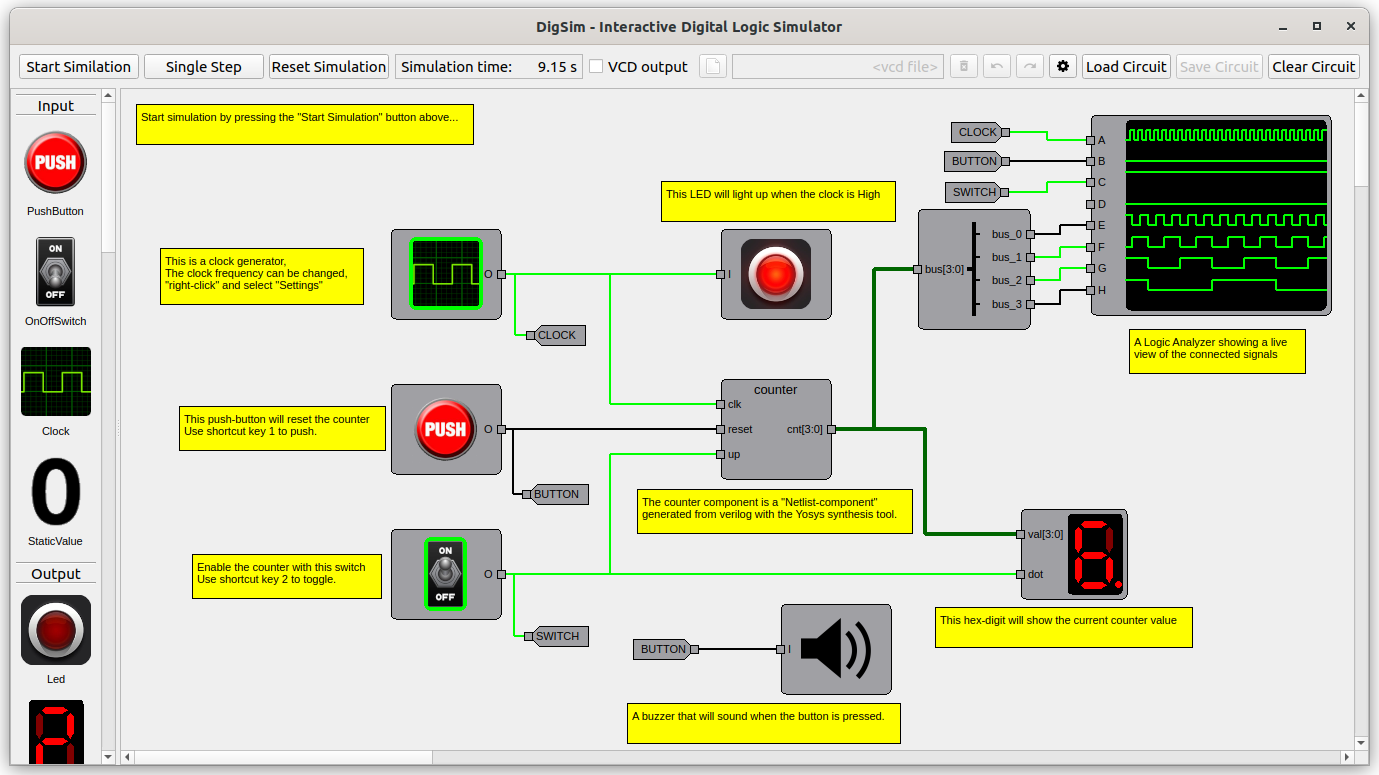
DigSim is an interactive digital logic simulator written in Python. It is made for learning and experimenting with digital logic, from single gates to complete Verilog designs: build a circuit on the canvas, start the simulation, and press buttons, flip switches and watch LEDs and hex displays react in real time.
Simulating Verilog normally means writing test stimuli and reading waveforms afterwards. Testing on an FPGA is interactive, but every change means a slow synthesis and programming cycle. DigSim sits in between: load a Verilog module, wire it to buttons and displays, and play with it right away. It is even fast enough to run a synthesized 6502 CPU.
📖 Documentation: https://freand76.github.io/digsim/
Features
- Interactive GUI: build and simulate circuits with buttons, switches, clocks, LEDs, LED bars, hex digits, 7-segment displays, a buzzer and a logic analyzer.
- Python API: create and simulate circuits in Python, for scripts or pytest testbenches.
- Verilog support: turn Verilog into components with a bundled WebAssembly build of Yosys. Nothing extra to install.
- Waveforms: save simulation results as VCD files and view them in GTKWave.
Installation and running
DigSim requires Python 3.10 or newer and is published on PyPI as
digsim-logic-simulator. Choose the
option that fits what you want to do. See the
installation guide for more details.
Option 1: Run without installing (uvx)
With uv installed, this downloads and starts DigSim in a temporary environment:
uvx digsim-logic-simulator
Option 2: Install as an application
Installs DigSim in its own isolated environment and adds the digsim-logic-simulator
command to your PATH:
uv tool install digsim-logic-simulator    # or: pipx install digsim-logic-simulator
digsim-logic-simulator
Option 3: Install as a Python package
Use this to import digsim in your own scripts and tests. Install it into a virtual
environment:
python3 -m venv .venv
source .venv/bin/activate                 # Windows: .venv\Scripts\activate
pip install digsim-logic-simulator
python -m digsim.app                      # start the GUI
Option 4: Run from source
Clone the repository to get the example circuits and Python examples, or to work on DigSim itself:
git clone https://github.com/freand76/digsim.git
cd digsim
uv sync                                   # or: pip install -e . (in a virtual environment)
uv run -m digsim.app
Command-line options
digsim-logic-simulator --load example_circuits/counter_yosys_netlist.circuit   # open a circuit
digsim-logic-simulator --version                                               # show version
Linux: Qt "xcb" plugin error
If startup fails with Could not load the Qt platform plugin "xcb", install the missing library (Ubuntu/Debian):
sudo apt install libxcb-cursor0
If that doesn't help, see troubleshooting for how to find other missing libraries.
Using DigSim
The commands below are run from the repository root (Option 4).
Simulate a circuit in Python and view the waveforms:
uv run python examples/example_sr.py
gtkwave sr.vcd
Test a Verilog design with pytest:
uv run --with pytest pytest examples/pytest_tb
Synthesize Verilog into a netlist for DigSim:
uv run -m digsim.synth synth -i <file1.v> [<file2.v> ...] -o <netlist.json> -t <top_module>
Read more in the documentation:
- GUI Application: the circuit editor, components, simulation and shortcuts
- Python Circuits: the Python API and testbenches
- Verilog and Yosys: synthesizing your own designs
- Examples: every example with circuit diagrams, expected output and waveforms
- Creating Components: write your own components, for Python circuits and the GUI
Contributions are welcome, see Contributing.
Development
uv tool run ruff format && uv tool run ruff check   # format and lint
uv run --with pytest pytest                         # run the tests
uv run --with mypy mypy                             # type check
uv tool run --with mkdocs-material mkdocs serve     # preview the documentation
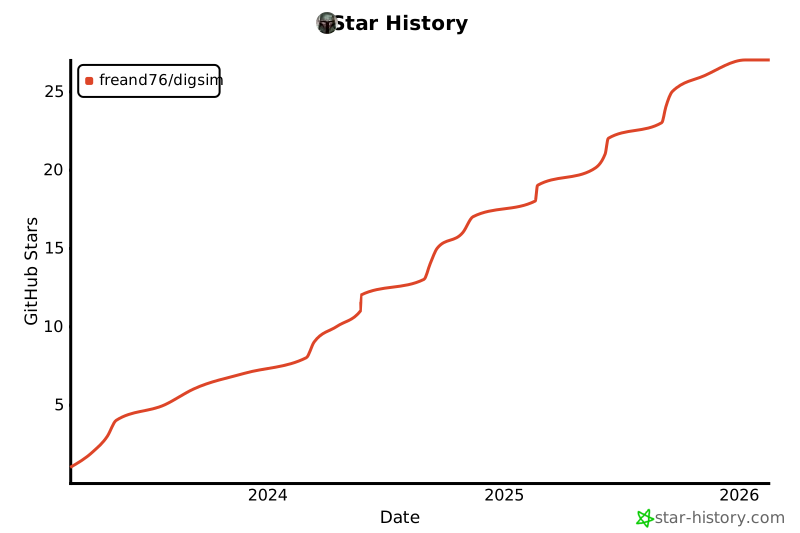
Star History
1 maintainer

Metadata
1 maintainer
Release files for digsim-logic-simulator 1.2.0
For a detailed explanation of source distributions (sdists) and built distributions (wheels), please see the package formats documentation.
Source distribution (sdist)
| File | Size | Uploaded | |
|---|---|---|---|
| digsim_logic_simulator-1.2.0.tar.gz | 288.8 kB | Details |
Built distribution (wheel)
| File | Interpreter | ABI | Platform | Reset |
|---|---|---|---|---|
| digsim_logic_simulator-1.2.0-py3-none-any.whl | Python 3 | none | any | Details |
Total release size: 615.5 kB
Release files / digsim_logic_simulator-1.2.0.tar.gz
| Download URL | digsim_logic_simulator-1.2.0.tar.gz |
|---|---|
| Size | 288.8 kB |
| Tags | Source |
|
SHA-256 checksum How to use checksums |
e57d7aca38e629c82a49afc819b8815219dd87e4e15d814a3ec4a1d05d340f36
|
|
BLAKE2b-256 checksum How to use checksums |
f05424febeda4ee5b307d92a3b6c64a640df04e50d526d565b8cd2742d02b8f9
|
| Upload date | |
|
Uploaded using Trusted Publishing? What is trusted publishing? |
No |
| Uploaded via |
twine/6.2.0 CPython/3.14.4
|
Release files / digsim_logic_simulator-1.2.0-py3-none-any.whl
| Download URL | digsim_logic_simulator-1.2.0-py3-none-any.whl |
|---|---|
| Size | 326.7 kB |
| Tags | Python 3 |
|
SHA-256 checksum How to use checksums |
8722151c90a56029037359830016cb59069af64c7fe95bf11ecda8832db6a1a8
|
|
BLAKE2b-256 checksum How to use checksums |
21a8f652d47820e051cb40ad001c813cbb497a04506949e31eca6d07d9fd8de9
|
| Upload date | |
|
Uploaded using Trusted Publishing? What is trusted publishing? |
No |
| Uploaded via |
twine/6.2.0 CPython/3.14.4
|














