
🐕 dingo-pack

A pack of coding agents on one computer: heavy work takes a slot, gets in by memory, is watched while it runs; dingo knows who is running, and after a crash who was lost.
dingo-pack run --heavy --mem 4G -- pytest   # waits for a slot and free memory, runs under a cap
dingo-pack watch --daemon                   # watches every process: alert, pause, resume, kill at the edge
dingo-pack who                              # who runs what, room left, paused jobs, stalled sessions
dingo-pack list                             # after a crash: which sessions were lost
dingo-pack resume --midway --via print      # the command that continues each of them
🌐 English · 中文
The pack eats in order: dingoes share a kill without a scramble. dingo-pack is the pack leader for a dozen coding agents on one machine. Its five core jobs:
- Slots for heavy work — tests, builds, training, exports wait their turn (
run --heavy). - Admission by memory — a job gets in when its declared peak fits what is free (minus what running jobs were promised and a reserve); CPU slots = cores; nothing is a fixed count.
- Watching while it runs —
watchsees every process of the user, also ones not started through dingo: it alerts, pauses (SIGSTOP) the job that would take the machine down, resumes it when there is room, kills only at the edge; it also reports a session whose status line saysrunningand has not moved for 2 h. - Who is running —
who/ the roster: sessions, their jobs, memory, status lines. - After a crash, who was lost — the roster is saved as you work (
save/mark);listshows who was lost andresume --via printprints the command that continues each. Two safety nets: dingo keeps the roster of every session on the machine, shepherd-dispatch keeps the ones it started.
Moving out (still working here, each says where it goes): board, name, card, lint,
queue → shepherd-dispatch; claim, boxes → boobook-watch. No longer maintained (still
working): close-all, stow, and opening terminal tabs (resume / restore / unstow with
--via wt|tmux); --via print stays.
🚀 Quick start
pipx install git+https://github.com/liyifreddy/dingo-pack

dingo-pack                                    # one screen: memory, slots, sessions
dingo-pack run --heavy --mem 4G -- pytest     # heavy work waits for a slot and free memory
dingo-pack doctor                             # what's wrong with this machine right now?
dingo-pack stuck                              # who is stuck in the kernel, and what piles up behind it
dingo-pack watch guard --once --every 60      # cron, every minute: restart the watch if it is gone or its scan is stale
dingo-pack list                               # after a crash: which sessions were lost
dingo-pack resume --midway                    # reopen the ones that were mid-task
In Claude Code, install the plugin and the roster saves itself:
/plugin marketplace add liyifreddy/dingo-pack
/plugin install dingo-pack@dingo-pack
One file, Python ≥ 3.8, standard library only. Linux, macOS and WSL.
Release and installation demo
Current release: 0.5.4. Install it from PyPI with pip or pipx:
python3 -m pip install dingo-pack        # or: pipx install dingo-pack
dingo-pack --version
To install from this source tree instead, use a separate environment:
python3 -m venv .venv-demo && .venv-demo/bin/python -m pip install .
.venv-demo/bin/dingo-pack --version
.venv-demo/bin/dingo-pack run --heavy --threads 1 --mem 64M -- python3 -c 'print("hello")'
Expected from either: dingo-pack 0.5.4; the source demo also prints hello
(admission may wait). State and locks must live on a local disk; leave DINGO_HOME
at its default, outside a WSL mounted drive. boxes, tokens, adapter validation
and task/wait columns are included; dispatch and the full three-table crosscheck
are not here (dispatch is shepherd-dispatch's job). See CHANGELOG and
release procedure.
Platforms and agents
| Platform | Support boundary | Tested for this candidate |
|---|---|---|
| Linux | POSIX CLI and /proc monitoring |
WSL Linux kernel tested; separate native Linux host not tested |
| WSL2 | Run Python and the CLI inside WSL; state on the Linux disk | Tested: full suite, bounded CSV and install smoke |
| macOS | POSIX CLI, ps/vm_stat fallbacks; Linux-only probes may be unknown |
Not tested; portable CI job added, not yet run |
| Native Windows | Unsupported: requires fcntl, POSIX signals and resource limits; use WSL2 |
Tested with native Windows Python 3.14: actionable unsupported-platform message, exit 2 |
All three agents can use the same run queue on a supported host. No tool-specific
hook is required to wrap a shell command. Configuration examples below are manual
instructions, not enforcement hooks.
- Claude Code: plugin installation above supplies hooks; see REFERENCE
for manual hook configuration. The bundled
skills/dingo-pack/SKILL.mdsupplies guidance. - Codex: add the following rule to the project's
AGENTS.md. Optionally copyskills/dingo-pack/SKILL.mdinto.agents/skills/dingo-pack/SKILL.mdin that project. - OpenCode Go: when using OpenCode with Go, put the same rule in the project's
AGENTS.md. Alternatively reference a rule file inopencode.json:{"$schema":"https://opencode.ai/config.json","instructions":["docs/heavy-work.md"]}. No provider credentials are needed by dingo-pack.
Before heavy shell work, run `dingo-pack who`, then wrap the command:
`dingo-pack run --heavy --mem <estimated peak> -- <command>`.
Use the same local DINGO_HOME for all agents sharing the machine.
Keep the queue and memory limits in force; report failures with the diagnostic line.
Claude Code has a built-in session/token adapter. Codex and OpenCode can share the
queue, but automatic session discovery, token counts, resume and close are not
provided for them. External read-only adapters can extend top/tokens/task columns;
ADAPTERS defines that interface. Roster and ghosts are still Claude-specific.
Agent UI sessions were not launched for this candidate's tests.
Sources: Codex instructions, skills, OpenCode rules.
Reading memory failures
On a failed job, the CLI preserves its exit status and prints configured per-process
and tree limits, sampled RSS, and the exit signal. SIGSEGV/139 and SIGKILL/137 with
a configured cap mean possible memory limit hit, not proof of OOM. A tree-limit
stop is confirmed by the supervisor. An ordinary nonzero exit keeps its cause unknown;
read the child's MemoryError, parser error or application error too.
Without configuration, defaults are --mem 1G and a tree limit of 1.5 × --mem; the
per-process --limit is opt-in (0 = none). RLIMIT_DATA / RLIMIT_AS count address space,
not RSS - import numpy alone maps ~1.1 GB while RSS stays near 27 MB - so a 1.5 × --mem
default used to kill correct jobs that had only used a few percent of what they declared.
The tree limit measures real memory (PSS/RSS) and is the default guard. RLIMIT_DATA
and RLIMIT_AS are not RSS: failed allocations and brief peaks can be missed by RSS
sampling. For large CSVs, prefer chunked reading; if more memory is needed, check
available memory and raise the estimate/caps together. Input file size alone does not
predict peak memory. python3 selftest_release.py --large-csv exercises a 670 MiB
synthetic CSV under bounded memory without loading gigabytes into RAM.
😩 The problem
- 💥 Heavy jobs pile up. Test runs, model loads, builds and reviews from several sessions start at once. In our 16 GB WSL VM, 13 sessions already used 4.4 GB; then the kernel killed a 7.5–11 GB Python job, and work in flight died with it.
- 🪟 WSL drops its Windows drives. When memory runs out,
/mnt/c,/mnt/g, … start returning I/O errors until remounted — for every session at once. - 👻 Closed sessions leave things running. Their python, node and MCP servers keep eating memory until the next big job tips the machine over.
- 🧠 After a crash, who was running? Our laptop went down with 8 sessions open. We pieced the list together from memory.
✨ Five things
- ✅ 🎟️ Slots and memory.
run --heavywaits for a free slot (6 by default) and enough free memory, then runs the job under a memory limit for the whole process tree. On a simulated 350 MB machine, four 150 MB jobs started together hit the OOM killer; through dingo-pack, all four finish. - ✅ 🚚 A lane for slow disks.
run --iogives big copies, archives and scans on a network or 9p drive their own queue (1 at a time), apart from CPU work. - ✅ 📋 Roster: who is running, who was lost. Sessions are noted as they work (
save,mark); after a crashlistshows who was lost andresume --via printprints the command that continues each. (Closing in bulk withclose-all/stowand opening tabs are no longer maintained.) - ✅ 👻 Ghosts and sub-agent hints.
ghostsfinds processes whose session is gone. The hint hook tells an agent, before it starts sub-agents or heavy commands, how many slots are free, how much memory is left, and how many jobs it should run in parallel. - ✅ 🩺 One-stop checkup.
doctorreads memory, recent OOM kills, whether each network drive still answers, your WSL settings, stuck slots, lost sessions, ghosts and git lock files (through wombat-gate). It only reports; it never fixes anything for you.
 heavy 0  [###### pytest  (est 2G) ######]
 heavy 1  [######### lease: code review #########]
 io    0  [## tar of the dataset ##]
 queue    C ──> D ──> E      next in line waits for a free slot AND enough memory
🎟️ Heavy work and slow disks
dingo-pack run --heavy --mem 6G -- python train.py       # wait for a slot + 6 GB, then run
dingo-pack run --heavy --mem 2G --timeout 30m -- pytest   # give up after 30 min (exit 75)
dingo-pack run --io -- tar -cf /mnt/g/backup.tar data/    # big copy on a slow disk: its own lane
dingo-pack who                                            # who holds the slots, who is waiting
dingo-pack top                                            # memory by session
--threads N(default 8) setsOMP_NUM_THREADS,MKL_NUM_THREADS,OPENBLAS_NUM_THREADSand friends for the job and takes N of the machine's CPU slots (one per core).doctorand the hint warn when the load is above 1.5 per core.--memis your best guess at the peak. The tree limit (measured by PSS/RSS) defaults to 1.5 × that; go over it and only your job is stopped with exit 137, not the machine.--limitadds a cap on one process's address space (RLIMIT_DATA/AS) and is off by default: importing numpy alone maps ~1.1 GB while RSS stays near 27 MB, so a virtual-size cap fires far below real use and shows up as MemoryError inside the child.- Work that isn't a shell command — an agent's own review, a batch of sub-agents — takes
a lease:
dingo-pack lease --mem 3G --for 45m, thendingo-pack release. The lease also ends when its agent exits. - No fixed number of slots. By default memory and CPU decide: a job goes in when its
--memfits into available − promised to running jobs − reserve, else it queues; each job takes--threadsCPU slots (one per core).whosays how many more fit right now and why. Pin a number with"slots": N/DINGO_SLOTS; the reserve is"reserve"/DINGO_RESERVE(default max(1 GB, 10 % of RAM)). - Slow disks: if the data can be copied to the local disk (
~/,/tmp), copy it and work there; otherwise userun --iofor bulk reads and writes on/mnt/....
Enforce it (Claude Code)
With DINGO_ENFORCE=1 (or "hook": {"enforce": true}) the hint hook refuses instead of
hinting: a heavy-looking Bash command (pytest, python run_all.py, train / eval / export /
regress scripts, make, MinerU, ...; bash -c, timeout, nohup, uv run, conda run are
looked through, also bash -lc and env … bash -c) that is not under dingo-pack run is
denied, and the reason carries the command rewritten. Bulk copies, archives, find without
-maxdepth, and grep -r / rg over a big tree on a network / 9p mount are denied too;
rg / grep -r on a file or a small directory pass, a single-file cp only gets the hint, and
a cd ~/x && … first is taken into account. How much memory an inline python -c takes is not
judged: that is up to --mem, the rules and watch. Sub-agents and review skills
only get the hint. Any error in the hook lets the call through. Extend the rules under
"hook": heavy_words, heavy_scripts (regex), light_scripts (regex), enforce_io.
Keep watching while it runs: watch
dingo-pack watch --daemon          # background, single instance; dingo-pack watch stop
dingo-pack watch status            # memory per session, what is paused, recent alerts
dingo-pack watch resume 12345      # continue a paused job (or: all)
dingo-pack session --name X --max 8G -- claude ...   # an agent session with a name and a cap
The guard has no supervisor above it. Run it from cron or a systemd timer every minute, so a dead watchdog is started again:
* * * * * ~/.local/bin/dingo-pack watch guard --once --every 60. --every must match the real period: the guard is
shown STALE once its last check is older than max(3 x every, 5 min), and a period equal to that line (e.g. every
5 minutes with the default 60) would show STALE at every tick.
When it crashes, it says so and restarts by itself, up to a point:
-
watch --daemonruns the watch under a small supervisor (watch --respawn). When the watch dies, the supervisor logs awatch-crashevent with the exit code and the signal (-11/139is written as SIGSEGV) and starts it again after 2 s. After 5 deaths within 10 min (crash_max,crash_window) it writes acrash-loopevent and stops. The guard does not restart a watch in a crash loop either:who/watch statussay so. Look at the stack, then start it by hand withdingo-pack watch --daemon. The guard handles a watch that hangs without dying, and a missing supervisor;watch stopstops both. -
Every watch (and guard) writes Python's fault handler to
watch/fault.log, with one header line per start (time, role, pid). A segfault leaves the Python stack of every thread there. Over 1 MB, the file moves tofault.log.1. -
A TypeError, KeyError or SystemError cannot come out of the scan code when the interpreter is sane. Two of them within a minute (
odd_max,odd_window) make the watch logodd-errorsand exit with code 70, so the supervisor starts a fresh one. A watch whose interpreter may be corrupt makes no more pause or kill decisions. -
With more than 200 processes in state D (
stuck_heavy), a scan reads only theirstat, not syscall, wchan or fds. It walks the ancestors of at most 200 new ones per scan (stuck_scan_max) and leaves the rest for later scans (stuck_pendinginstatus.json). -
A guard that stops on SIGTERM, SIGINT, SIGHUP or an error writes a
watch-guard-exitlog line with the reason, andguard.jsonkeeps it (exited). SIGKILL cannot be caught. -
Every 2 s it looks at all of this user's processes, also those not started through dingo-pack, and groups them by session (
DINGO_SESSION/CLAUDE_PIDin the environment, else the nearest agent ancestor: claude, codex, opencode, hermes). -
Available memory below warn (default max(4 GB, 15 %)) or a process growing by 2 GB within 60 s → an alert (
watch/events.jsonl, the dingo log,who). Below stop (max(2.5 GB, 8 %)) → it pauses (SIGSTOP) the fastest-growing job, else the biggest; nothing is lost, and it resumes it (SIGCONT) once there is room (at most twice per job, counted across pauses and watch restarts; after that it waits forwatch resume). Every process is re-checked (start time, owner) right before each signal, so a reused pid is never hit. Below kill (max(1.2 GB, 4 %)) → it kills the biggest job and logs who, why, and the command to run it again. A session over itssession --maxgets its biggest job paused (not resumed by itself). -
Agent processes, shells, tmux and systemd are never touched; processes outside any session only raise alerts unless
"watch": {"unowned": "stop"}. Thresholds:"watch": {"warn", "stop", "kill", "interval", "grow_warn", ...}orDINGO_WATCH_WARNetc. Cost here: ~0.5 % of one core and 30 MB for 160 processes. -
session --maxuses a kernel cap (systemd-run --user --scope -p MemoryMax=…) where cgroup v2 has the memory controller delegated to the user; on WSL2's default cgroup v1 that has no effect, sowatchenforces the cap. -
Every 5 min it also reads each live session's status line (as
boarddoes): one that saysrunningand has not changed for 2 h ("watch": {"stall_h": 2}) becomes an event and astalled:line inwho/boardwith the session, how long and the log.waiting/blocked/done/closedare left alone. The default line isStatus: running - what it is doing; other conventions setstatus_word_regexandstall_words(seeexamples/status-words-zh.json). -
A process in kernel state D is reported only after
"watch": {"stuck_secs": 30}seconds; D on a network / 9p disk (wchan prefixes in"stuck_net_wchan") is counted, and alerted only after"stuck_net_secs"(600). -
dingo-pack who --gate --need 4Gexits 1 when there is no room for a new session or a job is still paused (for launch scripts).watch resumealso works while no watch runs, and the gate then lets the next one in.
📋 The roster
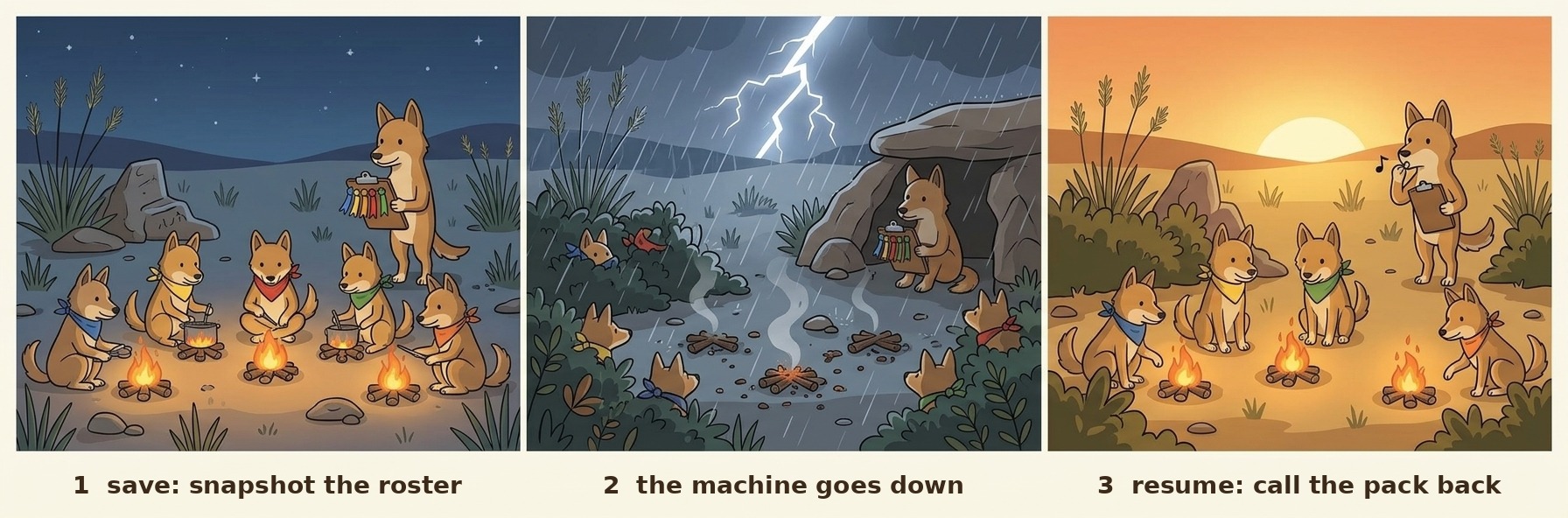
- Save — sessions are snapshotted as they work.
- The machine goes down — the roster is already on disk.
- Resume —
listshows who was lost;resumecalls them back.
Illustrations generated with Google Gemini and edited by the author.
dingo-pack mark running "step 3"           # say what you're doing: running | waiting | blocked | done
dingo-pack mark waiting --until 18:30 "nightly job"
dingo-pack list                            # after a crash: who was lost
dingo-pack resume NAME... --via print      # the command that continues each, to paste
dingo-pack close-all                       # (no longer maintained) close the idle waiting / done ones
dingo-pack restore                         # (opening tabs no longer maintained) bring back what close-all closed
close-all never touches a session that is busy, running, blocked, or the one you
type it in, and it checks each session again right before closing it. It is for humans:
inside an agent it refuses.
👻 Ghosts
dingo-pack ghosts                 # process trees whose Claude Code session is gone
dingo-pack ghosts --reap          # stop them, after asking (humans only)
A process belongs to the session whose CLAUDE_PID it carries. Jobs left on purpose
(nohup, setsid, tmux, or a session that said it is waiting) are listed but kept.
📊 Board
Moving to shepherd-dispatch (it still works here; so do
name,card,lint,queue).claim/boxesmove to boobook-watch.
dingo-pack board                  # one line per session: state, box, expected finish, flags
dingo-pack board --html board.html --watch 30   # a page that refreshes itself
It reads each session's last status line. "ask now" means the expected finish it wrote
has passed; "may have stopped" means the status line has not changed for 3 hours
(--stale-h). It only understands an expected time after a word like 预计 / 约 … 完 / ETA;
anything else is left blank rather than guessed.
🧰 Team routines (optional)
Moving to shepherd-dispatch together with the board.
name (next session name for a letter), card new (next free card number + skeleton),
lint (naming, one session per letter, stale or overdue status lines), queue (prompts
waiting for a condition) and claim (the per-box occupancy file). All are deterministic
and off unless you call them — see the reference.
⚙️ More
The plugin brings the CLI, the roster hooks, the hint hook and a skill that teaches the agent when to use a slot. Hook setup without the plugin, project settings, every option and WSL memory tips are in the reference.
⚠️ Limits
- The agent process itself can't be limited, only counted with a lease;
watchnever pauses or kills an agent process. - Slots and memory admission only cover jobs started through dingo-pack; everything else is
seen (and paused) only by
watch, and only while it runs. - The enforcing hook is tested with Claude Code only; for Codex / OpenCode it is AGENTS.md
rules plus
watch. watchsamples every 2 s: an allocation faster than that can still get through, and on WSL2's cgroup v1 there is no kernel cap.- Slots are handed out roughly first come, first served (the kernel decides who wakes first).
- macOS: the per-process limit isn't enforced (the tree limit is), and free memory is an
estimate.
ghosts,topand the WSL checks need Linux. - The roster reads Claude Code's session files, which aren't a documented interface. If they change, it falls back to transcripts and says so.
✅ Self-test
python3 selftest_dingo_pack.py --base /some/local/dir    # 1–3 min, depending on load
python3 selftest_dingo_pack.py --mutants                 # each planted bug must turn a check red
Memory tests run on a simulated machine, never on your real memory.
📄 License
MIT. Sister tool: wombat-gate, a git commit queue for agents sharing one repo.
1 maintainer

Metadata
1 maintainer
Release files for dingo-pack 0.5.5
For a detailed explanation of source distributions (sdists) and built distributions (wheels), please see the package formats documentation.
Source distribution (sdist)
| File | Size | Uploaded | Provenance | Actions |
|---|---|---|---|---|
| dingo_pack-0.5.5.tar.gz | 192.6 kB | With provenance | Details for dingo_pack-0.5.5.tar.gz |
Built distribution (wheel)
| File | Interpreter | ABI | Platform | Actions Reset |
|---|---|---|---|---|
| dingo_pack-0.5.5-py3-none-any.whl | Python 3 | none | any | Details for dingo_pack-0.5.5-py3-none-any.whl |
Total release size: 290.2 kB
Release files / dingo_pack-0.5.5.tar.gz
| Download URL | dingo_pack-0.5.5.tar.gz |
|---|---|
| Size | 192.6 kB |
| Tags | Source |
|
SHA-256 checksum How to use checksums |
0c5e0d7945c52308a70da15c062d12d6787ca16738b61effcc4631fc350d1fc1
|
|
BLAKE2b-256 checksum How to use checksums |
2c74f3654a129a674e64e0970f7d8e81ac6186def69ac05cab034856371aaba1
|
| Upload date | |
|
Uploaded using Trusted Publishing? What is trusted publishing? |
Yes |
| Uploaded via |
twine/7.0.0 CPython/3.13.16
|
Provenance
Provenance describes where a file came from. On PyPI, provenance is shared via attestations, which provide a verifiable record of the build or publishing details. View details, limitations and caveats.


PyPI Publish Attestation
PyPI verified that this artifact, at this checksum, originated from the publisher listed below.
Signed by GitHub Actions, verified by PyPI on Nov 18, 2026.
Transparency logRelease files / dingo_pack-0.5.5-py3-none-any.whl
| Download URL | dingo_pack-0.5.5-py3-none-any.whl |
|---|---|
| Size | 97.5 kB |
| Tags | Python 3 |
|
SHA-256 checksum How to use checksums |
68cb15f7ee51081c965ec924e963415a2a90e167b9e8dc364c5d39f28584590a
|
|
BLAKE2b-256 checksum How to use checksums |
49910245692b169f66c3354efe85b82b489c5a08ef78bc5a66669555393ec3db
|
| Upload date | |
|
Uploaded using Trusted Publishing? What is trusted publishing? |
Yes |
| Uploaded via |
twine/7.0.0 CPython/3.13.16
|
Provenance
Provenance describes where a file came from. On PyPI, provenance is shared via attestations, which provide a verifiable record of the build or publishing details. View details, limitations and caveats.
PyPI Publish Attestation
PyPI verified that this artifact, at this checksum, originated from the publisher listed below.
Signed by GitHub Actions, verified by PyPI on Nov 18, 2026.
Transparency logSecurity for dingo-pack 0.5.5
Provenance
Provenance describes where a file came from. On PyPI, provenance is shared via attestations, which provide a verifiable record of the build or publishing details. View details, limitations and caveats.
Full provenance
Both files in this release have been uploaded with provenance metadata.
Attestation for dingo_pack-0.5.5.tar.gz
PyPI Publish Attestation
PyPI verified that this artifact, at this checksum, originated from the publisher listed below.
Signed by GitHub Actions, verified by PyPI on Nov 18, 2026.
Transparency logA note on package security
PyPI is a repository for distributing packages, not a service for auditing them. While third-party security researchers and our staff do their best to detect and remove malicious packages, PyPI cannot guarantee the quality, security or suitability of any given package.
To learn more about protecting yourself from malicious actors, visit our package security documentation.














