
discordwebhook is a python library for discord webhook with discord rest api on Python 3.6 and above.

Project description
discordwebhook






discordwebhook is a python library for discord webhook with discord rest api on Python 3.6 and above.
Installation
$ pip install discordwebhook
Usage
basic
from discordwebhook import Discord

discord = Discord(url="<your webhook url>")
discord.post(content="Hello, world.")

basic, username and avatar_url
from discordwebhook import Discord
discord = Discord(url="<your webhook url>")
discord.post(
content="Hello, world.",
username="10mohi6",
avatar_url="https://avatars2.githubusercontent.com/u/38859131?s=460&v=4"
)

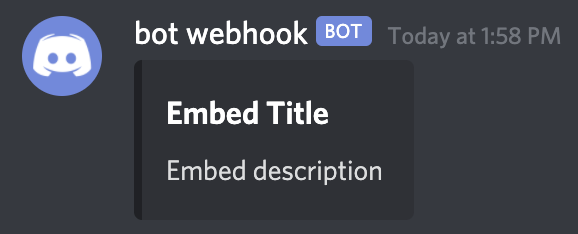
basic embed
from discordwebhook import Discord

discord = Discord(url="<your webhook url>")
discord.post(
    embeds=[{"title": "Embed Title", "description": "Embed description"}],
)
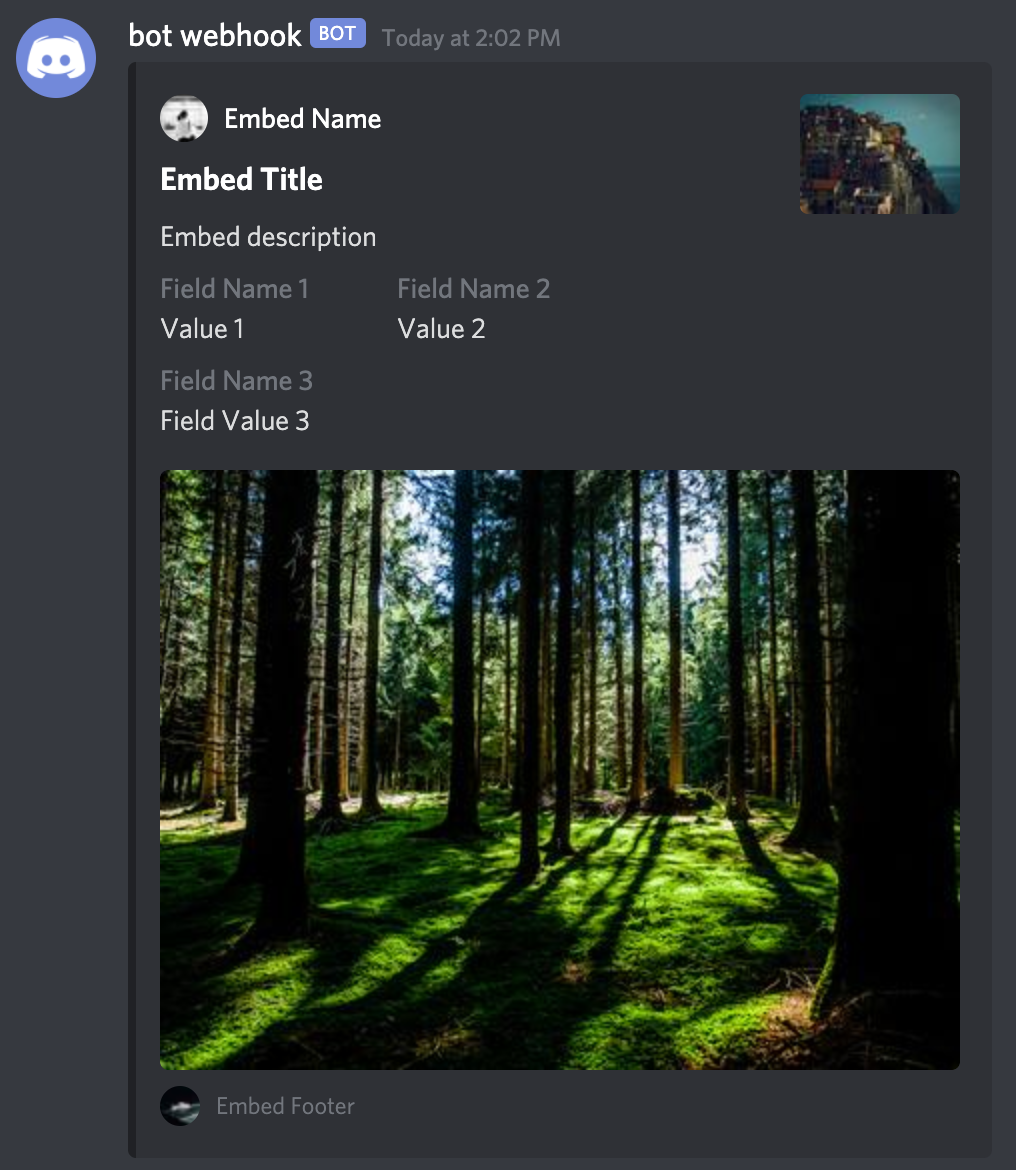
advanced embed
from discordwebhook import Discord

discord = Discord(url="<your webhook url>")
discord.post(
    embeds=[
        {
            "author": {
                "name": "Embed Name",
                "url": "https://github.com/10mohi6/discord-webhook-python",
                "icon_url": "https://picsum.photos/24/24",
            },
            "title": "Embed Title",
            "description": "Embed description",
            "fields": [
                {"name": "Field Name 1", "value": "Value 1", "inline": True},
                {"name": "Field Name 2", "value": "Value 2", "inline": True},
                {"name": "Field Name 3", "value": "Field Value 3"},
            ],
            "thumbnail": {"url": "https://picsum.photos/80/60"},
            "image": {"url": "https://picsum.photos/400/300"},
            "footer": {
                "text": "Embed Footer",
                "icon_url": "https://picsum.photos/20/20",
            },
        }
    ],
)
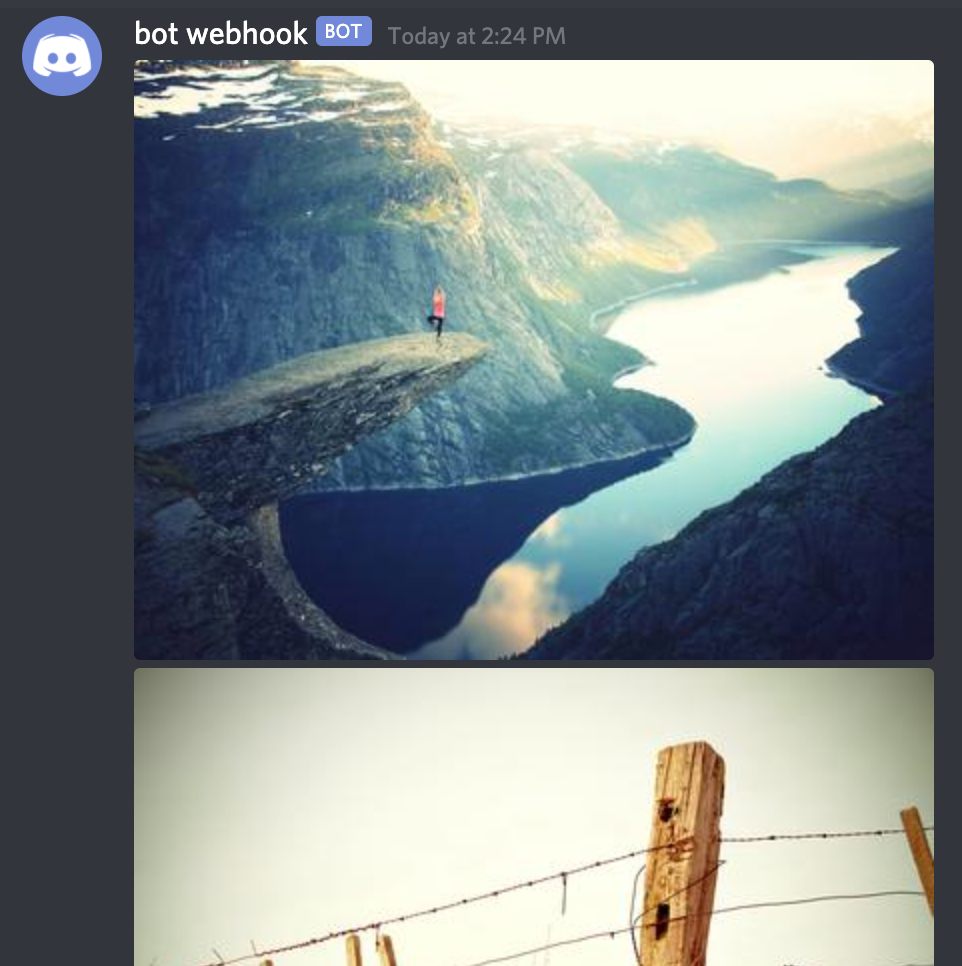
send file
from discordwebhook import Discord

discord = Discord(url="<your webhook url>")
discord.post(
    file={
        "file1": open("tests/file1.jpg", "rb"),
        "file2": open("tests/file2.jpg", "rb"),
    },
)
Getting started
For help getting started with discord webhook, view our online documentation.
Contributing
- Fork it
- Create your feature branch (
git checkout -b my-new-feature) - Commit your changes (
git commit -am 'Add some feature') - Push to the branch (
git push origin my-new-feature) - Create new Pull Request
Release history Release notifications | RSS feed

Download files
Download the file for your platform. If you're not sure which to choose, learn more about installing packages.
Source Distribution
File details
Details for the file discordwebhook_v2-1.0.0.tar.gz.
File metadata
- Download URL: discordwebhook_v2-1.0.0.tar.gz
- Upload date:
- Size: 4.3 kB
- Tags: Source
- Uploaded using Trusted Publishing? No
- Uploaded via: twine/5.1.1 CPython/3.10.14
File hashes
| Algorithm | Hash digest | |
|---|---|---|
| SHA256 |
bcf9c2e7087c04e826efa252ddc1de79cb3f77c87fee5745f94f61709b93bcbe
|
|
| MD5 |
5e307f6af1630ddd91fa4f66eee3ce48
|
|
| BLAKE2b-256 |
768bdb2ad10085e2963b1c63a210048366b66ac519575ea769f64cd235cdd550
|






