
Display Image
Display image is a Python project which provides a command display-image to visualize the image and metadata by QtPy6.
Installation
pip install display-image
Usage
display-image -i <path_to_image>
The following format extensions can be displayed by command display-image
| Image format | Read | EXIF | Pixel precision | Pixel type | File extension | Sidecar needed |
|---|---|---|---|---|---|---|
| BMP | x | 8 bits | Grayscale, RGB, RGBA | .bmp | ||
| CFA | x | 16 bits | Bayer | .cfa | ||
| DNG | x | x | 16 bits | Bayer | .dng | |
| JPEG | x | x | 8 bits | Grayscale, RGB | .jpg, .jpeg | |
| MIPI RAW | x | 10 bits, 12 bits | Bayer | .RAWMIPI, .RAWMIPI10, .RAWMIPI12 | x | |
| PLAIN RAW | x | * | * | .raw .plain16, * | x | |
| PNG | x | 8 bits | Grayscale, RGB, RGBA | .png | ||
| TIFF | x | x | 8 bits, 16 bits | Bayer, RGB | .tif, .tiff |
Read Camera manufacturer RAW image display
The RAW image formats of the following camera manufacturers are supported, user can display these camera raw files by dependency cxx-image-io versionv1.1.2.
| Camera manufacturer | Image format |
|---|---|
| Canon | CR2 |
| Nikon | NEF |
| Sony | ARW |
| Panasonic | RW2 |
| Kodak | DCR |
| Samsung | SRW |
| Olympus | ORF |
| Leica | RAW |
| Pentax | PEF |
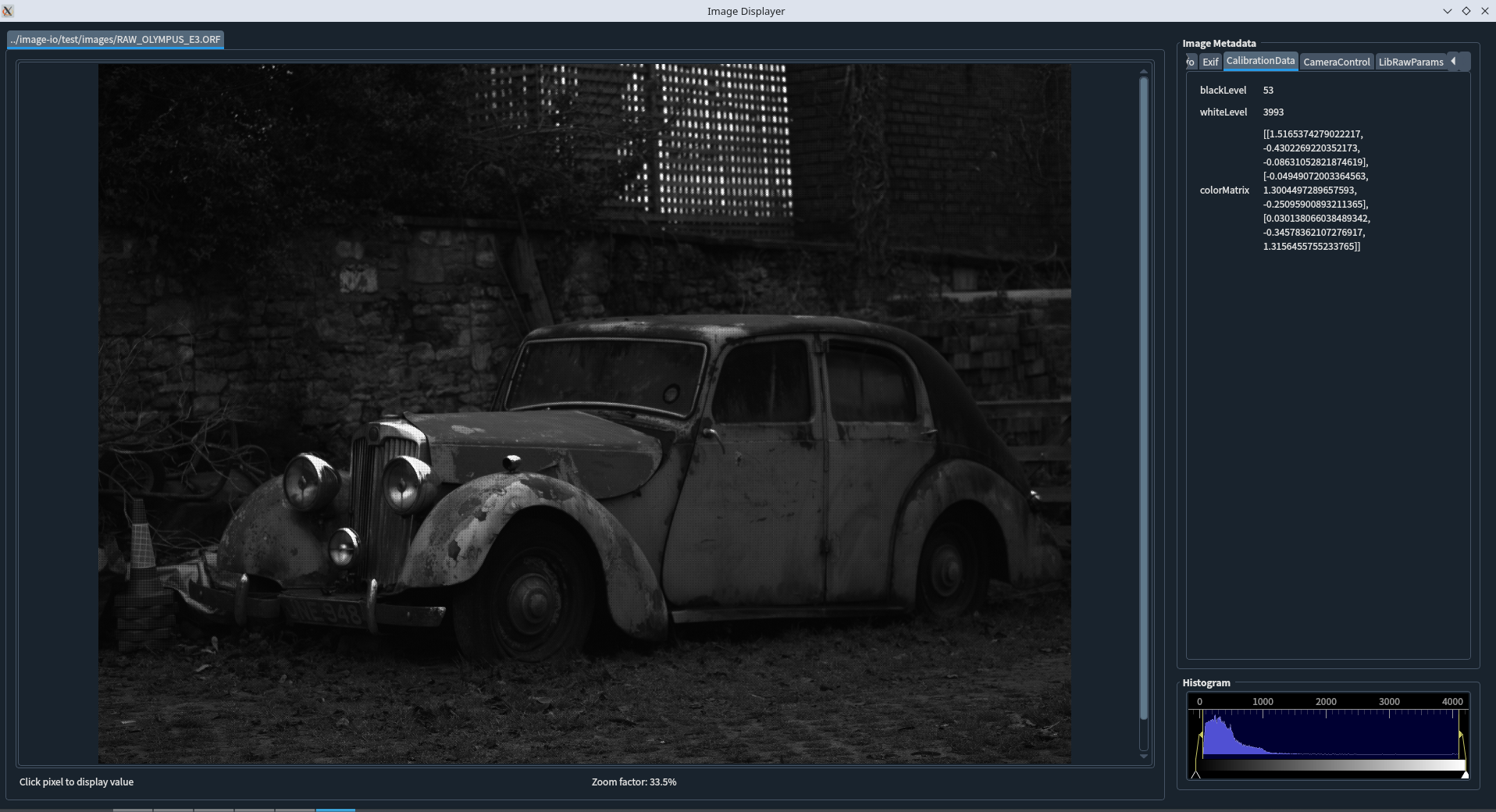
- User can scroll mouse to zoom in/out, and at bottom it can display the zoom factor and pixel value where use clicked with mouse.
- Since 0.1.6,
CalibrationData,CameraControls,LibRawParamsare added in metadata info display, they includes some image processing params such as:- black level and white level
- color matrix
- white balances scales
- visible zone crop coordinates on camera Raw image
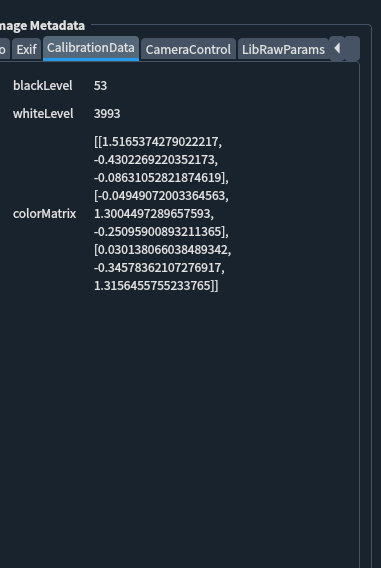
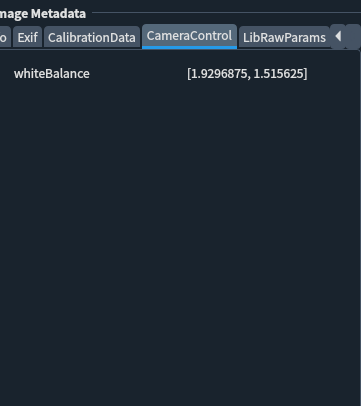
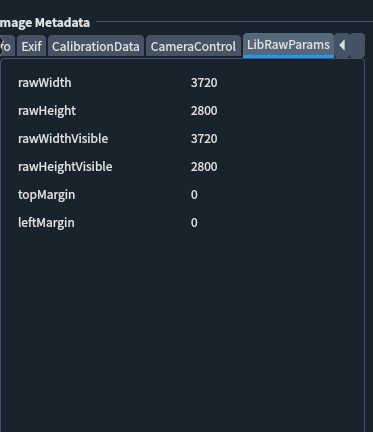
Image display with sidecar JSON
Some file formats need to know in advance some informations about the image. For example, the PLAIN RAW format is just a simple dump of a buffer into a file, thus it needs to know how to interpret the data.
In this case, user need to have an image sidecar JSON located next to the image file as the same name and path path_to_image.json
{
    "fileInfo": {
        "format": "plain",
        "height": 3072,
        "width": 4080
        "pixelPrecision": 16,
        "pixelType": "bayer_gbrg",
    }
}
After image reading, the information in JSON sidecar will be shown in tab Widegt of ImageMetadata
Other image reading with sidecar examples
Click to unfold other image format sidecar examples
Packed RAW MIPI 12 bits:
sidecar json
{
    "fileInfo": {
        "fileFormat": "raw12",
        "height": 3000,
        "width": 4000,
        "pixelPrecision": 12,
        "pixelType": "bayer_gbrg"
    }
}
Packed RAW MIPI 10 bits:
sidecar json
{
    "fileInfo": {
        "height": 3000,
        "width": 4000,
        "format": "raw10",
        "pixelPrecision": 10,
        "pixelType": "bayer_grbg"
    }
}
License
This project is licensed under the MIT License - see the LICENSE.md file for details.
1 maintainer

Metadata
1 maintainer
Release files for display-image 0.1.9
For a detailed explanation of source distributions (sdists) and built distributions (wheels), please see the package formats documentation.
Source distribution (sdist)
| File | Size | Uploaded | |
|---|---|---|---|
| display_image-0.1.9.tar.gz | 11.1 kB | Details |
Built distribution (wheel)
| File | Interpreter | ABI | Platform | Reset |
|---|---|---|---|---|
| display_image-0.1.9-py3-none-any.whl | Python 3 | none | any | Details |
Total release size: 20.7 kB
Release files / display_image-0.1.9.tar.gz
| Download URL | display_image-0.1.9.tar.gz |
|---|---|
| Size | 11.1 kB |
| Tags | Source |
|
SHA-256 checksum How to use checksums |
49cbd8d1d9ee40ec69a9aaafc8b4a9de3315fa83a6a7e8ab08402461117cd00c
|
|
BLAKE2b-256 checksum How to use checksums |
37195f452ad5456f95401ad9239d8c369c1f5d0492cef2ffe59eb05b54829070
|
| Upload date | |
|
Uploaded using Trusted Publishing? What is trusted publishing? |
Yes |
| Uploaded via |
twine/6.1.0 CPython/3.13.7
|
Provenance
Provenance describes where a file came from. On PyPI, provenance is shared via attestations, which provide a verifiable record of the build or publishing details. View details, limitations and caveats.


PyPI Publish Attestation
PyPI verified that this artifact, at this checksum, originated from the publisher listed below.
Signed by GitHub Actions, verified by PyPI on Nov 29, 2025.
Transparency logRelease files / display_image-0.1.9-py3-none-any.whl
| Download URL | display_image-0.1.9-py3-none-any.whl |
|---|---|
| Size | 9.5 kB |
| Tags | Python 3 |
|
SHA-256 checksum How to use checksums |
55b7ed2fae514b69545b3407ef58e8d7e0ad6f3c790473ec049e3cc668c5702a
|
|
BLAKE2b-256 checksum How to use checksums |
474fbed3d965603d9f0065e3f1c13e3fc5ddb7f2bc405beb094212487e155f14
|
| Upload date | |
|
Uploaded using Trusted Publishing? What is trusted publishing? |
Yes |
| Uploaded via |
twine/6.1.0 CPython/3.13.7
|
Provenance
Provenance describes where a file came from. On PyPI, provenance is shared via attestations, which provide a verifiable record of the build or publishing details. View details, limitations and caveats.
PyPI Publish Attestation
PyPI verified that this artifact, at this checksum, originated from the publisher listed below.
Signed by GitHub Actions, verified by PyPI on Nov 29, 2025.
Transparency log













