
Core framework for Django Control Room panels
Verified details
These details have been verified by PyPIProject links
GitHub Statistics
Maintainers

Project description






dj-control-room-base
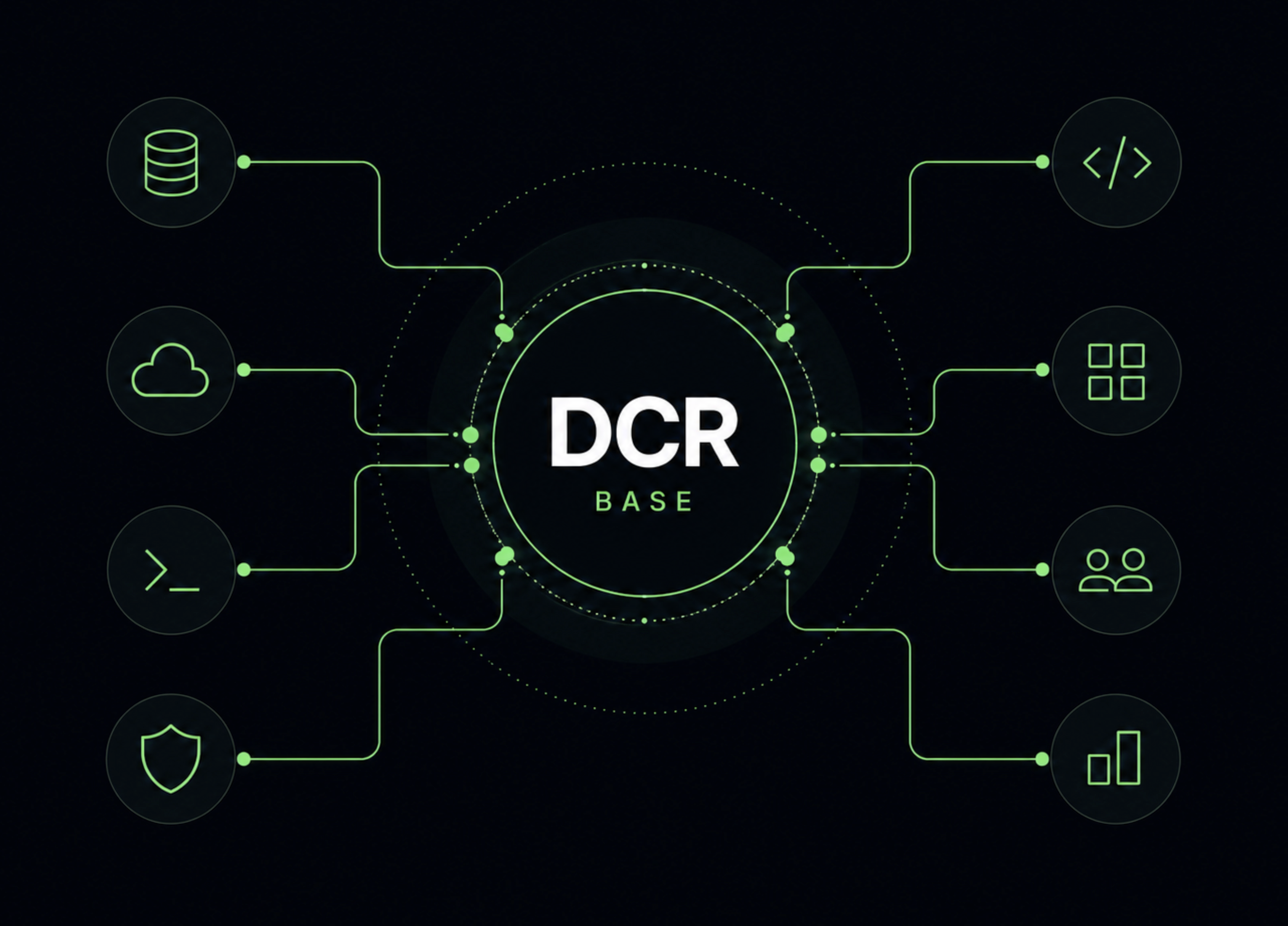
dj-control-room-base is a core library for Django Control Room panels. It provides the shared primitives that every panel needs: settings management, CSS injection, permission enforcement, admin sidebar integration, and template context helpers.
Official Django Control Room panels ship with this package as a dependency and build on these APIs rather than reimplementing them panel by panel.
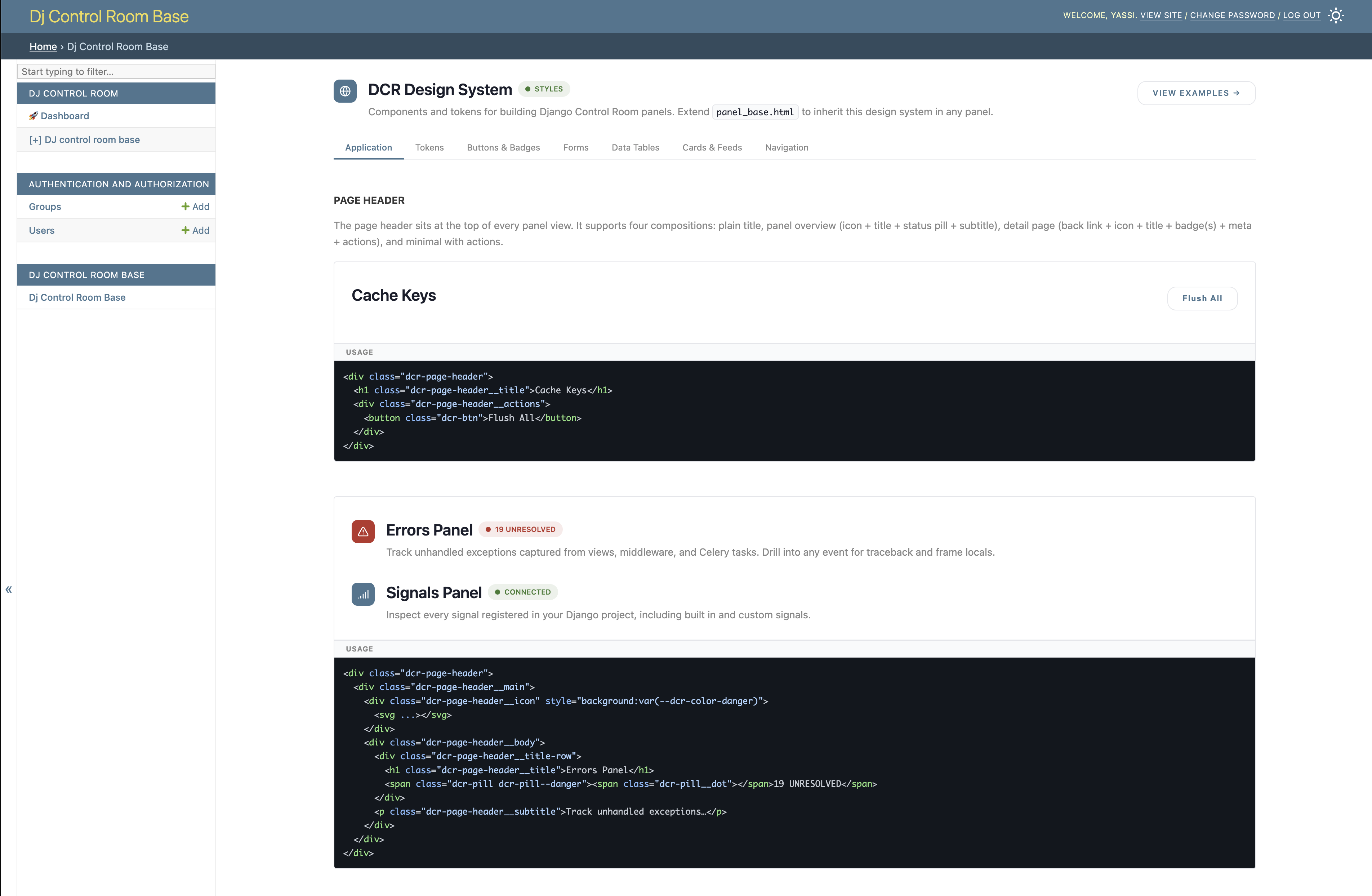
Optionally, the package can also be mounted as a full panel in its own right: it ships a bundled design system reference UI and example patterns that are useful when building or theming new panels.
- Official site: djangocontrolroom.com
- Control Room app: dj-control-room
- Docs: yassi.github.io/dj-control-room-base
What this library provides
Centralized CSS and permissions
The main value of this library is that it centralizes the settings every panel would otherwise duplicate independently. A single PanelConfig object, instantiated once in a panel's conf.py, handles:
- CSS injection - whether to load the shared design-system bundle, and any additional stylesheets, resolved and injected into template context automatically
- Permission enforcement - staff checks, optional superuser-only restriction, Django group allow lists, and per-view scope overrides, all driven from the same merged settings dict
- Settings merging - panel-level defaults, hub overrides from
dj-control-room, and project-level settings are merged in a defined precedence order so each layer can override only what it needs
Panel authors who use PanelConfig get all of this for free. See CSS and permissions below for the full reference.
Admin sidebar integration
PanelPlaceholderModel and BasePanelAdmin give any panel a Django admin sidebar entry that redirects to the panel's main view, with no writable actions, no migrations, and automatic respect for the same permission rules configured on PanelConfig.
Template context helpers
panel_config.get_context(request, title="...") returns a fully-prepared context dict that includes the standard Django admin context, CSS injection variables, and any extra kwargs you pass. No manual assembly required.
Entry-point discovery
Panels register themselves with Control Room via a pyproject.toml entry point under dj_control_room.panels. This library ships the reference implementation of that pattern.
The only runtime dependency is Django. dj-control-room is optional and only needed for the centralized hub dashboard.
Screenshots
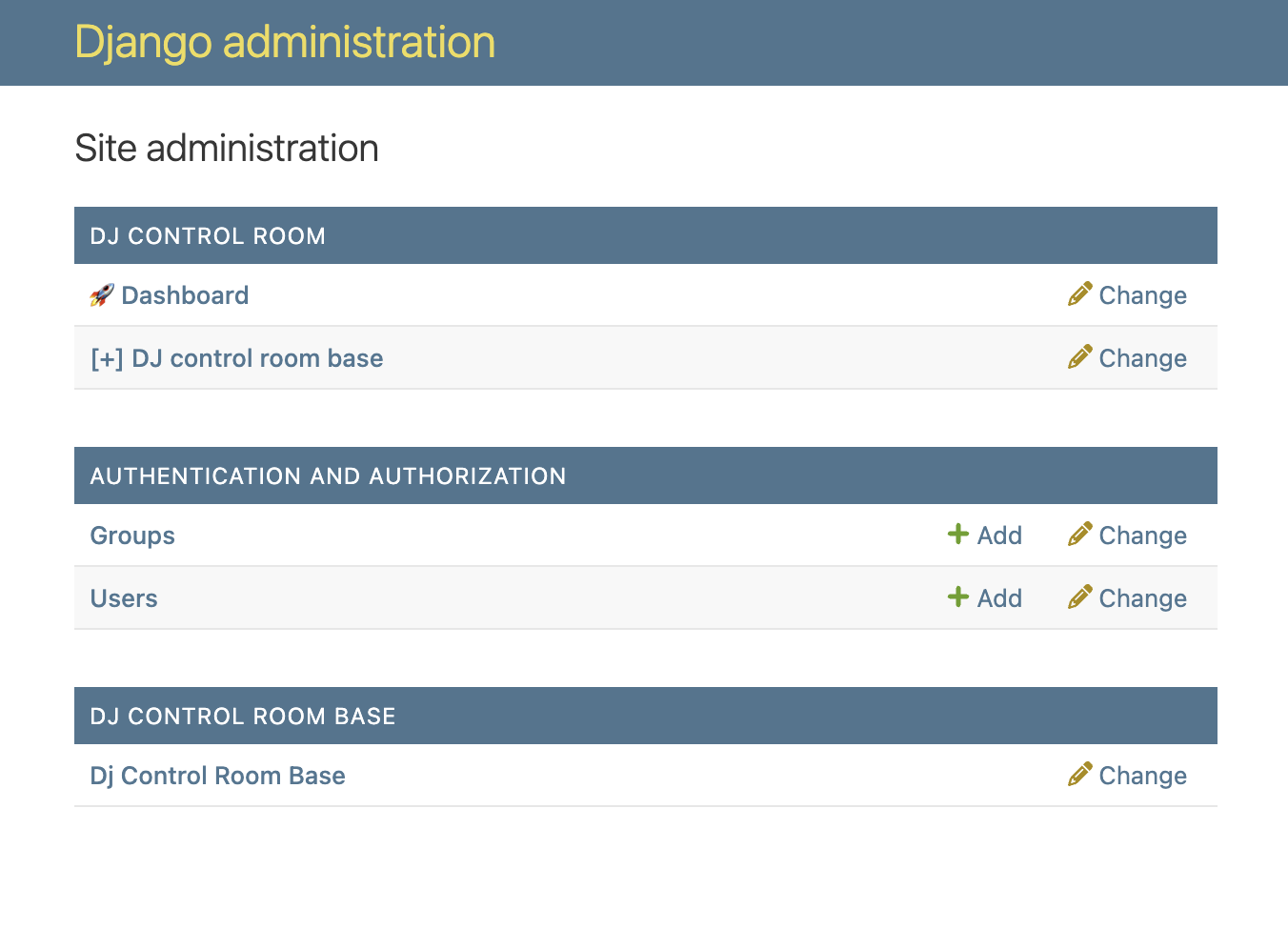
Django admin - the placeholder model registers an app entry that redirects to the panel, with no extra migrations required:
The panel UI - the bundled design system reference view, accessible at /admin/dj-control-room-base/:
Requirements
- Python 3.9+
- Django 4.2+ (tested in CI across Django 4.2, 5.2, and 6.0)
Project layout
dj-control-room-base/
├── dj_control_room_base/
│   ├── core/              # PanelConfig, BasePanelAdmin, PanelPlaceholderModel
│   ├── templates/         # Panel templates
│   ├── static/            # Design system CSS and assets
│   ├── conf.py            # PanelConfig instance + settings key
│   ├── panel.py           # Control Room entry-point panel class
│   ├── views.py
│   ├── urls.py
│   ├── admin.py
│   └── models.py          # Placeholder model for admin sidebar
├── example_project/       # Runnable demo + pytest settings
├── tests/
├── mkdocs.yml             # Documentation site
└── requirements.txt       # Dev / demo deps (includes dj-control-room)
Quick start
pip install dj-control-room-base
# settings.py
INSTALLED_APPS = [
    ...
    "dj_control_room_base",
]
# urls.py
from django.contrib import admin
from django.urls import path, include

urlpatterns = [
    path("admin/dj-control-room-base/", include("dj_control_room_base.urls")),
    path("admin/", admin.site.urls),
]
python manage.py migrate
python manage.py runserver
Open /admin/ and sign in. A DJ CONTROL ROOM BASE entry appears in the sidebar and links to the panel at /admin/dj-control-room-base/.
See the full documentation for installation options, configuration reference, and a guide for building your own panel on this library.
Django Control Room dashboard
- Add
dj_control_roomtoINSTALLED_APPS(withdj_control_room_base). - Include
path("admin/dj-control-room/", include("dj_control_room.urls"))as above. - Open
/admin/dj-control-room/to see registered panels (this package advertises itself via thedj_control_room.panelsentry point).
Panel metadata (name, description, icon, docs/PyPI links) lives in dj_control_room_base/panel.py; customize a fork or your own panel package the same way.
CSS and permissions
PanelConfig is the central object that every panel built on this library uses. Instantiate it once in conf.py with a settings key and panel-level defaults, then call its helpers from views, templates, and the admin class. The same config object drives CSS injection, permission checks, and the full template context.
Settings merge order
Settings are resolved fresh on every call so that runtime changes (e.g. from the Control Room hub) are always picked up. The merge order is, from lowest to highest priority:
- Built-in defaults (
PANEL_BUILTIN_DEFAULTSincore/panel_config.py) - CSS and permission keys that every panel gets automatically, even if the panel author never declares them. - Panel defaults - the
defaultsdict passed toPanelConfig(...)in the panel's ownconf.py. - Hub overrides - injected at runtime by
dj-control-roomviaapply_override_settings()when the hub is installed. Lets the hub enforce global CSS or permission policies across all panels from a single place. - Project settings - the dict at
settings.DJ_<PANEL>_SETTINGSin the consuming Django project. These win over everything, so a project can always opt out of hub defaults.
The result is that panel authors declare a minimal defaults, project owners override only what they need, and the hub can push cross-panel policy without touching individual panel settings files.
CSS settings
| Key | Type | Default | Effect |
|---|---|---|---|
LOAD_DEFAULT_CSS |
bool |
True |
Loads the shared design-system.css bundle from this package. Set to False if the hub or a parent template already loads it. |
EXTRA_CSS |
list[str] |
[] |
Additional stylesheets to inject. Relative paths are resolved through Django's staticfiles; absolute URLs (http://, https://, //) are used as-is. |
In a view, call panel_config.get_context(request, title="My Panel") to get a context dict that already contains dj_cr_load_default_css and dj_cr_extra_css alongside the standard Django admin context. Templates use these to inject the right <link> tags without any per-view wiring.
Permission settings
Panels built on this library follow a two-level permission model: a panel-wide policy, and optional per-scope overrides for individual views.
Panel-wide keys (apply to all views unless a scope overrides them):
| Key | Type | Default | Effect |
|---|---|---|---|
ALLOWED_GROUPS |
list[str] |
[] |
Django group names that may access the panel. Empty list means any staff user is allowed. |
REQUIRE_SUPERUSER |
bool |
False |
Restricts the panel to superusers only. |
Per-view scopes (SCOPE_PERMISSIONS):
A scope is a string label that matches the argument passed to @panel_config.permission_required("my-scope") on a view. Each scope entry accepts the same ALLOWED_GROUPS and REQUIRE_SUPERUSER keys and overrides the panel-wide values for that view only.
"SCOPE_PERMISSIONS": {
    "reports": {"REQUIRE_SUPERUSER": True},     # only superusers
    "dashboard": {"ALLOWED_GROUPS": ["ops"]},   # ops group only
    "status": {},                               # inherits panel-wide policy
}
Resolution rules (applied in order):
- The user must be authenticated and staff. Anonymous users are redirected to the Django admin login.
- Superusers always pass (they bypass group checks, matching Django admin behaviour).
- If
REQUIRE_SUPERUSERisTruefor the resolved scope, non-superusers receive a 403. - If
ALLOWED_GROUPSis non-empty, the user must belong to at least one of those groups (checked by name). An empty list skips the group check.
Using it in a panel
# myapp/conf.py
from dj_control_room_base.core import PanelConfig

panel_config = PanelConfig(
    settings_key="DJ_MY_PANEL_SETTINGS",
    defaults={
        "LOAD_DEFAULT_CSS": True,
        "EXTRA_CSS": [],
    },
)

# myapp/views.py
from .conf import panel_config

@panel_config.permission_required("dashboard")
def dashboard(request):
    context = panel_config.get_context(request, title="Dashboard")
    return render(request, "mypanel/dashboard.html", context)
That is the entirety of the wiring. Permission enforcement, login redirect, CSS injection, and the Django admin context are all handled by the two panel_config calls.
Building your own panel on this package
Import primitives from dj_control_room_base.core:
PanelConfig- Instantiate inconf.pywith your settings key and defaults; useget_context,permission_required, and CSS helpers in views.PanelPlaceholderModel- Abstractmanaged=Falsebase for a sidebar-only model.BasePanelAdmin- Redirect changelist to yournamespace:indexURL; setpanel_configfor aligned permissions.
Copy the entry-point pattern from pyproject.toml:
[project.entry-points."dj_control_room.panels"]
my_panel = "my_panel.panel:MyPanel"
Development
Clone and install in editable mode with dev dependencies:
git clone https://github.com/yassi/dj-control-room-base.git
cd dj-control-room-base
python -m venv .venv
source .venv/bin/activate   # Windows: .venv\Scripts\activate
make install                # pip install -r requirements.txt && pip install -e .
Run tests locally (uses SQLite by default via example_project settings):
make test_local
# or: python -m pytest tests/ -v
Coverage:
make test_coverage
Docker Compose provides a dev container (app on port 8000) and optional Postgres. From the repo root:
make docker_up
make docker_shell    # working directory: /app/example_project
Inside the container you can run python manage.py runserver 0.0.0.0:8000 or pytest. For Postgres-backed runs, set DB_ENGINE=postgresql and point host/user/password at the postgres service.
Documentation:
make docs          # mkdocs build
make docs_serve    # local preview
License
MIT. See LICENSE.
Project details
Verified details
These details have been verified by PyPIProject links
GitHub Statistics
Maintainers
Release history Release notifications | RSS feed


Download files
Download the file for your platform. If you're not sure which to choose, learn more about installing packages.
Source Distribution
Built Distribution
Filter files by name, interpreter, ABI, and platform.
If you're not sure about the file name format, learn more about wheel file names.
Copy a direct link to the current filters
File details
Details for the file dj_control_room_base-0.1.1.tar.gz.
File metadata
- Download URL: dj_control_room_base-0.1.1.tar.gz
- Upload date:
- Size: 111.8 kB
- Tags: Source
- Uploaded using Trusted Publishing? Yes
- Uploaded via: twine/6.1.0 CPython/3.13.12
File hashes
| Algorithm | Hash digest | |
|---|---|---|
| SHA256 |
94c5de0f94edd89b6956d895c2fd7dd6a08edd96b4db738475d7f2356c2a2835
|
|
| MD5 |
eb7ad9b9191880c71c5205459210a591
|
|
| BLAKE2b-256 |
7073d980d1d568593dd624ec84873b06a789e8533ea58384a61df77ca10ba6bd
|
Provenance
The following attestation bundles were made for dj_control_room_base-0.1.1.tar.gz:
Publisher:
python-publish.yml on yassi/dj-control-room-base
-
Statement:
-
Statement type:
https://in-toto.io/Statement/v1 -
Predicate type:
https://docs.pypi.org/attestations/publish/v1 -
Subject name:
dj_control_room_base-0.1.1.tar.gz -
Subject digest:
94c5de0f94edd89b6956d895c2fd7dd6a08edd96b4db738475d7f2356c2a2835 - Sigstore transparency entry: 1486304733
- Sigstore integration time:
-
Permalink:
yassi/dj-control-room-base@41012afb81ba3fff9e99aaef30714e4bce8dca6e -
Branch / Tag:
refs/tags/0.1.1 - Owner: https://github.com/yassi
-
Access:
public
-
Token Issuer:
https://token.actions.githubusercontent.com -
Runner Environment:
github-hosted -
Publication workflow:
python-publish.yml@41012afb81ba3fff9e99aaef30714e4bce8dca6e -
Trigger Event:
release
-
Statement type:
File details
Details for the file dj_control_room_base-0.1.1-py3-none-any.whl.
File metadata
- Download URL: dj_control_room_base-0.1.1-py3-none-any.whl
- Upload date:
- Size: 118.1 kB
- Tags: Python 3
- Uploaded using Trusted Publishing? Yes
- Uploaded via: twine/6.1.0 CPython/3.13.12
File hashes
| Algorithm | Hash digest | |
|---|---|---|
| SHA256 |
efbb6ec9c0a21c62a12ca99663e004c13824d68cdb0ef69ebb722bddfbb546f5
|
|
| MD5 |
36067fc8b91fa979df7d8ab8f652db22
|
|
| BLAKE2b-256 |
0b79af89ef61d9187f01e841e404e57e2af39c37eb19821995a52b383f276bed
|
Provenance
The following attestation bundles were made for dj_control_room_base-0.1.1-py3-none-any.whl:
Publisher:
python-publish.yml on yassi/dj-control-room-base
-
Statement:
-
Statement type:
https://in-toto.io/Statement/v1 -
Predicate type:
https://docs.pypi.org/attestations/publish/v1 -
Subject name:
dj_control_room_base-0.1.1-py3-none-any.whl -
Subject digest:
efbb6ec9c0a21c62a12ca99663e004c13824d68cdb0ef69ebb722bddfbb546f5 - Sigstore transparency entry: 1486304791
- Sigstore integration time:
-
Permalink:
yassi/dj-control-room-base@41012afb81ba3fff9e99aaef30714e4bce8dca6e -
Branch / Tag:
refs/tags/0.1.1 - Owner: https://github.com/yassi
-
Access:
public
-
Token Issuer:
https://token.actions.githubusercontent.com -
Runner Environment:
github-hosted -
Publication workflow:
python-publish.yml@41012afb81ba3fff9e99aaef30714e4bce8dca6e -
Trigger Event:
release
-
Statement type:






