







Django Control Room
A framework for building Django admin tools and a growing suite of operational panels for your project.
Django Control Room is a plugin framework for building Django admin tools (called "panels"), and a suite of official panels for services like Redis, Celery, and caches, plus Django internals like URLs and Signals. Every panel, official or third-party, is a small independent Python package built on the public plugin API in dj-control-room-base.
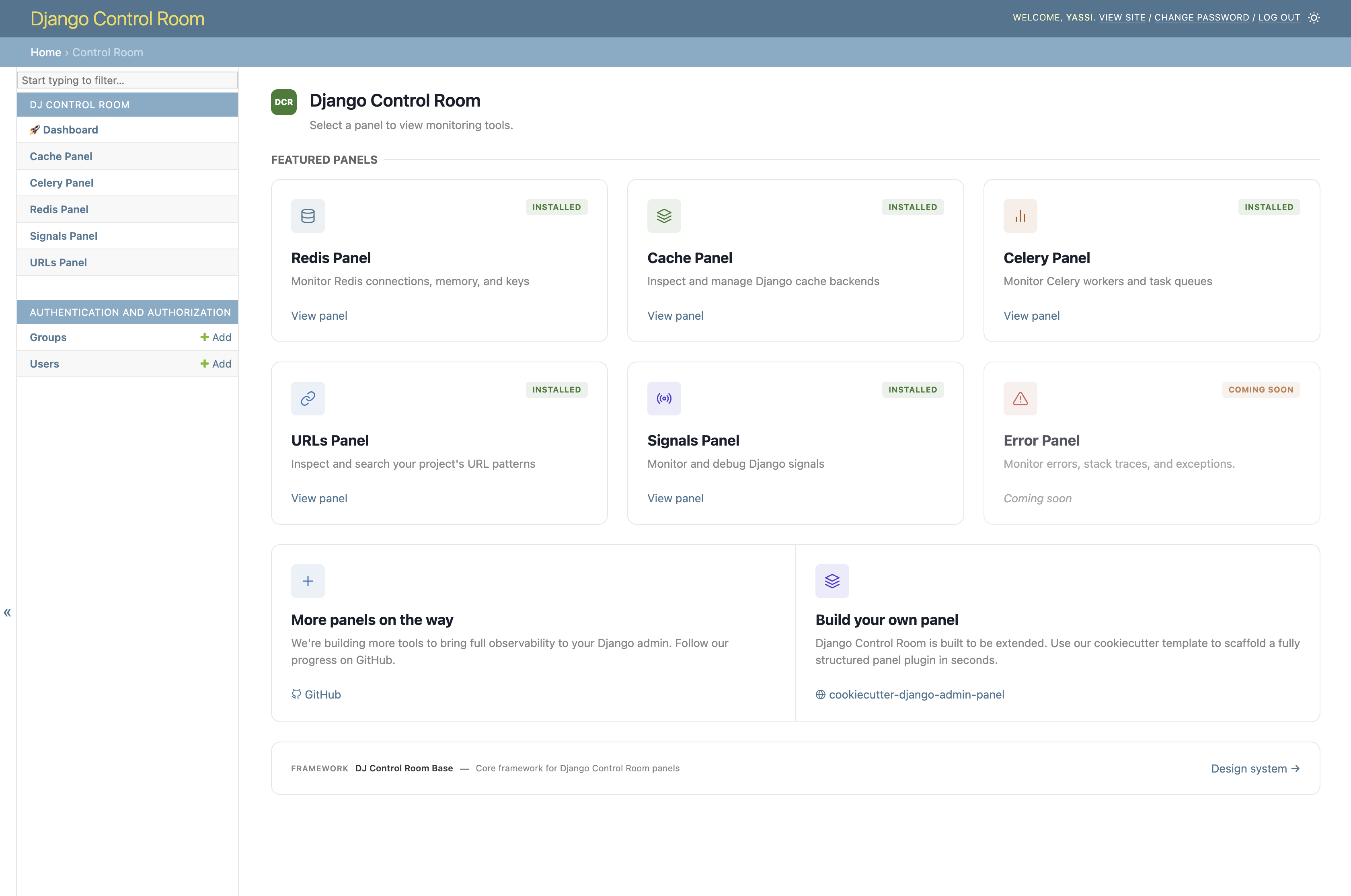
Install dj-control-room and it discovers compatible panels via Python entry points, renders them in a centralized dashboard, and gives them a shared design system, permissions model, and admin sidebar integration.
Features
- Plugin framework - build admin tools on dj-control-room-base; custom panels behave like the official ones
- Centralized dashboard - installed panels are discovered automatically and shown in one place
- Shared UI - responsive design and dark mode via a common design system; theme adapters for popular admin skins
- Secure - package verification and staff-gated access
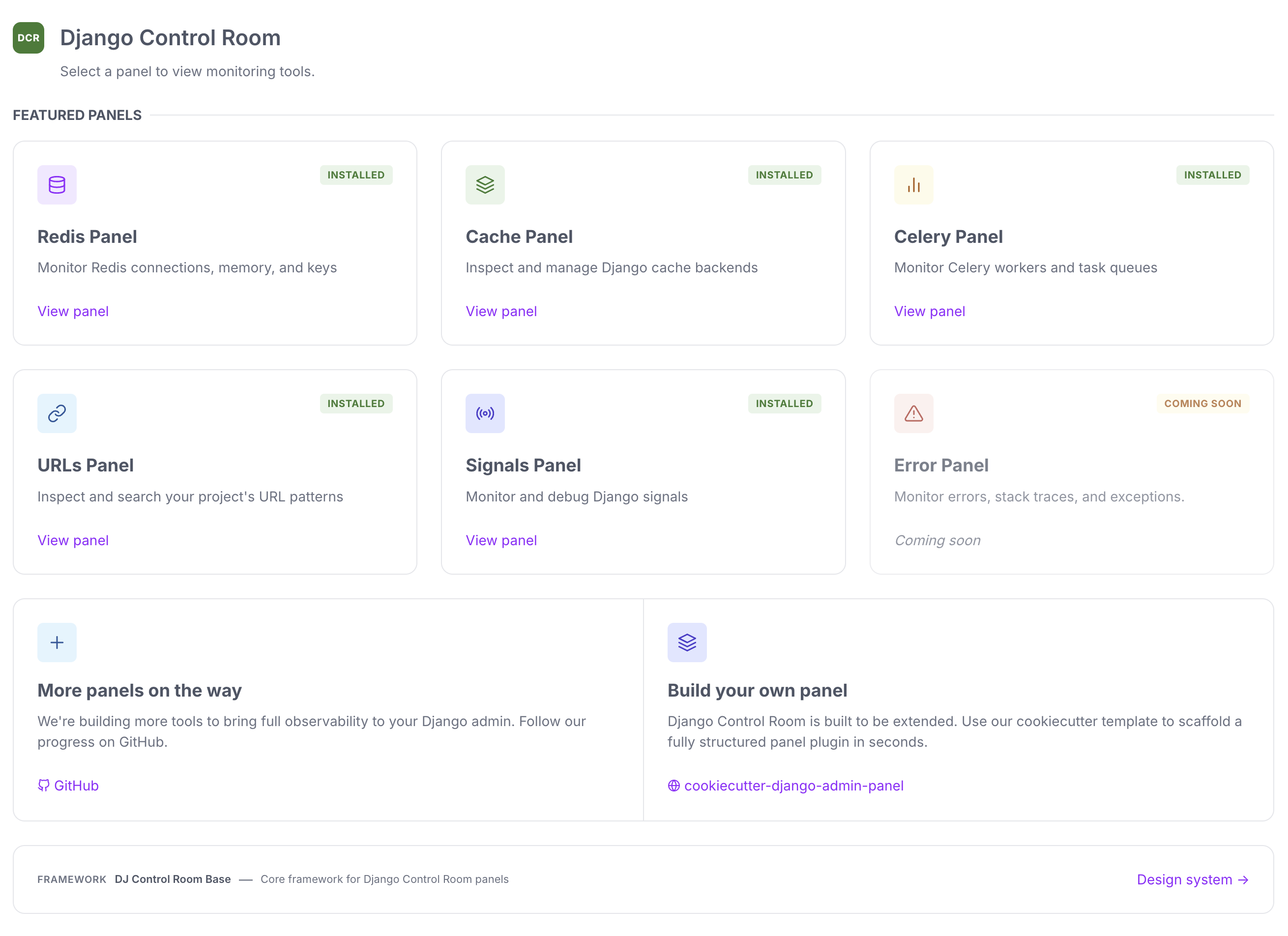
- Official panels - pre-built panels for common operational tasks
- AI agent integration (MCP) - one MCP endpoint aggregates every installed panel's tools (see Configuration)
Quick start
# Core only
pip install dj-control-room

# With specific official panels
pip install dj-control-room[redis,cache,urls]

# Or with all official panels
pip install dj-control-room[all]
Add dj_control_room_base (required core library), your panels, then dj_control_room (so they appear under one admin section):
INSTALLED_APPS = [
    # ...
    "dj_control_room_base",
    "dj_redis_panel",
    "dj_cache_panel",
    "dj_urls_panel",
    "dj_control_room",
]
urlpatterns = [
    path("admin/dj-redis-panel/", include("dj_redis_panel.urls")),
    path("admin/dj-cache-panel/", include("dj_cache_panel.urls")),
    path("admin/dj-urls-panel/", include("dj_urls_panel.urls")),
    path("admin/dj-control-room/", include("dj_control_room.urls")),
    path("admin/", admin.site.urls),
]
python manage.py migrate
Then visit http://localhost:8000/admin/dj-control-room/.
For the full walkthrough, settings (sidebar behavior, MCP), and theme adapters, see Installation, Configuration, and Theme Adapters.
Official panels
| Panel | Description | Install |
|---|---|---|
| Redis Panel | Monitor connections, inspect keys, view memory usage | pip install dj-redis-panel |
| Cache Panel | Inspect cache entries, view hit/miss ratios | pip install dj-cache-panel |
| URLs Panel | Browse URL patterns, test resolvers | pip install dj-urls-panel |
| Celery Panel | Monitor workers, track task queues | pip install dj-celery-panel |
| Signals Panel | Inspect Django signals and receivers | pip install dj-signals-panel |
Creating custom panels
pip install cookiecutter
cookiecutter https://github.com/django-control-room/cookiecutter-dj-control-room-plugin
For a full guide, see Creating Panels or the build your own panel walkthrough.
Documentation
- Official site: djangocontrolroom.com
- Full docs: django-control-room.github.io/dj-control-room
| Page | Contents |
|---|---|
| Installation | Install, INSTALLED_APPS, URLs |
| Configuration | Settings, sidebar, CSS, MCP |
| Scopes | Permission scopes |
| Theme Adapters | Supported admin skins and screenshots |
| Creating Panels | Build custom panels |
| API Reference | Public API |
Requirements
- Python 3.9+
- Django 4.2+
Contributing
See the Contributing Guide.
License
MIT. See LICENSE.
Credits
Created by Yasser Toruno
1 maintainer

Metadata
1 maintainer
Release files for dj-control-room 1.8.1
For a detailed explanation of source distributions (sdists) and built distributions (wheels), please see the package formats documentation.
Source distribution (sdist)
| File | Size | Uploaded | Provenance | |
|---|---|---|---|---|
| dj_control_room-1.8.1.tar.gz | 1.5 MB | With provenance | Details |
Built distribution (wheel)
| File | Interpreter | ABI | Platform | Reset |
|---|---|---|---|---|
| dj_control_room-1.8.1-py3-none-any.whl | Python 3 | none | any | Details |
Total release size: 2.9 MB
Release files / dj_control_room-1.8.1.tar.gz
| Download URL | dj_control_room-1.8.1.tar.gz |
|---|---|
| Size | 1.5 MB |
| Tags | Source |
|
SHA-256 checksum How to use checksums |
546c83e2ed5a0dbbd989a82137c1866fd751f35bdb8a3ad28c39b0b789029909
|
|
BLAKE2b-256 checksum How to use checksums |
7917c502610ec7b0e87c080b3ef60578d67062d2018e76444966183559f41d9d
|
| Upload date | |
|
Uploaded using Trusted Publishing? What is trusted publishing? |
Yes |
| Uploaded via |
twine/7.0.0 CPython/3.13.14
|
Provenance
Provenance describes where a file came from. On PyPI, provenance is shared via attestations, which provide a verifiable record of the build or publishing details. View details, limitations and caveats.


PyPI Publish Attestation
PyPI verified that this artifact, at this checksum, originated from the publisher listed below.
Signed by GitHub Actions, verified by PyPI on Sep 30, 2026.
Transparency logRelease files / dj_control_room-1.8.1-py3-none-any.whl
| Download URL | dj_control_room-1.8.1-py3-none-any.whl |
|---|---|
| Size | 1.4 MB |
| Tags | Python 3 |
|
SHA-256 checksum How to use checksums |
2902695e3339a8d9c0b4be7598ee23edc78476ab7fa8f675122eeb699bce2689
|
|
BLAKE2b-256 checksum How to use checksums |
7a7455a11ecd692e2cfbbe821f046a099eb1d26469631c900773dda51011e215
|
| Upload date | |
|
Uploaded using Trusted Publishing? What is trusted publishing? |
Yes |
| Uploaded via |
twine/7.0.0 CPython/3.13.14
|
Provenance
Provenance describes where a file came from. On PyPI, provenance is shared via attestations, which provide a verifiable record of the build or publishing details. View details, limitations and caveats.
PyPI Publish Attestation
PyPI verified that this artifact, at this checksum, originated from the publisher listed below.
Signed by GitHub Actions, verified by PyPI on Sep 30, 2026.
Transparency logSecurity for dj-control-room 1.8.1
Provenance
Provenance describes where a file came from. On PyPI, provenance is shared via attestations, which provide a verifiable record of the build or publishing details. View details, limitations and caveats.
Full provenance
All 2 files in this release have been uploaded with provenance metadata.
Attestation for dj_control_room-1.8.1.tar.gz
PyPI Publish Attestation
PyPI verified that this artifact, at this checksum, originated from the publisher listed below.
Signed by GitHub Actions, verified by PyPI on Sep 30, 2026.
Transparency logA note on package security
PyPI is a repository for distributing packages, not a service for auditing them. While third-party security researchers and our staff do their best to detect and remove malicious packages, PyPI cannot guarantee the quality, security or suitability of any given package.














