
The control room for your Django app

Project description





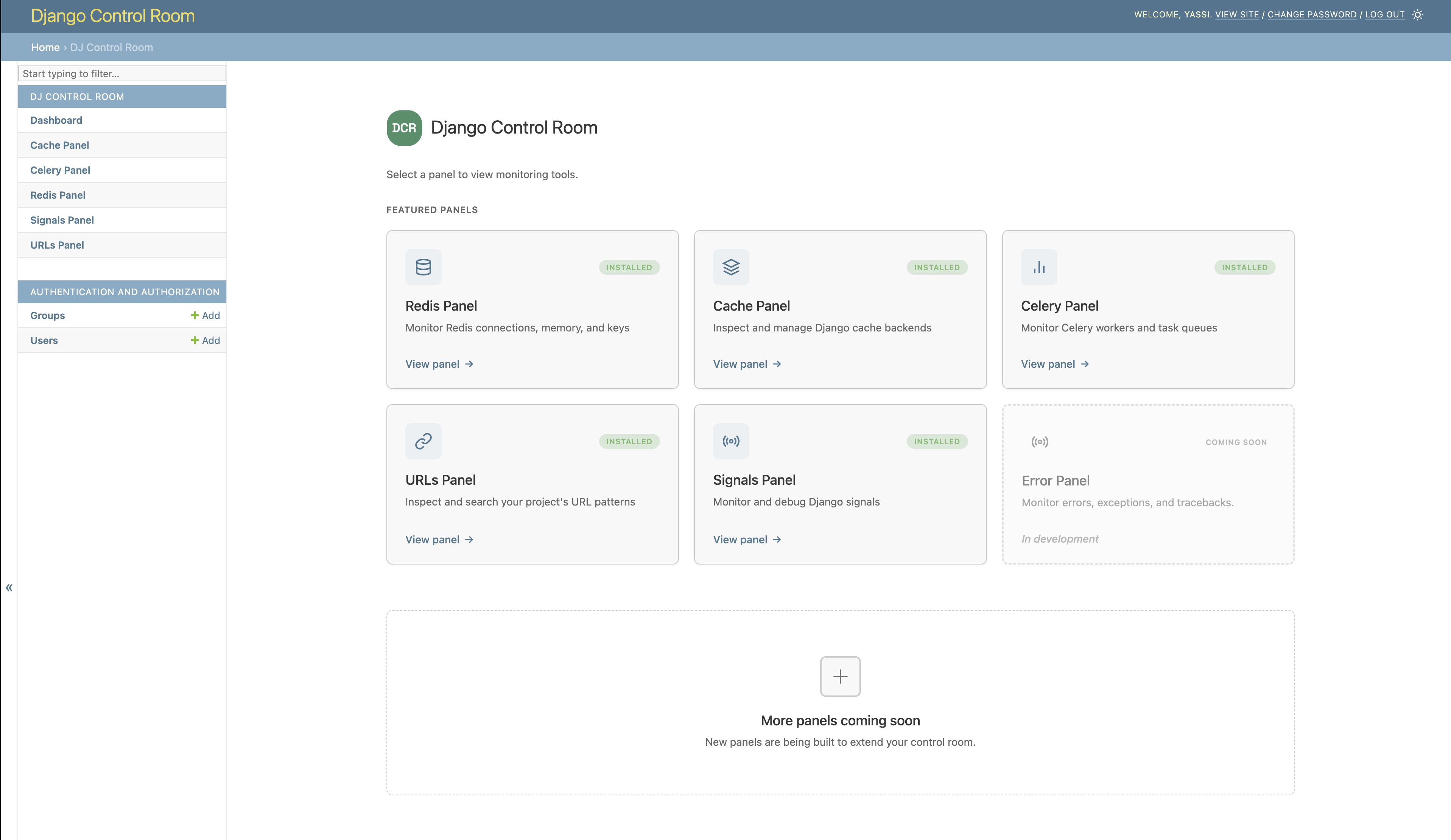
DJ Control Room
A centralized dashboard for managing Django admin panels
Features • Installation • Quick Start • Official Panels • Documentation
Features
- Centralized Dashboard - All your admin panels in one place
- Plugin System - Discover and install panels via PyPI
- Beautiful UI - Modern, responsive design with dark mode support
- Secure - Package verification prevents panel hijacking
- Easy Integration - Works seamlessly with Django admin
- Official Panels - Pre-built panels for common tasks
Installation
Basic Installation
pip install dj-control-room
Install with Official Panels
# Install with specific panels
pip install dj-control-room[redis,cache,urls]

# Or install with all official panels
pip install dj-control-room[all]
Available panel extras:
redis- Redis connection manager and inspectorcache- Django cache backend inspectorurls- URL pattern browser and testercelery- Celery task monitorsignals- Django signals inspector (coming soon)all- All official panels
Quick Start
1. Add to INSTALLED_APPS
# settings.py
INSTALLED_APPS = [
    'django.contrib.admin',
    'django.contrib.auth',
    'django.contrib.contenttypes',
    'django.contrib.sessions',
    'django.contrib.messages',
    'django.contrib.staticfiles',

    # DJ Control Room
    'dj_control_room',

    # Add any panels you installed
    'dj_redis_panel',
    'dj_cache_panel',
    'dj_urls_panel',

    # Your apps
    # ...
]
2. Configure URLs
# urls.py
from django.contrib import admin
from django.urls import path, include

urlpatterns = [
    # Panel URLs (include each panel you installed)
    path('', include('dj_redis_panel.urls')),
    path('', include('dj_cache_panel.urls')),
    path('', include('dj_urls_panel.urls')),

    # Control Room dashboard
    path('admin/dj-control-room/', include('dj_control_room.urls')),

    # Django admin
    path('admin/', admin.site.urls),
]
3. Access the Control Room
- Run migrations:
python manage.py migrate - Start your server:
python manage.py runserver - Navigate to
/admin/dj-control-room/
Admin Sidebar Integration
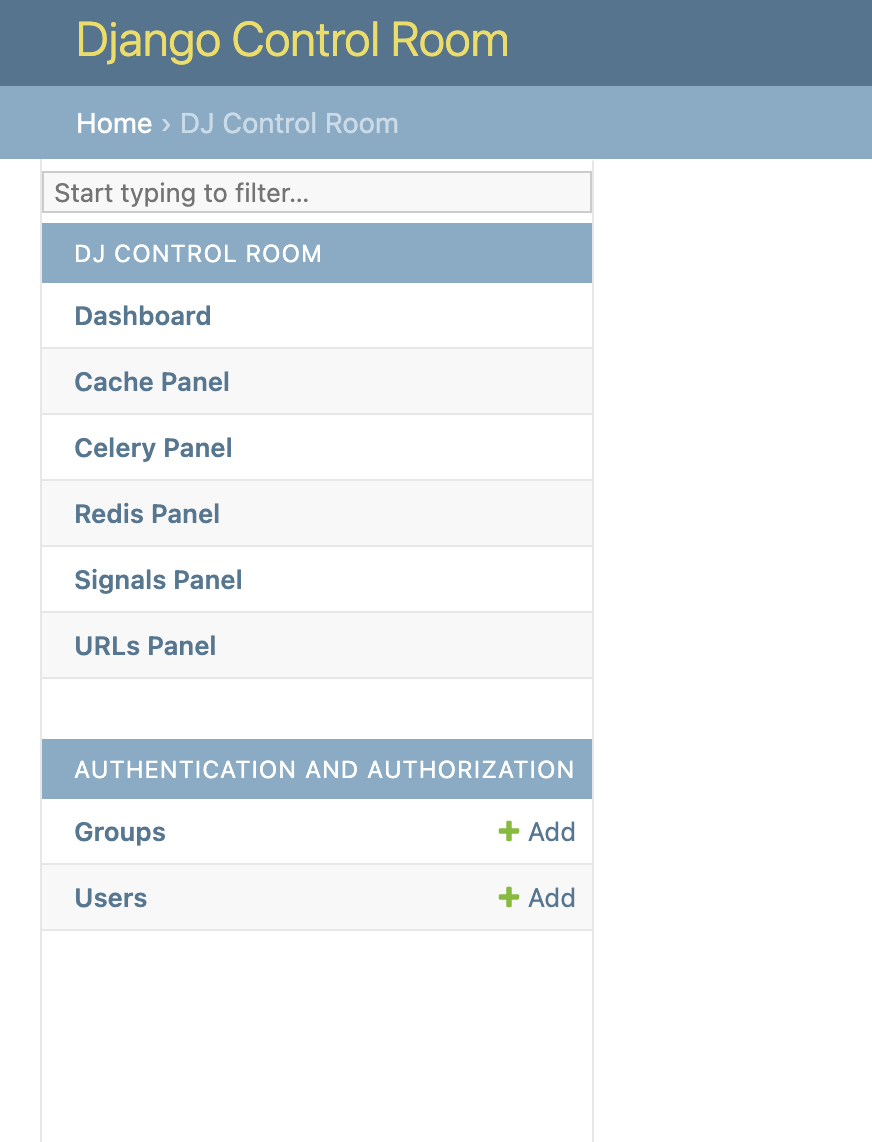
All installed panels appear in the Django admin sidebar under "DJ Control Room":
Control Sidebar Behavior (Optional)
# settings.py
DJ_CONTROL_ROOM_SETTINGS = {
    # Global: Show panels in both Control Room and their own sections
    'REGISTER_PANELS_IN_ADMIN': False,  # Default: False

    # Per-panel: Override for specific panels
    'PANEL_ADMIN_REGISTRATION': {
        'dj_redis_panel': True,   # Redis in both places
        'dj_cache_panel': False,  # Cache only in Control Room
    }
}
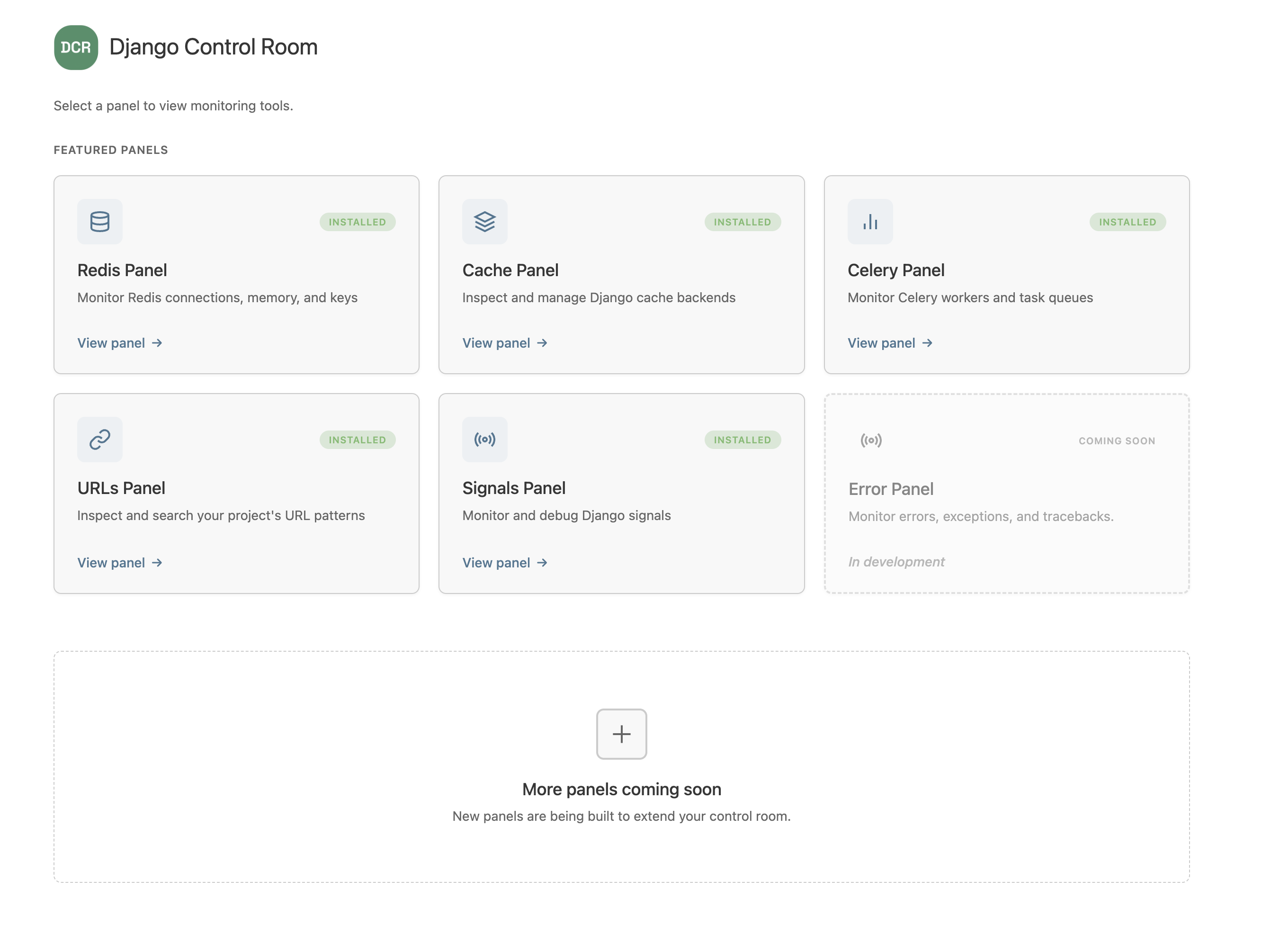
Official Panels
Available Now
| Panel | Description | Install |
|---|---|---|
| Redis Panel | Monitor connections, inspect keys, view memory usage | pip install dj-redis-panel |
| Cache Panel | Inspect cache entries, view hit/miss ratios | pip install dj-cache-panel |
| URLs Panel | Browse URL patterns, test resolvers | pip install dj-urls-panel |
| Celery Panel | Monitor workers, track task queues | pip install dj-celery-panel |
Coming Soon
| Panel | Description | Status |
|---|---|---|
| Signals Panel | Inspect Django signals, debug connections | In Development |
| Error Panel | Monitor errors, exceptions, and tracebacks | In Development |
Creating Custom Panels
Want to create your own panel? It's easy!
# my_panel/panel.py
class MyPanel:
    id = "my_panel"
    name = "My Panel"
    description = "My awesome panel"
    icon = "chart"

    def get_url_name(self):
        return "index"
# pyproject.toml
[project.entry-points."dj_control_room.panels"]
my_panel = "my_panel.panel:MyPanel"
See our Creating Panels Guide for full documentation.
Security
DJ Control Room includes built-in security features:
- Package Verification - Featured panels are verified by package origin
- Staff-Only Access - Requires Django staff/superuser permissions
- No Malicious Hijacking - Prevents panels from impersonating official packages
Documentation
Full documentation is available at: https://yassi.github.io/dj-control-room/
Requirements
- Python 3.9+
- Django 4.2+
Contributing
We welcome contributions! Please see our Contributing Guide for details.
License
This project is licensed under the MIT License - see the LICENSE file for details.
Credits
Created by Yasser Toruno
Release history Release notifications | RSS feed


Download files
Download the file for your platform. If you're not sure which to choose, learn more about installing packages.
Source Distribution
Built Distribution
Filter files by name, interpreter, ABI, and platform.
If you're not sure about the file name format, learn more about wheel file names.
Copy a direct link to the current filters
File details
Details for the file dj_control_room-0.2.0.tar.gz.
File metadata
- Download URL: dj_control_room-0.2.0.tar.gz
- Upload date:
- Size: 1.4 MB
- Tags: Source
- Uploaded using Trusted Publishing? No
- Uploaded via: twine/6.1.0 CPython/3.9.7
File hashes
| Algorithm | Hash digest | |
|---|---|---|
| SHA256 |
af67fb35c44c49aa3a3f8c7e52fc769e41a1216fb1d95a719f4a71409d1b8431
|
|
| MD5 |
736ed9a4a8dc4e047f5a3c38ab410b61
|
|
| BLAKE2b-256 |
9bfede69f042a60668e7065adcd95023b6c43c4f36886197c44da760018697ec
|
File details
Details for the file dj_control_room-0.2.0-py3-none-any.whl.
File metadata
- Download URL: dj_control_room-0.2.0-py3-none-any.whl
- Upload date:
- Size: 1.4 MB
- Tags: Python 3
- Uploaded using Trusted Publishing? No
- Uploaded via: twine/6.1.0 CPython/3.9.7
File hashes
| Algorithm | Hash digest | |
|---|---|---|
| SHA256 |
bf5d0cae857bb2f009eea062d982fc3d7f800cd1802e41c3aaaaa8836f15e18d
|
|
| MD5 |
7cc02719c39b0083d9640af7989a5b95
|
|
| BLAKE2b-256 |
0378a25013db675850da92e66a6393a05d9fcc07d4a751d4e0a89206da45e619
|






