







Django Redis Panel
A Django Admin panel for browsing, inspecting, and managing Redis keys. No postgres/mysql models or changes required.
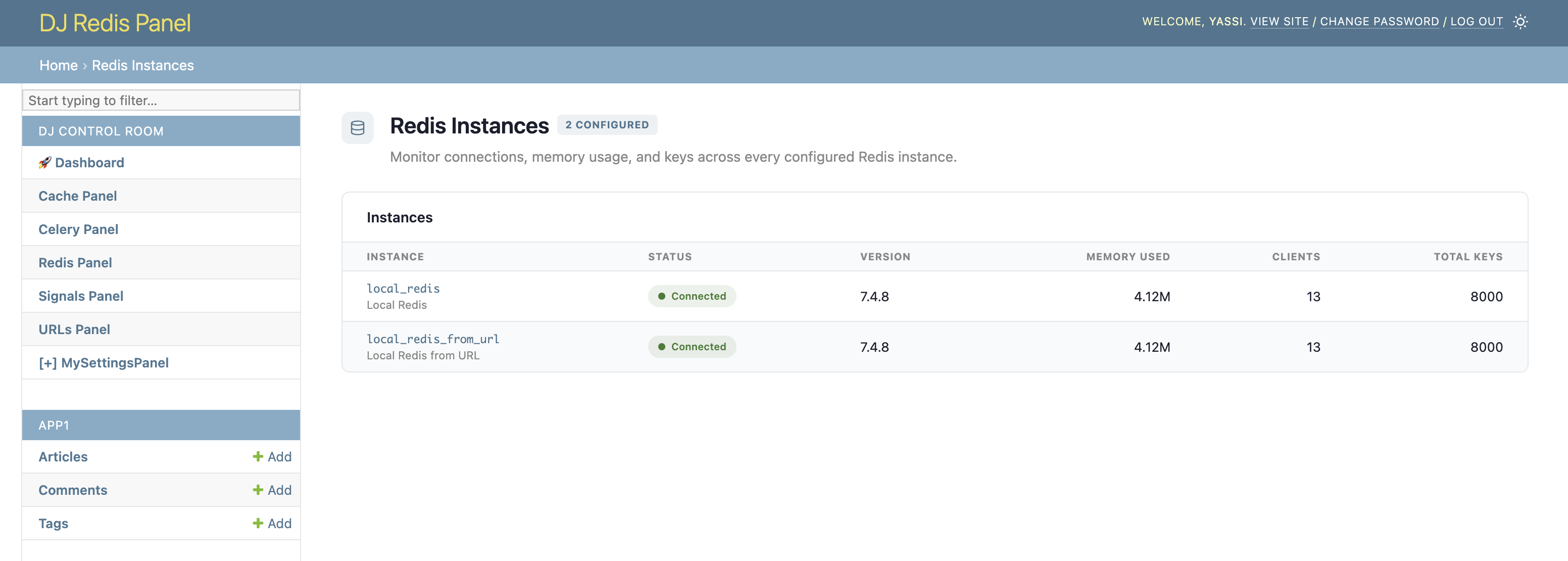
Compatible with dj-control-room. Register this panel in the Control Room to manage it from a centralized dashboard.
- Official site: djangocontrolroom.com
- Project repo: dj-control-room
Docs
https://django-control-room.github.io/dj-redis-panel/
Features
- Browse Redis Keys: Search and filter Redis keys with pattern matching
- Instance Overview: Monitor Redis instance metrics and database statistics
- Key Management: View, edit, and delete Redis keys with support for all data types (String, List, Set, Hash, Sorted Set), including binary data
- Feature Toggles: Granular control over operations (delete, edit, TTL updates)
- Pagination: Both traditional page-based and cursor-based pagination support
- Django Admin Integration: Seamless integration with Django admin styling and dark mode
- Permission Control: Respects Django admin permissions and staff-only access
- Multiple Instances: Support for multiple Redis instances with different configurations
Requirements
- Python 3.9+
- Django 4.2+
- Redis 4.0+
- redis-py 4.0+
Screenshots
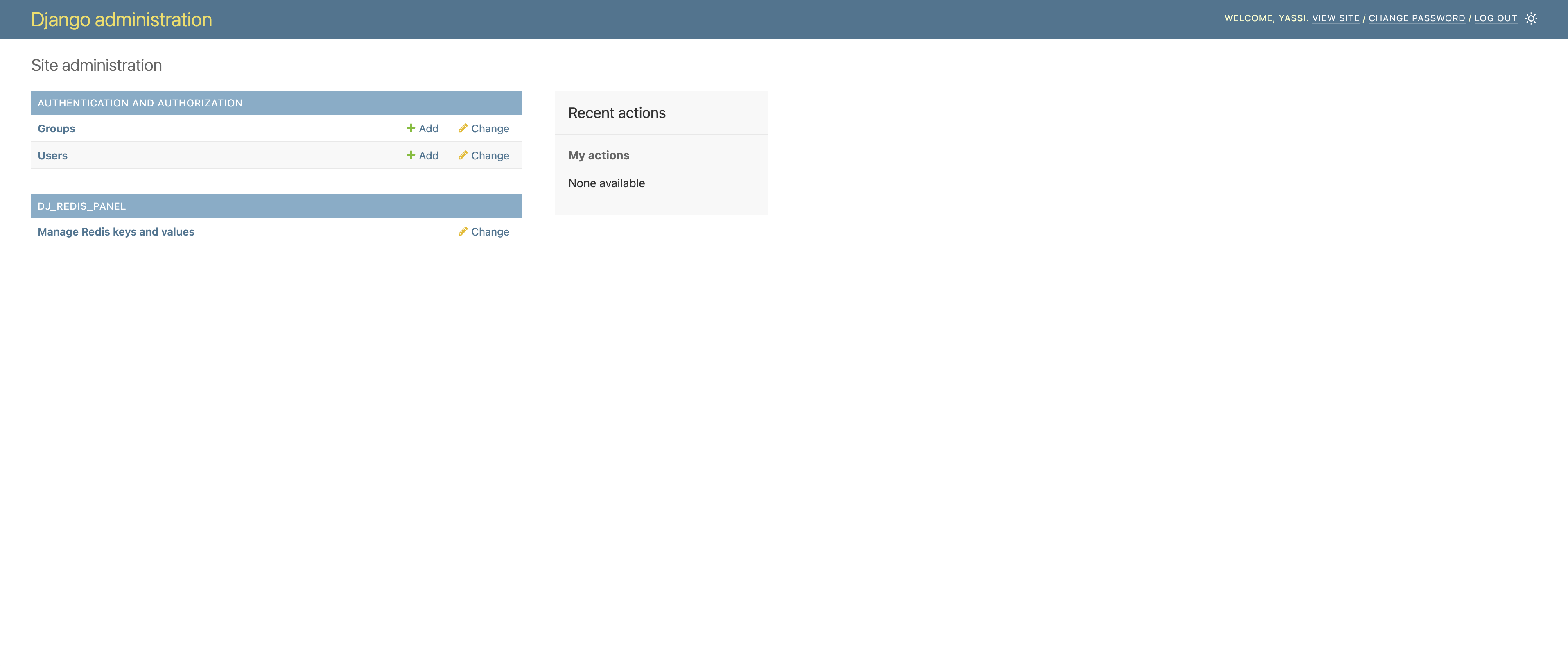
Django Admin Integration
Seamlessly integrated into your Django admin interface. A new section for dj-redis-panel will appear in the same places where your models appear.
NOTE: This application does not actually introduce any model or migrations.
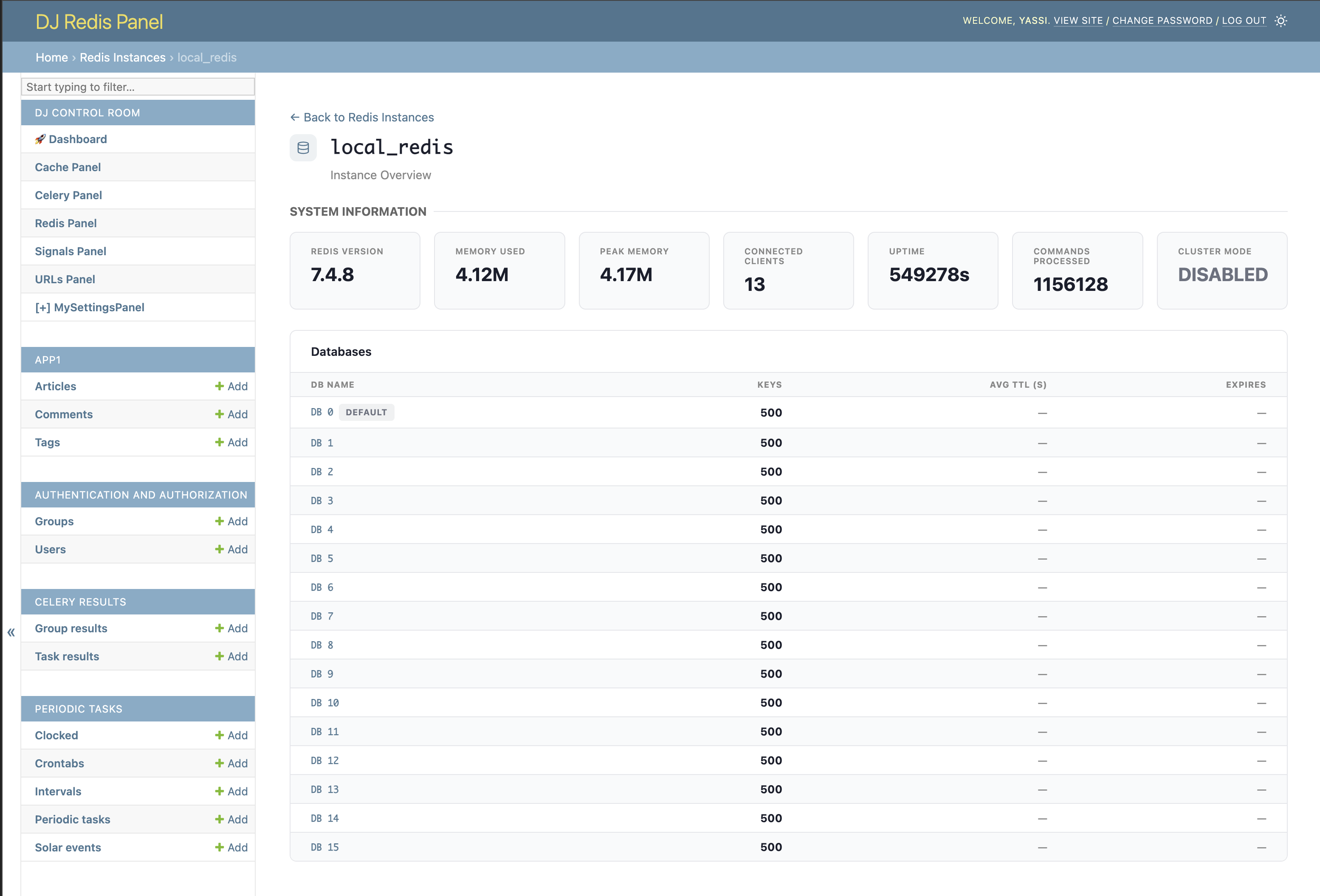
Instance Overview
Monitor your Redis instances with detailed metrics and database information.
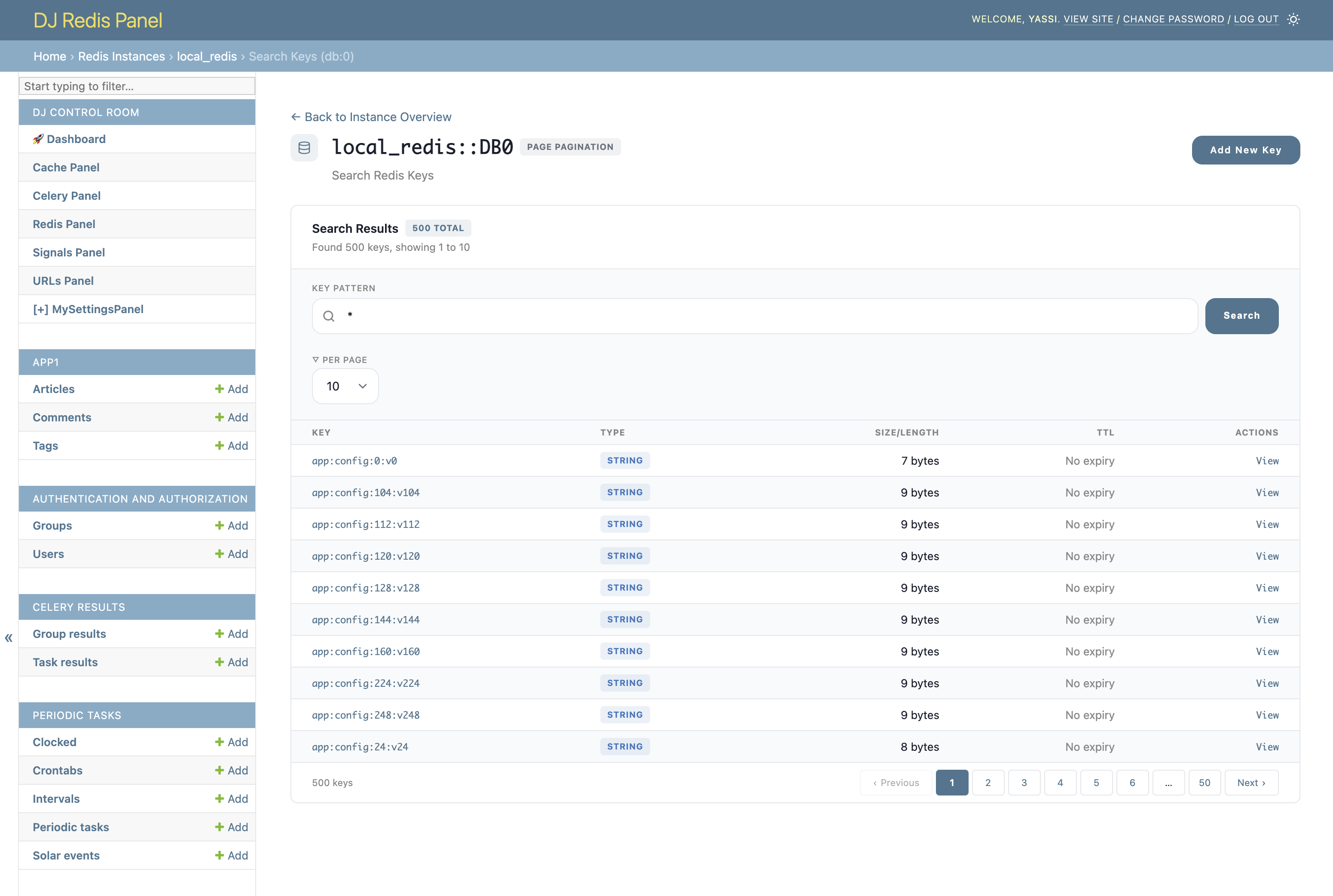
Key Search - Page-based Pagination
Search for keys with traditional page-based navigation.
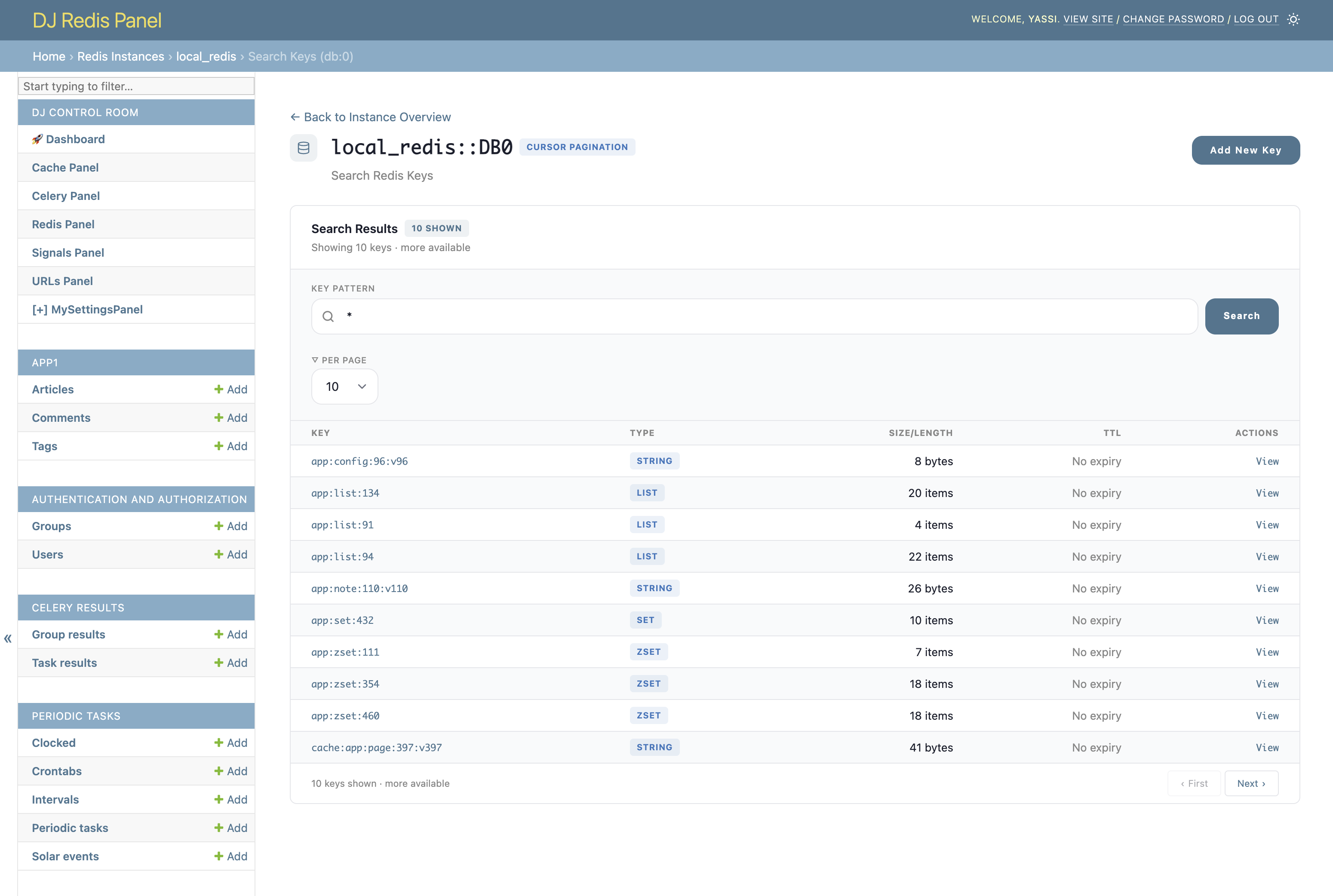
Key Search - Cursor-based Pagination
Efficient cursor-based pagination for large datasets.
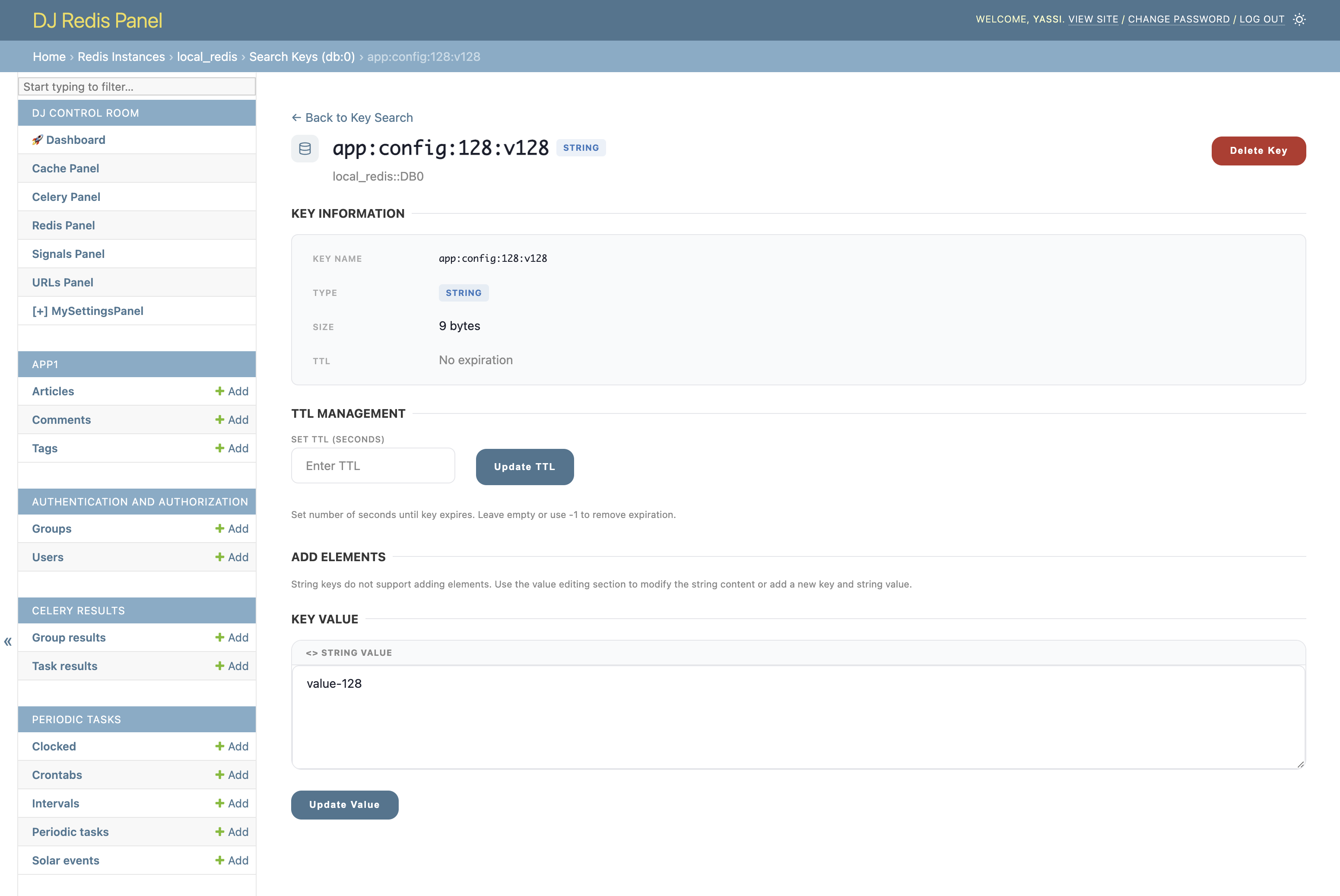
Key Detail - String Values
View and edit string key values with TTL management.
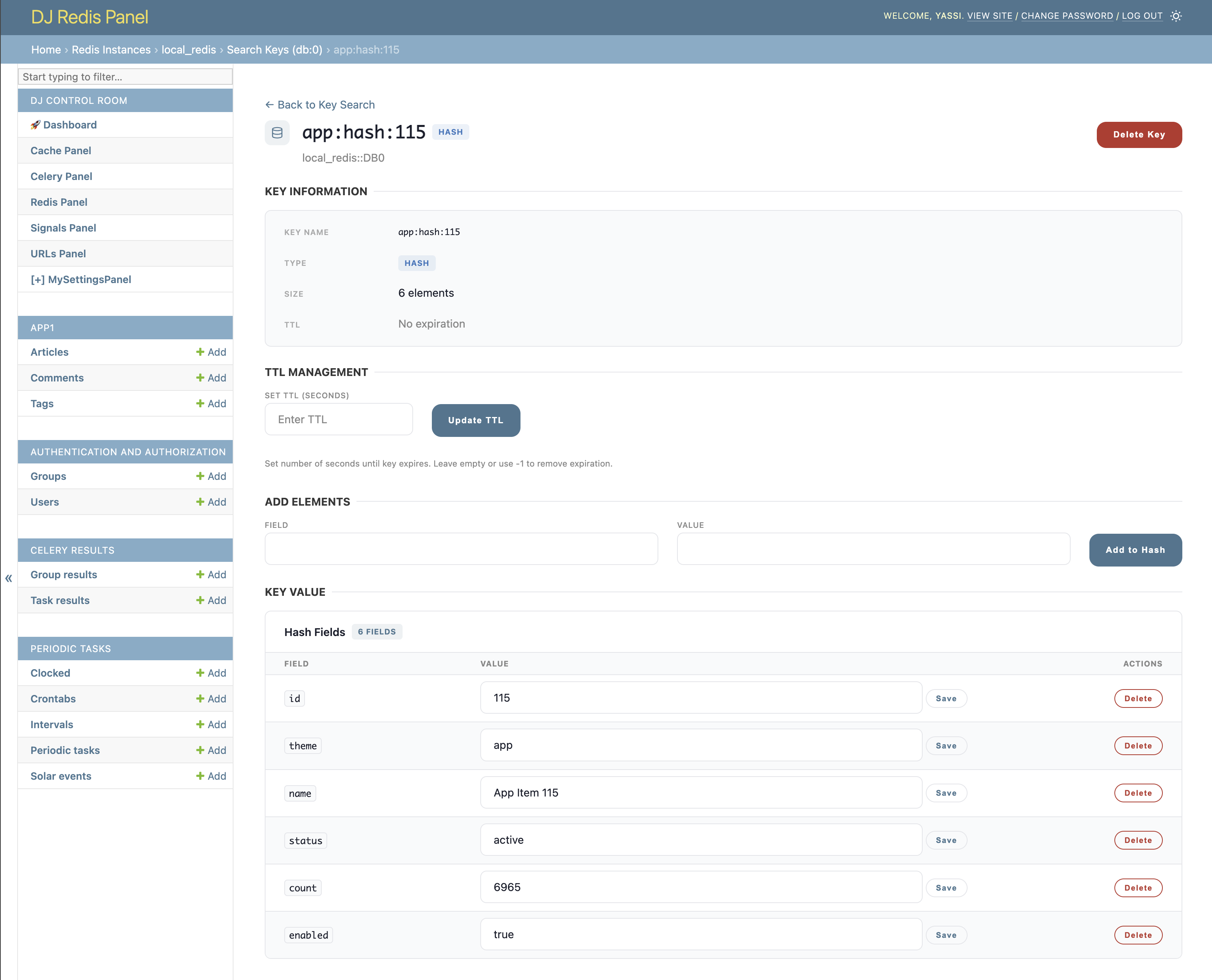
Key Detail - Other data structures
Browse keys with more complex data structures such as hashes, lists, etc.
Installation
pip install dj-redis-panel dj-control-room
Add it to INSTALLED_APPS, include its URLs, and migrate:
INSTALLED_APPS = [
    # ...
    'dj_control_room_base',
    'dj_redis_panel',
    'dj_control_room',
    # ...
]
urlpatterns = [
    path('admin/dj-control-room-base/', include('dj_control_room_base.urls')),
    path('admin/dj-redis-panel/', include('dj_redis_panel.urls')),
    path('admin/dj-control-room/', include('dj_control_room.urls')),
    path('admin/', admin.site.urls),
]
You'll also need at least one Redis instance configured under DJ_REDIS_PANEL_SETTINGS["INSTANCES"] - see Configuration for the full settings reference (feature flags, pagination, cluster/SSL connections).
python manage.py migrate
Then visit /admin/ and look for the "DJ REDIS PANEL" section.
For the full walkthrough and production recommendations, see the Installation and Configuration docs. See Scopes for per-view permission scopes.
License
This project is licensed under the MIT License. See the LICENSE file for details.
Contributing
Want to contribute or set up the project for local development? See Contributing for prerequisites, Docker/virtualenv setup, running the example project, and the test suite.
1 maintainer

Metadata
1 maintainer
Release files for dj-redis-panel 0.10.0
For a detailed explanation of source distributions (sdists) and built distributions (wheels), please see the package formats documentation.
Source distribution (sdist)
| File | Size | Uploaded | Provenance | |
|---|---|---|---|---|
| dj_redis_panel-0.10.0.tar.gz | 55.1 kB | With provenance | Details |
Built distribution (wheel)
| File | Interpreter | ABI | Platform | Reset |
|---|---|---|---|---|
| dj_redis_panel-0.10.0-py3-none-any.whl | Python 3 | none | any | Details |
Total release size: 97.2 kB
Release files / dj_redis_panel-0.10.0.tar.gz
| Download URL | dj_redis_panel-0.10.0.tar.gz |
|---|---|
| Size | 55.1 kB |
| Tags | Source |
|
SHA-256 checksum How to use checksums |
533d91e89c21ff846527e189707a7e408eda01bba3765f77a1464d36e2486b36
|
|
BLAKE2b-256 checksum How to use checksums |
861cc0101ce59bc5cc4efdb86ebf1132943885c570ba1340d299776c086765e5
|
| Upload date | |
|
Uploaded using Trusted Publishing? What is trusted publishing? |
Yes |
| Uploaded via |
twine/7.0.0 CPython/3.13.14
|
Provenance
Provenance describes where a file came from. On PyPI, provenance is shared via attestations, which provide a verifiable record of the build or publishing details. View details, limitations and caveats.


PyPI Publish Attestation
PyPI verified that this artifact, at this checksum, originated from the publisher listed below.
Signed by GitHub Actions, verified by PyPI on Aug 11, 2026.
Transparency logRelease files / dj_redis_panel-0.10.0-py3-none-any.whl
| Download URL | dj_redis_panel-0.10.0-py3-none-any.whl |
|---|---|
| Size | 42.1 kB |
| Tags | Python 3 |
|
SHA-256 checksum How to use checksums |
ef7f2f5897d86a1172c36206b437a04713ec73793934d81e480e549fe0861033
|
|
BLAKE2b-256 checksum How to use checksums |
8a6bf00964df716dbd43ec798418462cc1d467b272907ac45ae8549f408a272d
|
| Upload date | |
|
Uploaded using Trusted Publishing? What is trusted publishing? |
Yes |
| Uploaded via |
twine/7.0.0 CPython/3.13.14
|
Provenance
Provenance describes where a file came from. On PyPI, provenance is shared via attestations, which provide a verifiable record of the build or publishing details. View details, limitations and caveats.
PyPI Publish Attestation
PyPI verified that this artifact, at this checksum, originated from the publisher listed below.
Signed by GitHub Actions, verified by PyPI on Aug 11, 2026.
Transparency logSecurity for dj-redis-panel 0.10.0
Provenance
Provenance describes where a file came from. On PyPI, provenance is shared via attestations, which provide a verifiable record of the build or publishing details. View details, limitations and caveats.
Full provenance
All 2 files in this release have been uploaded with provenance metadata.
Attestation for dj_redis_panel-0.10.0.tar.gz
PyPI Publish Attestation
PyPI verified that this artifact, at this checksum, originated from the publisher listed below.
Signed by GitHub Actions, verified by PyPI on Aug 11, 2026.
Transparency logA note on package security
PyPI is a repository for distributing packages, not a service for auditing them. While third-party security researchers and our staff do their best to detect and remove malicious packages, PyPI cannot guarantee the quality, security or suitability of any given package.














