












django-admin-interface
django-admin-interface is a modern responsive flat admin interface customizable by the admin itself.
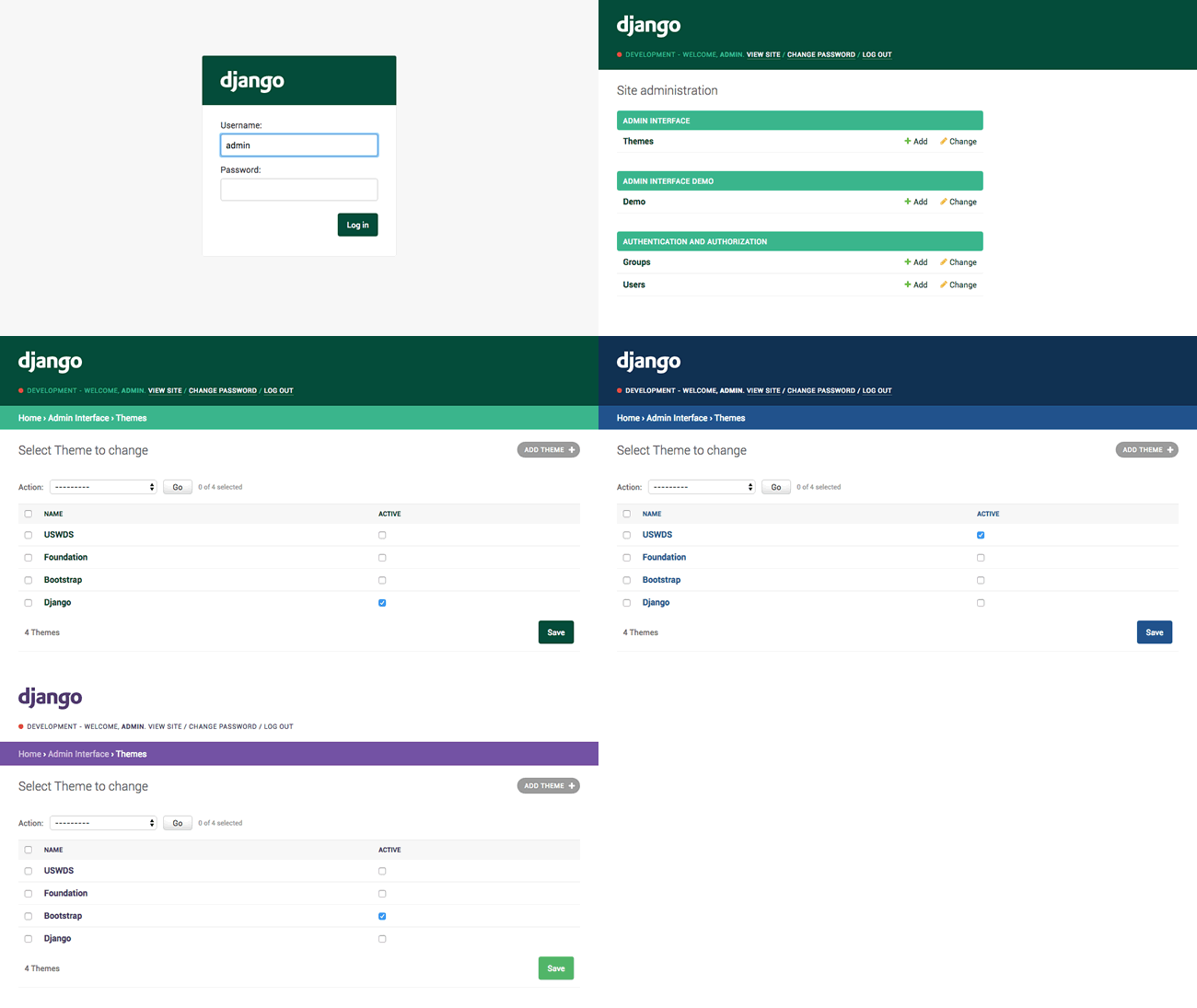
Features
- Beautiful default django-theme
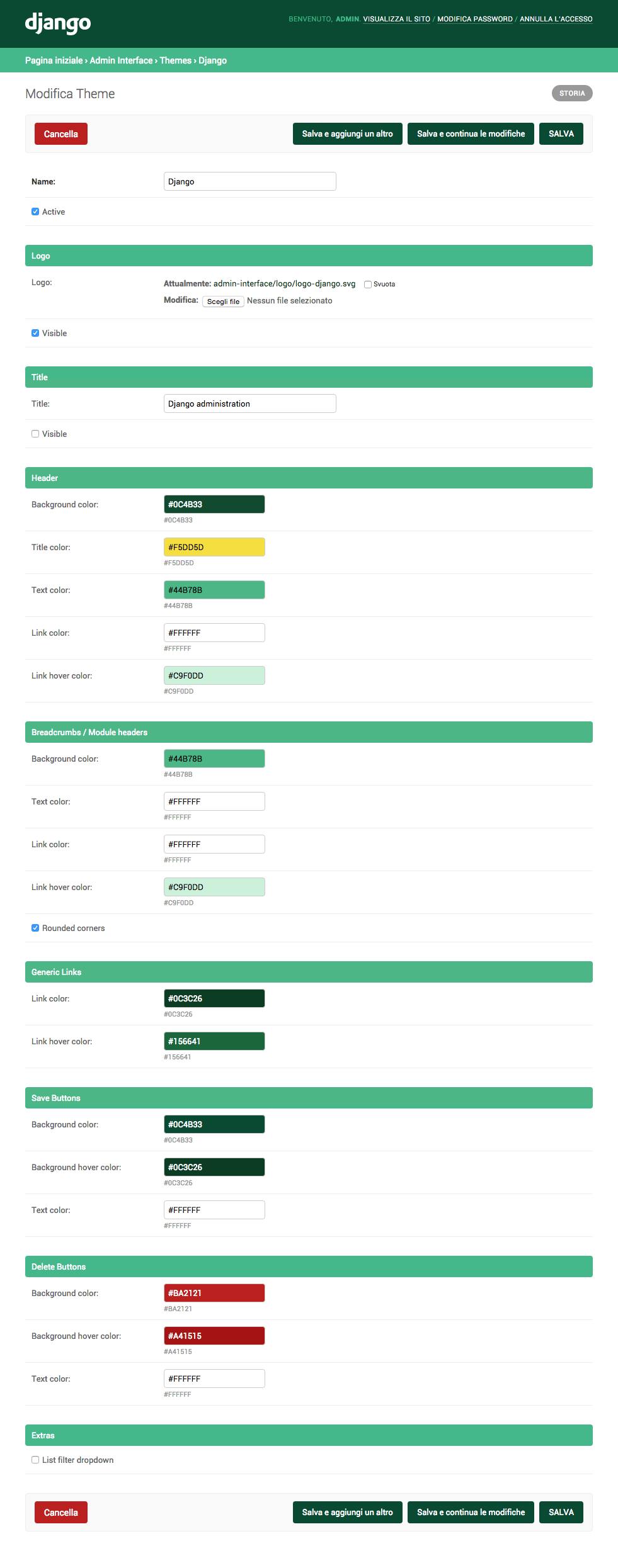
- Themes management and customization (you can customize admin title, logo and colors)
- Responsive
- Related modal (instead of the old popup window)
- Environment name/marker
- Language chooser
- Foldable apps (accordions in the navigation bar)
- Collapsible fieldsets can have their initial state expanded instead of collapsed
NEWCollapsible inlinesNEWTabbed fieldsets and inlinesNEWList filter removal linksNEWList filter highlight selected options- List filter dropdown
- List filter sticky
- Form controls sticky (actions, pagination and save/delete buttons)
- Compatibility / style optimizations for:
django-ckeditordjango-dynamic-raw-iddjango-json-widgetdjango-modeltranslationdjango-rangefilterdjango-streamfielddjango-tabbed-adminsorl-thumbnail
- Translated in many languages:
ar,de,es,fa,fr,it,pl,pt_BR,ru,tr
Installation
- Run
pip install django-admin-interface - Add
admin_interfaceandcolorfieldtosettings.INSTALLED_APPSbeforedjango.contrib.admin
INSTALLED_APPS = (
    #...
    "admin_interface",
    "colorfield",
    #...
    "django.contrib.admin",
    #...
)

X_FRAME_OPTIONS = "SAMEORIGIN"
SILENCED_SYSTEM_CHECKS = ["security.W019"]
- Run
python manage.py migrate - Run
python manage.py collectstatic --clear - Restart your application server
Optional features
To make a fieldset start expanded with a Hide button to collapse, add the class "expanded" to its classes:
class MyModelAdmin(admin.ModelAdmin):
    # ...
    fieldsets = [
        ("Section title", {
            "classes": ("collapse", "expanded"),
            "fields": (...),
        }),
    ]
    # ...
Optional themes
This package ships with optional themes as fixtures, they can be installed using the loaddata admin command. Optional themes are activated on installation.
Django theme (default):
Run python manage.py loaddata admin_interface_theme_django.json
Bootstrap theme:
Run python manage.py loaddata admin_interface_theme_bootstrap.json
Foundation theme:
Run python manage.py loaddata admin_interface_theme_foundation.json
U.S. Web Design Standards theme:
Run python manage.py loaddata admin_interface_theme_uswds.json
Add more themes
You can add a theme you've created through the admin to this repository by sending us a PR. Here are the steps to follow to add:
-
Export your exact theme as fixture using the
dumpdataadmin command:python manage.py dumpdata admin_interface.Theme --indent 4 -o admin_interface_theme_{{name}}.json --pks=N -
Copy the generated json file into the fixtures folder (making sure its name starts with
admin_interface_theme_to avoid clashes with fixtures that might be provided by other third party apps). -
Remove the
pkfrom the fixture and make sure theactivefield is set totrue(in this way a theme is automatically activated when installed). -
Edit the section above to document your theme.
Add theme support to third-party libraries
You can add theme support to existing third-party libraries using the following CSS variables:
Header
--admin-interface-header-background-color--admin-interface-header-text-color--admin-interface-header-link-color--admin-interface-header-link_hover-color--admin-interface-title-color--admin-interface-env-color
Logo
--admin-interface-logo-color--admin-interface-logo-default-background-image--admin-interface-logo-max-width--admin-interface-logo-max-height
Modules / Links
--admin-interface-module-background-color--admin-interface-module-background-selected-color--admin-interface-module-border-radius--admin-interface-module-text-color--admin-interface-module-link-color--admin-interface-module-link-selected-color--admin-interface-module-link-hover-color--admin-interface-generic-link-color--admin-interface-generic-link-hover-color--admin-interface-generic-link-active-color
Buttons
--admin-interface-save-button-background-color--admin-interface-save-button-background-hover-color--admin-interface-save-button-text-color--admin-interface-delete-button-background-color--admin-interface-delete-button-background-hover-color--admin-interface-delete-button-text-color
Related Modal
--admin-interface-related-modal-background-color--admin-interface-related-modal-background-opacity--admin-interface-related-modal-border-radius--admin-interface-related-modal-close-button-display
Screenshots
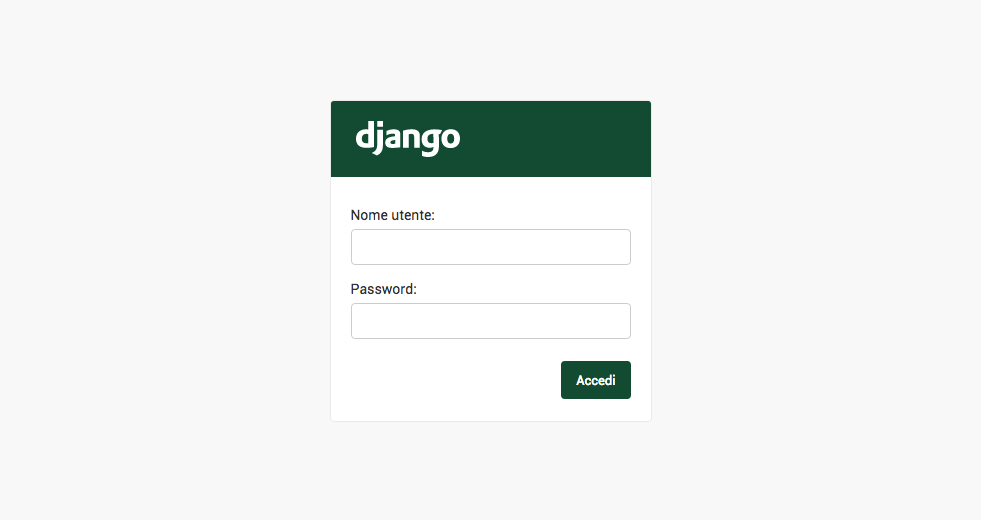
Admin login
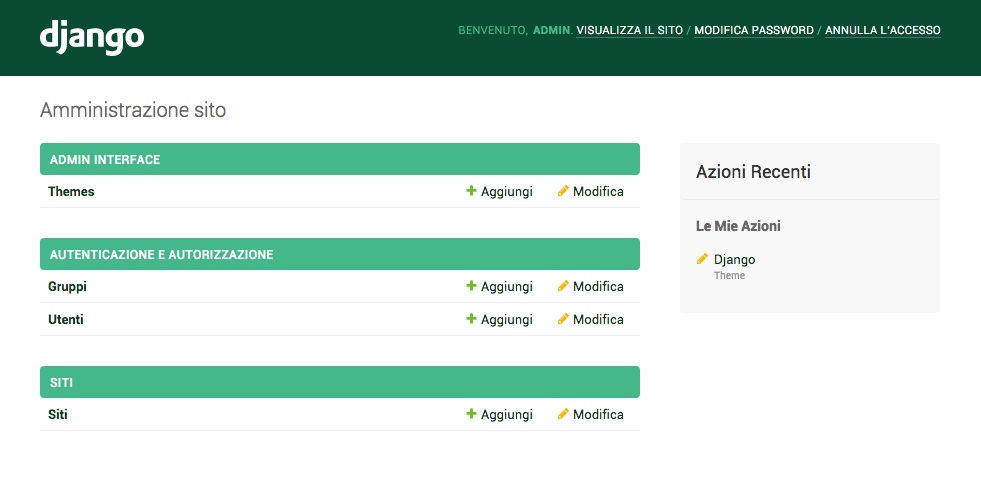
Admin dashboard
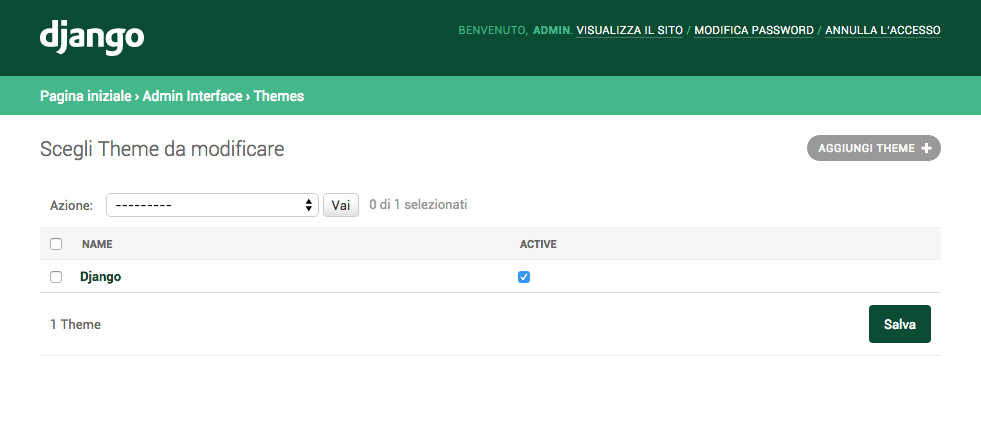
Admin themes management
Admin theme customization
Localization
At the moment, this package has been translated into the following languages: de, es, fa, fr, it, pl, pt_BR, tr.
Translate into another language
-
Run
python -m django makemessages --ignore ".tox" --ignore "venv" --add-location "file" --extension "html,py" --locale "it"(example for Italian localization) -
Update translations in
admin_interface/locale/it/LC_MESSAGES/django.po -
Run
python -m django compilemessages --ignore ".tox" --ignore "venv"
Update translations
If you do some changes to the project, remember to update translations, because if the translations files are not up-to-date, the lint step in the CI will fail:
- Run
tox -e translations
Caching
This package uses caching to improve theme load time and overall performance.
You can customise the app caching options using settings.CACHES["admin_interface"] setting, otherwise the "default" cache will be used:
CACHES = {
    # ...
    "admin_interface": {
        "BACKEND": "django.core.cache.backends.locmem.LocMemCache",
        "TIMEOUT": 60 * 5,
    },
    # ...
}
FAQ
Custom base-site.html
I already have a custom
base_site.html, how can I make it work?
You can use django-apptemplates, then add {% extends "admin_interface:admin/base_site.html" %} to your base_site.html
Custom LocaleMiddleware warning
I'm using a
django.middleware.locale.LocaleMiddlewaresubclass, but I see an unnecessary warning for missingdjango.middleware.locale.LocaleMiddleware, what can I do?
You can simply ignore the warning (this has been discussed here)
import warnings

warnings.filterwarnings("ignore", module="admin_interface.templatetags.admin_interface_tags")
Language Chooser not showing
I have enabled the Language Chooser, but it is not visible in the admin, what should I do?
You must configure multilanguage settings and urls correctly:
LANGUAGES = (
    ("en", _("English")),
    ("it", _("Italiano")),
    ("fr", _("Français")),
    # more than one language is expected here
)
LANGUAGE_CODE = "en"
USE_I18N = True
MIDDLEWARE = [
    # ...
    "django.middleware.locale.LocaleMiddleware",
    # ...
]
from django.conf.urls.i18n import i18n_patterns
from django.contrib import admin
from django.urls import include, path

# ...

urlpatterns = [
    path("i18n/", include("django.conf.urls.i18n")),
]
urlpatterns += i18n_patterns(path("admin/", admin.site.urls))
Open any url in modal window
I have an application with some cross-links in the admin and I would like to open them in modal windows instead of same/new window, how can I do?
You just need to add _popup=1 query-string parameter to the urls:
url = reverse(f"admin:myapp_mymodel_change", args=[mymodel_instance.pk])
url = f"{url}?_popup=1"
Testing
# clone repository
git clone https://github.com/fabiocaccamo/django-admin-interface.git && cd django-admin-interface

# create virtualenv and activate it
python -m venv venv && . venv/bin/activate

# upgrade pip
python -m pip install --upgrade pip

# install requirements
pip install -r requirements.txt -r requirements-test.txt

# install pre-commit to run formatters and linters
pre-commit install --install-hooks

# run tests
tox
# or
python runtests.py
# or
python -m django test --settings "tests.settings"
Contributing
Contributions are always welcome, please follow these steps for submitting good quality PRs:
- ❗ Open an issue, please don't submit any PR that doesn't refer to an existing issue.
- 💻 Work on changes, changes should preferably be covered by tests to avoid regressions in the future.
- 🌐 Update the translations files.
- 🧪 Run tests ensuring that there are no errors.
- 📥 Submit a pull-request and mark it as "Ready for review" only if it passes the
CI.
License
Released under MIT License.
Supporting
- ⭐ Star this project on GitHub
- :octocat: Follow me on GitHub
- 💙 Follow me on Bluesky
- 💰 Sponsor me on Github
See also
-
django-cache-cleaner- clear the entire cache or individual caches easily using the admin panel or management command. 🧹✨ -
django-colorfield- simple color field for models with a nice color-picker in the admin. 🎨 -
django-email-validators- no more invalid or disposable emails in your database. ✉️ ✅ -
django-extra-settings- config and manage typed extra settings using just the django admin. ⚙️ -
django-maintenance-mode- shows a 503 error page when maintenance-mode is on. 🚧 🛠️ -
django-redirects- redirects with full control. ↪️ -
django-treenode- probably the best abstract model / admin for your tree based stuff. 🌳 -
python-benedict- dict subclass with keylist/keypath support, I/O shortcuts (base64, csv, json, pickle, plist, query-string, toml, xml, yaml) and many utilities. 📘 -
python-codicefiscale- encode/decode Italian fiscal codes - codifica/decodifica del Codice Fiscale. 🇮🇹 💳 -
python-fontbro- friendly font operations. 🧢 -
python-fsutil- file-system utilities for lazy devs. 🧟♂️
1 maintainer

Metadata
1 maintainer
Release files for django-admin-interface 0.32.0
For a detailed explanation of source distributions (sdists) and built distributions (wheels), please see the package formats documentation.
Source distribution (sdist)
| File | Size | Uploaded | Provenance | Actions |
|---|---|---|---|---|
| django_admin_interface-0.32.0.tar.gz | 201.1 kB | With provenance | Details for django_admin_interface-0.32.0.tar.gz |
Built distribution (wheel)
| File | Interpreter | ABI | Platform | Actions Reset |
|---|---|---|---|---|
| django_admin_interface-0.32.0-py3-none-any.whl | Python 3 | none | any | Details for django_admin_interface-0.32.0-py3-none-any.whl |
Total release size: 467.4 kB
Release files / django_admin_interface-0.32.0.tar.gz
| Download URL | django_admin_interface-0.32.0.tar.gz |
|---|---|
| Size | 201.1 kB |
| Tags | Source |
|
SHA-256 checksum How to use checksums |
d0e80e382a7084ff59d0ba06934d6690fb6c04bb5327574f4c03b602fe41219c
|
|
BLAKE2b-256 checksum How to use checksums |
3e09d0b1a037bb11dc0d50e610e5f2818caa0eded9285aae0963703655692820
|
| Upload date | |
|
Uploaded using Trusted Publishing? What is trusted publishing? |
Yes |
| Uploaded via |
twine/6.1.0 CPython/3.13.7
|
Provenance
Provenance describes where a file came from. On PyPI, provenance is shared via attestations, which provide a verifiable record of the build or publishing details. View details, limitations and caveats.


PyPI Publish Attestation
PyPI verified that this artifact, at this checksum, originated from the publisher listed below.
Signed by GitHub Actions, verified by PyPI on Dec 19, 2025.
Transparency logRelease files / django_admin_interface-0.32.0-py3-none-any.whl
| Download URL | django_admin_interface-0.32.0-py3-none-any.whl |
|---|---|
| Size | 266.3 kB |
| Tags | Python 3 |
|
SHA-256 checksum How to use checksums |
f3684cfb857c12dd0befc95d5d45ac8a04840d54ad7d5920a9a10f3606e1bdcf
|
|
BLAKE2b-256 checksum How to use checksums |
fd853d5fbe90a1b52bbc650986e9a24284f2ad20eec8cd59cb99ba96a645d76f
|
| Upload date | |
|
Uploaded using Trusted Publishing? What is trusted publishing? |
Yes |
| Uploaded via |
twine/6.1.0 CPython/3.13.7
|
Provenance
Provenance describes where a file came from. On PyPI, provenance is shared via attestations, which provide a verifiable record of the build or publishing details. View details, limitations and caveats.
PyPI Publish Attestation
PyPI verified that this artifact, at this checksum, originated from the publisher listed below.
Signed by GitHub Actions, verified by PyPI on Dec 19, 2025.
Transparency logSecurity for django-admin-interface 0.32.0
Provenance
Provenance describes where a file came from. On PyPI, provenance is shared via attestations, which provide a verifiable record of the build or publishing details. View details, limitations and caveats.
Full provenance
All 2 files in this release have been uploaded with provenance metadata.
Attestation for django_admin_interface-0.32.0.tar.gz
PyPI Publish Attestation
PyPI verified that this artifact, at this checksum, originated from the publisher listed below.
Signed by GitHub Actions, verified by PyPI on Dec 19, 2025.
Transparency logA note on package security
PyPI is a repository for distributing packages, not a service for auditing them. While third-party security researchers and our staff do their best to detect and remove malicious packages, PyPI cannot guarantee the quality, security or suitability of any given package.
To learn more about protecting yourself from malicious actors, visit our package security documentation.














