
django-admin-interface is a modern responsive flat admin interface customizable by the admin itself.

Project description











django-admin-interface
django-admin-interface is a modern responsive flat admin interface customizable by the admin itself.
Features
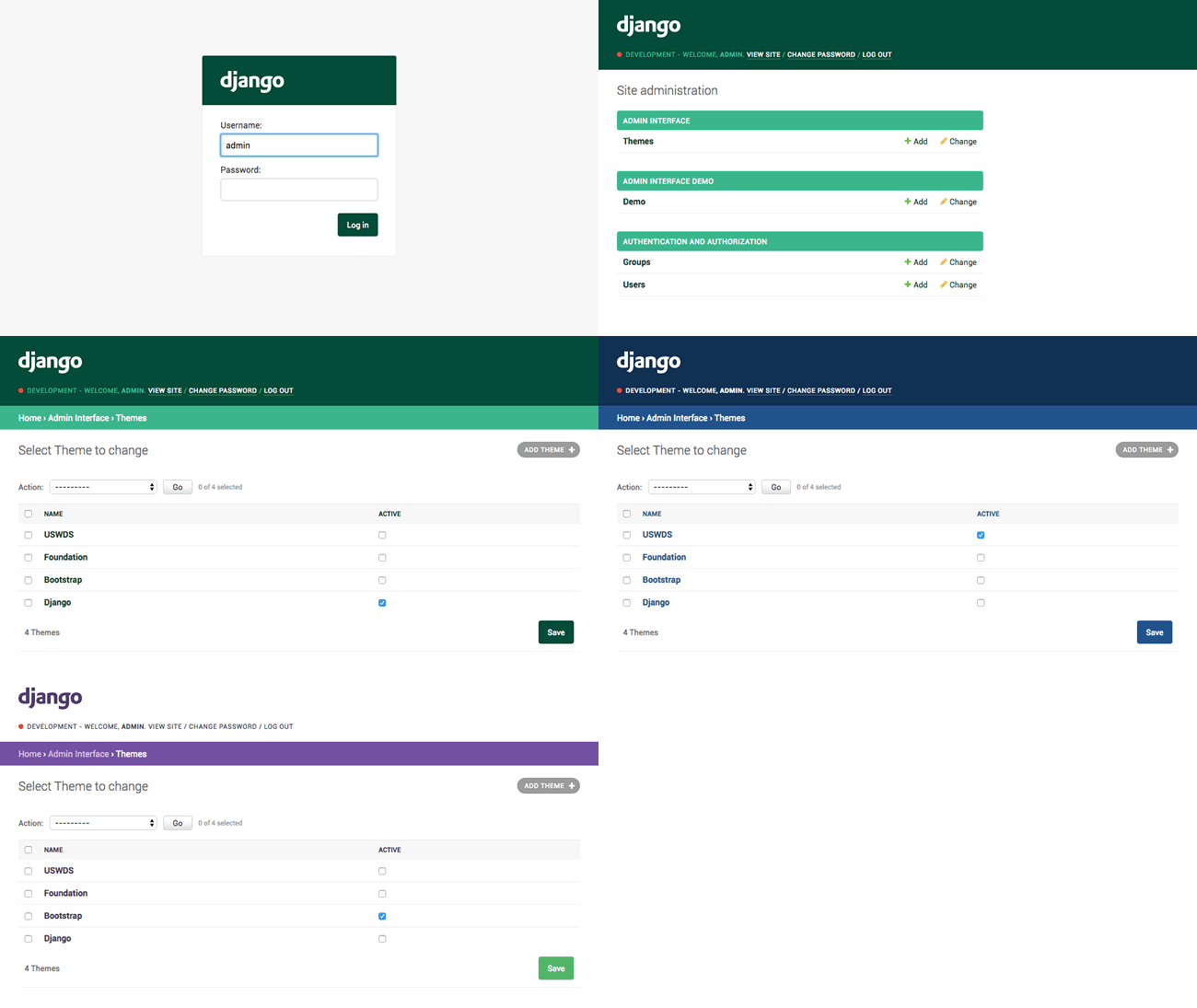
- Beautiful default django-theme
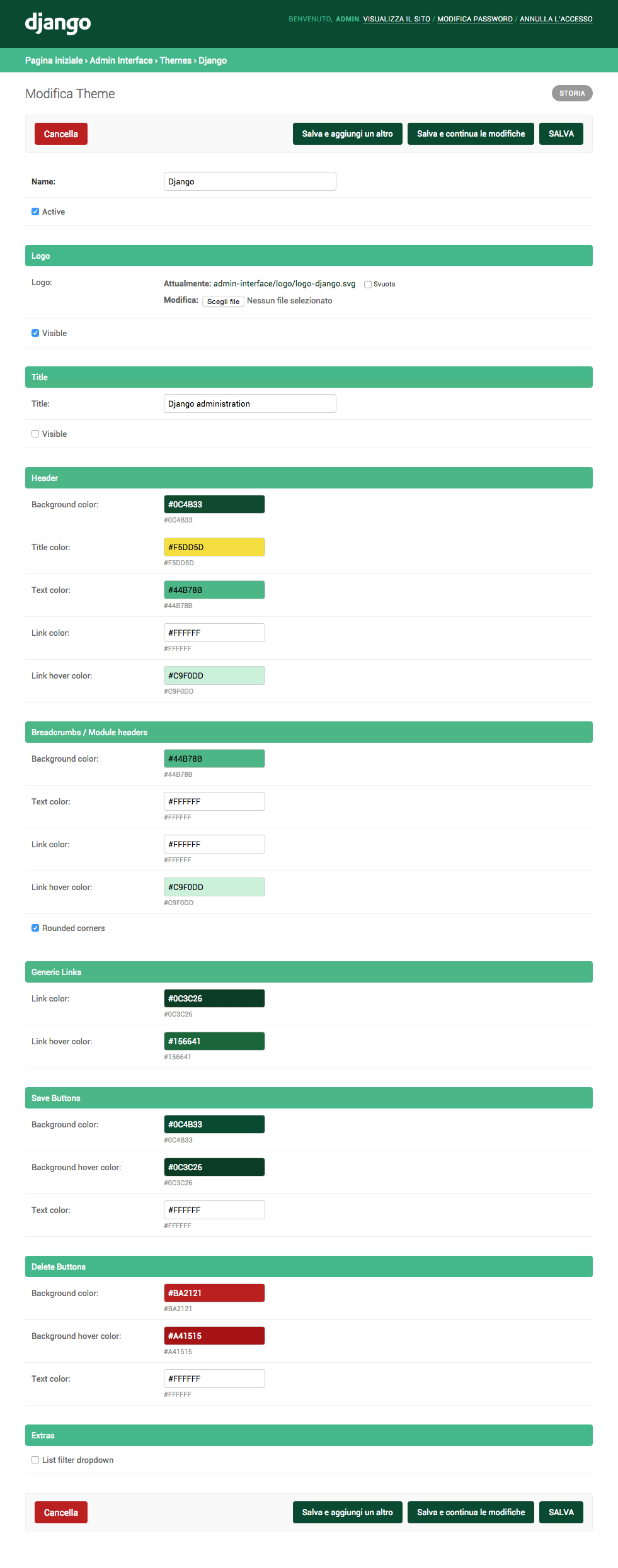
- Themes management and customization (you can customize admin title, logo and colors)
- Responsive
- Related modal (instead of the old popup window)
- Environment name/marker
- Language chooser
- List filter dropdown
NEWList filter stickyNEWForm controls sticky (pagination and save/delete buttons)- Compatibility / Style optimizations for:
django-ckeditordjango-dynamic-raw-iddjango-json-widgetdjango-modeltranslationdjango-tabbed-adminsorl-thumbnail
Installation
- Run
pip install django-admin-interface - Add
admin_interface,flat_responsive,flatandcolorfieldtosettings.INSTALLED_APPSbeforedjango.contrib.admin
INSTALLED_APPS = (
    #...
    'admin_interface',
    'flat_responsive', # only if django version < 2.0
    'flat', # only if django version < 1.9
    'colorfield',
    #...
    'django.contrib.admin',
    #...
)

# only if django version >= 3.0
X_FRAME_OPTIONS = 'SAMEORIGIN'
SILENCED_SYSTEM_CHECKS = ['security.W019']
- Run
python manage.py migrate - Run
python manage.py collectstatic - Restart your application server
Upgrade
- Run
pip install django-admin-interface --upgrade - Run
python manage.py migrate(add--fake-initialif you are upgrading from 0.1.0 version) - Run
python manage.py collectstatic --clear - Restart your application server
Optional themes
This package ships with optional themes as fixtures, they can be installed using the loaddata admin command. Optional themes are activated on installation.
Django theme (default):
Run python manage.py loaddata admin_interface_theme_django.json
Bootstrap theme:
Run python manage.py loaddata admin_interface_theme_bootstrap.json
Foundation theme:
Run python manage.py loaddata admin_interface_theme_foundation.json
U.S. Web Design Standards theme:
Run python manage.py loaddata admin_interface_theme_uswds.json
Add more themes
You can add a theme you've created through the admin to this repository by sending us a PR. Here are the steps to follow to add:
-
Export your exact theme as fixture using the
dumpdataadmin command:python manage.py dumpdata admin_interface.Theme --indent 4 -o admin_interface_theme_{{name}}.json --pks=N -
Copy the generated json file into the fixtures folder (making sure its name starts with
admin_interface_theme_to avoid clashes with fixtures that might be provided by other third party apps). -
Remove the
"pk"from the fixture and make sure theactivefield is set totrue(in this way a theme is automatically activated when installed). -
Edit the section above to document your theme.
Add theme support to third-party libraries
You can add theme support to existing third-party libraries using the following css variables:
--admin-interface-title-color--admin-interface-logo-color--admin-interface-env-color--admin-interface-header-background-color:--admin-interface-header-text-color--admin-interface-header-link-color--admin-interface-header-link_hover-color--admin-interface-module-background-color--admin-interface-module-background-selected-color--admin-interface-module-text-color--admin-interface-module-link-color--admin-interface-module-link-selected-color--admin-interface-module-link-hover-color--admin-interface-generic-link-color--admin-interface-generic-link-hover-color--admin-interface-save-button-background-color--admin-interface-save-button-background-hover-color--admin-interface-save-button-text-color--admin-interface-delete-button-background-color--admin-interface-delete-button-background-hover-color--admin-interface-delete-button-text-color--admin-interface-related-modal-background-color--admin-interface-related-modal-background-opacity
Screenshots
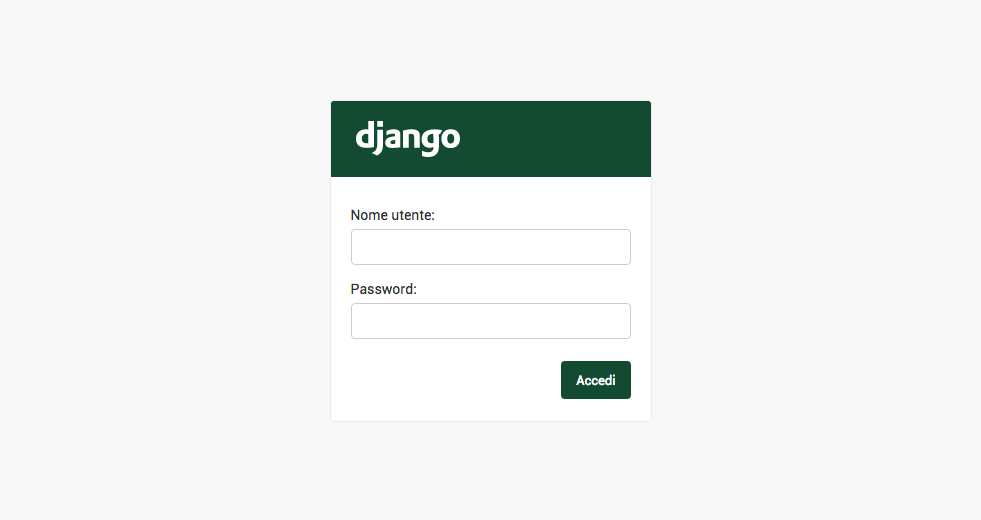
Admin login
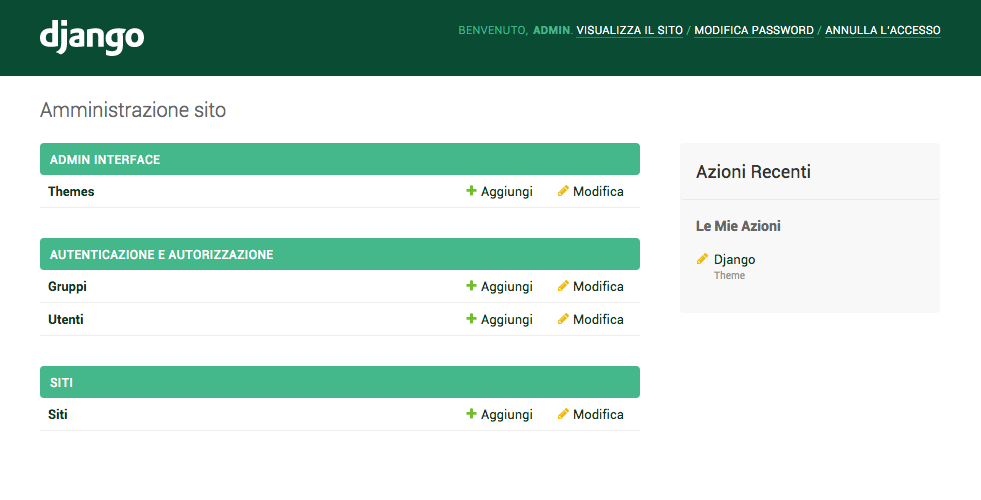
Admin dashboard
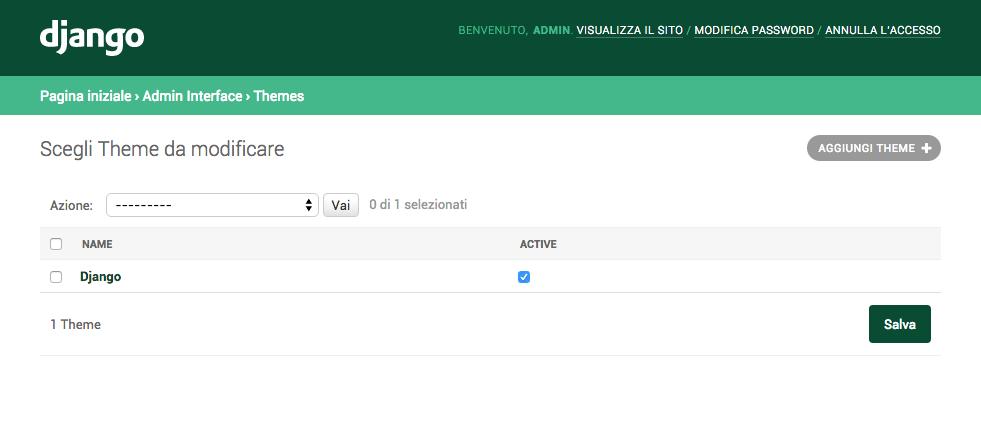
Admin themes management
Admin theme customization
FAQ
-
I already have a custom
base_site.html, how can I make it work?
You can use django-apptemplates, then add {% extends "admin_interface:admin/base_site.html" %} to your base_site.html
Testing
# create python virtual environment
virtualenv testing_django_admin_interface

# activate virtualenv
cd testing_django_admin_interface && . bin/activate

# clone repo
git clone https://github.com/fabiocaccamo/django-admin-interface.git src && cd src

# install dependencies
pip install -r requirements.txt

# run tests
tox
# or
python setup.py test
# or
python -m django test --settings "tests.settings"
License
Released under MIT License.
Supporting
I would like to spend more time on this project, especially to improve it and adding new features.
As everyone knows open-source projects takes up a lot of time that is unpaid. :money_with_wings:
If you are using this package in commercial project(s), please consider the idea to become a sponsor or donating once:
- GitHub Sponsor
- PayPal
- BTC: bc1q2t0pv8z3udpyuvfnx5kskhqdad4dcvtfuzmvjw
- ETH: 0x8B55Fb7798b5A9F797A4455C00821B6e53daca74
See also
-
django-colorfield- simple color field for models with a nice color-picker in the admin. 🎨 -
django-extra-settings- config and manage typed extra settings using just the django admin. ⚙️ -
django-maintenance-mode- shows a 503 error page when maintenance-mode is on. 🚧 🛠️ -
django-redirects- redirects with full control. ↪️ -
django-treenode- probably the best abstract model / admin for your tree based stuff. 🌳 -
python-benedict- dict subclass with keylist/keypath support, I/O shortcuts (base64, csv, json, pickle, plist, query-string, toml, xml, yaml) and many utilities. 📘 -
python-codicefiscale- encode/decode Italian fiscal codes - codifica/decodifica del Codice Fiscale. 🇮🇹 💳 -
python-fsutil- file-system utilities for lazy devs. 🧟♂️
Release history Release notifications | RSS feed


Download files
Download the file for your platform. If you're not sure which to choose, learn more about installing packages.
Source Distribution
Built Distribution
Filter files by name, interpreter, ABI, and platform.
If you're not sure about the file name format, learn more about wheel file names.
Copy a direct link to the current filters
File details
Details for the file django-admin-interface-0.17.0.tar.gz.
File metadata
- Download URL: django-admin-interface-0.17.0.tar.gz
- Upload date:
- Size: 165.4 kB
- Tags: Source
- Uploaded using Trusted Publishing? No
- Uploaded via: twine/3.2.0 pkginfo/1.5.0.1 requests/2.24.0 setuptools/49.2.1 requests-toolbelt/0.9.1 tqdm/4.48.2 CPython/3.8.6
File hashes
| Algorithm | Hash digest | |
|---|---|---|
| SHA256 |
d643a54e7922725d961049e3dcdc8d06b5a61271e7069925965715ae1c458885
|
|
| MD5 |
3f3ed3a9636f0bd7ba3ce398b5cd6c3d
|
|
| BLAKE2b-256 |
15b9e4897005ab79ca39ec08166889e0e5ff4626c7a777dda213a6569c740bad
|
File details
Details for the file django_admin_interface-0.17.0-py3-none-any.whl.
File metadata
- Download URL: django_admin_interface-0.17.0-py3-none-any.whl
- Upload date:
- Size: 200.6 kB
- Tags: Python 3
- Uploaded using Trusted Publishing? No
- Uploaded via: twine/3.2.0 pkginfo/1.5.0.1 requests/2.24.0 setuptools/49.2.1 requests-toolbelt/0.9.1 tqdm/4.48.2 CPython/3.8.6
File hashes
| Algorithm | Hash digest | |
|---|---|---|
| SHA256 |
e07a742d3af2acc431257ed61e86f7e8ccde872648e2fa7b89fe8697032005bb
|
|
| MD5 |
b2abdf35d0d2b0cab8403b11ca3efe13
|
|
| BLAKE2b-256 |
a1133e271bf61ca2629e5aed56e63c8e1041d4b622dbeab69d17c03acd900354
|






