
A Django blog app with features of a standard blogging platform.

Project description

django-bona-blog
A Django blog app with features of a standard blogging platform.





Table of contents
- General info
- Standalone Project
- Screenshots
- Features
- Technologies
- Setup
- Status
- Contact
- License
- Contributing
General info
An Open-Source Django blogging app like Medium and Real Python. It has features of a standard blogging platform.
Standalone Project
There is a standalone version of this django package. You can get it from its GitHub Repo.
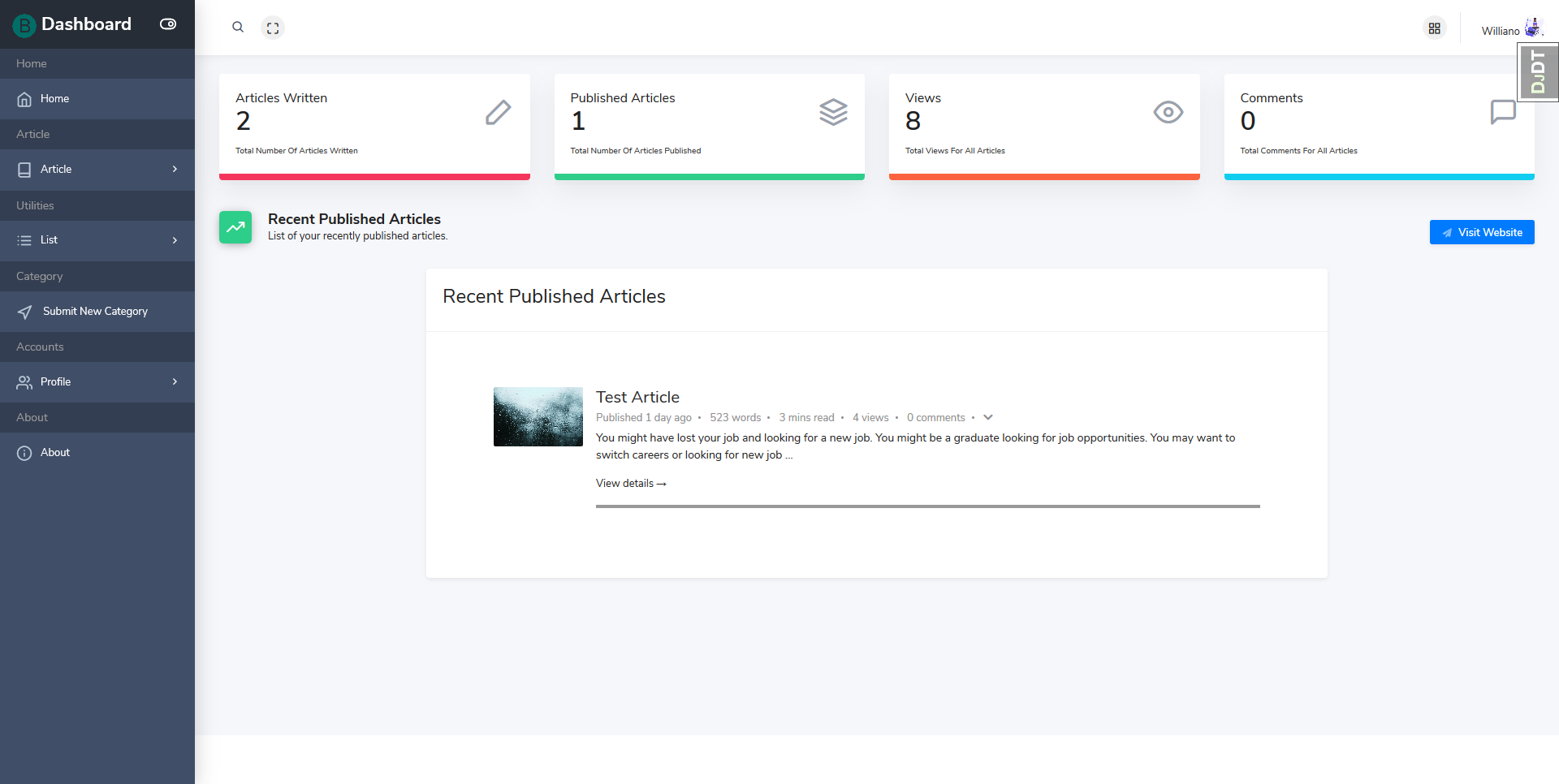
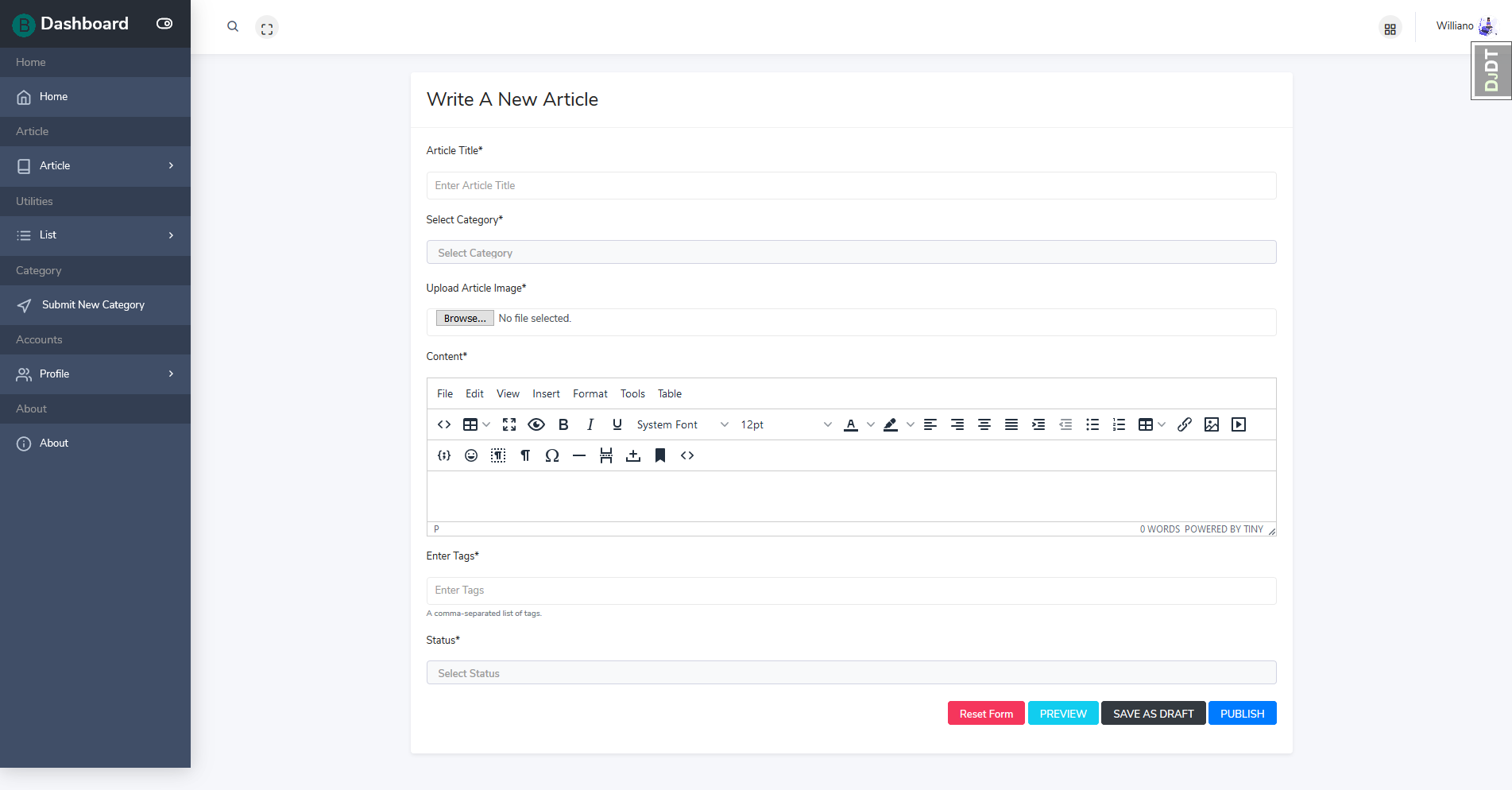
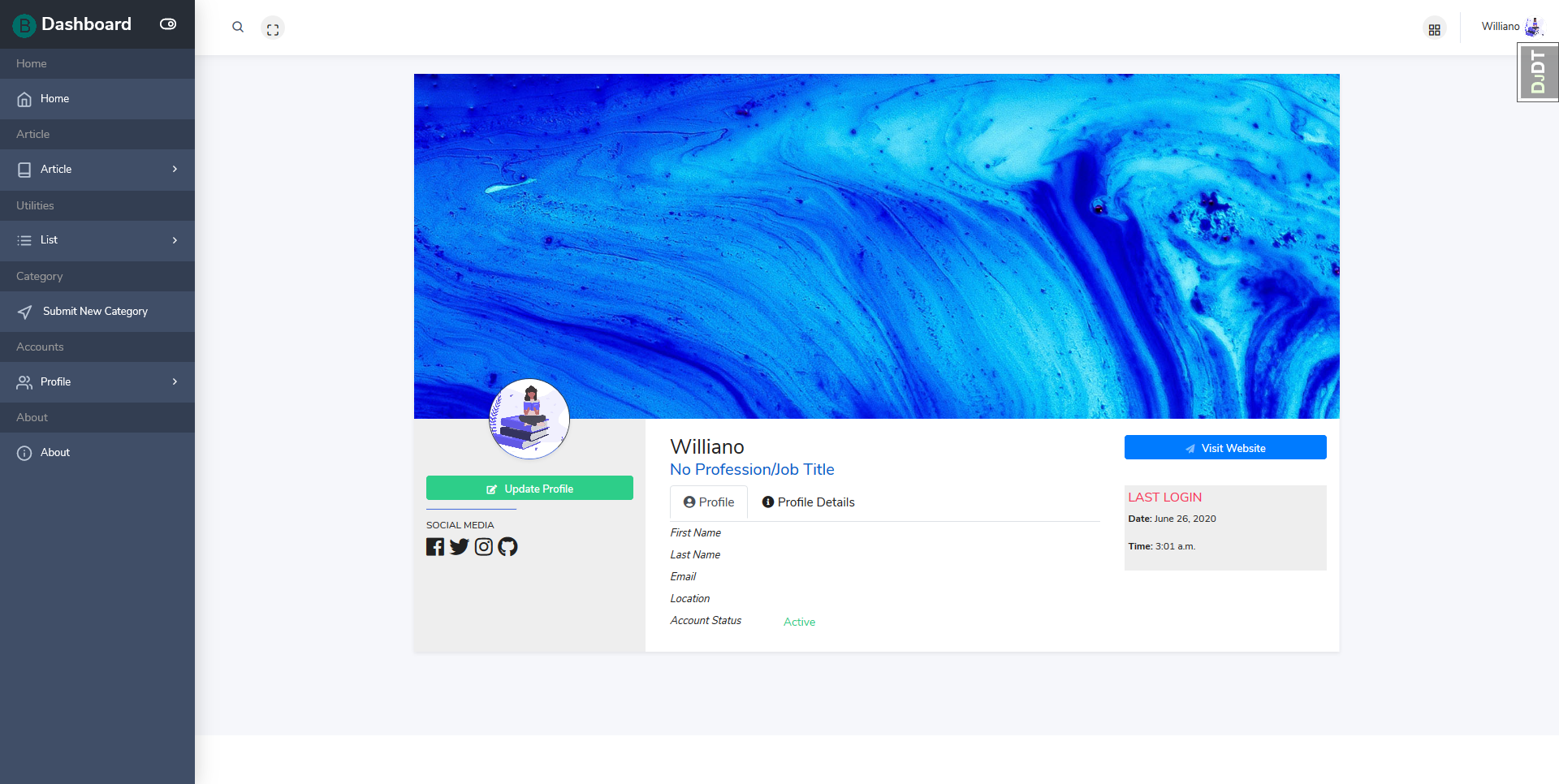
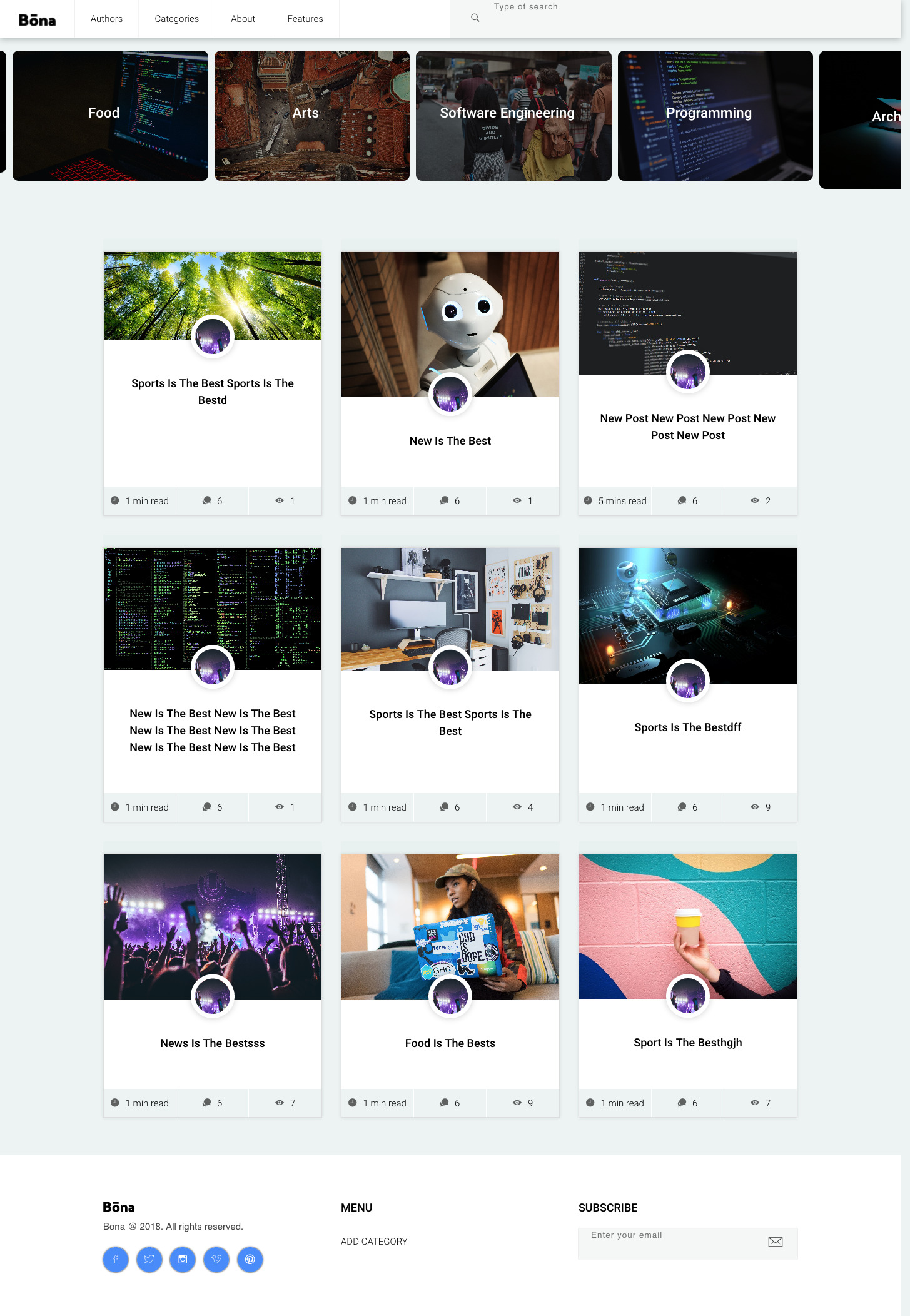
Screenshots
| Authors Dashboard Page |
|---|
 |
| Create Article Page |
|---|
 |
| Authors Profile Details Page |
|---|
 |
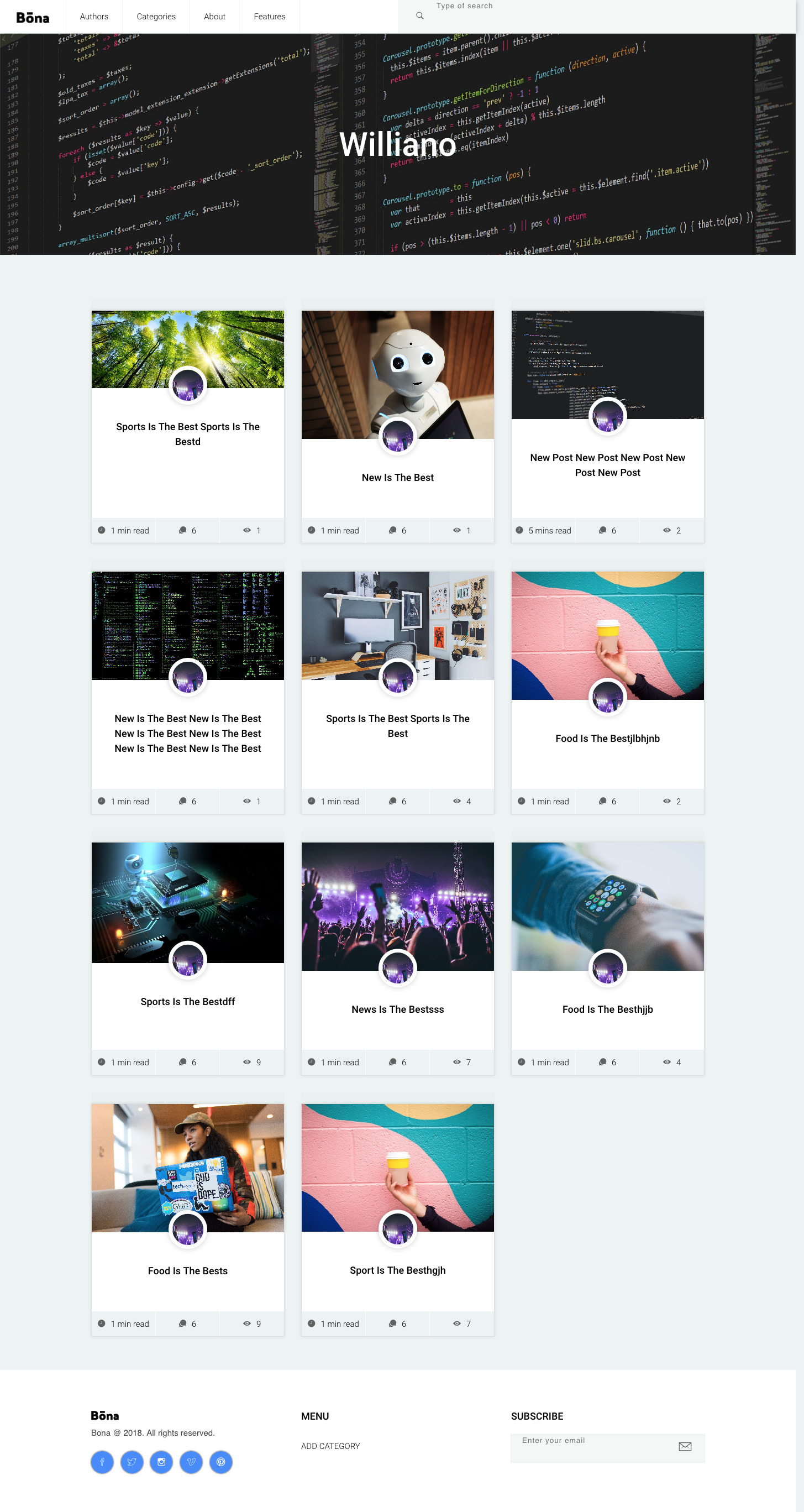
| Home Page | List of Categories Page |
|---|---|
 |
 |
| Category Articles List Page | Author Articles List Page |
|---|---|
 |
 |
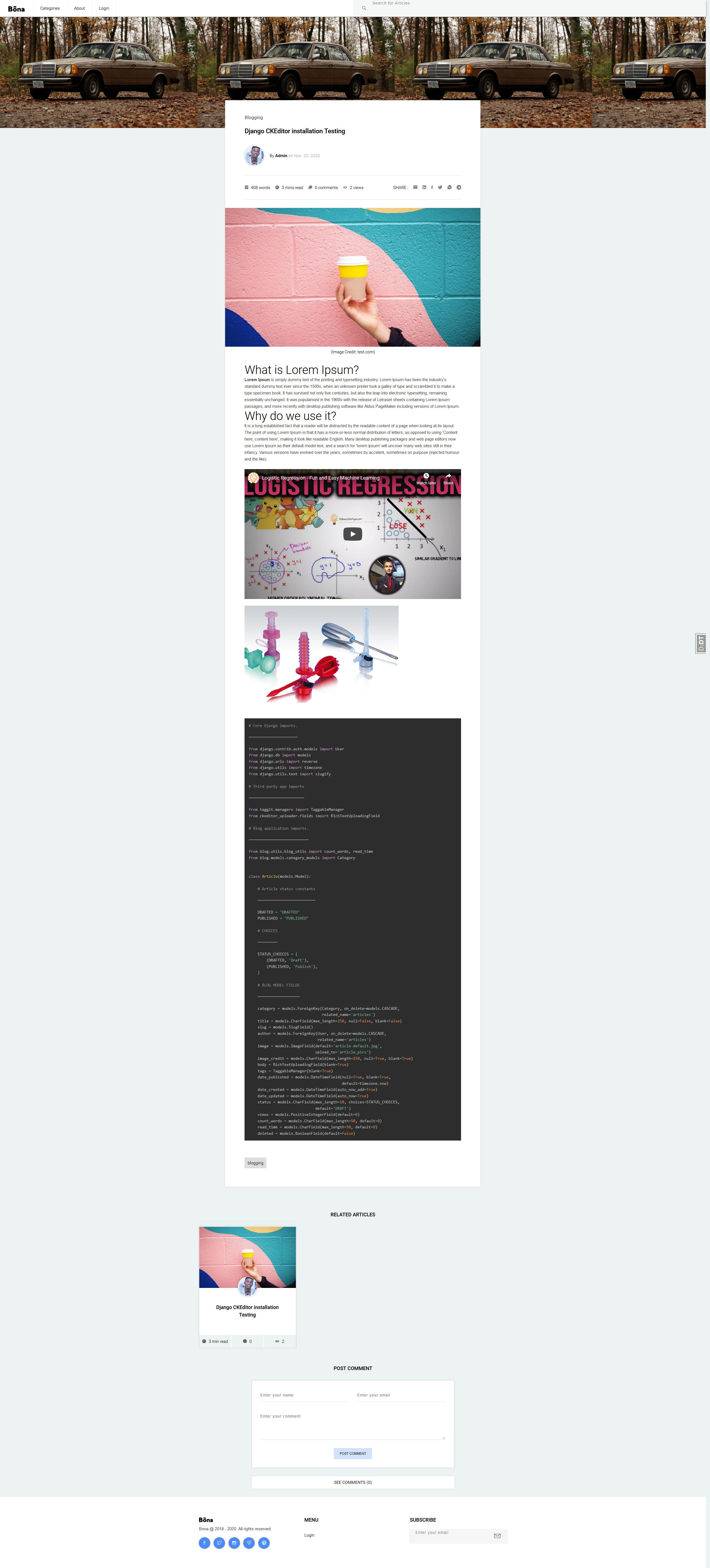
| Article Detail Page |
|---|
 |
Features
- Mobile App Version
- Dashboard for Authors
- WYSIWYG Editor
- Account Verification
- Author Login
- Author Password Reset
- API for Clients
- Category List
- Category Articles List
- New Category Submission
- Related Articles
- Comments
- Articles Search
- Article Social Media Share
- Article Minute Read
- Article Number of Words
- Article Number of Views
- Article Tags
- Tag Related Articles
- Markdown Support
- Responsive on all devices
- Pagination
- Clean Code
- 90% test coverage
Technologies
- Python 3.6
- Javascript
- Jquery
- Ajax
- PrismJS
- Django 3
- HTML5
- CSS3
- Bootstrap 4
- Ion Icons
- Font awesome
- CKEditor
- SQLite
- PostgreSQL
Setup
To run this app, you will need to follow these 3 steps:
1. Requirements
-
a Laptop
-
Text Editor or IDE (eg. vscode, PyCharm)
-
Python 3.6 +
-
Django 2.2+
2. Install Python and Pipenv
3. Local Setup and Running on Windows, Linux and Mac OS
a. Install package with pip or pipenv
  ```
      $ pip install django-bona-blog

  ```

               or
  ```
      $ pipenv install django-bona-blog

  ```
b. Add django_filter, ckeditor, taggit, crispy_forms and rest_framework to your INSTALLED_APPS in settings.py:
    INSTALLED_APPS = (
        ...
            'django_filters',
            'rest_framework',
            'taggit',
            'ckeditor',
            'ckeditor_uploader',
            'crispy_forms',
    )
c. Add CKEditor Configuration to settings.py:
    # CKEditor Settings
    CKEDITOR_UPLOAD_PATH = 'uploads/'
    CKEDITOR_IMAGE_BACKEND = "pillow"

    CKEDITOR_CONFIGS = {
        'default':
            {'toolbar': 'full',
             'width': 'auto',
             'extraPlugins': ','.join([
                 'codesnippet',
                 'youtube'
             ]),
             },
    }
d. Add blog to INSTALLED_APPS in settings.py for your Django project:
    INSTALLED_APPS = (
        ...
        'blog.apps.BlogConfig',
    )
e. Add blog.urls, tinmyce.urls and api.urls to urls.py of your project:
    from django.urls import include


    urlpatterns = [
      ...
      path('ckeditor/', include('ckeditor_uploader.urls')),
      path('blog/', include('blog.urls')),
      path('api/v1/', include('blog.api.v1.routers.routers')),
  ]
f. Add configuration to serve static files in development to urls.py of your project:
     from django.conf.urls.static import static
     from django.conf import settings


     if settings.DEBUG:
        urlpatterns += static(settings.MEDIA_URL, document_root=settings.MEDIA_ROOT)
g. Create blog database tables
$ python manage.py migrate blog
h. Add dashboard configuration to your project settings.py:
   # Account Settings
     LOGIN_URL = '/account/login/'
     LOGIN_REDIRECT_URL = '/author/dashboard/'
     LOGOUT_REDIRECT_URL = '/account/logout/'
i. Add email configuration for account signup and password reset
   # Email Settings (Development)
     EMAIL_BACKEND = 'django.core.mail.backends.console.EmailBackend'


  # Email Settings (Production)
    EMAIL_BACKEND = ''
    EMAIL_HOST = ''
    EMAIL_HOST_USER = ''
    EMAIL_HOST_PASSWORD = ""
    EMAIL_PORT = 587
    EMAIL_USE_TLS = True
j. Add static files configuration for serving staticfiles
     STATICFILES_DIRS = [ os.path.join(BASE_DIR, "blog/static"),]
     STATIC_ROOT = os.path.join(BASE_DIR, 'staticfiles')
     STATICFILES_FINDERS = [
           "django.contrib.staticfiles.finders.FileSystemFinder",
           "django.contrib.staticfiles.finders.AppDirectoriesFinder",
        ]
k. Add media files configuration for serving media files
       # Media files (User uploaded images)
       MEDIA_URL = '/media/'
       MEDIA_ROOT = os.path.join(BASE_DIR, 'media')
l. Collect static files
$ python manage.py collectstatic
Running Tests
$ python manage.py test blog.tests
Status
Project is: done
Contact
Created by Williano - feel free to contact me!
License
You can check out the full license here
This project is licensed under the terms of the MIT license.
Contributing
- Fork it (https://github.com/Williano/django-bona-blog.git)
- Create your feature branch (
git checkout -b feature/fooBar) - Commit your changes (
git commit -am 'Add some fooBar') - Push to the branch (
git push origin feature/fooBar) - Create a new Pull Request
Release history Release notifications | RSS feed


Download files
Download the file for your platform. If you're not sure which to choose, learn more about installing packages.
Source Distribution
Built Distribution
Filter files by name, interpreter, ABI, and platform.
If you're not sure about the file name format, learn more about wheel file names.
Copy a direct link to the current filters
File details
Details for the file django-bona-blog-1.1.3.tar.gz.
File metadata
- Download URL: django-bona-blog-1.1.3.tar.gz
- Upload date:
- Size: 29.6 kB
- Tags: Source
- Uploaded using Trusted Publishing? No
- Uploaded via: twine/3.2.0 pkginfo/1.5.0.1 requests/2.24.0 setuptools/49.1.0 requests-toolbelt/0.9.1 tqdm/4.47.0 CPython/3.8.2
File hashes
| Algorithm | Hash digest | |
|---|---|---|
| SHA256 |
f9737bae47cfdf415c6c0cd11e17af3a61f958bd8be4438af23bd71b4f7dd530
|
|
| MD5 |
9de04fefc61c7a6d963c5c3b16d3f7cc
|
|
| BLAKE2b-256 |
6133aa979ba7229c95847be67bc525f57fdffcc6ec6bcc0bb247431524e77a2e
|
File details
Details for the file django_bona_blog-1.1.3-py3-none-any.whl.
File metadata
- Download URL: django_bona_blog-1.1.3-py3-none-any.whl
- Upload date:
- Size: 47.7 kB
- Tags: Python 3
- Uploaded using Trusted Publishing? No
- Uploaded via: twine/3.2.0 pkginfo/1.5.0.1 requests/2.24.0 setuptools/49.1.0 requests-toolbelt/0.9.1 tqdm/4.47.0 CPython/3.8.2
File hashes
| Algorithm | Hash digest | |
|---|---|---|
| SHA256 |
b23621938904b38001548350b68d14d8de7b46381f8ea12ca10aec620d12c07b
|
|
| MD5 |
21353424716d63c846f63d9b16a2c29d
|
|
| BLAKE2b-256 |
d2482912f5209f3869ed9abe9743b9dee0a4b1ae207323e90aa0a5688cb50154
|






