
Django Daisy v2.0 🌼



🎉 NEW: Version 2.0 is here! Built with DaisyUI v5 and Tailwind CSS v4 for blazing-fast performance, enhanced responsiveness, and stunning new designs.
🚀 Live Demo
Try it now: https://hypy13-django-daisy.hf.space/en/admin/
Username: demo | Password: demo
RTL Demo: https://hypy13-django-daisy.hf.space/fa/admin/

📖 Documentation
Full documentation: https://hypy13.github.io/django-daisy-docs/
✨ What's New in v2.0
Version 2.0 brings major improvements in performance, design, and user experience:
- ⚡ DaisyUI v5 & Tailwind CSS v4 - Lighter, faster, and more efficient
- 🎨 New Themes & Icons - Expanded theme collection with modern iconography
- 📱 Enhanced Responsiveness - Improved mobile experience with compact table views
- 🎯 Redesigned Change Form - Submit buttons relocated to right sidebar on large screens
- 📜 Recent History Component - Quick access to recent object changes in the sidebar
- 🗑️ Improved Delete Confirmation - Cleaner, more intuitive deletion interface
- ✅ Updated Form Controls - Modern DaisyUI v5 checkbox and input styling
- 🔧 Performance Optimizations - Faster load times and smoother interactions
📋 Complete Changelog
- Upgraded to DaisyUI v5 and Tailwind CSS v4
- Relocated submit button row to right sidebar on large screens (change form)
- Added recent object history component in right sidebar (change form)
- Improved change list table responsiveness with compact mobile view
- Enhanced delete confirmation page design
- Updated checkbox inputs to DaisyUI v5 styling
- Added new themes to theme selector with updated icons
- Various responsive improvements and UI enhancements
✨ Core Features
- 🌍 Fully Responsive - Seamless experience across mobile, tablet, and desktop
- 🔄 RTL Support - Complete right-to-left language support
- 🎨 Multi-Theme System - Switch themes effortlessly to match your brand
- 📑 Tabbed Inline Admin - Organize related data with tabbed sections
- 🔍 Advanced Filtering - Multi-value filters for precise navigation
- 🚀 Optimized Performance - Lightning-fast load times with minimal overhead
⚙️ Compatibility
- Django: 3.2 - 6.1 fully supported
- Python: 3.8+
📦 Installation
Quick Install (PyPI)
pip install django-daisy
Development Install (GitHub)
pip install -e git+https://github.com/hypy13/django-daisy.git#egg=django-daisy
Configuration
Add to your INSTALLED_APPS in settings.py:
INSTALLED_APPS = [
    'django_daisy',
    'django.contrib.admin',
    'django.contrib.humanize',  # Required
    # ... your other apps
]
That's it! Your admin now has a modern, beautiful interface.
🎨 Customization
App Configuration (apps.py)
Customize individual app appearance in the sidebar:
class PollsConfig(AppConfig):
    name = 'polls'
    icon = 'fa fa-square-poll-vertical'  # FontAwesome icon
    divider_title = "Apps"  # Section divider title
    priority = 0  # Sidebar ordering (higher = top)
    hide = False  # Hide from sidebar
Global Settings (settings.py)
Configure site-wide appearance and behavior:
DAISY_SETTINGS = {
    # Branding
    'SITE_TITLE': 'Django Admin',
    'SITE_HEADER': 'Administration',
    'INDEX_TITLE': 'Hi, welcome to your dashboard',
    'SITE_LOGO': '/static/admin/img/daisyui-logomark.svg',

    # Customization
    'EXTRA_STYLES': [],  # Additional CSS files
    'EXTRA_SCRIPTS': [],  # Additional JS files
    'LOAD_FULL_STYLES': False,  # Load complete DaisyUI library
    'SHOW_CHANGELIST_FILTER': False,  # Auto-open filter sidebar
    'DONT_SUPPORT_ME': False,  # Hide GitHub link
    'SIDEBAR_FOOTNOTE': '',  # Custom sidebar footer text

    # Theme Configuration
    'DEFAULT_THEME': None,  # e.g., 'corporate', 'dark'
    'DEFAULT_THEME_DARK': None,  # Dark mode default
    'SHOW_THEME_SELECTOR': True,  # Show/hide theme dropdown
    'THEME_LIST': [
        {'name': 'Light', 'value': 'light'},
        {'name': 'Dark', 'value': 'dark'},
        # Add custom themes...
    ],

    # Third-Party App Customization
    'APPS_REORDER': {
        'auth': {
            'icon': 'fa-solid fa-person-military-pointing',
            'name': 'Authentication',
            'hide': False,
            'divider_title': "Auth",
        },
    },
}
Theme Configuration Examples
Single Default Theme:
DAISY_SETTINGS = {
    'DEFAULT_THEME': 'corporate',  # Always use this theme
}
Separate Light/Dark Themes:
DAISY_SETTINGS = {
    'DEFAULT_THEME': 'light',      # Light mode default
    'DEFAULT_THEME_DARK': 'dim',   # Dark mode default
}
Enforce Theme (No User Choice):
DAISY_SETTINGS = {
    'DEFAULT_THEME': 'corporate',
    'SHOW_THEME_SELECTOR': False,  # Hide selector
}
Custom Theme List:
DAISY_SETTINGS = {
    'THEME_LIST': [
        {'name': 'Light', 'value': 'light'},
        {'name': 'Corporate', 'value': 'corporate'},
        {'name': 'Luxury', 'value': 'luxury'},
    ],
}
Note: For custom DaisyUI themes, enable
LOAD_FULL_STYLES: Trueto load all theme styles.
🔧 Advanced Features
Tabbed Inline Admin
Create tabbed inline interfaces for related objects:
from django_daisy.mixins import NavTabMixin

class ChoiceInline(admin.TabularInline, NavTabMixin):
    model = Choice
    extra = 1

@admin.register(Poll)
class PollAdmin(admin.ModelAdmin):
    inlines = [ChoiceInline]
Tabbed Fieldsets
Convert fieldsets into navigation tabs:
@admin.register(MyModel)
class MyModelAdmin(admin.ModelAdmin):
    fieldsets = (
        (None, {
            'fields': ('username', 'password')
        }),
        ('Personal Info', {
            'fields': ('first_name', 'last_name', 'email'),
            'classes': ('navtab',),  # Creates a tab
        }),
        ('Permissions', {
            'fields': ('is_active', 'is_staff', 'is_superuser'),
        }),
    )
Language Switching
Enable language selection in the admin panel:
1. Add URL pattern (urls.py):
urlpatterns = [
    path("i18n/", include("django.conf.urls.i18n")),
    # ... other patterns
]
2. Enable middleware (settings.py):
MIDDLEWARE = [
    'django.middleware.locale.LocaleMiddleware',
    # ... other middleware
]
3. Define languages (settings.py):
LANGUAGES = [
    ('en', 'English'),
    ('fa', 'Farsi'),
    # Add more languages...
]
📸 Screenshots
View Gallery
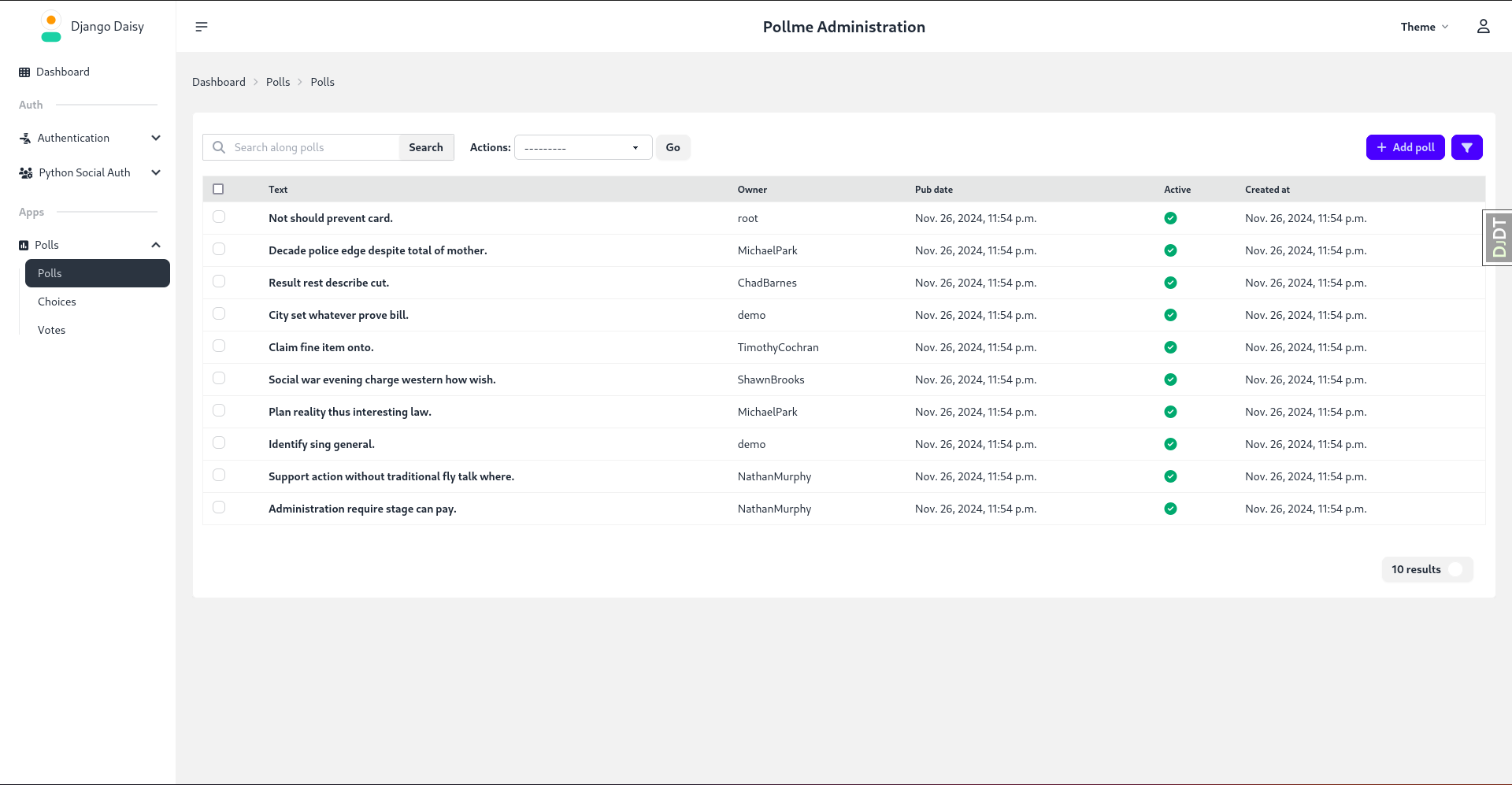
Listing View:
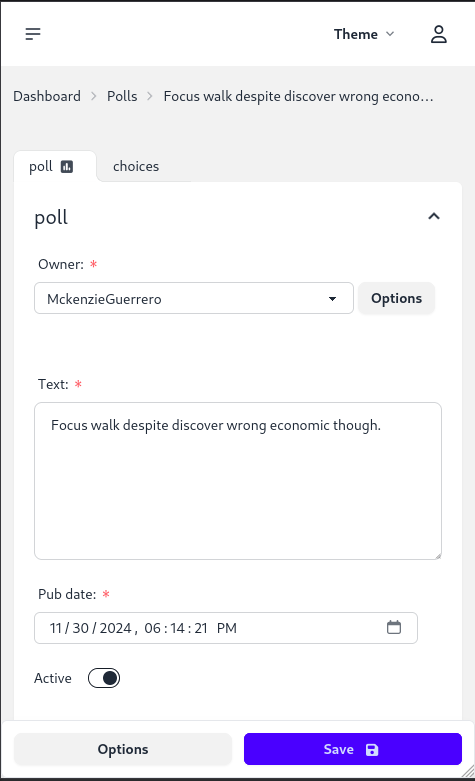
Change Form:
Mobile Responsive:
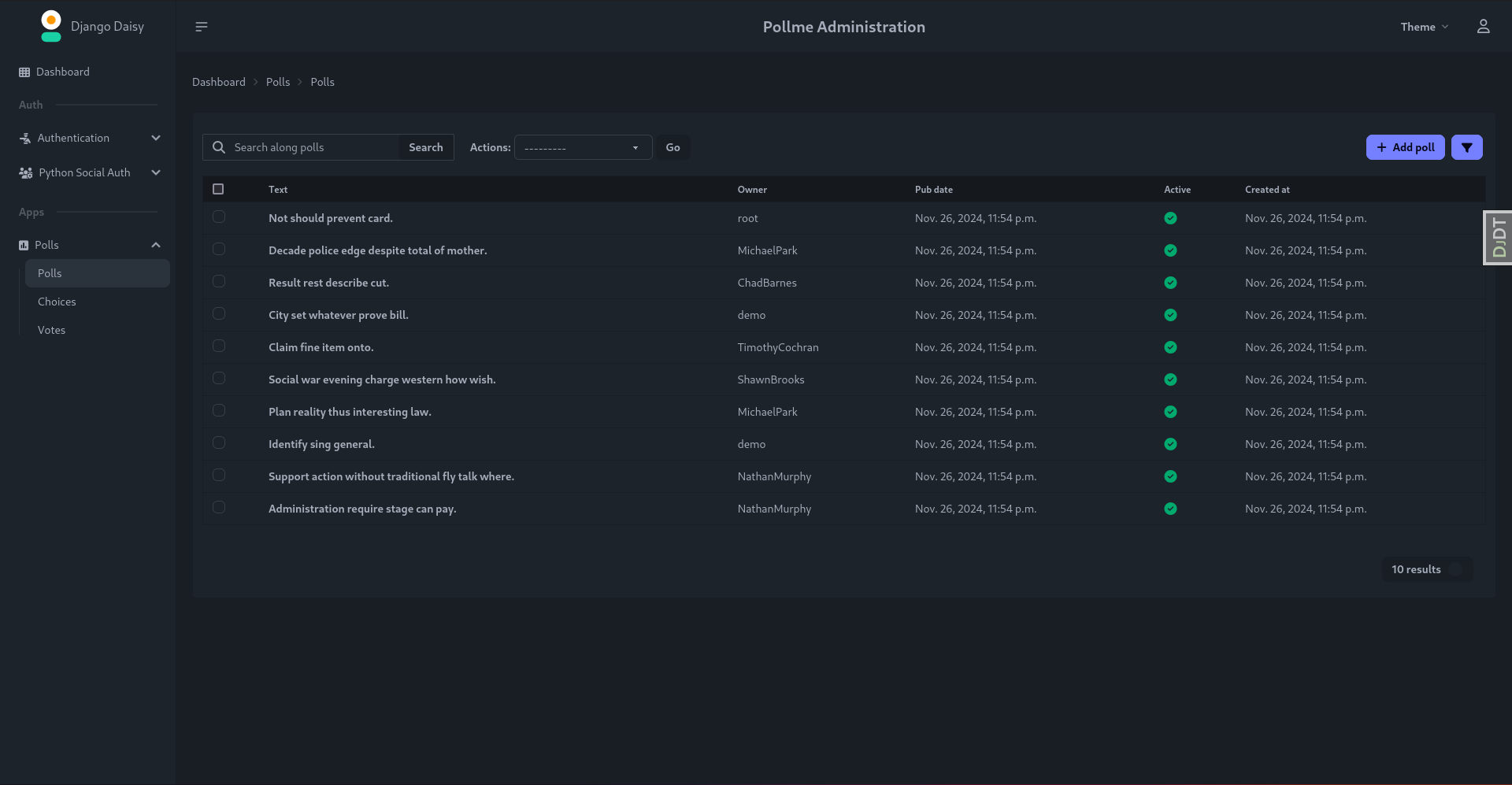
Dark Theme:
🤝 Contributing
Contributions are welcome! Submit issues, suggestions, or pull requests on GitHub.
🙏 Acknowledgments
Special thanks to Cloud With Django for featuring Django Daisy!
Watch the demo: https://www.youtube.com/watch?v=WEKTXu1la9M
📄 License
MIT License - see LICENSE file for details
Made with ❤️ by the Django Daisy team
1 maintainer

Metadata
1 maintainer
Release files for django-daisy 2.0.15
For a detailed explanation of source distributions (sdists) and built distributions (wheels), please see the package formats documentation.
Source distribution (sdist)
| File | Size | Uploaded | Provenance | |
|---|---|---|---|---|
| django_daisy-2.0.15.tar.gz | 2.6 MB | Without provenance | Details |
Built distribution (wheel)
| File | Interpreter | ABI | Platform | Reset |
|---|---|---|---|---|
| django_daisy-2.0.15-py3-none-any.whl | Python 3 | none | any | Details |
Total release size: 5.0 MB
Release files / django_daisy-2.0.15.tar.gz
| Download URL | django_daisy-2.0.15.tar.gz |
|---|---|
| Size | 2.6 MB |
| Tags | Source |
|
SHA-256 checksum How to use checksums |
27ea220951e100feeb65c0339eb89be8b795a51bd44655850cd483c9b49f3866
|
|
BLAKE2b-256 checksum How to use checksums |
32d49afd98e8af5fe0d7a099f7b598ec0b88e12d197f251f6845b4e40f6d9cc5
|
| Upload date | |
|
Uploaded using Trusted Publishing? What is trusted publishing? |
No |
| Uploaded via |
twine/7.0.0 CPython/3.14.7
|
Release files / django_daisy-2.0.15-py3-none-any.whl
| Download URL | django_daisy-2.0.15-py3-none-any.whl |
|---|---|
| Size | 2.4 MB |
| Tags | Python 3 |
|
SHA-256 checksum How to use checksums |
41663cc74404b671a49ebce99b65763b45043396f00651d6bdc7b94d9e6722b6
|
|
BLAKE2b-256 checksum How to use checksums |
3c322257d23b4c7e0809f8a047293ebe6a6494180a4363b5ee7465651bbdb9ea
|
| Upload date | |
|
Uploaded using Trusted Publishing? What is trusted publishing? |
No |
| Uploaded via |
twine/7.0.0 CPython/3.14.7
|
Security for django-daisy 2.0.15
Provenance
Provenance describes where a file came from. On PyPI, provenance is shared via attestations, which provide a verifiable record of the build or publishing details. View details, limitations and caveats.
No provenance found
None of the files in this release were uploaded with provenance metadata.
A note on package security
PyPI is a repository for distributing packages, not a service for auditing them. While third-party security researchers and our staff do their best to detect and remove malicious packages, PyPI cannot guarantee the quality, security or suitability of any given package.














