
Django Daisy v2.0 🌼



🎉 NEW: Version 2.0 is here! Built with DaisyUI v5 and Tailwind CSS v4 for blazing-fast performance, enhanced responsiveness, and stunning new designs.
🚀 Live Demo
Try it now: https://hypy13-django-daisy.hf.space/en/admin/
Username: demo | Password: demo
RTL Demo: https://hypy13-django-daisy.hf.space/fa/admin/

📖 Documentation
Full documentation: https://hypy13.github.io/django-daisy-docs/
✨ What's New in v2.0
Version 2.0 brings major improvements in performance, design, and user experience:
- ⚡ DaisyUI v5 & Tailwind CSS v4 - Lighter, faster, and more efficient
- 🎨 New Themes & Icons - Expanded theme collection with modern iconography
- 📱 Enhanced Responsiveness - Improved mobile experience with compact table views
- 🎯 Redesigned Change Form - Submit buttons relocated to right sidebar on large screens
- 📜 Recent History Component - Quick access to recent object changes in the sidebar
- 🗑️ Improved Delete Confirmation - Cleaner, more intuitive deletion interface
- ✅ Updated Form Controls - Modern DaisyUI v5 checkbox and input styling
- 🔧 Performance Optimizations - Faster load times and smoother interactions
📋 Complete Changelog
- Upgraded to DaisyUI v5 and Tailwind CSS v4
- Relocated submit button row to right sidebar on large screens (change form)
- Added recent object history component in right sidebar (change form)
- Improved change list table responsiveness with compact mobile view
- Enhanced delete confirmation page design
- Updated checkbox inputs to DaisyUI v5 styling
- Added new themes to theme selector with updated icons
- Various responsive improvements and UI enhancements
✨ Core Features
- 🌍 Fully Responsive - Seamless experience across mobile, tablet, and desktop
- 🔄 RTL Support - Complete right-to-left language support
- 🎨 Multi-Theme System - Switch themes effortlessly to match your brand
- 📑 Tabbed Inline Admin - Organize related data with tabbed sections
- 🔍 Advanced Filtering - Multi-value filters for precise navigation
- 🚀 Optimized Performance - Lightning-fast load times with minimal overhead
⚙️ Compatibility
- Django: 3.2 - 6.1 fully supported
- Python: 3.8+
📦 Installation
Quick Install (PyPI)
pip install django-daisy
Development Install (GitHub)
pip install -e git+https://github.com/hypy13/django-daisy.git#egg=django-daisy
Configuration
Add to your INSTALLED_APPS in settings.py:
INSTALLED_APPS = [
    'django_daisy',
    'django.contrib.admin',
    'django.contrib.humanize',  # Required
    # ... your other apps
]
That's it! Your admin now has a modern, beautiful interface.
🎨 Customization
App Configuration (apps.py)
Customize individual app appearance in the sidebar:
class PollsConfig(AppConfig):
    name = 'polls'
    icon = 'fa fa-square-poll-vertical'  # FontAwesome icon
    divider_title = "Apps"  # Section divider title
    priority = 0  # Sidebar ordering (higher = top)
    hide = False  # Hide from sidebar
Global Settings (settings.py)
Configure site-wide appearance and behavior:
DAISY_SETTINGS = {
    # Branding
    'SITE_TITLE': 'Django Admin',
    'SITE_HEADER': 'Administration',
    'INDEX_TITLE': 'Hi, welcome to your dashboard',
    'SITE_LOGO': '/static/admin/img/daisyui-logomark.svg',

    # Customization
    'EXTRA_STYLES': [],  # Additional CSS files
    'EXTRA_SCRIPTS': [],  # Additional JS files
    'LOAD_FULL_STYLES': False,  # Load complete DaisyUI library
    'SHOW_CHANGELIST_FILTER': False,  # Auto-open filter sidebar
    'DONT_SUPPORT_ME': False,  # Hide GitHub link
    'SIDEBAR_FOOTNOTE': '',  # Custom sidebar footer text

    # Theme Configuration
    'DEFAULT_THEME': None,  # e.g., 'corporate', 'dark'
    'DEFAULT_THEME_DARK': None,  # Dark mode default
    'SHOW_THEME_SELECTOR': True,  # Show/hide theme dropdown
    'THEME_LIST': [
        {'name': 'Light', 'value': 'light'},
        {'name': 'Dark', 'value': 'dark'},
        # Add custom themes...
    ],

    # Third-Party App Customization
    'APPS_REORDER': {
        'auth': {
            'icon': 'fa-solid fa-person-military-pointing',
            'name': 'Authentication',
            'hide': False,
            'divider_title': "Auth",
        },
    },
}
Theme Configuration Examples
Single Default Theme:
DAISY_SETTINGS = {
    'DEFAULT_THEME': 'corporate',  # Always use this theme
}
Separate Light/Dark Themes:
DAISY_SETTINGS = {
    'DEFAULT_THEME': 'light',      # Light mode default
    'DEFAULT_THEME_DARK': 'dim',   # Dark mode default
}
Enforce Theme (No User Choice):
DAISY_SETTINGS = {
    'DEFAULT_THEME': 'corporate',
    'SHOW_THEME_SELECTOR': False,  # Hide selector
}
Custom Theme List:
DAISY_SETTINGS = {
    'THEME_LIST': [
        {'name': 'Light', 'value': 'light'},
        {'name': 'Corporate', 'value': 'corporate'},
        {'name': 'Luxury', 'value': 'luxury'},
    ],
}
Note: For custom DaisyUI themes, enable
LOAD_FULL_STYLES: Trueto load all theme styles.
🔧 Advanced Features
Tabbed Inline Admin
Create tabbed inline interfaces for related objects:
from django_daisy.mixins import NavTabMixin

class ChoiceInline(admin.TabularInline, NavTabMixin):
    model = Choice
    extra = 1

@admin.register(Poll)
class PollAdmin(admin.ModelAdmin):
    inlines = [ChoiceInline]
Tabbed Fieldsets
Convert fieldsets into navigation tabs:
@admin.register(MyModel)
class MyModelAdmin(admin.ModelAdmin):
    fieldsets = (
        (None, {
            'fields': ('username', 'password')
        }),
        ('Personal Info', {
            'fields': ('first_name', 'last_name', 'email'),
            'classes': ('navtab',),  # Creates a tab
        }),
        ('Permissions', {
            'fields': ('is_active', 'is_staff', 'is_superuser'),
        }),
    )
Language Switching
Enable language selection in the admin panel:
1. Add URL pattern (urls.py):
urlpatterns = [
    path("i18n/", include("django.conf.urls.i18n")),
    # ... other patterns
]
2. Enable middleware (settings.py):
MIDDLEWARE = [
    'django.middleware.locale.LocaleMiddleware',
    # ... other middleware
]
3. Define languages (settings.py):
LANGUAGES = [
    ('en', 'English'),
    ('fa', 'Farsi'),
    # Add more languages...
]
📸 Screenshots
View Gallery
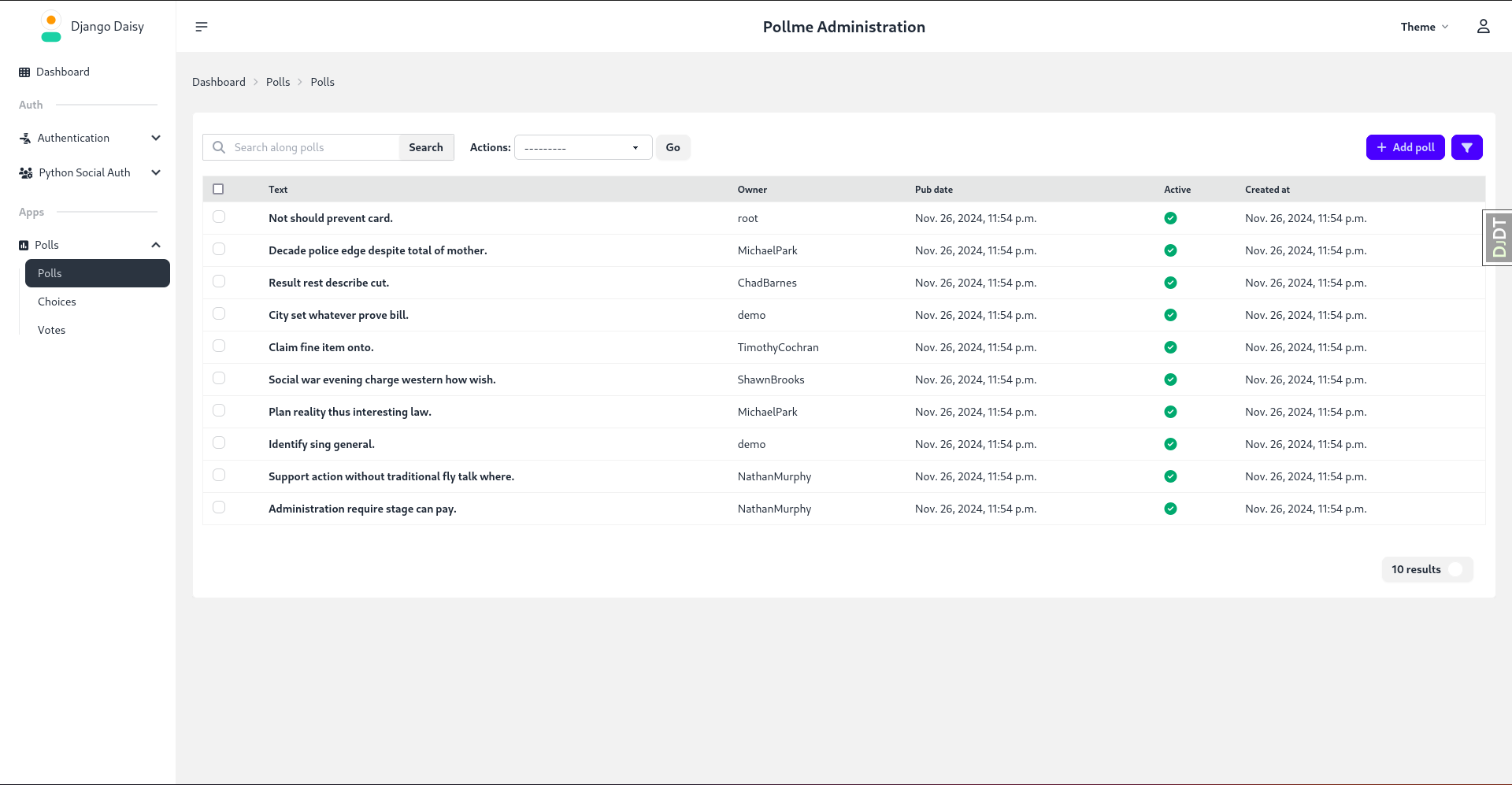
Listing View:
Change Form:
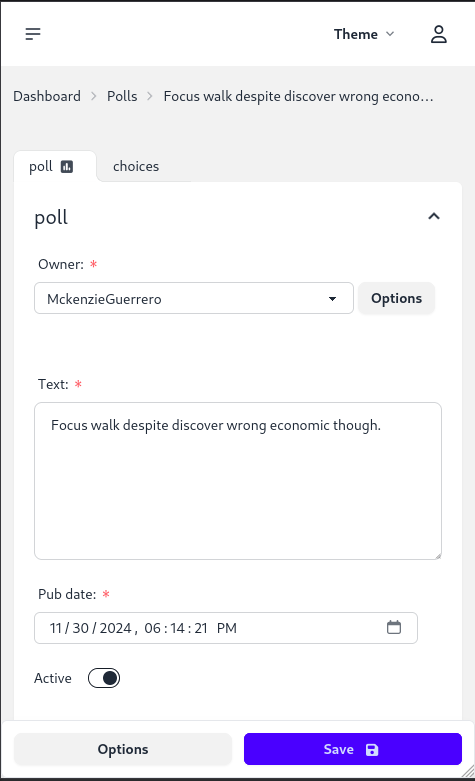
Mobile Responsive:
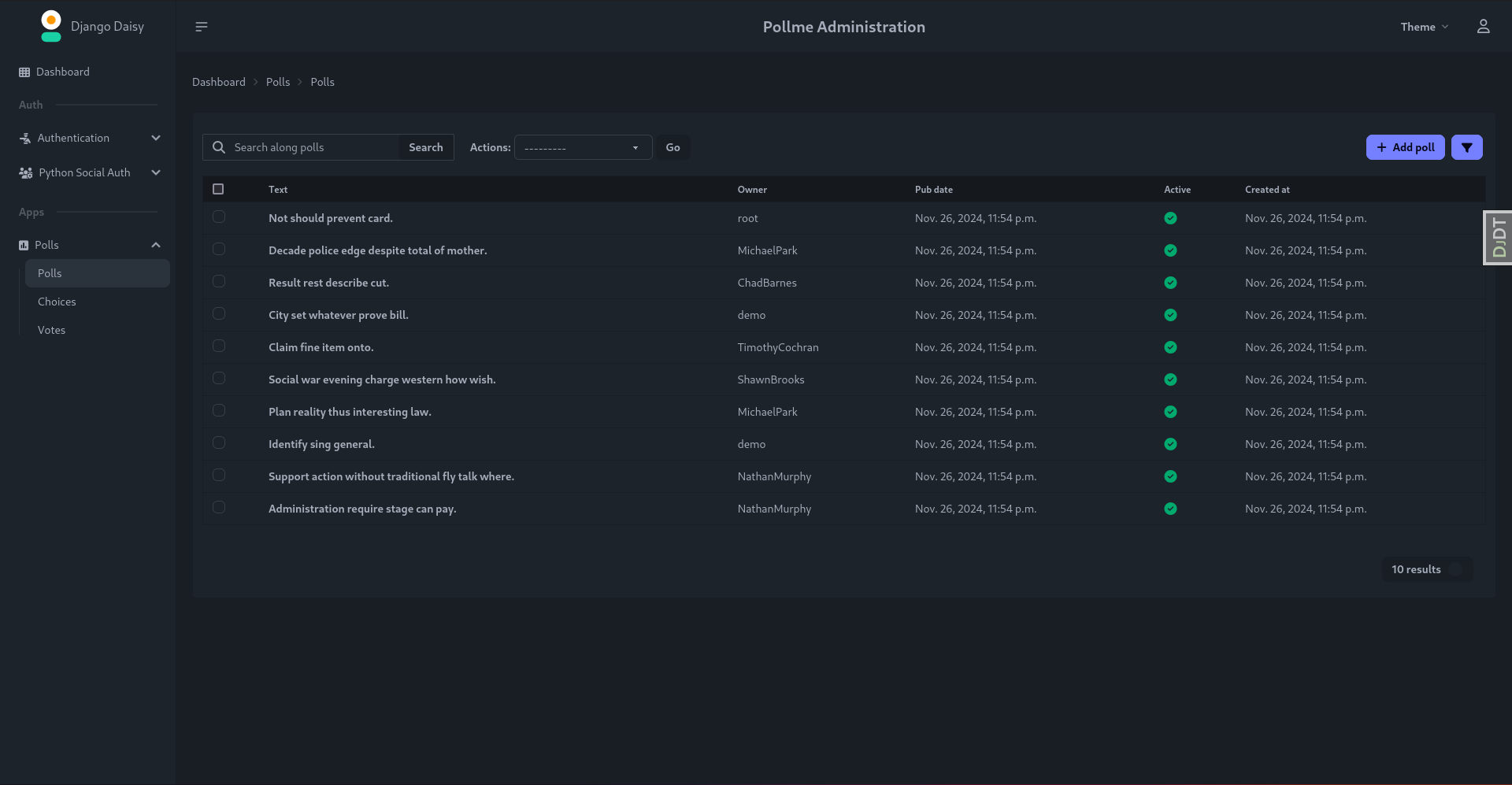
Dark Theme:
🤝 Contributing
Contributions are welcome! Submit issues, suggestions, or pull requests on GitHub.
🙏 Acknowledgments
Special thanks to Cloud With Django for featuring Django Daisy!
Watch the demo: https://www.youtube.com/watch?v=WEKTXu1la9M
📄 License
MIT License - see LICENSE file for details
Made with ❤️ by the Django Daisy team
1 maintainer

Download files
Download the file for your platform. If you're not sure which to choose, learn more about installing packages.
Source Distribution
Built Distribution
Filter files by name, interpreter, ABI, and platform.
If you're not sure about the file name format, learn more about wheel file names.
Copy a direct link to the current filters
File details
Details for the file django_daisy-2.0.14.tar.gz.
File metadata
- Download URL: django_daisy-2.0.14.tar.gz
- Upload date:
- Size: 2.6 MB
- Tags: Source
- Uploaded using Trusted Publishing? No
- Uploaded via:
twine/7.0.0 CPython/3.14.7
File hashes
| Algorithm | Hash digest | |
|---|---|---|
| SHA256 |
208daff3e4d3c64689e8d8023f83f7576acced700418efe49e78af2aaf5d4335
|
|
| MD5 |
ca6625023e4b6c5427ff0a5fda192aed
|
|
| BLAKE2b-256 |
44980d127ae25324d3723e0c81db53fb10ea7cd53dfa4a5bda3aa7c66fb9036d
|
File details
Details for the file django_daisy-2.0.14-py3-none-any.whl.
File metadata
- Download URL: django_daisy-2.0.14-py3-none-any.whl
- Upload date:
- Size: 2.4 MB
- Tags: Python 3
- Uploaded using Trusted Publishing? No
- Uploaded via:
twine/7.0.0 CPython/3.14.7
File hashes
| Algorithm | Hash digest | |
|---|---|---|
| SHA256 |
a3d10c2fe2e784f9f2f3028bfc1e934481feb92f6465734ab21f1a9392df5b0c
|
|
| MD5 |
f0f76311b7c3b13a339b838cb6291c23
|
|
| BLAKE2b-256 |
1a29d50ab5a600f8f8bd84be9218c7d5ffc78cbfc6381e2c7416c052f9d43571
|














