
Reusable django-app for outdoor and indoor mapping
Verified details
These details have been verified by PyPIProject links
Owner
GitHub Statistics
Maintainers

Project description







Reusable django-app for storing GIS and indoor coordinates of objects.
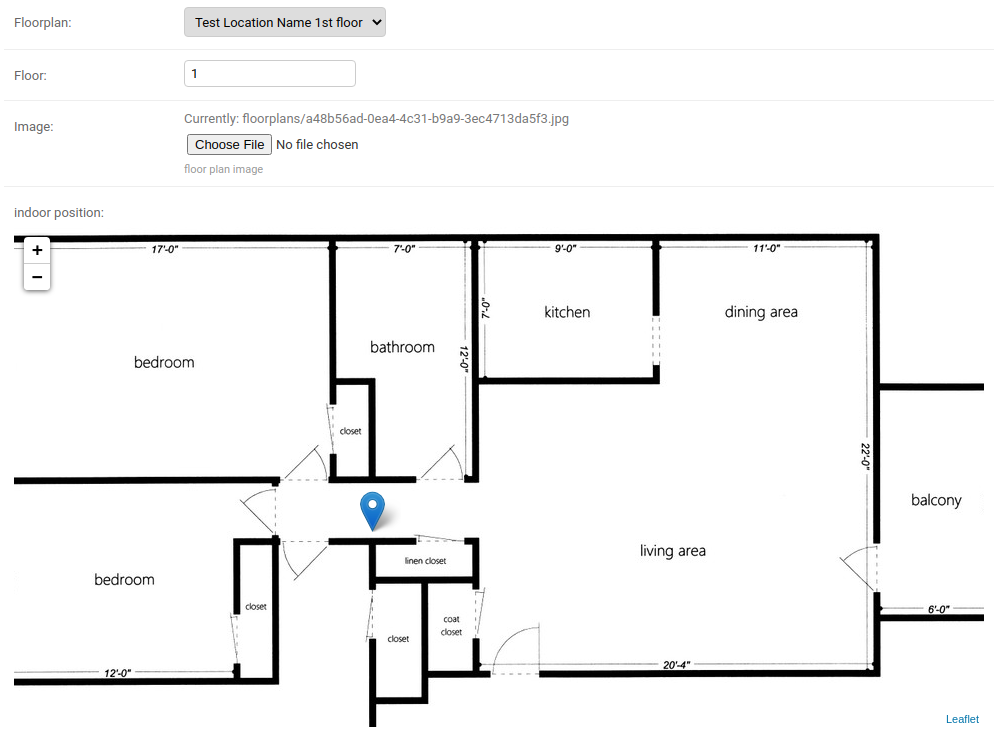
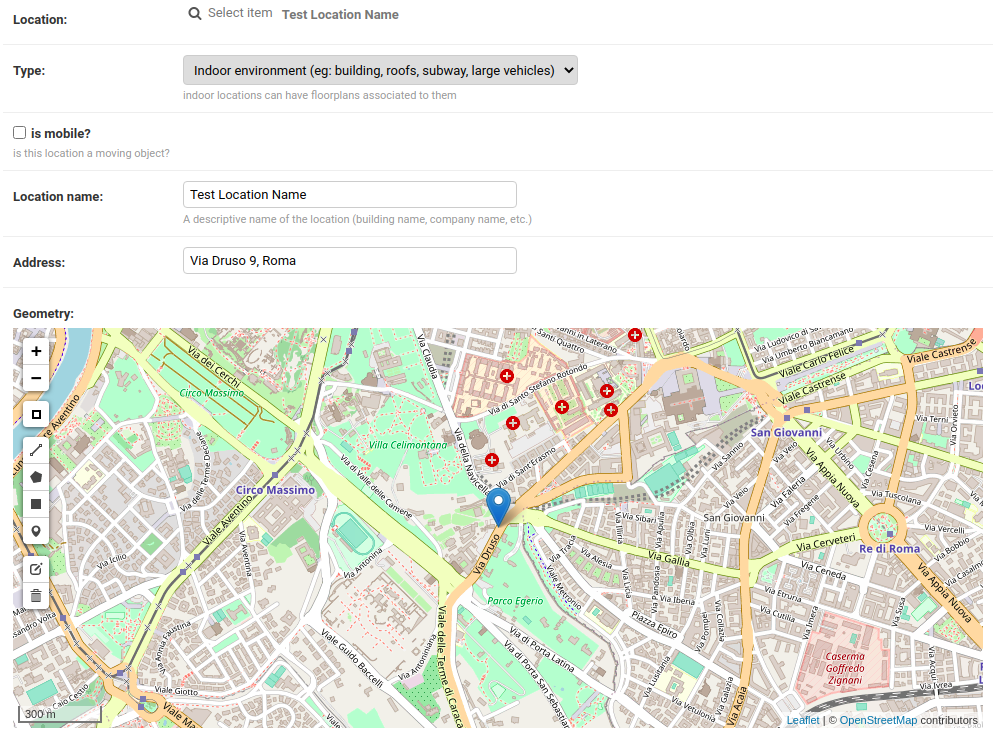
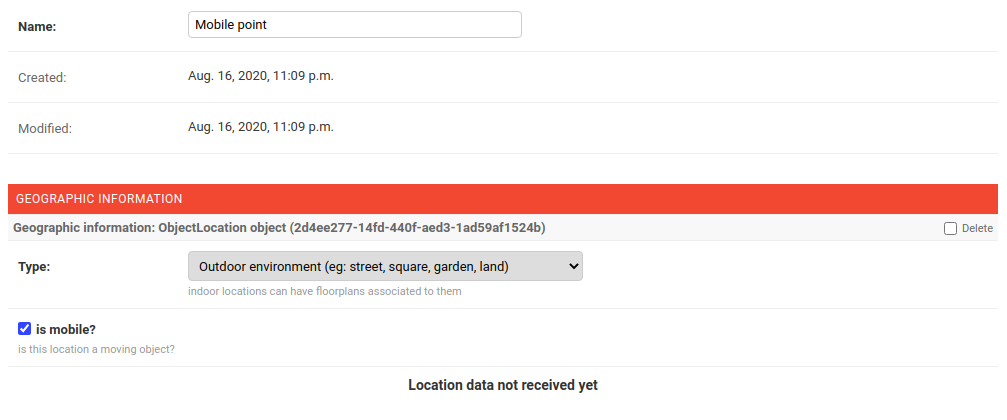
Dependencies
Python >= 3.8
GeoDjango (see GeoDjango Install Instructions)
One of the databases supported by GeoDjango
Compatibility Table
django-loci |
Python version |
0.2 |
2.7 or >=3.4 |
0.3 - 0.4 |
>=3.6 |
1.0 |
>=3.7 |
1.1 |
>=3.8 |
dev |
>=3.8 |
Install stable version from pypi
Install from pypi:
pip install django-lociInstall development version
First of all, install the dependencies of GeoDjango:
Spatial database, for development we use Spatialite, a spatial extension of sqlite
Install tarball:
pip install https://github.com/openwisp/django-loci/tarball/masterAlternatively you can install via pip using git:
pip install -e git+git://github.com/openwisp/django-loci#egg=django_lociIf you want to contribute, install your cloned fork:
git clone git@github.com:<your_fork>/django-loci.git
cd django_loci
python setup.py develop
Setup (integrate in an existing django project)
First of all, set up your database engine to one of the spatial databases suppported by GeoDjango.
Add django_loci and its dependencies to INSTALLED_APPS in the following order:
INSTALLED_APPS = [
    # ...
    "django.contrib.gis",
    "django_loci",
    "django.contrib.admin",
    "leaflet",
    "channels",
    # ...
]
Configure CHANNEL_LAYERS according to your needs, a sample configuration can be:
ASGI_APPLICATION = "django_loci.channels.asgi.channel_routing"
CHANNEL_LAYERS = {
    "default": {
        "BACKEND": "channels.layers.InMemoryChannelLayer",
    },
}
Now run migrations:
./manage.py migrateTroubleshooting
Common issues and solutions when installing GeoDjango.
Unable to load the SpatiaLite library extension
If you get the following exception:
django.core.exceptions.ImproperlyConfigured: Unable to load the SpatiaLite library extension
You need to specify the SPATIALITE_LIBRARY_PATH in your settings.py as explained in the django documentation regarding how to install and configure spatialte.
Issues with other geospatial libraries
Please refer to the geodjango documentation on troubleshooting issues related to geospatial libraries.
Settings
LOCI_FLOORPLAN_STORAGE
type: |
str |
default: |
django_loci.storage.OverwriteStorage |
The django file storage class used for uploading floorplan images.
The filestorage can be changed to a different one as long as it has an upload_to class method which will be passed to FloorPlan.image.upload_to.
To understand the details of this statement, take a look at the code of django_loci.storage.OverwriteStorage.
DJANGO_LOCI_GEOCODER
type: |
str |
default: |
ArcGIS |
Service used for geocoding and reverse geocoding.
Supported geolocation services:
ArcGIS
Nominatim
GoogleV3 (Google Maps v3)
DJANGO_LOCI_GEOCODE_FAILURE_DELAY
type: |
int |
default: |
1 |
Amount of seconds between geocoding retry API calls when geocoding requests fail.
DJANGO_LOCI_GEOCODE_RETRIES
type: |
int |
default: |
3 |
Amount of retry API calls when geocoding requests fail.
DJANGO_LOCI_GEOCODE_API_KEY
type: |
str |
default: |
None |
API key if required (eg: Google Maps).
System Checks
geocoding
Use to check if geocoding is working as expected or not.
Run this checks with:
./manage.py check --deploy --tag geocoding
Extending django-loci
django-loci provides a set of models and admin classes which can be imported, extended and reused by third party apps.
To extend django-loci, you MUST NOT add it to settings.INSTALLED_APPS, but you must create your own app (which goes into settings.INSTALLED_APPS), import the base classes of django-loci and add your customizations.
Extending models
This example provides an example of how to extend the base models of django-loci by adding a relation to another django model named Organization.
# models.py of your app
from django.db import models
from django_loci.base.models import (
    AbstractFloorPlan,
    AbstractLocation,
    AbstractObjectLocation,
)

# the model ``organizations.Organization`` is omitted for brevity
# if you are curious to see a real implementation, check out django-organizations


class OrganizationMixin(models.Model):
    organization = models.ForeignKey("organizations.Organization")

    class Meta:
        abstract = True


class Location(OrganizationMixin, AbstractLocation):
    class Meta(AbstractLocation.Meta):
        abstract = False

    def clean(self):
        # your own validation logic here...
        pass


class FloorPlan(OrganizationMixin, AbstractFloorPlan):
    location = models.ForeignKey(Location)

    class Meta(AbstractFloorPlan.Meta):
        abstract = False

    def clean(self):
        # your own validation logic here...
        pass


class ObjectLocation(OrganizationMixin, AbstractObjectLocation):
    location = models.ForeignKey(Location, models.PROTECT, blank=True, null=True)
    floorplan = models.ForeignKey(FloorPlan, models.PROTECT, blank=True, null=True)

    class Meta(AbstractObjectLocation.Meta):
        abstract = False

    def clean(self):
        # your own validation logic here...
        pass
Extending the admin
Following the previous Organization example, you can avoid duplicating the admin code by importing the base admin classes and registering your models with them.
But first you have to change a few settings in your settings.py, these are needed in order to load the admin templates and static files of django-loci even if it’s not listed in settings.INSTALLED_APPS.
Add django.forms to INSTALLED_APPS, now it should look like the following:
INSTALLED_APPS = [
    # ...
    "django.contrib.gis",
    "django_loci",
    "django.contrib.admin",
    #      ↓
    "django.forms",  # <-- add this
    #      ↑
    "leaflet",
    "channels",
    # ...
]
Now add EXTENDED_APPS after INSTALLED_APPS:
INSTALLED_APPS = [
    # ...
]

EXTENDED_APPS = ("django_loci",)
Add openwisp_utils.staticfiles.DependencyFinder to STATICFILES_FINDERS:
STATICFILES_FINDERS = [
    "django.contrib.staticfiles.finders.FileSystemFinder",
    "django.contrib.staticfiles.finders.AppDirectoriesFinder",
    "openwisp_utils.staticfiles.DependencyFinder",
]
Add openwisp_utils.loaders.DependencyLoader to TEMPLATES:
TEMPLATES = [
    {
        "BACKEND": "django.template.backends.django.DjangoTemplates",
        "DIRS": [],
        "OPTIONS": {
            "loaders": [
                "django.template.loaders.filesystem.Loader",
                "django.template.loaders.app_directories.Loader",
                # add the following line
                "openwisp_utils.loaders.DependencyLoader",
            ],
            "context_processors": [
                "django.template.context_processors.debug",
                "django.template.context_processors.request",
                "django.contrib.auth.context_processors.auth",
                "django.contrib.messages.context_processors.messages",
            ],
        },
    }
]
Last step, add FORM_RENDERER:
FORM_RENDERER = "django.forms.renderers.TemplatesSetting"Then you can go ahead and create your admin.py file following the example below:
# admin.py of your app
from django.contrib import admin

from django_loci.base.admin import (
    AbstractFloorPlanAdmin,
    AbstractFloorPlanForm,
    AbstractFloorPlanInline,
    AbstractLocationAdmin,
    AbstractLocationForm,
    AbstractObjectLocationForm,
    AbstractObjectLocationInline,
)
from django_loci.models import FloorPlan, Location, ObjectLocation


class FloorPlanForm(AbstractFloorPlanForm):
    class Meta(AbstractFloorPlanForm.Meta):
        model = FloorPlan


class FloorPlanAdmin(AbstractFloorPlanAdmin):
    form = FloorPlanForm


class LocationForm(AbstractLocationForm):
    class Meta(AbstractLocationForm.Meta):
        model = Location


class FloorPlanInline(AbstractFloorPlanInline):
    form = FloorPlanForm
    model = FloorPlan


class LocationAdmin(AbstractLocationAdmin):
    form = LocationForm
    inlines = [FloorPlanInline]


class ObjectLocationForm(AbstractObjectLocationForm):
    class Meta(AbstractObjectLocationForm.Meta):
        model = ObjectLocation


class ObjectLocationInline(AbstractObjectLocationInline):
    model = ObjectLocation
    form = ObjectLocationForm


admin.site.register(FloorPlan, FloorPlanAdmin)
admin.site.register(Location, LocationAdmin)
Extending channel consumers
Extend the channel consumer of django-loci in this way:
from django_loci.channels.base import BaseLocationBroadcast
from ..models import Location  # your own location model


class LocationBroadcast(BaseLocationBroadcast):
    model = Location
Extending AppConfig
You may want to reuse the AppConfig class of django-loci too:
from django_loci.apps import LociConfig


class MyConfig(LociConfig):
    name = "myapp"
    verbose_name = _("My custom app")

    def __setmodels__(self):
        from .models import Location

        self.location_model = Location
Installing for development
Install sqlite:
sudo apt-get install sqlite3 libsqlite3-dev libsqlite3-mod-spatialite gdal-binInstall your forked repo:
git clone git://github.com/<your_fork>/django-loci
cd django-loci/
python setup.py develop
Install test requirements:
pip install -r requirements-test.txtCreate database:
cd tests/
./manage.py migrate
./manage.py createsuperuser
Launch development server and SMTP debugging server:
./manage.py runserverYou can access the admin interface at http://127.0.0.1:8000/admin/.
Run tests with (make sure you have the selenium dependencies installed locally first):
./runtestsContributing
Please refer to the OpenWISP Contribution Guidelines.
Questions
See Github Discussions.
Changelog
See CHANGES.
License
See LICENSE.
Project details
Verified details
These details have been verified by PyPIProject links
Owner
GitHub Statistics
Maintainers
Release history Release notifications | RSS feed


Download files
Download the file for your platform. If you're not sure which to choose, learn more about installing packages.
Source Distribution
Built Distribution
Filter files by name, interpreter, ABI, and platform.
If you're not sure about the file name format, learn more about wheel file names.
Copy a direct link to the current filters
File details
Details for the file django_loci-1.2.2.tar.gz.
File metadata
- Download URL: django_loci-1.2.2.tar.gz
- Upload date:
- Size: 48.3 kB
- Tags: Source
- Uploaded using Trusted Publishing? Yes
- Uploaded via: twine/6.1.0 CPython/3.13.7
File hashes
| Algorithm | Hash digest | |
|---|---|---|
| SHA256 |
b11c64332dab4c5ee31fe7fd87f58aea3dce9ed5ca75ef9ae732cfe62ea5aa81
|
|
| MD5 |
55b7e63c86d0f86f940e7303671bcedf
|
|
| BLAKE2b-256 |
98607f37694b95e717e86096a65f9eb8c830e06f89a201f4f6bde463c8991032
|
Provenance
The following attestation bundles were made for django_loci-1.2.2.tar.gz:
Publisher:
pypi.yml on openwisp/django-loci
-
Statement:
-
Statement type:
https://in-toto.io/Statement/v1 -
Predicate type:
https://docs.pypi.org/attestations/publish/v1 -
Subject name:
django_loci-1.2.2.tar.gz -
Subject digest:
b11c64332dab4c5ee31fe7fd87f58aea3dce9ed5ca75ef9ae732cfe62ea5aa81 - Sigstore transparency entry: 1320905214
- Sigstore integration time:
-
Permalink:
openwisp/django-loci@20c3ca4be1f7235f546a31ec3755f3c39f15e4a1 -
Branch / Tag:
refs/tags/1.2.2 - Owner: https://github.com/openwisp
-
Access:
public
-
Token Issuer:
https://token.actions.githubusercontent.com -
Runner Environment:
github-hosted -
Publication workflow:
pypi.yml@20c3ca4be1f7235f546a31ec3755f3c39f15e4a1 -
Trigger Event:
release
-
Statement type:
File details
Details for the file django_loci-1.2.2-py2.py3-none-any.whl.
File metadata
- Download URL: django_loci-1.2.2-py2.py3-none-any.whl
- Upload date:
- Size: 54.1 kB
- Tags: Python 2, Python 3
- Uploaded using Trusted Publishing? Yes
- Uploaded via: twine/6.1.0 CPython/3.13.7
File hashes
| Algorithm | Hash digest | |
|---|---|---|
| SHA256 |
16b9aa4e3c859566795632aa2e8610cab91c3849c7b0164d9d4fdc3c6584baf5
|
|
| MD5 |
28e05258994c1b9969102b4e8c7939d8
|
|
| BLAKE2b-256 |
3c9a2ade13927803861a3cadeea41295bf425b6c6892306d17116eaa1d8dd27d
|
Provenance
The following attestation bundles were made for django_loci-1.2.2-py2.py3-none-any.whl:
Publisher:
pypi.yml on openwisp/django-loci
-
Statement:
-
Statement type:
https://in-toto.io/Statement/v1 -
Predicate type:
https://docs.pypi.org/attestations/publish/v1 -
Subject name:
django_loci-1.2.2-py2.py3-none-any.whl -
Subject digest:
16b9aa4e3c859566795632aa2e8610cab91c3849c7b0164d9d4fdc3c6584baf5 - Sigstore transparency entry: 1320905268
- Sigstore integration time:
-
Permalink:
openwisp/django-loci@20c3ca4be1f7235f546a31ec3755f3c39f15e4a1 -
Branch / Tag:
refs/tags/1.2.2 - Owner: https://github.com/openwisp
-
Access:
public
-
Token Issuer:
https://token.actions.githubusercontent.com -
Runner Environment:
github-hosted -
Publication workflow:
pypi.yml@20c3ca4be1f7235f546a31ec3755f3c39f15e4a1 -
Trigger Event:
release
-
Statement type:






