
Django admin log viewer supporting MongoDB and SQL databases.
Verified details
These details have been verified by PyPIProject links
GitHub Statistics
Maintainers

Project description
django-log-panel

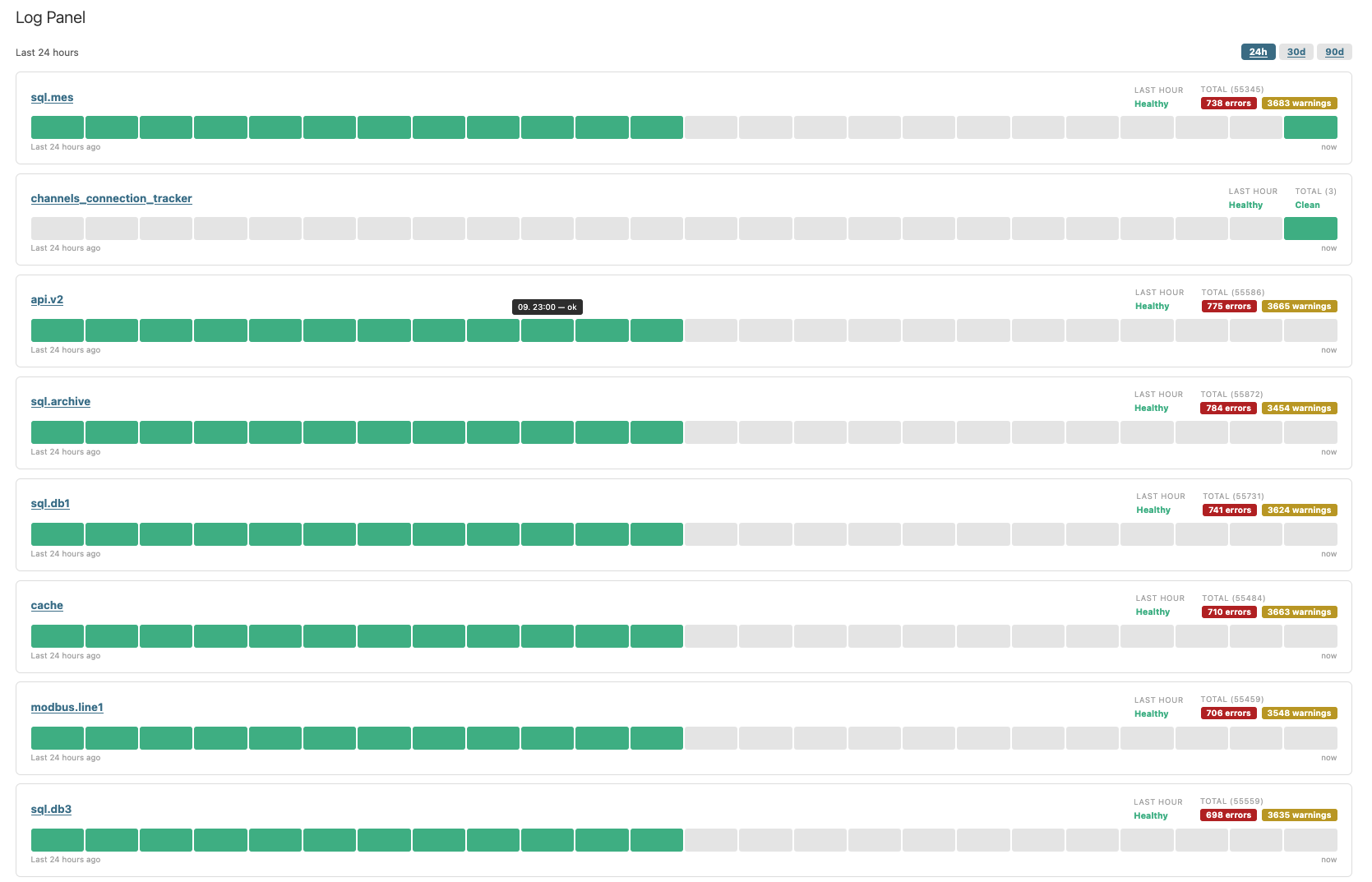
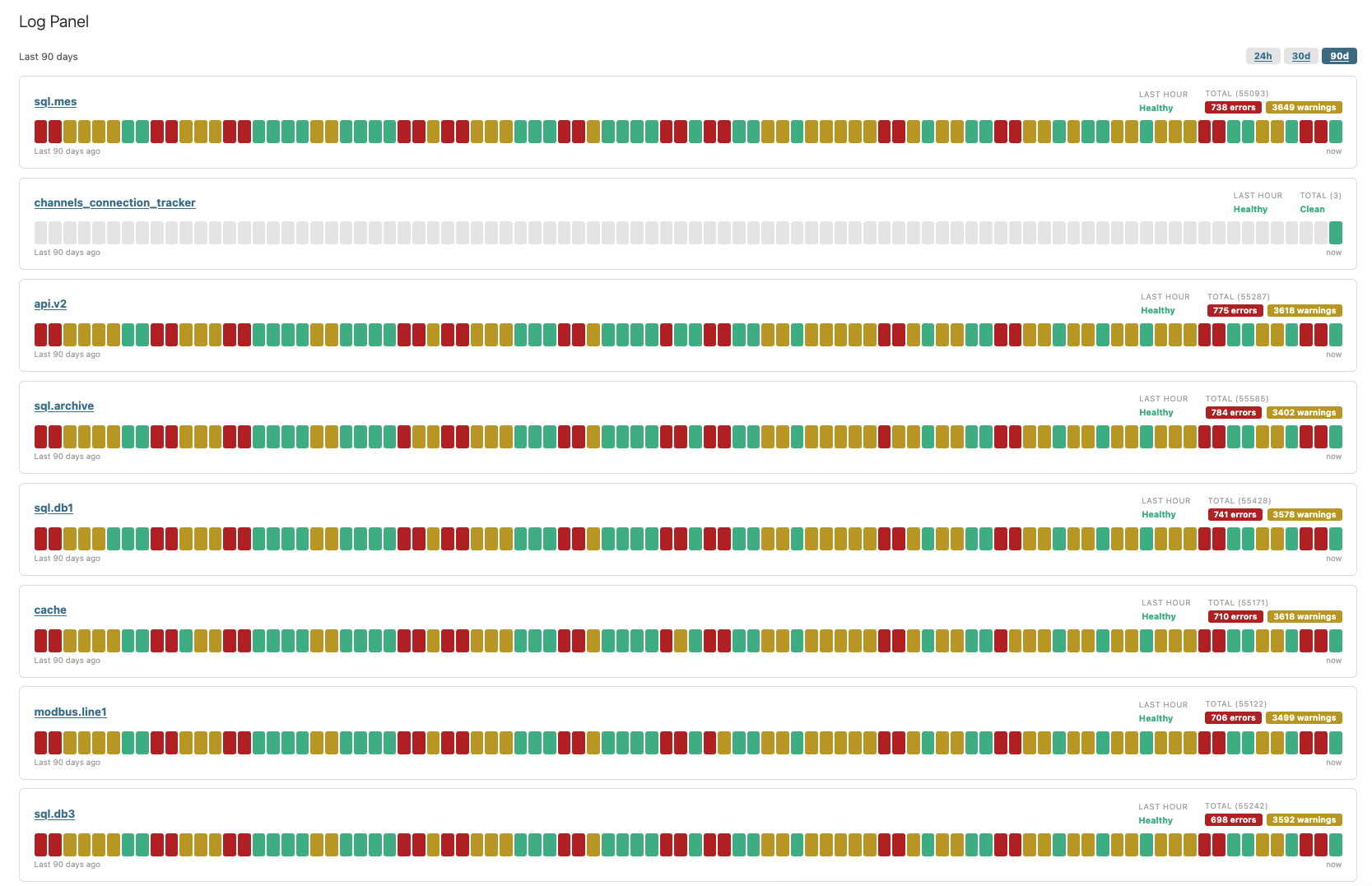
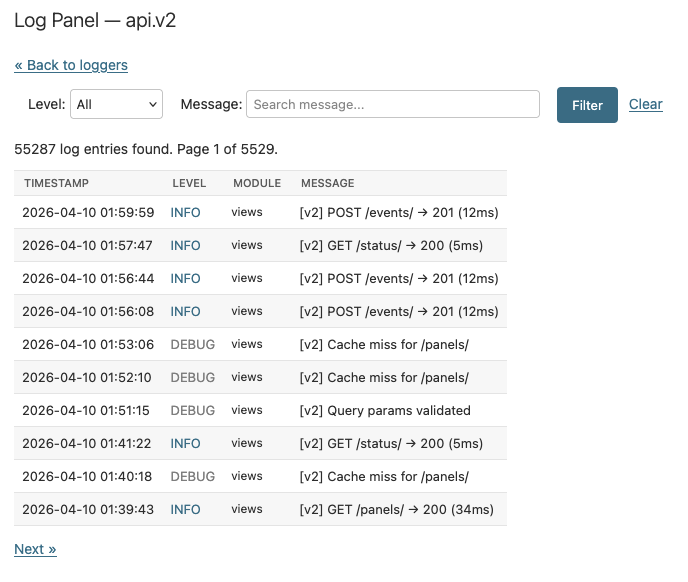
django-log-panel displays your Django logs inside Django admin as a per-logger status dashboard with searchable log entries and optional threshold alerts, without a separate service to run.
Features
- A status-page style dashboard in Django admin, with one health card per logger.
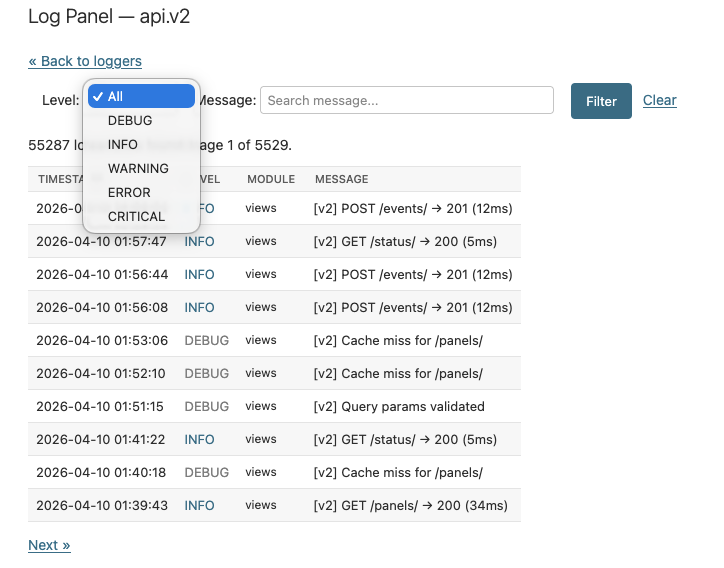
- A searchable, filterable log table for drilling into individual entries.
- MongoDB and SQL storage backends, depending on how you want to store logs.
- Threshold alerts through a Django signal that your application can react to.
- Configurable ranges, colors, page size, title, and access control.
- Automatic root-handler setup by default, with manual
LOGGINGcontrol when needed.
Requirements
- Python >= 3.12
- Django >= 5.2
pymongo>=4.16.0,<5only when using the MongoDB backend- A running, reachable MongoDB instance when using the MongoDB backend
Installation
# with uv
uv add django-log-panel

# with pip
pip install django-log-panel
For MongoDB support, install the optional extra. This installs the Python client only; you still need an actual MongoDB instance to connect to:
# with uv
uv add "django-log-panel[mongodb]"

# with pip
pip install "django-log-panel[mongodb]"
Choose a backend
| Backend | Use it when | Retention | Extra setup |
|---|---|---|---|
| MongoDB | You want append-only logging with cheap writes and MongoDB TTL cleanup. | Automatic TTL expiry on the collection. | Install the mongodb extra, run a reachable MongoDB instance, and set CONNECTION_STRING. |
| SQL | You want logs in a Django-managed relational database. | Run the delete_old_logs management command on a schedule. |
Add LogsRouter, point DATABASE_ALIAS at the target database, and run the log_panel migration on that alias. |
Quick start
1. Add the app
INSTALLED_APPS = [
    ...,
    "log_panel",
]
2. Configure one backend
MongoDB:
LOG_PANEL = {
    "CONNECTION_STRING": "mongodb://localhost:27017",
    "DB_NAME": "myapp_logs",
    "COLLECTION": "logs",
    "TTL_DAYS": 90,
}
This example assumes a MongoDB instance is running and reachable at localhost:27017.
SQL:
DATABASES["logs"] = {
    "ENGINE": "django.db.backends.postgresql",
    "NAME": "myapp_logs",
    "USER": "...",
    "PASSWORD": "...",
    "HOST": "...",
    "PORT": "...",
}

DATABASE_ROUTERS = [
    "log_panel.routers.LogsRouter",
]

LOG_PANEL = {
    "DATABASE_ALIAS": "logs",
    "TTL_DAYS": 90,
}
If you use the SQL backend, run the migration on the logging database:
python manage.py migrate log_panel --database=logs
3. Open Django admin
Go to Application Logs, or open:
/admin/log_panel/panel/
Once configured, any standard Python logger that flows through the selected handler will show up in the panel.
How log capture works
LOG_PANELselects how the admin reads log data.- By default,
log_panelauto-attaches the matching handler to the root logger at startup. - Set
ATTACH_ROOT_HANDLER = Falsewhen you want full control through DjangoLOGGING. LOG_LEVELonly affects the auto-attached root handler.- Stored fields come from the log record itself;
LOGGINGformatters do not reshape the stored data.
Full setup notes and manual LOGGING examples are in the backend guide.
Querying logs in custom views
LogManager and LogQueryset let you fetch logs outside the admin panel — in your own views, APIs, or background tasks with a chainable filter interface that works with both SQL and MongoDB backends.
Subclass LogManager and override get_queryset() to apply default role-based restrictions. The returned LogQueryset behaves like a standard Python sequence — iterate it, slice it, or pass it to Django's Paginator:
from log_panel.managers import LogManager

class OperatorLogManager(LogManager):
    def get_queryset(self):
        return super().get_queryset().filter(
            logger_names=["orders", "machines"],
            min_level="WARNING",
        )

# In a Django view:
manager = OperatorLogManager()
qs = manager.get_queryset().filter(search=request.GET.get("q", ""))

list(qs)          # all matching entries
len(qs)           # total count
qs[0:20]          # first 20 entries

# Works directly with Django's Paginator:
from django.core.paginator import Paginator
paginator = Paginator(qs, 20)
page = paginator.get_page(request.GET.get("page"))
Available .filter() arguments:
| Argument | Type | Description |
|---|---|---|
logger_names |
list[str] |
Restrict to these logger names |
min_level |
str |
Minimum severity — "WARNING" includes WARNING, ERROR, and CRITICAL |
search |
str |
Case-insensitive message substring |
timestamp_from |
datetime |
Inclusive lower bound |
timestamp_to |
datetime |
Exclusive upper bound |
Advanced topics
- Backend setup and manual
LOGGINGexamples - Configuration reference
- Alerts, buffering, SQL retention cleanup, and admin UI
- Local development workflow
Contributing
For local work, use the uv workflow in docs/development.md.
Project details
Verified details
These details have been verified by PyPIProject links
GitHub Statistics
Maintainers
Release history Release notifications | RSS feed


Download files
Download the file for your platform. If you're not sure which to choose, learn more about installing packages.
Source Distribution
Built Distribution
Filter files by name, interpreter, ABI, and platform.
If you're not sure about the file name format, learn more about wheel file names.
Copy a direct link to the current filters
File details
Details for the file django_log_panel-0.1.9.tar.gz.
File metadata
- Download URL: django_log_panel-0.1.9.tar.gz
- Upload date:
- Size: 47.8 kB
- Tags: Source
- Uploaded using Trusted Publishing? Yes
- Uploaded via: twine/6.1.0 CPython/3.13.12
File hashes
| Algorithm | Hash digest | |
|---|---|---|
| SHA256 |
c47d38a646e24f1decf985ba850122e85020d764b7aa72223cfbc88f96a59ec8
|
|
| MD5 |
ac9aadc87e5e39d0f81c3dff48a43992
|
|
| BLAKE2b-256 |
7397ba683eb58fd95a873f14ef042e3bfbf07b33f2d048601e06a7edd220c90f
|
Provenance
The following attestation bundles were made for django_log_panel-0.1.9.tar.gz:
Publisher:
release.yml on rreiter3/django-log-panel
-
Statement:
-
Statement type:
https://in-toto.io/Statement/v1 -
Predicate type:
https://docs.pypi.org/attestations/publish/v1 -
Subject name:
django_log_panel-0.1.9.tar.gz -
Subject digest:
c47d38a646e24f1decf985ba850122e85020d764b7aa72223cfbc88f96a59ec8 - Sigstore transparency entry: 1441610055
- Sigstore integration time:
-
Permalink:
rreiter3/django-log-panel@d6d634ea12476a82f6c2ced26032cfda21fe80b4 -
Branch / Tag:
refs/heads/main - Owner: https://github.com/rreiter3
-
Access:
public
-
Token Issuer:
https://token.actions.githubusercontent.com -
Runner Environment:
github-hosted -
Publication workflow:
release.yml@d6d634ea12476a82f6c2ced26032cfda21fe80b4 -
Trigger Event:
workflow_dispatch
-
Statement type:
File details
Details for the file django_log_panel-0.1.9-py3-none-any.whl.
File metadata
- Download URL: django_log_panel-0.1.9-py3-none-any.whl
- Upload date:
- Size: 41.1 kB
- Tags: Python 3
- Uploaded using Trusted Publishing? Yes
- Uploaded via: twine/6.1.0 CPython/3.13.12
File hashes
| Algorithm | Hash digest | |
|---|---|---|
| SHA256 |
18a486d691345a9e499cebcfe93c10913805f3d72482915d9d54030c3a488451
|
|
| MD5 |
187d8cd0c492967ff2d841a1f1eb82f3
|
|
| BLAKE2b-256 |
c6f4925a73f74edb8507acc7a4a9b9e732d9a3370aeb318c9d06a9745a4c21bc
|
Provenance
The following attestation bundles were made for django_log_panel-0.1.9-py3-none-any.whl:
Publisher:
release.yml on rreiter3/django-log-panel
-
Statement:
-
Statement type:
https://in-toto.io/Statement/v1 -
Predicate type:
https://docs.pypi.org/attestations/publish/v1 -
Subject name:
django_log_panel-0.1.9-py3-none-any.whl -
Subject digest:
18a486d691345a9e499cebcfe93c10913805f3d72482915d9d54030c3a488451 - Sigstore transparency entry: 1441610138
- Sigstore integration time:
-
Permalink:
rreiter3/django-log-panel@d6d634ea12476a82f6c2ced26032cfda21fe80b4 -
Branch / Tag:
refs/heads/main - Owner: https://github.com/rreiter3
-
Access:
public
-
Token Issuer:
https://token.actions.githubusercontent.com -
Runner Environment:
github-hosted -
Publication workflow:
release.yml@d6d634ea12476a82f6c2ced26032cfda21fe80b4 -
Trigger Event:
workflow_dispatch
-
Statement type:






