
A game server for hosting text-based online MOO-like games.

Project description
DjangoMOO
"LambdaMOO on Django"




DjangoMOO is a MOO server built on Python and Django. A MOO is a persistent online text world where objects — rooms, things, players — have properties and verbs (methods) that define how they behave. Those verbs are written in Python and run in a sandboxed execution environment, so the world itself is programmable by its inhabitants.
The design follows the LambdaMOO model where it makes sense: a parsed command line, verb dispatch through the caller's inventory and location, object inheritance, and a permission system. The implementation is independent — no MOO bytecode, no C — just Python and Django.
Documentation | GitLab | GitHub mirror | PyPI
What's included
- A LambdaMOO-inspired parser with full dobj/iobj preposition support
- Objects, Properties, Verbs, and a ManyToMany inheritance hierarchy backed by PostgreSQL
- A RestrictedPython verb sandbox with a security-audited allowlist (55+ known escape vectors tested)
- A default bootstrap world: rooms, exits, containers, players, a lighting system, in-world mail, and an object placement system
- Browser playable with no client required via WebSocket SSH
- Django admin for browsing and editing the world's objects, properties, and verb source
- Docker + Helm for self-hosting with
docker compose up - moo-agent: autonomous LLM agents that inhabit the world via SSH (see below)
Quick Start
git clone https://gitlab.com/bubblehouse/django-moo
cd django-moo
docker compose up
Bootstrap the database and create your first wizard:
docker compose run webapp manage.py migrate
docker compose run webapp manage.py collectstatic
docker compose run webapp manage.py moo_init
docker compose run webapp manage.py createsuperuser --username wizard
docker compose run webapp manage.py moo_enableuser --wizard wizard Wizard
Connect at https://localhost/ and log in with the account you just created.
Interfaces
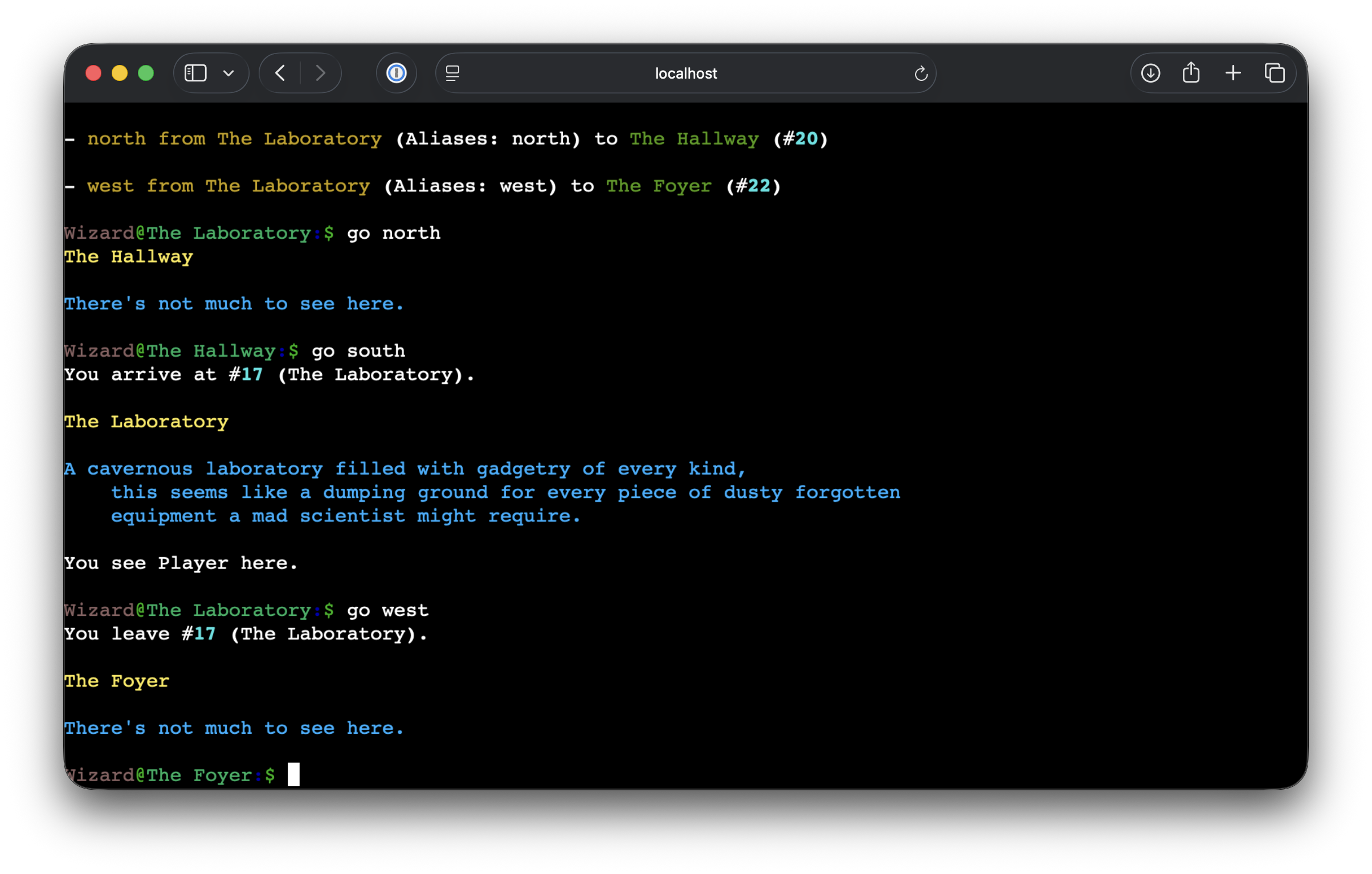
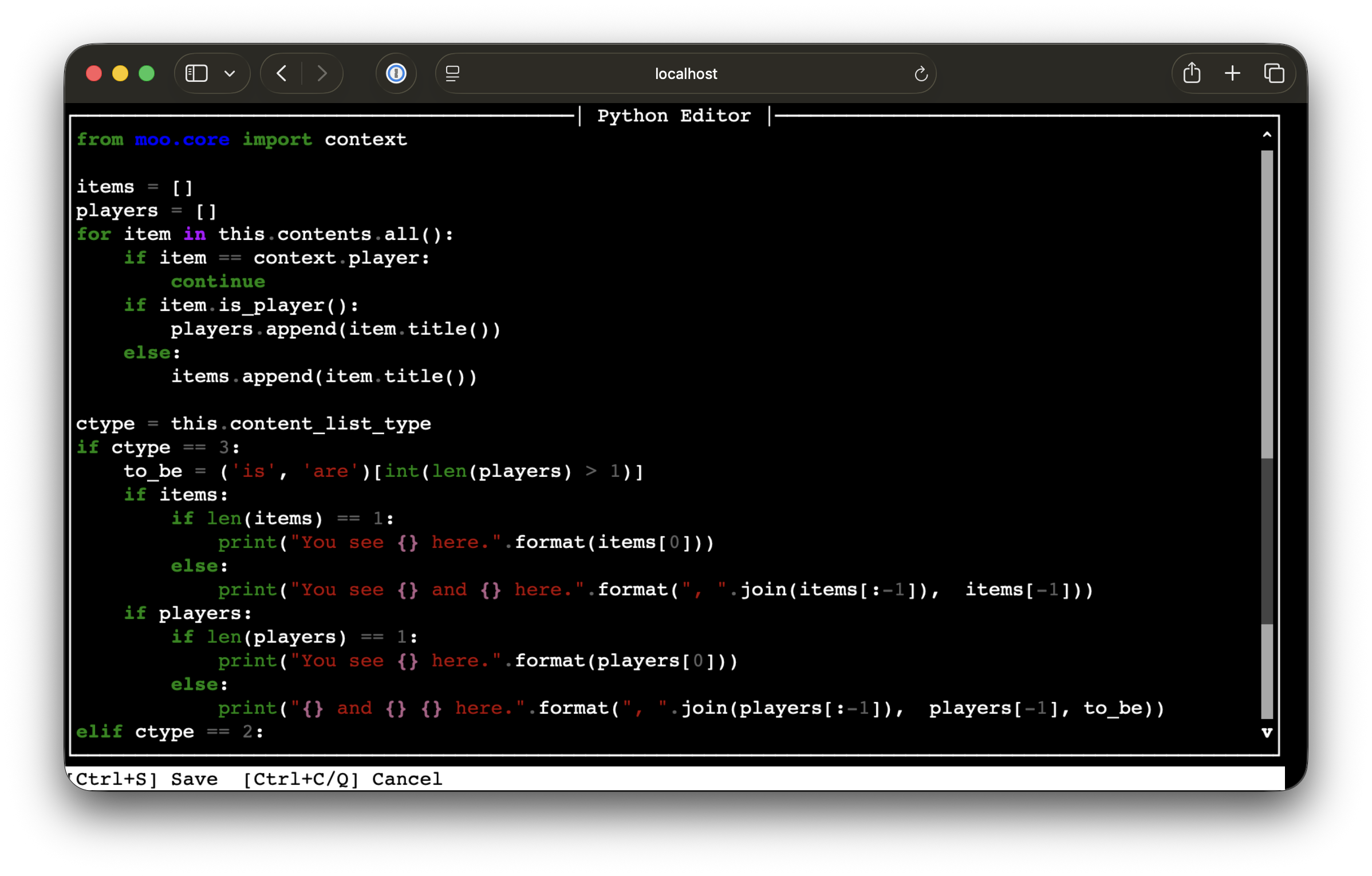
Web (WebSocket SSH)
The server is accessible through a browser-based SSH client at /. No SSH client needed.
SSH
Direct SSH access is also available.
ssh -p 8022 yourname@localhost
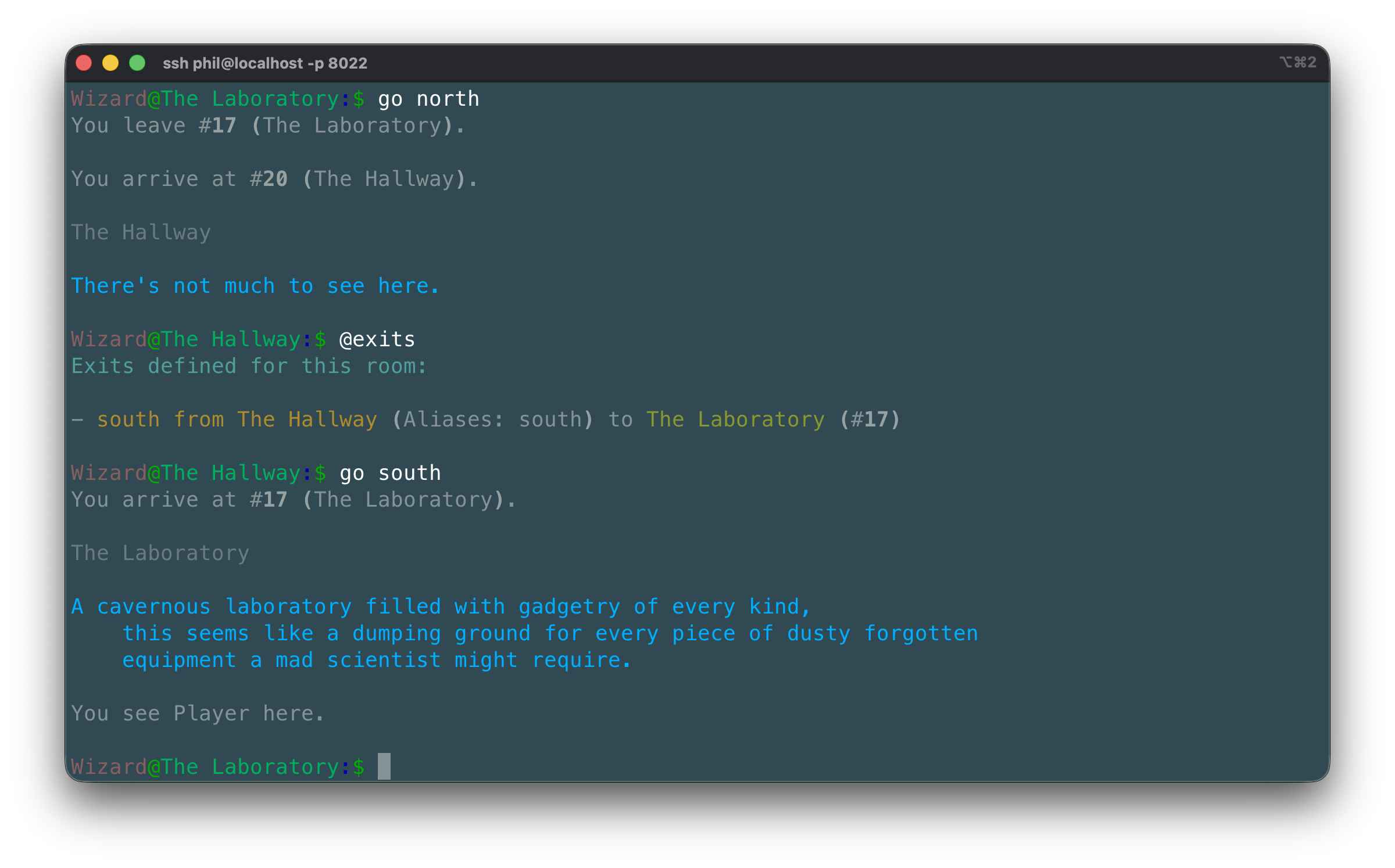
Hit Ctrl-D to disconnect.
Changing your password and managing SSH keys
Credentials are managed from inside the world with in-game verbs rather than the Django admin:
@password— interactively changes your password. Prompts for the old password, then the new one twice for confirmation. Wizards may leave the old password blank to perform an administrative reset.@keys— lists your currently registered SSH public keys.@add-key <public-key>— registers a new SSH public key. The key name is taken from the comment field automatically.@remove-key <index>— removes a key by its index from@keys.
Once a key is registered, reconnecting with ssh -p 8022 yourname@localhost
skips the password prompt.
Django Admin
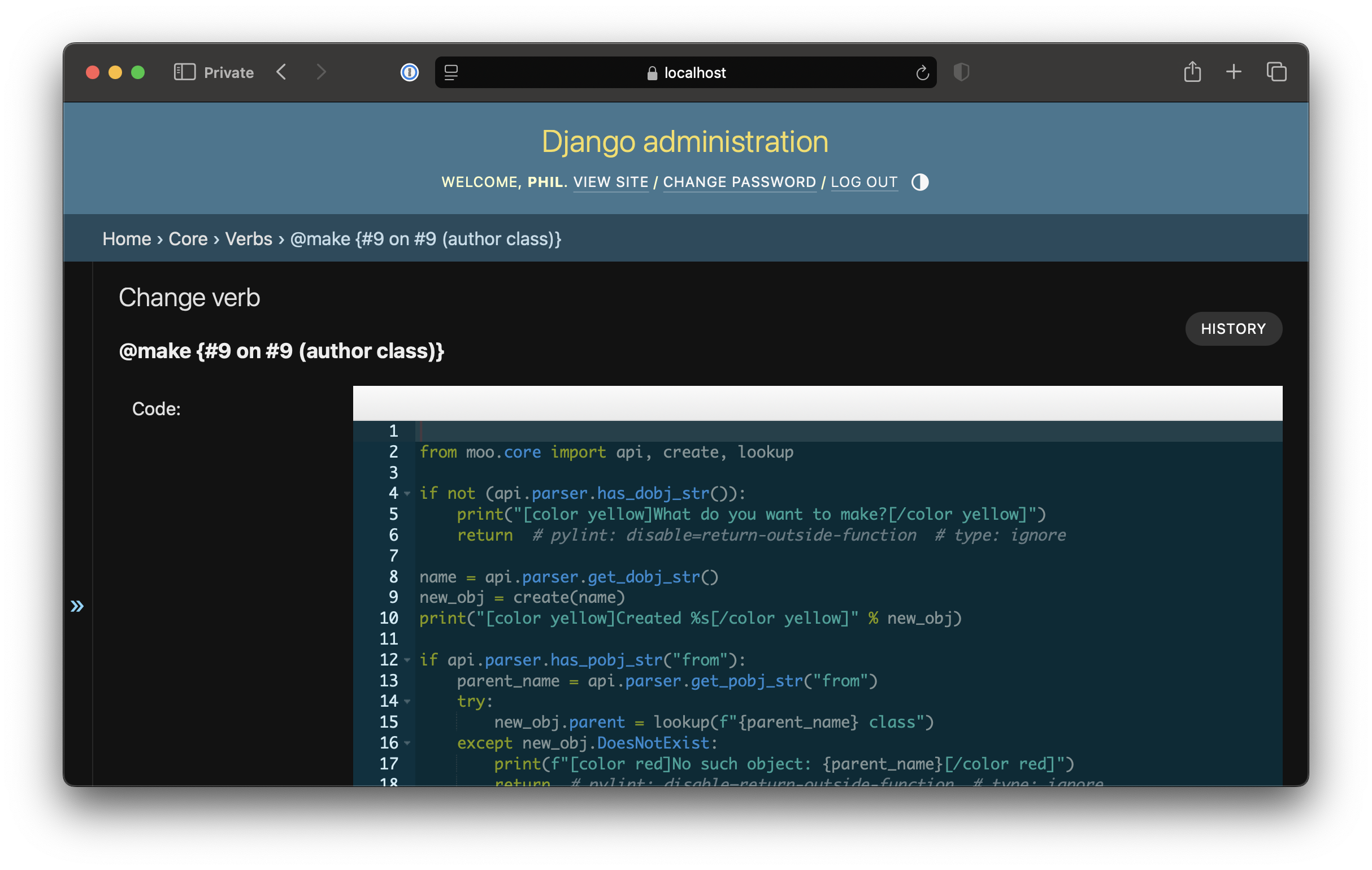
A full Django admin interface is available at /admin for managing objects, properties,
verbs, and users.
AI agents with moo-agent
moo-agent is a companion package that connects autonomous LLM agents to DjangoMOO via SSH. Each agent has:
- A SOUL.md personality file (plain text, version-controlled)
- Persistent memory that accumulates across sessions
- Tools for interacting with the world: move, look, take, drop, read, send mail, and more
- Multi-agent orchestration via a Foreman coordination layer
Backends: Anthropic (Claude), AWS Bedrock, and LM Studio for local models.
pip install moo-agent
moo-agent init --name MyAgent --host localhost --port 8022 --user myagent ./my-agent
moo-agent run ./my-agent
Full moo-agent docs: https://moo-agent.readthedocs.io/
LambdaCore attributions
This package is derived from the LambdaMOO and LambdaCore documentation, including the LambdaCore Programmer's Manual and the LambdaMOO Programmer's Manual. The code was written without reading the original LambdaCore source; it is an independent reimplementation based on documented behavior and conventions.
Various verbs have been modified from their LambdaCore equivalents to better fit a Pythonic
codebase: output uses print() rather than return values, property access follows Django ORM
patterns, and permission idioms have been updated to account for differences in how this
server dispatches verbs compared to LambdaMOO.
DjangoMOO could not have happened without the work of the following authors:
-
LambdaCore Database User's Manual (LambdaMOO 1.3, April 1991) Mike Prudence (blip), Simon Hunt (Ezeke), Floyd Moore (Phantom), Kelly Larson (Zaphod), Al Harrington (geezer)
-
LambdaCore Programmer's Manual (LambdaMOO 1.8.0p6, Copyright 1991) Mike Prudence (blip), Simon Hunt (Ezeke), Floyd Moore (Phantom), Kelly Larson (Zaphod), Al Harrington (geezer)
-
LambdaMOO Programmer's Manual (LambdaMOO 1.8.0p6, March 1997) Pavel Curtis (Haakon / Lambda)
Release history Release notifications | RSS feed


Download files
Download the file for your platform. If you're not sure which to choose, learn more about installing packages.
Source Distribution
Built Distribution
Filter files by name, interpreter, ABI, and platform.
If you're not sure about the file name format, learn more about wheel file names.
Copy a direct link to the current filters
File details
Details for the file django_moo-1.2.0.tar.gz.
File metadata
- Download URL: django_moo-1.2.0.tar.gz
- Upload date:
- Size: 523.3 kB
- Tags: Source
- Uploaded using Trusted Publishing? No
- Uploaded via: twine/6.2.0 CPython/3.11.15
File hashes
| Algorithm | Hash digest | |
|---|---|---|
| SHA256 |
45edc58a5d2fd8e5d3b9fda397637ef50f10b881485973b23a433ec52e48a363
|
|
| MD5 |
a259ec6af9e6c75899e8e0aaa4aee092
|
|
| BLAKE2b-256 |
ca161220f37f96d9170b5494adc91d6a333bc1a9fa27983c76a1bcac41729772
|
File details
Details for the file django_moo-1.2.0-py3-none-any.whl.
File metadata
- Download URL: django_moo-1.2.0-py3-none-any.whl
- Upload date:
- Size: 453.6 kB
- Tags: Python 3
- Uploaded using Trusted Publishing? No
- Uploaded via: twine/6.2.0 CPython/3.11.15
File hashes
| Algorithm | Hash digest | |
|---|---|---|
| SHA256 |
a474047cd6e0ee7a1ce96caf247546cb93f85f56f1dcaeb5df8e3657614b3f75
|
|
| MD5 |
4dcbc2677ecaafd16550bfd909698a74
|
|
| BLAKE2b-256 |
13b05380ea20fe519054b6b85347b099bf586d6de6baa0cd414438914d109ab0
|






