
Easy to use JWT with 3rd party login.

Project description
Django Simple 3rd Party JWT


This is a simple tool for 3rd party login with JWT.
See Simple Version in another repo -> JWT 3rd Party Dashboard.
Installation
pip install django-simple-third-party-jwt
Check it in Pypi.
Quick Start
Backend
- Add
django_simple_third_party_jwtto yourINSTALLED_APPSinsettings.pylike this:
INSTALLED_APPS = [
...
'django_simple_third_party_jwt',
]
- Add APP settings to your
settings.pylike this:
from datetime import timedelta

# -------------- START - CORS Setting --------------
CORS_ALLOW_ALL_ORIGINS = True
CORS_ALLOW_CREDENTIALS = True
CSRF_TRUSTED_ORIGINS = [
    "http://*.127.0.0.1",
    "http://localhost",
]
# -------------- END - CORS Setting -----------------

# -------------- Start - SimpleJWT Setting --------------
SIMPLE_JWT = {
    "ACCESS_TOKEN_LIFETIME": timedelta(minutes=3600),
    "REFRESH_TOKEN_LIFETIME": timedelta(days=1),
    "ROTATE_REFRESH_TOKENS": False,
    "BLACKLIST_AFTER_ROTATION": False,
    "UPDATE_LAST_LOGIN": False,
    "ALGORITHM": "HS256",
    "SIGNING_KEY": SECRET_KEY,
    "VERIFYING_KEY": None,
    "AUDIENCE": None,
    "ISSUER": None,
    "JWK_URL": None,
    "LEEWAY": 0,
    "AUTH_HEADER_TYPES": ("Bearer",),
    "AUTH_HEADER_NAME": "HTTP_AUTHORIZATION",
    "USER_ID_FIELD": "id",
    "USER_ID_CLAIM": "user_id",
    "USER_AUTHENTICATION_RULE": "rest_framework_simplejwt.authentication.default_user_authentication_rule",
    "AUTH_TOKEN_CLASSES": ("rest_framework_simplejwt.tokens.AccessToken",),
    "TOKEN_TYPE_CLAIM": "token_type",
    "TOKEN_USER_CLASS": "rest_framework_simplejwt.models.TokenUser",
    "JTI_CLAIM": "jti",
    "SLIDING_TOKEN_REFRESH_EXP_CLAIM": "refresh_exp",
    "SLIDING_TOKEN_LIFETIME": timedelta(minutes=5),
    "SLIDING_TOKEN_REFRESH_LIFETIME": timedelta(days=1),
}
# -------------- END - SimpleJWT Setting --------------

# -------------- START - Google Auth Setting --------------
SECURE_REFERRER_POLICY = "no-referrer-when-downgrade"
# SECURE_CROSS_ORIGIN_OPENER_POLICY = "same-origin-allow-popups"
SECURE_CROSS_ORIGIN_OPENER_POLICY = None
SOCIAL_GOOGLE_CLIENT_ID = (
    "376808175534-d6mefo6b1kqih3grjjose2euree2g3cs.apps.googleusercontent.com" # Here is test client ID used with `localhost:8000`.
)
LOGIN_REDIRECT_URL = "/"
VALID_REGISTER_DOMAINS = ["gmail.com"] # Only these domains can login.
# --------------- END - Google Auth Setting -----------------
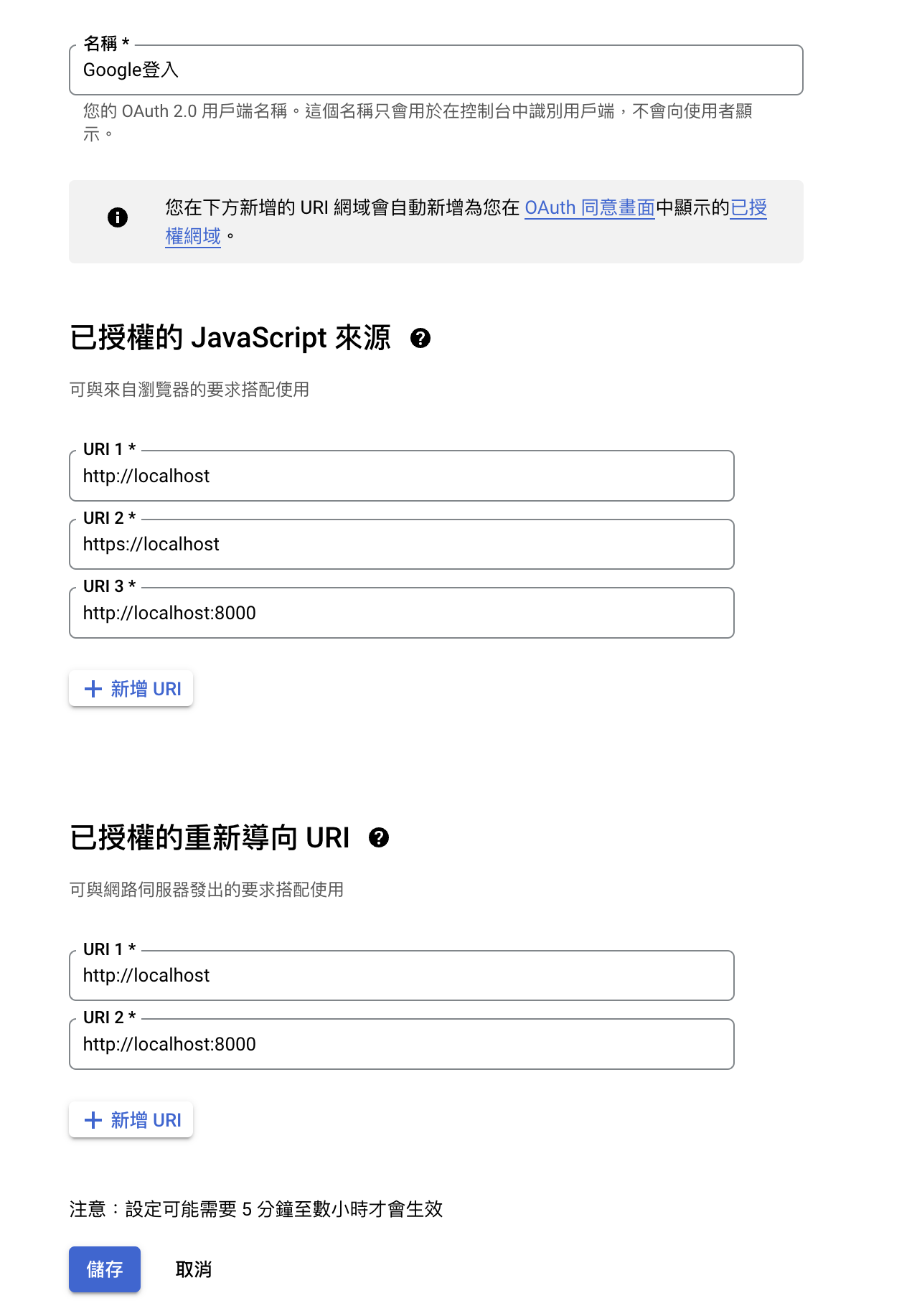
You can regist
SOCIAL_GOOGLE_CLIENT_IDon Google Cloud Platform.

- Include the
django_simple_third_party_jwtURL settings in your projecturls.pylike this:
from django.conf import settings
from django.urls import include
urlpatterns += [
    # google login
    path("api/auth/google/", include("django_simple_third_party_jwt.urls")),
]
You also need to include JWT settings in your urls.py.
# --------------- JWT
from rest_framework_simplejwt.views import (
    TokenVerifyView, TokenObtainPairView, TokenRefreshView
)
urlpatterns += [
    path("api/auth/token", TokenObtainPairView.as_view(), name="token_get"),
    path("api/auth/token/refresh", TokenRefreshView.as_view(), name="token_refresh"),
    path("api/auth/token/verify", TokenVerifyView.as_view(), name="token_verify"),
]
# ---------------------------------
- Migrate and test on your server.
- Migrate
python manage.py migrate django_simple_third_party_jwt
- Test
python manage.py runserver
Frontend (Optional)
Here just a demo frontend settings.
You need to check {{ social_google_client_id }} is the same with Metadata and your Html page.
- Meta
<meta name="google-signin-scope" content="profile email" />
<meta name="google-signin-client_id" content="{{ social_google_client_id }}" />
<script src="https://accounts.google.com/gsi/client" async defer></script>
- Html
<li>
    <div id="g_id_onload"
            data-client_id="{{ social_google_client_id }}"
            data-callback="get_jwt_using_google_credential" </div>
    <div class="g_id_signin" data-type="standard" data-size="large" data-theme="outline"
            data-text="sign_in_with" data-shape="rectangular" data-logo_alignment="left">
    </div>
</li>
- Javascript
You can try this script to get credential token from Google and verify it with calling our custom 3rd party API.
<script>
  function get_jwt_using_google_credential(data) {
    const google_token_url = "/api/auth/google/token";
    // const google_token_url = "/api/auth/google/token/session"; <------ if you also need login as session, choose this one.
    const credential = data.credential;
    $.ajax({
      method: "POST",
      url: google_token_url,
      data: { credential: credential },
    }).done(function (data) {
      const access_token = data.access;
      const refresh_token = data.refresh_token;
      localStorage.setItem("access", access_token);
      localStorage.setItem("refresh", refresh_token);
      console.log("Google Login");
      $.ajax({
        type: "POST",
        url: "/api/auth/token/verify",
        data: { token: access_token },
        headers: {
          Authorization: "Bearer" + " " + access_token,
        },
        success: function (data) {
          var json_string = JSON.stringify(data, null, 2);
          if (json_string) {
            console.log("Token verified successfully!");
          }
        },
        error: function (data) {
          var result = "please login " + data.responseText;
          console.log(result);
        },
      });
    });
  }
</script>
Example
Check Example of dashboard.
Or you can use the following steps.
Run example backend
You can see the example in ./example/
git clone https://github.com/NatLee/Django-Simple-3rd-Party-JWT
cd Django-Simple-3rd-Party-JWT/example/django_simple_third_party_jwt_example/
pip install -r requirements.txt
python manage.py makemigrations && python manage.py migrate
python manage.py runserver 0.0.0.0:8000
If you need superuser, run:
python manage.py createsuperuser
Visit example frontend
Open browser and visit localhost:8000.
There are several url routes available in this example.
api/auth/google/  <--------- Google Login
api/auth/google/session <----------- Google Login with Django Session
api/__hidden_admin/
api/__hidden_dev_dashboard/
api/auth/token [name='token_get']
api/auth/token/refresh [name='token_refresh']
api/auth/token/verify [name='token_verify']
^api/__hidden_swagger(?P<format>\.json|\.yaml)$ [name='schema-json']
^api/__hidden_swagger/$ [name='schema-swagger-ui']
^api/__hidden_redoc/$ [name='schema-redoc']
- Dev Dashboard
In the first, visit testing dashboardhttp://localhost:8000/api/__hidden_dev_dashboard/.
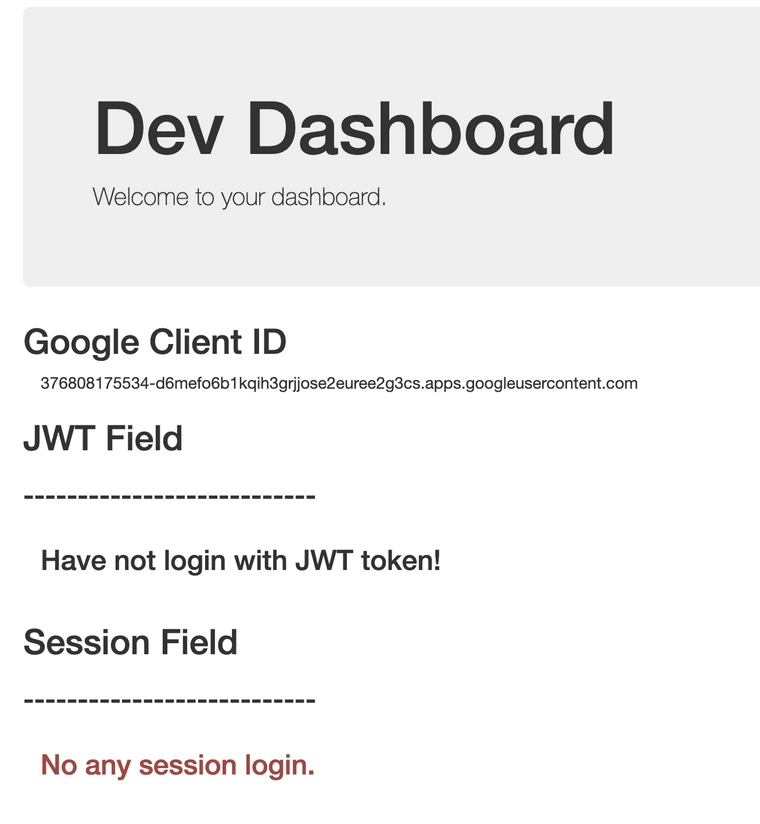
And, you can find Google Login in the top right corner like below.

Click it.
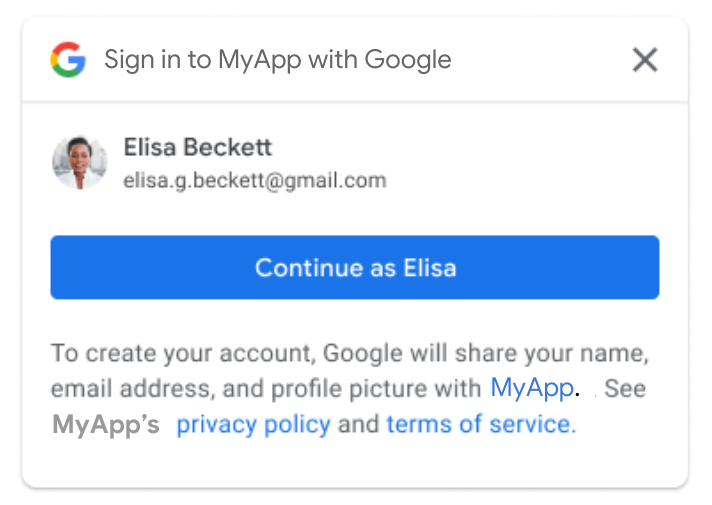
When you login, you will see the following hint.
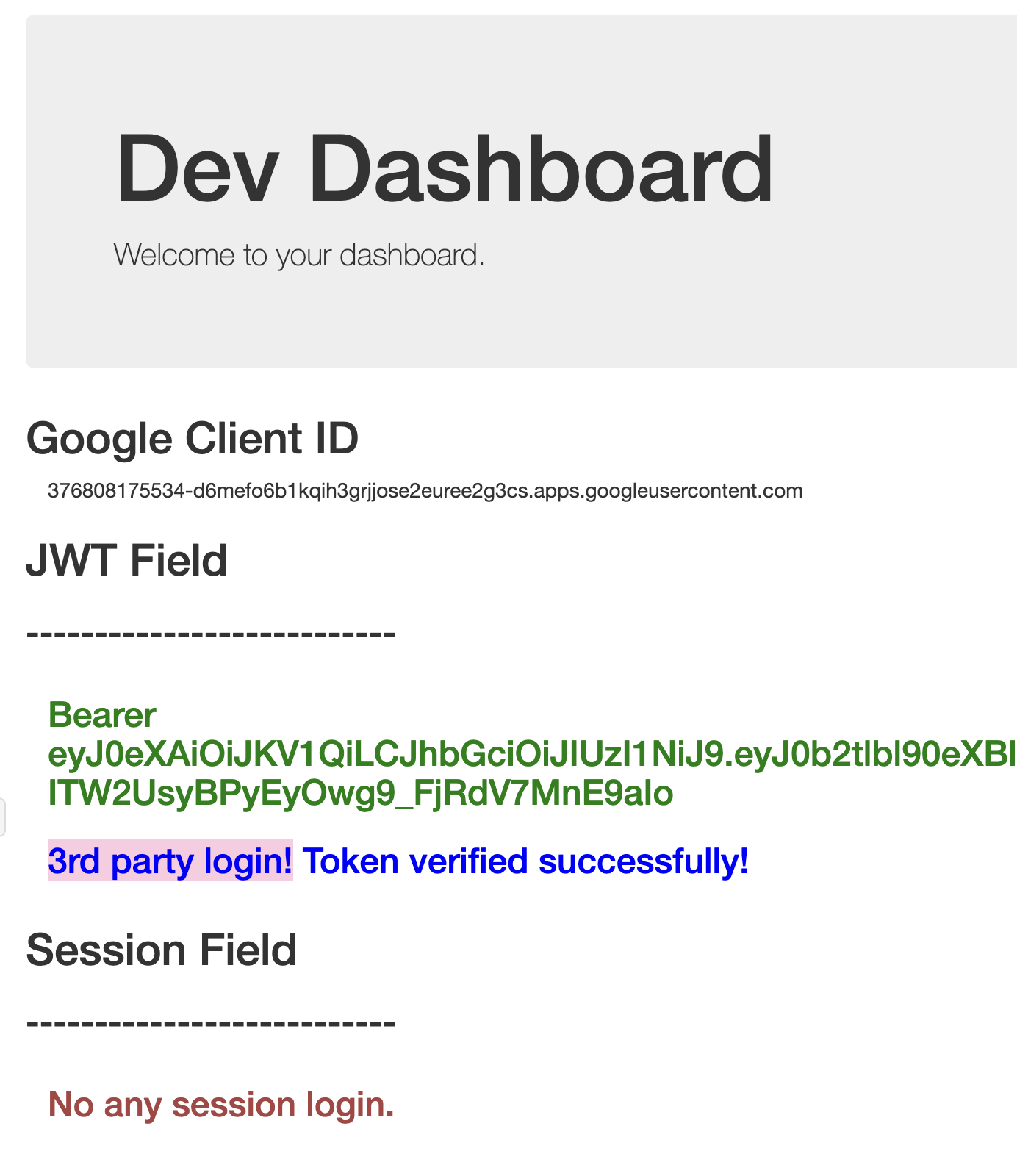
If you want to filter domains with Google Login, feel free to check VALID_REGISTER_DOMAINS in settings.py.
Once you login with Google, your account ID will be recorded in the database.
See more login information in
social_accounttable in database.
| id | provider | unique_id | user_id |
|---|---|---|---|
| 1 | 100056159912345678 | 1 |
- Swagger
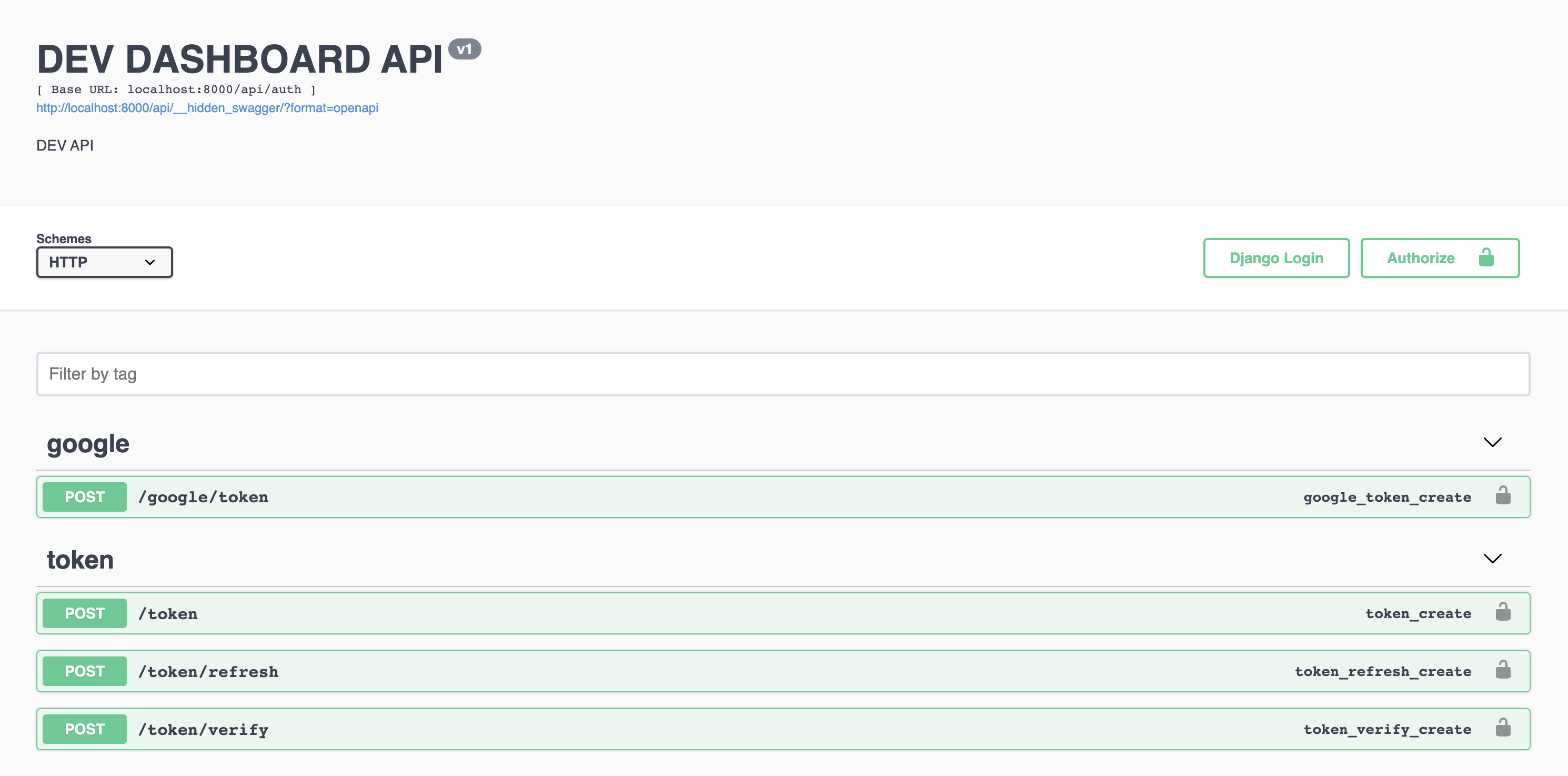
Also can see all information of APIs in http://localhost:8000/api/__hidden_swagger/.
More
Check https://developers.google.com/identity/gsi/web/guides/overview with more information of Google Login API.
Release history Release notifications | RSS feed


Download files
Download the file for your platform. If you're not sure which to choose, learn more about installing packages.
Source Distribution
Built Distribution
Filter files by name, interpreter, ABI, and platform.
If you're not sure about the file name format, learn more about wheel file names.
Copy a direct link to the current filters
File details
Details for the file django-simple-third-party-jwt-0.0.8.tar.gz.
File metadata
- Download URL: django-simple-third-party-jwt-0.0.8.tar.gz
- Upload date:
- Size: 22.1 kB
- Tags: Source
- Uploaded using Trusted Publishing? No
- Uploaded via: twine/4.0.2 CPython/3.11.1
File hashes
| Algorithm | Hash digest | |
|---|---|---|
| SHA256 |
9aeda8012950ac6ec3cb0981921ff6fc83f74ad89e38f3976843c56b70868f98
|
|
| MD5 |
b09c8b150443caee0493896dfd42dee0
|
|
| BLAKE2b-256 |
b17179f0046da703c82fb77b03110ca0db5d99c7c657357167c1dcd4ff562cbb
|
File details
Details for the file django_simple_third_party_jwt-0.0.8-py3-none-any.whl.
File metadata
- Download URL: django_simple_third_party_jwt-0.0.8-py3-none-any.whl
- Upload date:
- Size: 11.5 kB
- Tags: Python 3
- Uploaded using Trusted Publishing? No
- Uploaded via: twine/4.0.2 CPython/3.11.1
File hashes
| Algorithm | Hash digest | |
|---|---|---|
| SHA256 |
32af84b69c5f377eb926cd83f94f5508115dfd7f4ebb9383e1a3e238f7f8d794
|
|
| MD5 |
4eec1621ac4d7f72ef3acee7a839c0fb
|
|
| BLAKE2b-256 |
b461202c366b02300623f722fae7d9f1b40aa013d3dd37bdb87f08a64b5d0575
|






