
Django Site Settings



Django Site Settings is a reusable Django application designed to manage dynamic, type-safe global configurations directly from the Django Admin panel. Built on top of django-solo, it guarantees a singleton pattern for your core settings while offering an advanced, customizable caching layer.
Features
- Singleton Architecture: Ensures only one global configuration instance exists.
- Strict Type Validation: Supports String, Integer, Float, and Boolean data types with strict validation on save.
- High-Performance Caching: Automatically caches values to minimize database hits.
- Multi-Cache Support: Seamlessly integrates with your existing cache infrastructure (Redis, Memcached, etc.).
- Smart Cache Invalidation: Uses Django signals to instantly purge modified or deleted keys.
- Template Tag Ready: Built-in template tags to fetch settings directly inside your HTML layouts.
Requirements
- Python: 3.10, 3.11, 3.12+
- Django: 5.0, 6.0+
- django-solo: 2.3.0+
Installation
Via pip
pip install django-site-settings
Via Poetry
To add the package as a dependency using Poetry, run the following command:
poetry add django-site-settings
Configuration
- Add solo and django_site_settings to your project's INSTALLED_APPS inside settings.py:
INSTALLED_APPS = [
    # ... Django core apps

    "solo",
    "django_site_settings",

    # ... Your local apps
]
- Run the database migrations:
python manage.py migrate
Advanced Customization (Optional)
You can customize the caching behavior by adding the following variables to your main Django settings.py:
# Cache TTL in seconds (Default is 7 days)
SITE_SETTINGS_CACHE_TIMEOUT = 86400  # 24 hours

# Specify which cache backend configuration from your CACHES setting to use (Default is "default")
SITE_SETTINGS_CACHE_ALIAS = "fast_redis"
Integration with django-admin-reorder
If you are using custom admin menu managers like django-admin-reorder to clean up your Django Admin sidebar, you need to explicitly list all three models provided by this package under your custom app layout.
Add the following configuration block to your settings.py:
ADMIN_REORDER = [
    # ... your other apps ...
    {
        "app": "django_site_settings",
        "label": "Site Settings Engine",
        "models": (
            "django_site_settings.Settings",
            "django_site_settings.SiteAnnouncement",
            "django_site_settings.SettingAccessGroup",
        ),
    },
]
Usage
Admin Panel Interface
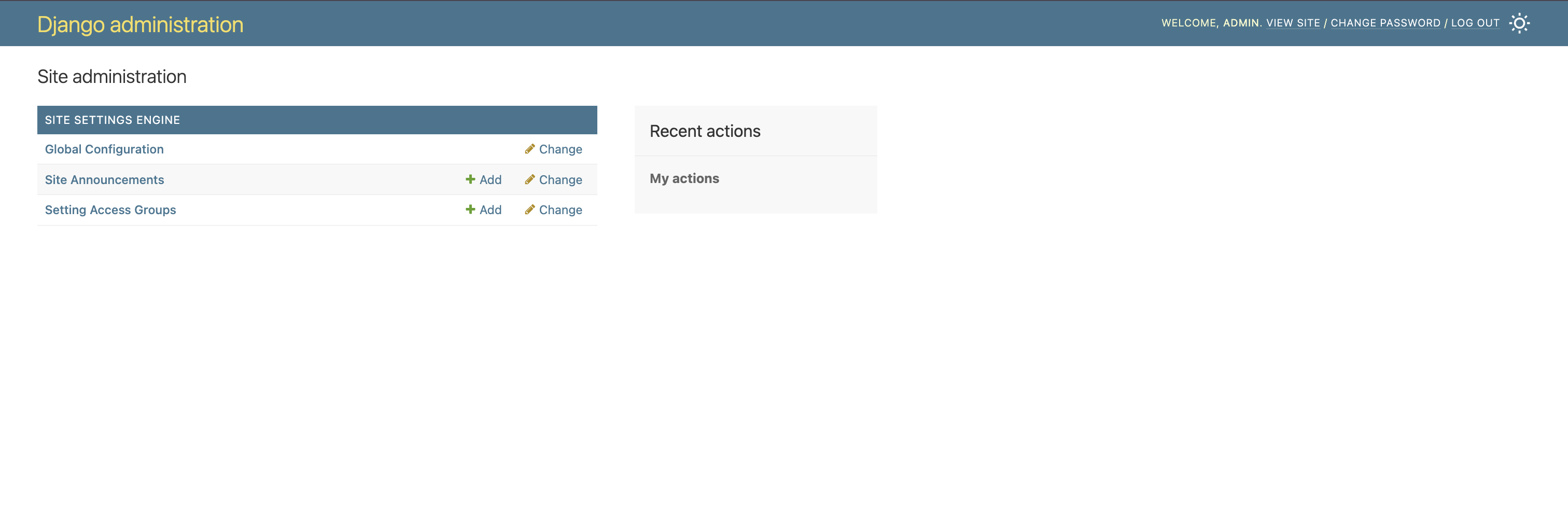
Once installed and configured, a new section called Site Settings Engine will automatically appear in your main Django administration index:
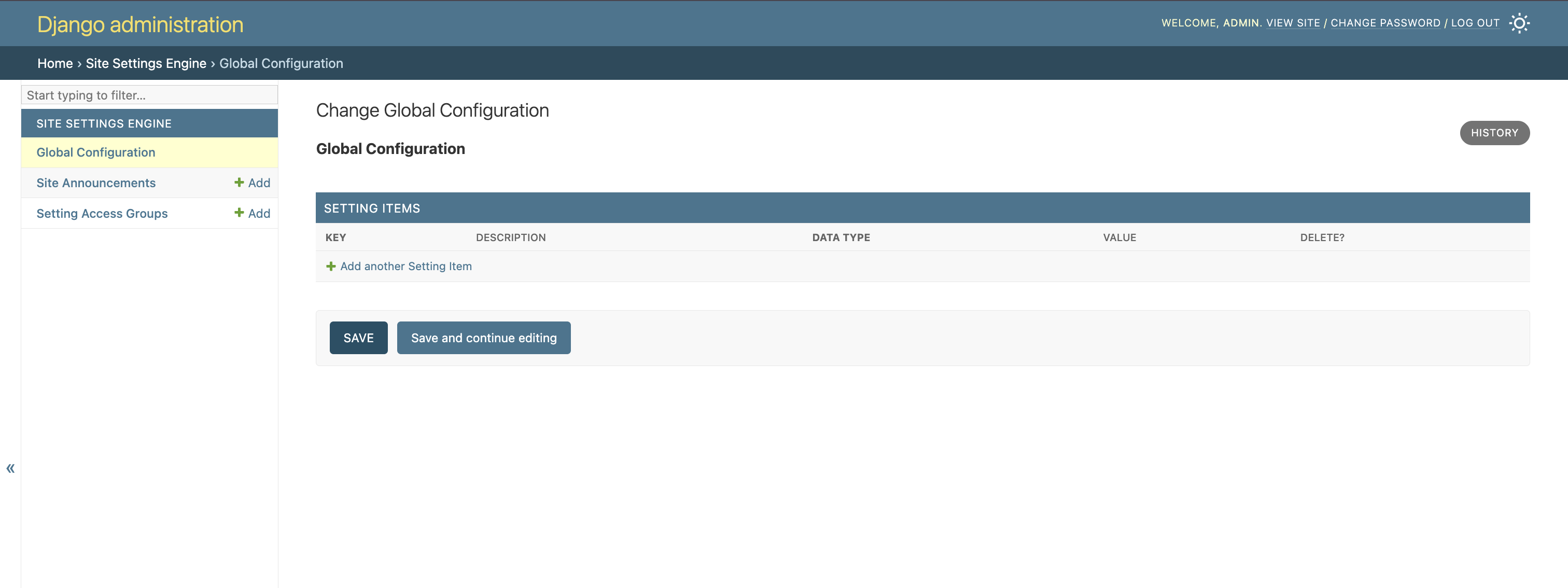
Global Configuration Management Clicking on Global Configuration provides a clean, unified dashboard where you can manage all custom variables as transactional setting items.
Empty State: Upon initialization, the dashboard presents a clean tabular inline structure layout, ready for keys assignment:
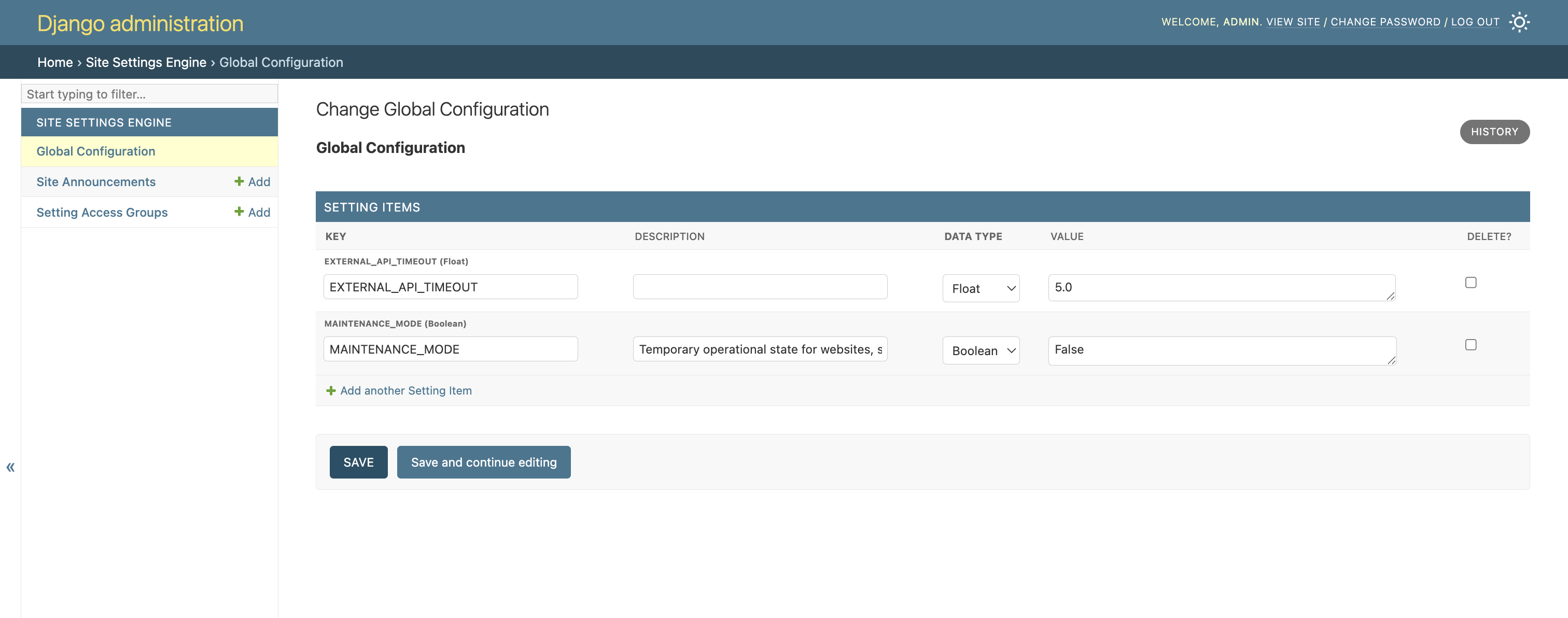
Populated State with Validation: You can dynamically add keys, provide descriptive notes for your team, select strict target data types (e.g., Boolean, Float), and input their corresponding values natively:
Fetching Settings in Python Code
Use the get_setting utility function anywhere in your Python business logic (services, models, tasks, or utilities) with automatic type conversion:
from django_site_settings.utils import get_setting

# Safely pulls from cache with strict type conversion
max_attempts = get_setting("MAX_LOGIN_ATTEMPTS", default=3)
is_maintenance = get_setting("MAINTENANCE_MODE", default=False)
api_timeout = get_setting("EXTERNAL_API_TIMEOUT", default=5.0)

if is_maintenance:
    # Handle maintenance logic directly
    pass
Fetching Settings inside Django Templates
Load the custom template tags to output values natively inside your HTML files:
{% load site_settings_tags %}

<footer>
    <p>Contact Support: {% site_setting "SUPPORT_EMAIL" default="support@example.com" %}</p>

    {% site_setting "SHOW_PROMO_BANNER" default=False as show_banner %}
    {% if show_banner %}
        <div class="banner">Big sale active!</div>
    {% endif %}
</footer>
Advanced Features: Global Site Announcements
The django-site-settings package includes a built-in notification engine powered by the SiteAnnouncement model. This feature allows administrators to broadcast multiple urgent alerts, maintenance windows, or marketing banners across the platform simultaneously, mimicking enterprise-tier SaaS announcement architectures.
Key Highlights
- Stacked Alerts Support: Display multiple active notifications at once.
- Smart Priority Sorting: Announcements are automatically arranged based on a customizable
priorityscale (e.g., criticaldangeralerts float to the top). - Automated Lifecycles: Schedule banners to activate (
start_at) and expire (end_at) autonomously. - Data-Level Caching: Active records are evaluated into a memory-efficient Python list layer and cached (
cache.get/cache.set), reducing database serialization overhead down to zero under high concurrent traffic. - Instant Cache Invalidation: Overridden
save()anddelete()model hooks flush the cache immediately when an administrator updates or removes a record. - Hybrid Frontend Integration: Choose between native Django Template Tags or a lightweight REST API endpoint.
- Independent Client-side Dismissal: Users can close individual banners. Closure states are safely tracked in browser
localStorageusing individual record IDs and atomic version timestamps (updated_at) to avoid redundant database or session overhead.
Implementation Guide
1. Integration via REST API (SPA / Headless Architecture)
Step A: Include Routing
Register the library's URL patterns inside your root Django urls.py configuration:
from django.urls import path, include

urlpatterns = [
    # ... your core project routes
    path("site-settings/", include("django_site_settings.urls")),
]
Step B: Consume the Endpoint
Your frontend application can fetch or poll from the following cache-backed public URI: GET /site-settings/api/announcements/
Example JSON Response Payload:
{
  "announcements": [
    {
      "id": 4,
      "text": "<strong>Urgent:</strong> Scheduled system upgrade on June 8th at 03:00 UTC.",
      "level": "danger",
      "updated_at": 1780920000.0
    },
    {
      "id": 2,
      "text": "Check out our new metrics dashboard module!",
      "level": "info",
      "updated_at": 1780845200.0
    }
  ]
}
Role-Based Access Control (RBAC)
For projects with hundreds of settings, you can dynamically restrict which configurations are visible and editable by specific groups of staff members (e.g., Marketing, DevOps, Support).
The package uses an explicit Entity-Attribute-Value (EAV) approach combined with Django's native auth.Group model via structured through-tables. Non-superuser staff will only see the configuration items explicitly assigned to their roles.
Configuration via Django Admin
- Create Access Groups: Go to Setting Access Groups in the Django Admin.
- Assign Staff Roles: Select the standard Django user groups that should inherit these permissions.
- Map Settings: Choose the explicit
AppSettingrecords that these groups are authorized to manage.
When a restricted user opens the Global Configuration singleton panel, the under-the-hood get_formset interceptor dynamically filters database queries. Unauthorized settings are completely hidden from the user's view, preventing accidental overrides of critical production values.
1 maintainer

Metadata
1 maintainer
Release files for django-site-settings 0.2.2
For a detailed explanation of source distributions (sdists) and built distributions (wheels), please see the package formats documentation.
Source distribution (sdist)
| File | Size | Uploaded | Provenance | Actions |
|---|---|---|---|---|
| django_site_settings-0.2.2.tar.gz | 13.4 kB | With provenance | Details for django_site_settings-0.2.2.tar.gz |
Built distribution (wheel)
| File | Interpreter | ABI | Platform | Actions Reset |
|---|---|---|---|---|
| django_site_settings-0.2.2-py3-none-any.whl | Python 3 | none | any | Details for django_site_settings-0.2.2-py3-none-any.whl |
Total release size: 28.1 kB
Release files / django_site_settings-0.2.2.tar.gz
| Download URL | django_site_settings-0.2.2.tar.gz |
|---|---|
| Size | 13.4 kB |
| Tags | Source |
|
SHA-256 checksum How to use checksums |
89374d4d38447165536ee99c52a702da2ff9341ee5a3f66174c9e2793218d87b
|
|
BLAKE2b-256 checksum How to use checksums |
d5ba86c15af81381d8d9f17e3364b9a186350e53834f7d9197657de6bf70dc86
|
| Upload date | |
|
Uploaded using Trusted Publishing? What is trusted publishing? |
Yes |
| Uploaded via |
twine/6.1.0 CPython/3.13.12
|
Provenance
Provenance describes where a file came from. On PyPI, provenance is shared via attestations, which provide a verifiable record of the build or publishing details. View details, limitations and caveats.


PyPI Publish Attestation
PyPI verified that this artifact, at this checksum, originated from the publisher listed below.
Signed by GitHub Actions, verified by PyPI on Jun 4, 2026.
Transparency logRelease files / django_site_settings-0.2.2-py3-none-any.whl
| Download URL | django_site_settings-0.2.2-py3-none-any.whl |
|---|---|
| Size | 14.8 kB |
| Tags | Python 3 |
|
SHA-256 checksum How to use checksums |
7b23e32ef5f3fdf129dc7a27bf08ae27b2566bc8e664ed0a6dc2e54ff68e66ec
|
|
BLAKE2b-256 checksum How to use checksums |
d57b00ebea524ca0de01d6a1b88d6704d0e707bf95e0220cdc73228d1ac6f5e1
|
| Upload date | |
|
Uploaded using Trusted Publishing? What is trusted publishing? |
Yes |
| Uploaded via |
twine/6.1.0 CPython/3.13.12
|
Provenance
Provenance describes where a file came from. On PyPI, provenance is shared via attestations, which provide a verifiable record of the build or publishing details. View details, limitations and caveats.
PyPI Publish Attestation
PyPI verified that this artifact, at this checksum, originated from the publisher listed below.
Signed by GitHub Actions, verified by PyPI on Jun 4, 2026.
Transparency logSecurity for django-site-settings 0.2.2
Provenance
Provenance describes where a file came from. On PyPI, provenance is shared via attestations, which provide a verifiable record of the build or publishing details. View details, limitations and caveats.
Full provenance
Both files in this release have been uploaded with provenance metadata.
Attestation for django_site_settings-0.2.2.tar.gz
PyPI Publish Attestation
PyPI verified that this artifact, at this checksum, originated from the publisher listed below.
Signed by GitHub Actions, verified by PyPI on Jun 4, 2026.
Transparency logA note on package security
PyPI is a repository for distributing packages, not a service for auditing them. While third-party security researchers and our staff do their best to detect and remove malicious packages, PyPI cannot guarantee the quality, security or suitability of any given package.
To learn more about protecting yourself from malicious actors, visit our package security documentation.














