
django-ticket
Ticket application for django project
Repository
You can find the source code and contribute to the project at the following link:
Contributors
- Abbas Ebadian - Founder of the project
- Hossein Sayyedmousavi - Primary Developer and Contributorand Contributor
Installation
1. install package
pip install django-ticket
2. add this application in settings.INSTALLED_APPS :
INSTALLED_APPS = [
    # ...
    'ticket',
    # ...
]
3. create and migrate migrations in BASE_DIR:
python manage.py migrate ticket
4. in core application include application urls:
from django.urls import path , include

urlpatterns += path("ticket/", include("ticket.urls"))
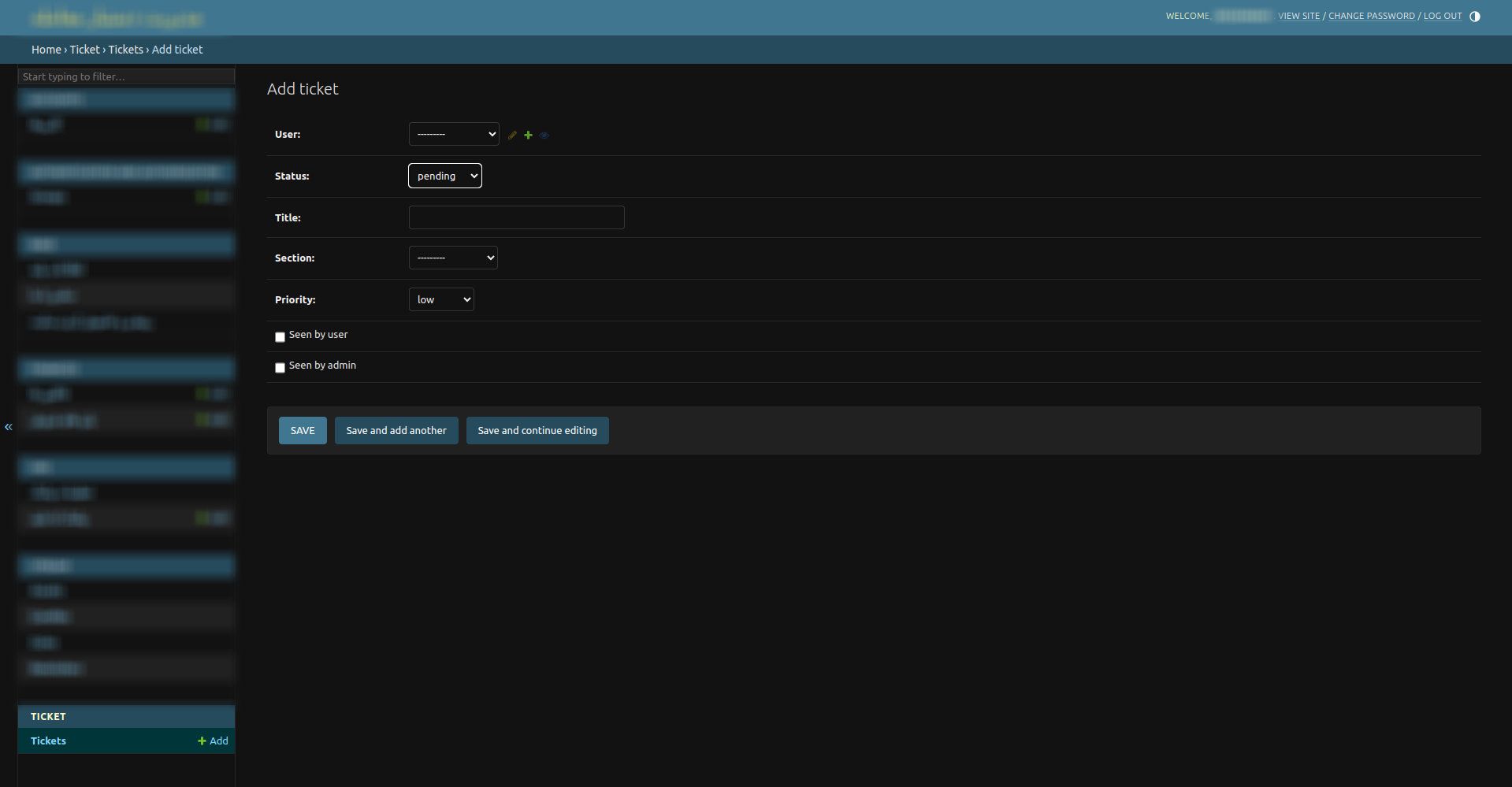
when you pass this missions you will see this in your admin panel:
API Documentation:
You can create a Ticket from admin panel for a user to admin. Note that and you can do all this operations from admin to a user
/ticket/
Create a ticket from user to admin and add a new message:
method: POST
required keywords : ("title","section","priority","message")
/ticket/
Get all tickets of user as a list
method: GET
required keywords : just must to be authorized.
/ticket/id/
Add message to a ticket with its id :
method: POST
required keywords : ("message",)
Note: id means ticket's id
/ticket/id/
Get a specific ticket by detail with its messages by it's id and Change ticket to seen state from user
method: GET
required keywords : just must to be authorized.
Note: id means ticket's id
/ticket/id/
Close ticket.
method: PATCH
required keywords : just must to be authorized.
Note: id means ticket's id
A little more Professional
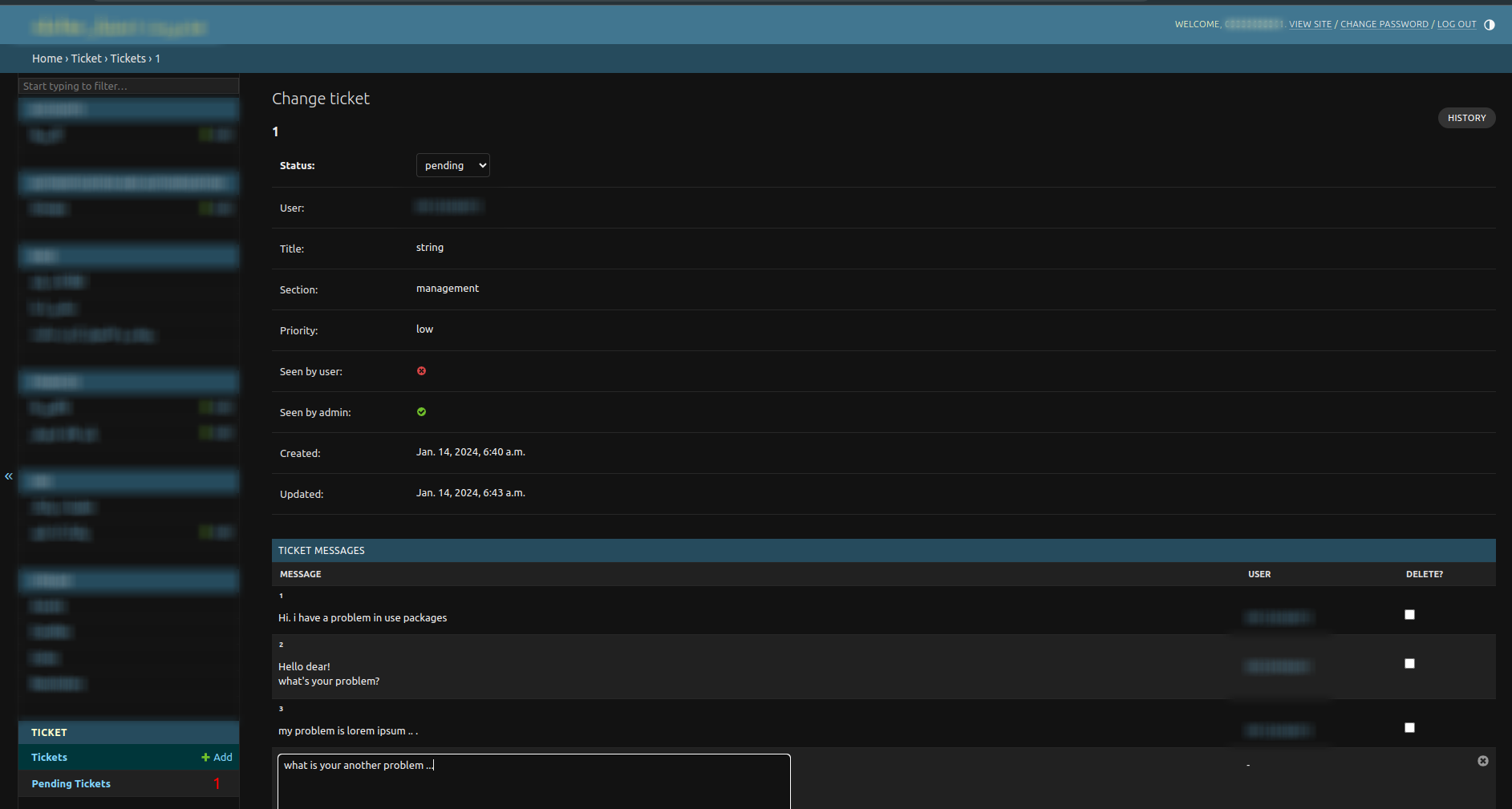
You can filter and have not seen tickets in admin panel:
settings.py:
1. Add 'ticket/templates' to DIRS of TEMPLATES:
TEMPLATES = [
    {
        # ...
        'DIRS': [
            # ...
            'ticket/templates'
            # ...
                    ],
        # ...
    }
]
2.Add 'ticket.context_processors.get_pending_tickets' to context_processors OPTIONS:
TEMPLATES = [
    # ...
            "OPTIONS": {
            # ...
            "context_processors": [
                # ...
            'ticket.context_processors.get_pending_tickets'
                # ...
            ]
            # ...
    }
]
Finally your application is complete to use:
Let's enjoy!
Changelog
[Version 3.1.1] - 2024-10-29
Added
soft_deleteattribute ticket and messages.viewedattribute view time of a message.viewerattribute viewer user of a message.swaggerapi docs and schemas.
Changed
- Make urls
RESTFUL. just one address -> /ticket/
Deprecated
- See ticket with an endpoint.
seen_by_userby get ticket in detail
Fixed
seen_by_adminswitches to True when open ticket object in admin panel
1 maintainer

Metadata
1 maintainer
Release files for django-ticket 3.1.3
For a detailed explanation of source distributions (sdists) and built distributions (wheels), please see the package formats documentation.
Source distribution (sdist)
| File | Size | Uploaded | |
|---|---|---|---|
| django_ticket-3.1.3.tar.gz | 7.9 kB | Details |
Built distribution (wheel)
| File | Interpreter | ABI | Platform | Reset |
|---|---|---|---|---|
| django_ticket-3.1.3-py3-none-any.whl | Python 3 | none | any | Details |
Total release size: 17.8 kB
Release files / django_ticket-3.1.3.tar.gz
| Download URL | django_ticket-3.1.3.tar.gz |
|---|---|
| Size | 7.9 kB |
| Tags | Source |
|
SHA-256 checksum How to use checksums |
1fcb53f1036774c37c7b4917ff2d3da2b00c373259bc83b800adb64ebb996455
|
|
BLAKE2b-256 checksum How to use checksums |
63bfd5c1ef6445544bec27487845ede0422116a3dbe69ca6e6ebe240f41de6cb
|
| Upload date | |
|
Uploaded using Trusted Publishing? What is trusted publishing? |
No |
| Uploaded via |
twine/6.1.0 CPython/3.12.3
|
Release files / django_ticket-3.1.3-py3-none-any.whl
| Download URL | django_ticket-3.1.3-py3-none-any.whl |
|---|---|
| Size | 9.9 kB |
| Tags | Python 3 |
|
SHA-256 checksum How to use checksums |
90c6d48cd054531fa1f8411cac0bc77a57fc92f3e9db849eb4912096d39d57b6
|
|
BLAKE2b-256 checksum How to use checksums |
e48c2afc2d78a4580cd8b8a934344334185518e5bbed5b4d926973be99b57732
|
| Upload date | |
|
Uploaded using Trusted Publishing? What is trusted publishing? |
No |
| Uploaded via |
twine/6.1.0 CPython/3.12.3
|














