
DjangoCMS Meta OG
HTML Meta tags OpenGraph for DjangoCMS. The project is based on the Django Meta OG project.
Install
pip install djangocms-meta-og
Add into settings.py:
from django.utils.translation import gettext_lazy as _
import sysconfig

INSTALLED_APPS = [
    "django_meta_og",
    "djangocms_meta_og",
    ...
]

TEMPLATES  = [
    {"OPTIONS": {
            "context_processors": [
                "djangocms_meta_og.context_processors.meta",
                ...
            ]
        }
    }
]

# Path to css and js used in admin form.
STATICFILES_DIRS = [
    os.path.join(sysconfig.get_paths()["purelib"], "djangocms_meta_og")
]
For js translations add into site urls.py:
from django.views.i18n import JavaScriptCatalog

urlpatterns = [
    ...
] + i18n_patterns(
    path('jsi18n/djangocms-meta-og/', JavaScriptCatalog.as_view(packages=['djangocms_meta_og']),
         name='jsi18n_djangocms_meta_og'),
    ...
)
Add into the templates:
{% load djangocms_meta_og %}
{% djangocms_meta_og_prefix as og_prefix %}
<head{% if og_prefix %} prefix="{{ og_prefix }}"{% endif %}>
    {% include "django_meta_og/header_meta.html" %}
The result can be:
<head prefix="og: https://ogp.me/ns#">
    <meta property="og:type" content="website" />
    <meta property="og:title" content="The Title" />
    <meta property="og:url" content="https%3A%2F%2Fexample.com%2F" />
    ...
</head>
Prefix for Meta tags in template
Some Meta tags may already be defined in the template. Their prefix is included in the prefix list via the definition in settings:
# Example of tag definition already used in the templates.
META_OG_PREFIX_IN_TEMLATES = (
    ("og", "https://ogp.me/ns#"),
    ("article", "https://ogp.me/ns/article#"),
)
Dynamic content
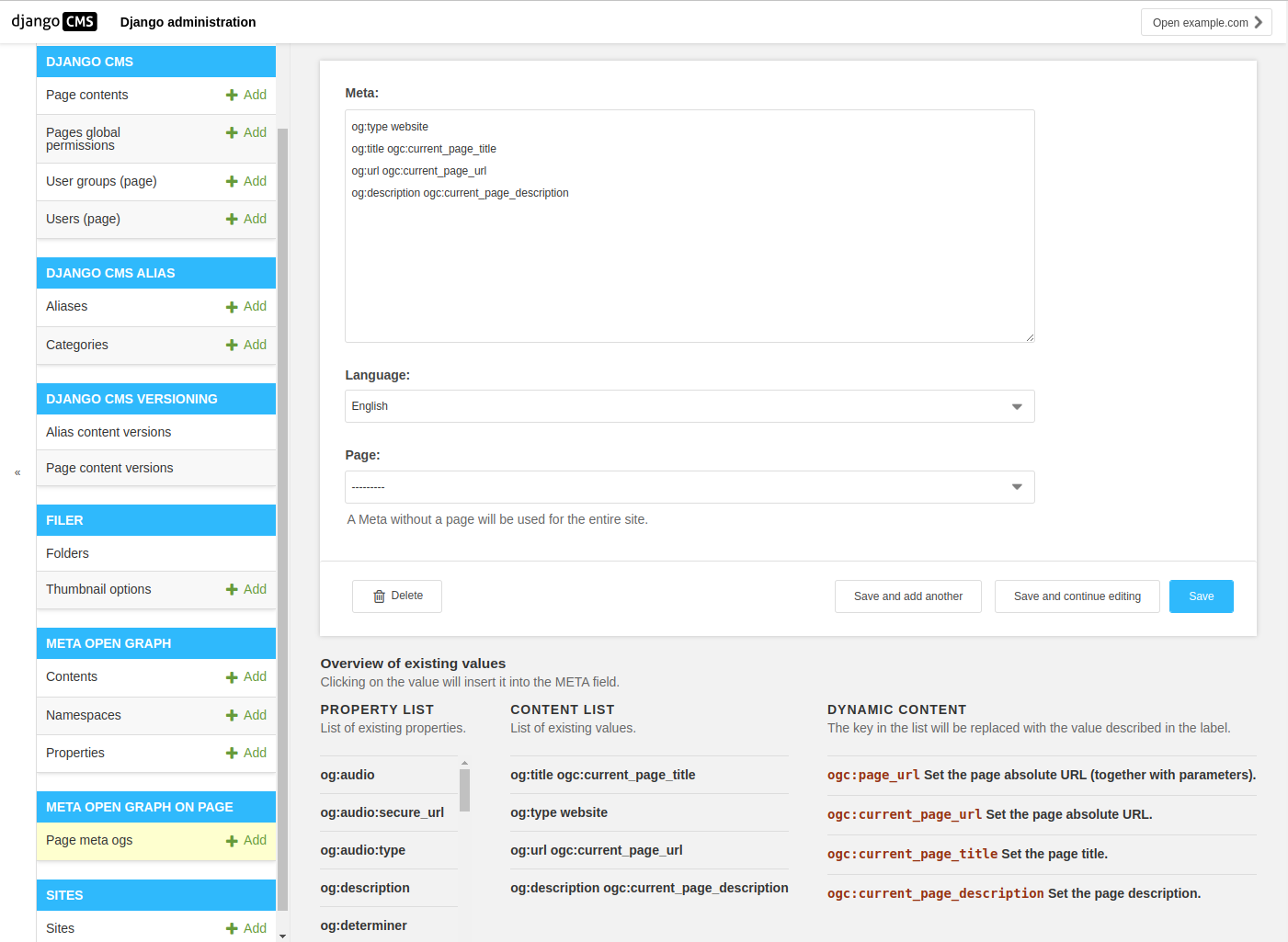
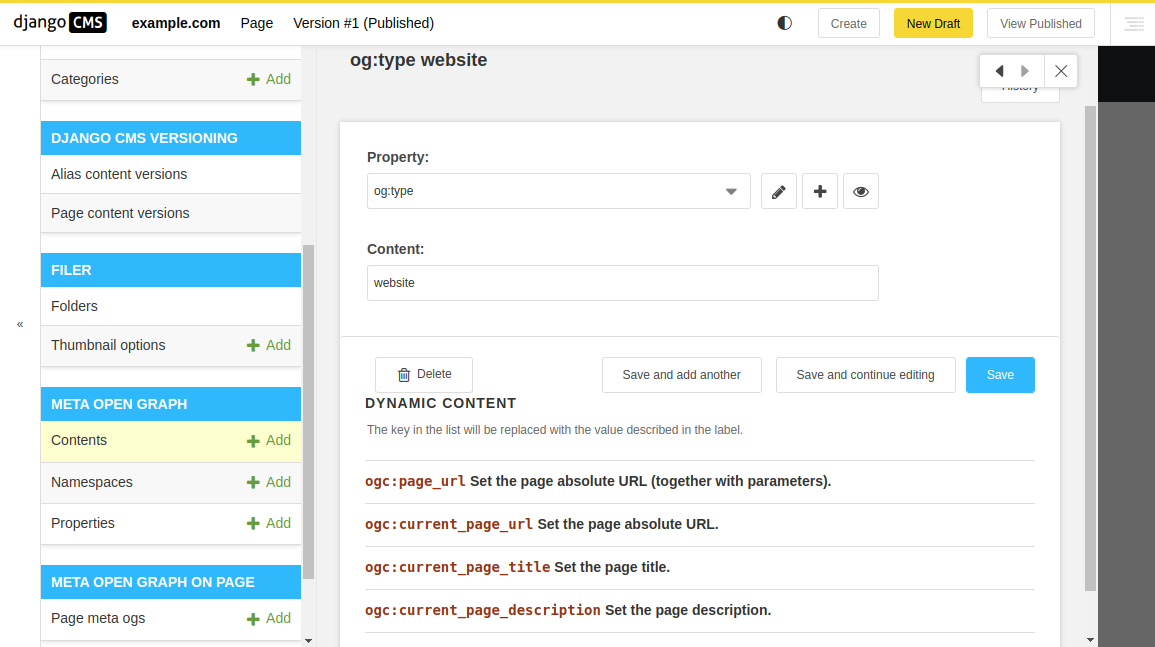
Special values can be replaced with some content. A list of these values is provided in the form in the item administration.
# Dynamic content - Key replacement for specific content.
PAGE_META_OG_DYNAMIC_CONTENT = {
    "ogc:page_url": (
        "django_meta_og.dynamic_content.get_page_url",
        _("Set the page absolute URL (together with parameters)."),
    ),
    "ogc:current_page_url": (
        "djangocms_meta_og.dynamic_content.get_current_page_url",
        _("Set the page absolute URL."),
    ),
    "ogc:current_page_title": (
        "djangocms_meta_og.dynamic_content.get_current_page_title",
        _("Set the page title."),
    ),
    "ogc:current_page_description": (
        "djangocms_meta_og.dynamic_content.get_current_page_description",
        _("Set the page description."),
    ),
    "ogc:filer_image_url": (
        "djangocms_meta_og.dynamic_content.get_filer_image_url",
        _("Set image URL by Filer ID. For example: ogc:filer_image_url(42)."),
    ),
    "ogc:menu_or_page_title": (
        "djangocms_meta_og.dynamic_content.get_menu_or_page_title",
        _("Set the title from the page menu."),
    ),
    "ogc:page_description_first_sentence": (
        "djangocms_meta_og.dynamic_content.get_page_description_first_sentence",
        _("Set the first sentence from the page description."),
    ),
    "ogc:page_description_first_line": (
        "djangocms_meta_og.dynamic_content.get_page_description_first_line",
        _("Set the first line from the page description."),
    ),
    "ogc:parent_page_title_dash_page_title": (
        "djangocms_meta_og.dynamic_content.get_parent_page_title_dash_page_title",
        _("Set the title – the page title."),
    ),
}
Checker page
Option to define a checker service in the META_OG_CHECKER_PAGE setting.
settings.py:
META_OG_CHECKER_PAGE = "mysite.utils.get_link_to_meta_og_checker_page"
mysite.utils.py:
from urllib.parse import quote

from django.http import HttpRequest


def get_link_to_meta_og_checker_page(request: HttpRequest) -> dict[str, str]:
    """Get link to Meta OG Checker page."""
    url = request.build_absolute_uri(request.GET.get("cms_path", "/"))
    return {"href": f"https://ogpreview.app/url/{quote(url, safe='')}", "label": "[OG] og : preview"}
Edit form
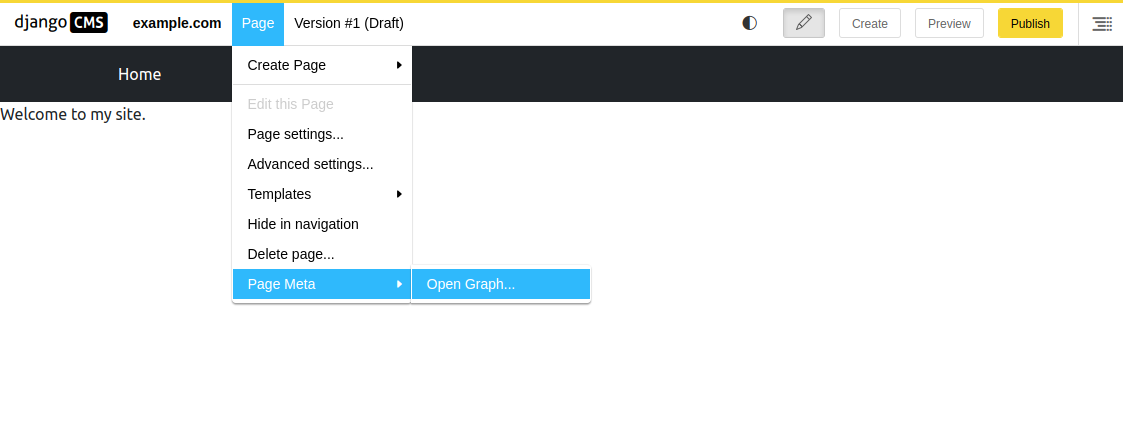
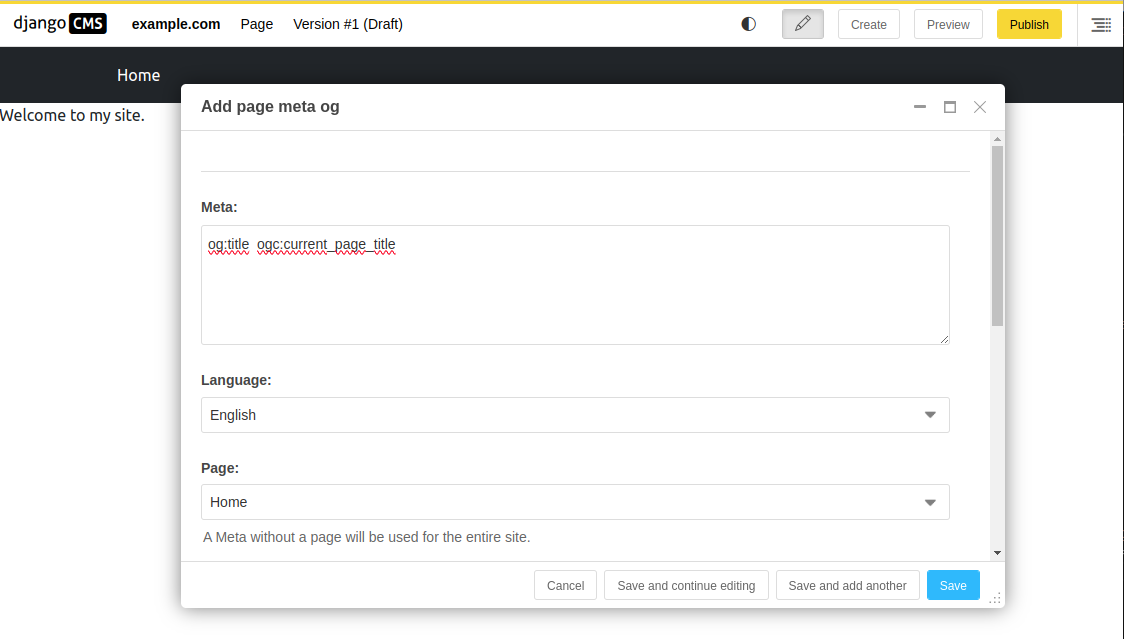
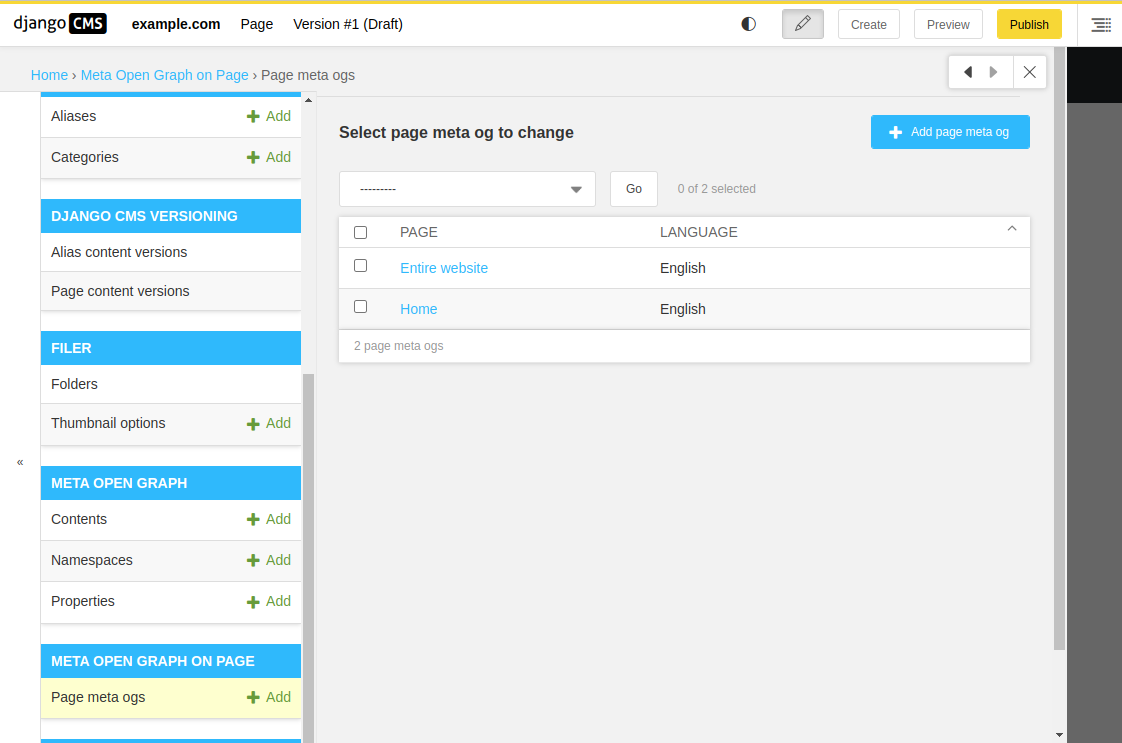
In addition to administration, editing META values is also available from the page menu.
Admininstration
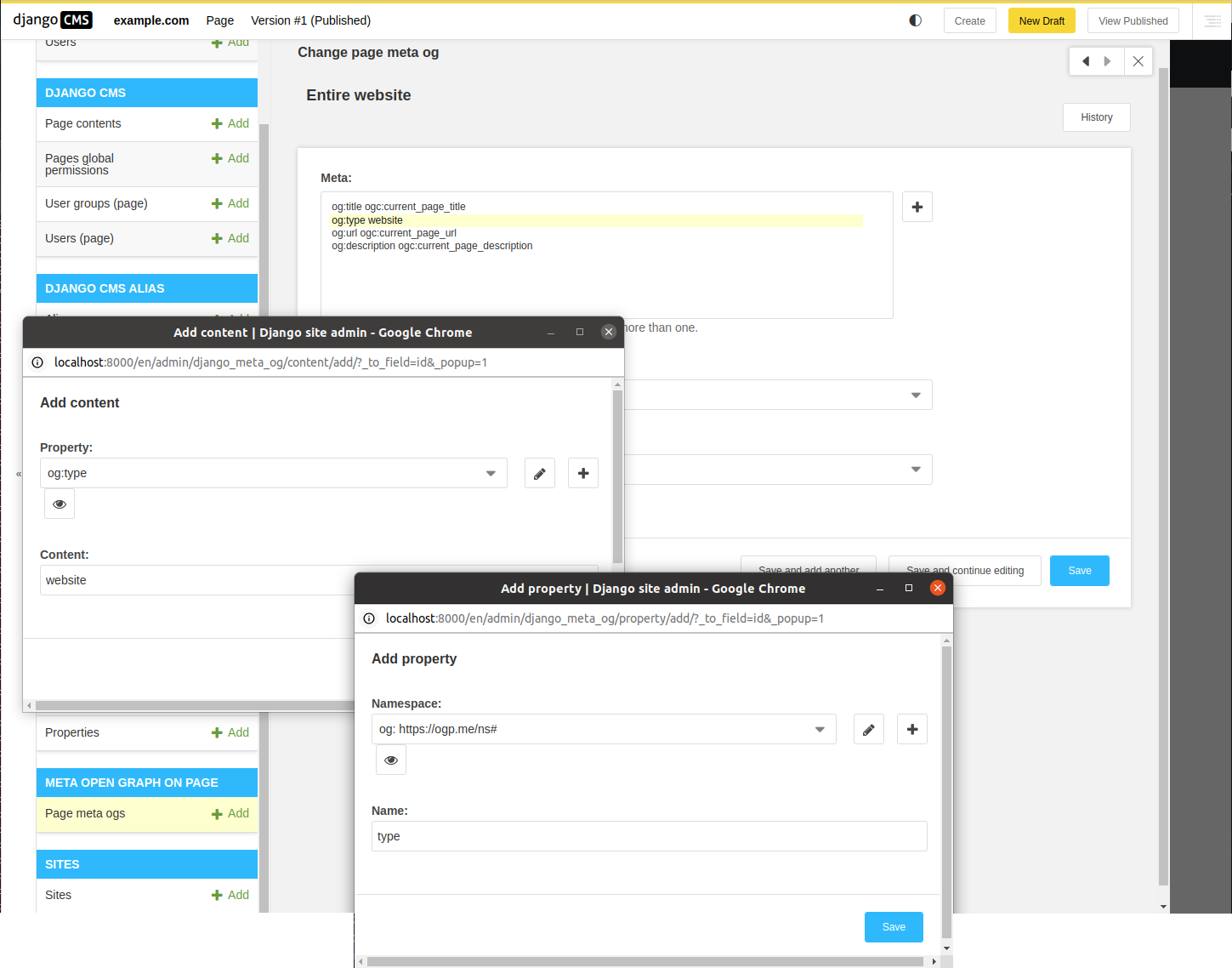
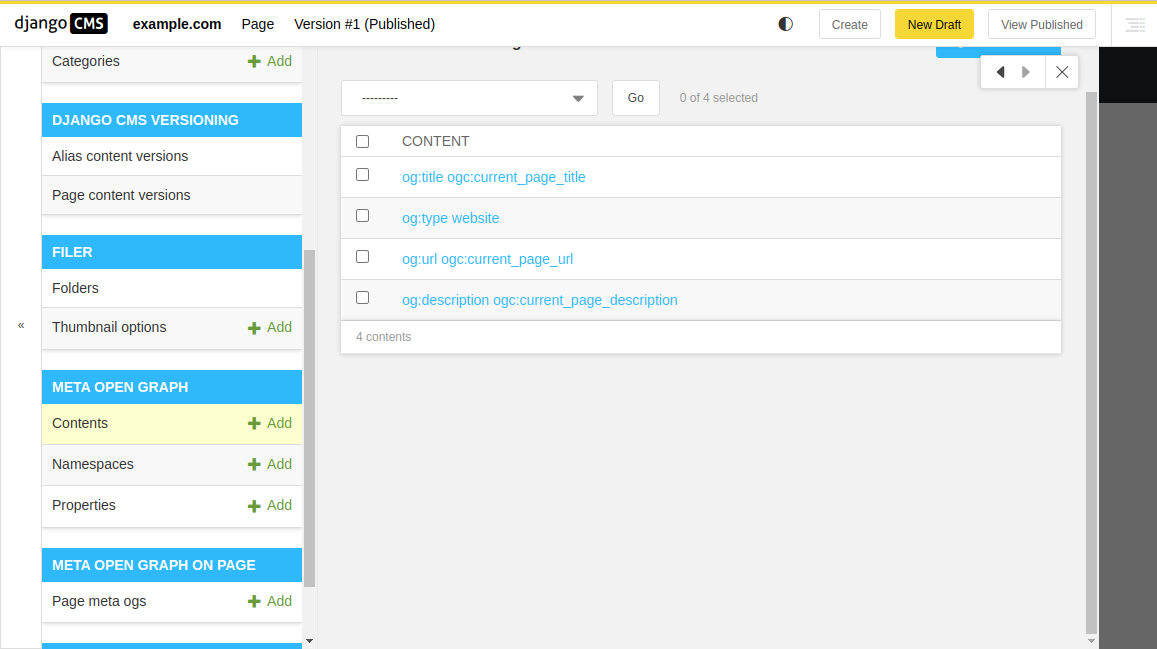
You can enter any Meta values. These are entered in four levels - Namespace, Property, Content and PageMetaOg. For this reason, a text form is set up for the META value, in which all these parts are combined in one edit in a text field.
If you want to return to the default editing via select boxes, activate the switch in settings.py:
META_OG_USE_DEFAULT_PAGE_FORM = True
Namespace
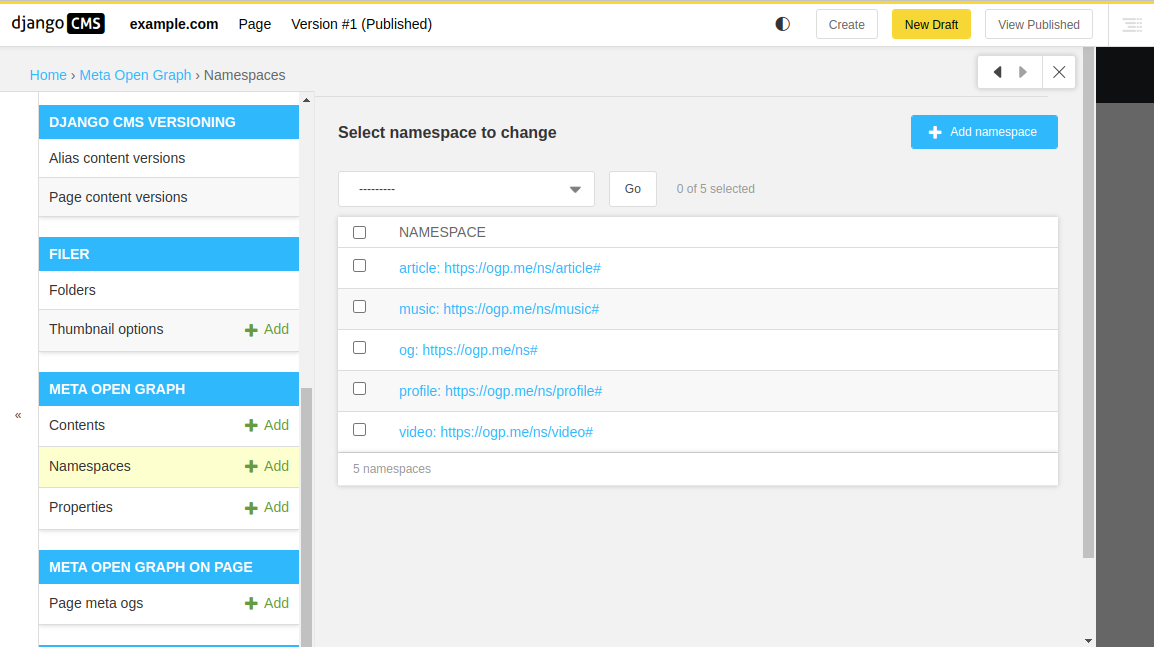
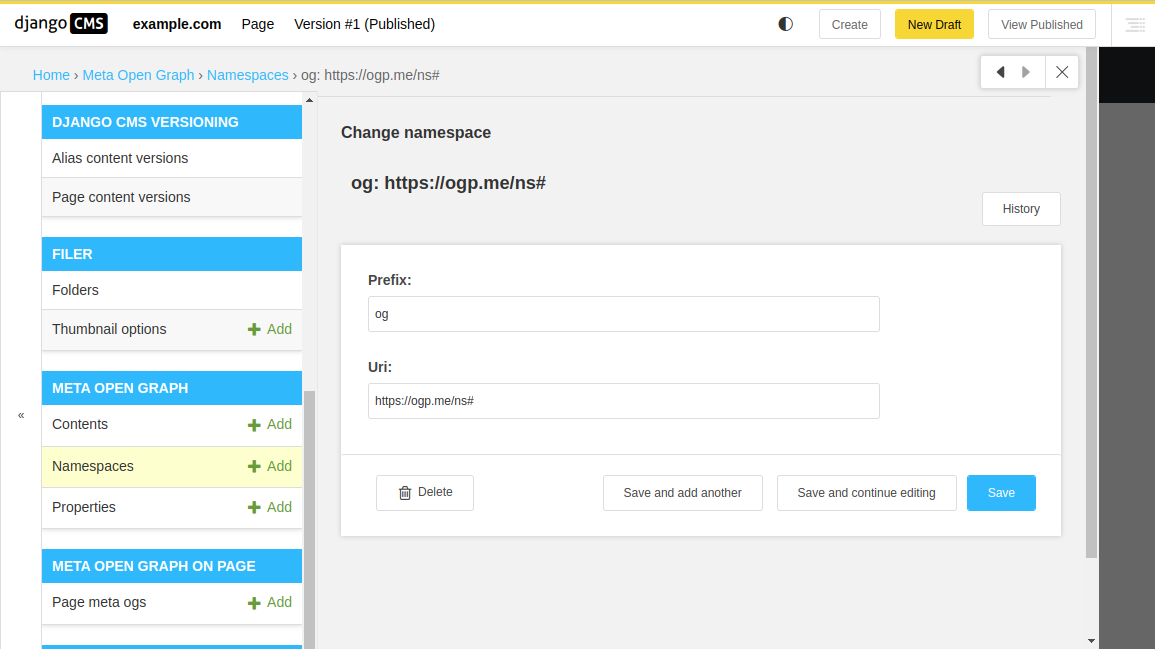
Property
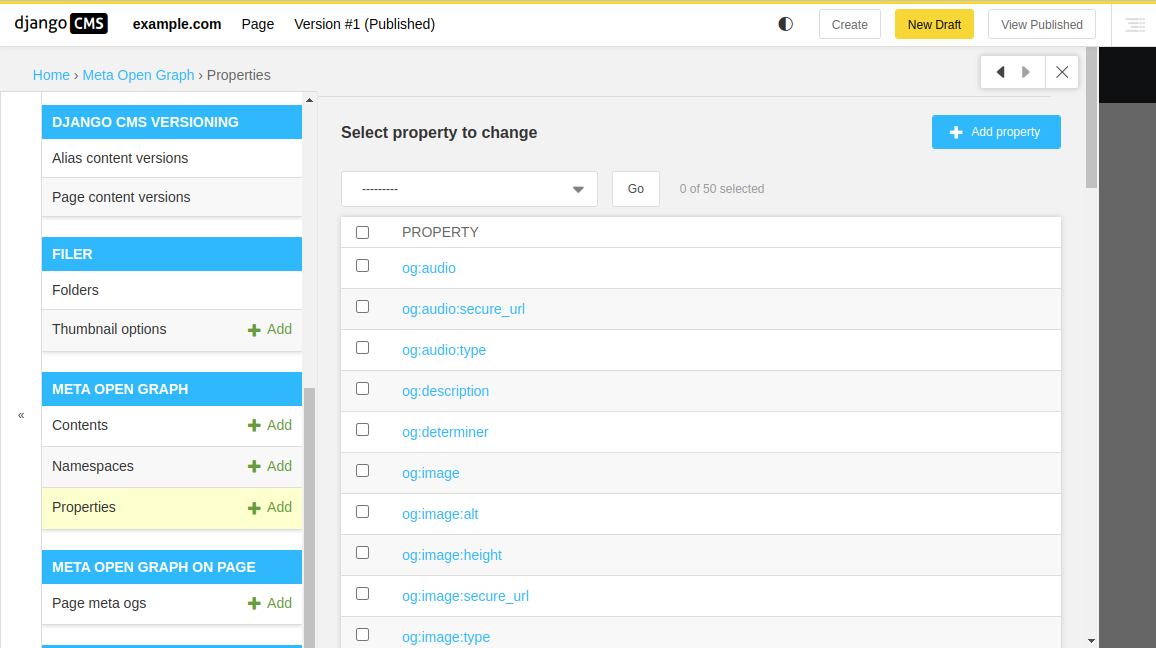
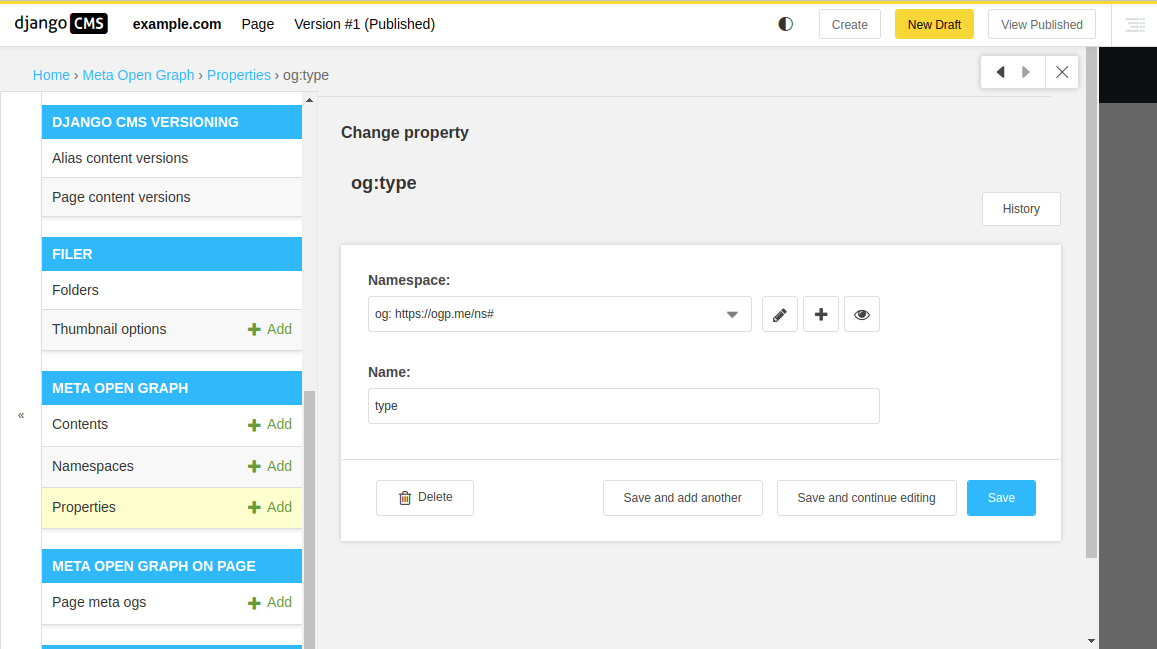
Content
Page Meta OG
License
BSD License
1 maintainer

Metadata
1 maintainer
Release files for djangocms-meta-og 2.1.0
For a detailed explanation of source distributions (sdists) and built distributions (wheels), please see the package formats documentation.
Source distribution (sdist)
| File | Size | Uploaded | Provenance | Actions |
|---|---|---|---|---|
| djangocms_meta_og-2.1.0.tar.gz | 22.7 kB | Without provenance | Details for djangocms_meta_og-2.1.0.tar.gz |
Built distribution (wheel)
| File | Interpreter | ABI | Platform | Actions Reset |
|---|---|---|---|---|
| djangocms_meta_og-2.1.0-py3-none-any.whl | Python 3 | none | any | Details for djangocms_meta_og-2.1.0-py3-none-any.whl |
Total release size: 51.6 kB
Release files / djangocms_meta_og-2.1.0.tar.gz
| Download URL | djangocms_meta_og-2.1.0.tar.gz |
|---|---|
| Size | 22.7 kB |
| Tags | Source |
|
SHA-256 checksum How to use checksums |
841b07bdae2f55efe8c816fc68c18cd7c494cdae46384984888e725c703d16d3
|
|
BLAKE2b-256 checksum How to use checksums |
1b9dc1f830997559100b538c5c89ad64fbcf148829da661b8a742b6d2d3c5450
|
| Upload date | |
|
Uploaded using Trusted Publishing? What is trusted publishing? |
No |
| Uploaded via |
twine/6.0.1 CPython/3.12.3
|
Release files / djangocms_meta_og-2.1.0-py3-none-any.whl
| Download URL | djangocms_meta_og-2.1.0-py3-none-any.whl |
|---|---|
| Size | 29.0 kB |
| Tags | Python 3 |
|
SHA-256 checksum How to use checksums |
9e3df1c46b5d345941e4da4db5c71be04e1a7ec8326806455e340feef959d507
|
|
BLAKE2b-256 checksum How to use checksums |
7bf82747fbb7f0b8b179e4d99edddf2e8176d006face011387648c5dc0a92ad4
|
| Upload date | |
|
Uploaded using Trusted Publishing? What is trusted publishing? |
No |
| Uploaded via |
twine/6.0.1 CPython/3.12.3
|
Security for djangocms-meta-og 2.1.0
Provenance
Provenance describes where a file came from. On PyPI, provenance is shared via attestations, which provide a verifiable record of the build or publishing details. View details, limitations and caveats.
No provenance found
None of the files in this release were uploaded with provenance metadata.
A note on package security
PyPI is a repository for distributing packages, not a service for auditing them. While third-party security researchers and our staff do their best to detect and remove malicious packages, PyPI cannot guarantee the quality, security or suitability of any given package.
To learn more about protecting yourself from malicious actors, visit our package security documentation.














