
Docling












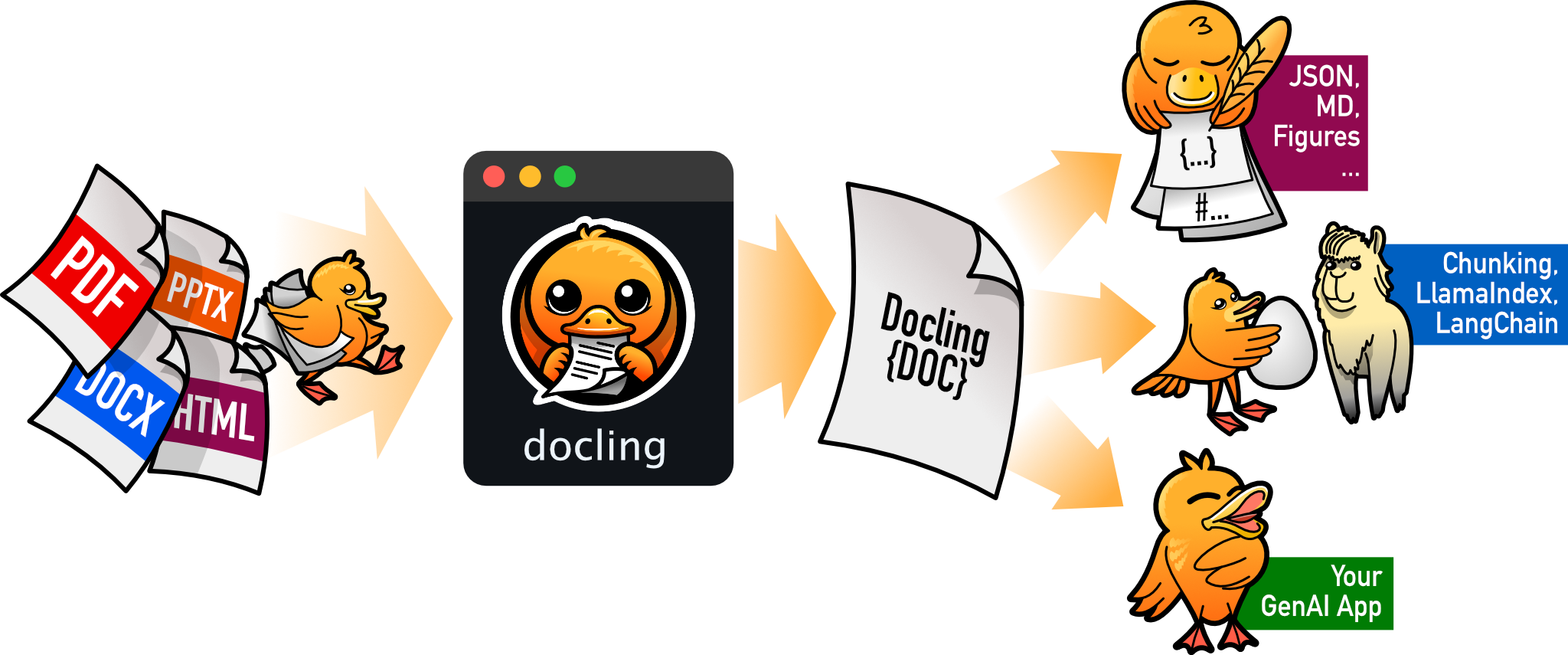
Docling parses documents and exports them to the desired format with ease and speed.
Features
- 🗂️ Reads popular document formats (PDF, DOCX, PPTX, XLSX, Images, HTML, AsciiDoc & Markdown) and exports to HTML, Markdown and JSON (with embedded and referenced images)
- 📑 Advanced PDF document understanding including page layout, reading order & table structures
- 🧩 Unified, expressive DoclingDocument representation format
- 🤖 Easy integration with 🦙 LlamaIndex & 🦜🔗 LangChain for powerful RAG / QA applications
- 🔍 OCR support for scanned PDFs
- 💻 Simple and convenient CLI
Explore the documentation to discover plenty examples and unlock the full power of Docling!
Coming soon
- ♾️ Equation & code extraction
- 📝 Metadata extraction, including title, authors, references & language
- 🦜🔗 Native LangChain extension
Installation
To use Docling, simply install docling from your package manager, e.g. pip:
pip install docling
Works on macOS, Linux and Windows environments. Both x86_64 and arm64 architectures.
More detailed installation instructions are available in the docs.
Getting started
To convert individual documents, use convert(), for example:
from docling.document_converter import DocumentConverter

source = "https://arxiv.org/pdf/2408.09869"  # document per local path or URL
converter = DocumentConverter()
result = converter.convert(source)
print(result.document.export_to_markdown())  # output: "## Docling Technical Report[...]"
More advanced usage options are available in the docs.
Documentation
Check out Docling's documentation, for details on installation, usage, concepts, recipes, extensions, and more.
Examples
Go hands-on with our examples, demonstrating how to address different application use cases with Docling.
Integrations
To further accelerate your AI application development, check out Docling's native integrations with popular frameworks and tools.
Get help and support
Please feel free to connect with us using the discussion section.
Technical report
For more details on Docling's inner workings, check out the Docling Technical Report.
Contributing
Please read Contributing to Docling for details.
References
If you use Docling in your projects, please consider citing the following:
@techreport{Docling,
  author = {Deep Search Team},
  month = {8},
  title = {Docling Technical Report},
  url = {https://arxiv.org/abs/2408.09869},
  eprint = {2408.09869},
  doi = {10.48550/arXiv.2408.09869},
  version = {1.0.0},
  year = {2024}
}
License
The Docling codebase is under MIT license. For individual model usage, please refer to the model licenses found in the original packages.
IBM ❤️ Open Source AI
Docling has been brought to you by IBM.
1 maintainer

Metadata
1 maintainer
Release files for docling-google-ocr 2.13.1
For a detailed explanation of source distributions (sdists) and built distributions (wheels), please see the package formats documentation.
Source distribution (sdist)
| File | Size | Uploaded | |
|---|---|---|---|
| docling_google_ocr-2.13.1.tar.gz | 87.8 kB | Details |
Built distribution (wheel)
| File | Interpreter | ABI | Platform | Reset |
|---|---|---|---|---|
| docling_google_ocr-2.13.1-py3-none-any.whl | Python 3 | none | any | Details |
Total release size: 203.6 kB
Release files / docling_google_ocr-2.13.1.tar.gz
| Download URL | docling_google_ocr-2.13.1.tar.gz |
|---|---|
| Size | 87.8 kB |
| Tags | Source |
|
SHA-256 checksum How to use checksums |
071d2a9fa5545e1a7ac4f7e06ea82e99f3d3d8347f47d81f1f185038e61beabb
|
|
BLAKE2b-256 checksum How to use checksums |
921773b4a092c0195fbb6cfd311018610545aa1d81375c8b48128abbd3b93af2
|
| Upload date | |
|
Uploaded using Trusted Publishing? What is trusted publishing? |
No |
| Uploaded via |
poetry/2.0.1 CPython/3.12.8 Linux/5.15.0-131-generic
|
Release files / docling_google_ocr-2.13.1-py3-none-any.whl
| Download URL | docling_google_ocr-2.13.1-py3-none-any.whl |
|---|---|
| Size | 115.8 kB |
| Tags | Python 3 |
|
SHA-256 checksum How to use checksums |
71b451b3765f0c1bf5a4bcb514721e8cbeeb88ebf72b330b8533174f5c4b0e09
|
|
BLAKE2b-256 checksum How to use checksums |
ad7ad62a1abe95a4b52b94249e11e06ba5d9f04005a67de9ac4f4997b6514eec
|
| Upload date | |
|
Uploaded using Trusted Publishing? What is trusted publishing? |
No |
| Uploaded via |
poetry/2.0.1 CPython/3.12.8 Linux/5.15.0-131-generic
|














