
Modular version of the Docling package: SDK and CLI for parsing PDF, DOCX, HTML, and more, to a unified document representation for powering downstream workflows such as gen AI applications.

Project description
Docling-MPS
[!TIP] Docling-MPS is an optimized fork of Docling designed specifically for Apple Silicon (M-series Macs). By enabling native Metal Performance Shaders (MPS) execution for TableFormer V1 & V2 stages, it achieves up to 2x faster end-to-end processing speeds on macOS compared to standard CPU-bound execution.
Local Installation & Testing
To install this MPS-accelerated fork on your Mac:
-
Clone this repository locally:
git clone https://github.com/thomasf1/docling-mps.git
cd docling-mps
-
Install the package in editable mode in your virtual environment:
/path/to/your/venv/bin/pip install -e .
-
Verify that the MPS version is successfully loaded:
/path/to/your/venv/bin/python -c "import importlib.metadata; print('Docling Version:', importlib.metadata.version('docling-slim'))"
Expected Output:
2.110.0+mps(or similar+mpslocal suffix). -
Convert a document using MPS acceleration:
- Via Python API:
from docling.datamodel.base_models import InputFormat
from docling.datamodel.pipeline_options import PdfPipelineOptions
from docling.document_converter import DocumentConverter, PdfFormatOption

options = PdfPipelineOptions()
options.accelerator_options.device = "mps" # Enables GPU acceleration

converter = DocumentConverter(
    format_options={
        InputFormat.PDF: PdfFormatOption(pipeline_options=options)
    }
)
result = converter.convert("document.pdf")
print(result.document.export_to_markdown())
- Via CLI:
uv run docling --device mps path/to/document.pdf
- Via Python API:













What is Docling ?
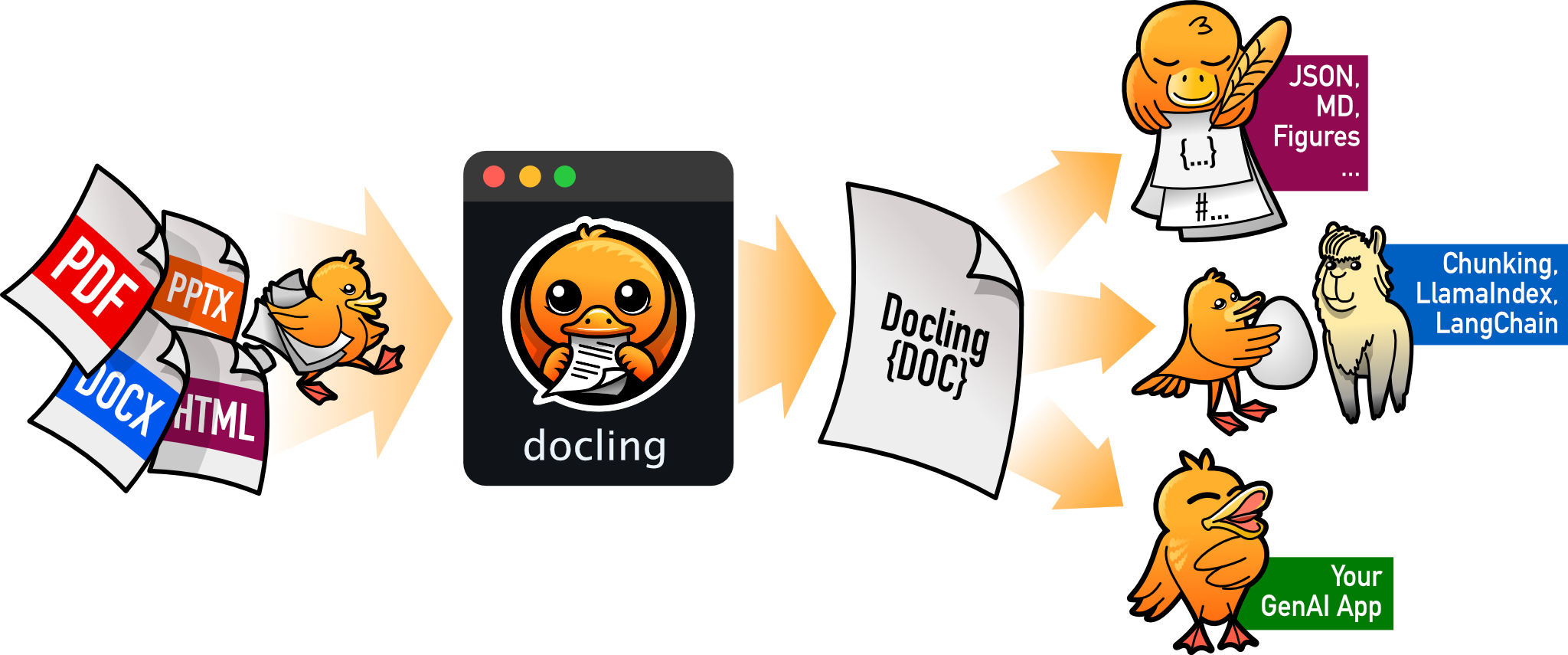
Docling simplifies document processing by parsing diverse formats — including advanced PDF understanding — and providing seamless integrations with the generative AI ecosystem.
Features
- 🗂️ Parsing of multiple document formats including PDF, DOCX, PPTX, XLSX, HTML, EPUB, WAV, MP3, WebVTT, email formats (EML, MSG), images (PNG, TIFF, JPEG, ...), LaTeX, DocLang, plain text, and more
- 📑 Advanced PDF understanding incl. page layout, reading order, table structure, code, formulas, image classification, and more
- 🧬 A unified, expressive DoclingDocument representation format
- ↪️ Various export formats and options, including Markdown, HTML, WebVTT, DocLang, DocTags and lossless JSON
- 📜 Support for several application-specific XML schemas including DocLang, USPTO patents, JATS articles, and XBRL financial reports.
- 🔒 Local execution capabilities for sensitive data and air-gapped environments
- 🤖 Plug-and-play integrations incl. LangChain, LlamaIndex, Crew AI & Haystack for agentic AI
- 🔍 Extensive OCR support for scanned PDFs and images
- 👓 Support for several Visual Language Models, such as (GraniteDocling)
- 🎙️ Audio support with Automatic Speech Recognition (ASR) models
- 🔌 Connect to any agent using the MCP server
- 🌐 Run Docling as a service with the API server (docling-serve)
- 💻 Simple and convenient CLI
What's new
- 📄 Parsing of ODF (OpenDocument Format) files for text documents (
.odt), spreadsheets (.ods), and presentations (.odp) - 💼 Parsing of XBRL (eXtensible Business Reporting Language) documents for financial reports
- 📧 Parsing of email files (
.eml,.msg) - 📚 Parsing of EPUB (Electronic Publication) files for e-books
- 📝 Parsing of plain-text files (
.txt,.text) and Markdown supersets (.qmd,.Rmd) - 📊 Chart understanding (Barchart, Piechart, LinePlot): convert them into tables or code and add detailed descriptions
Coming soon
- 📝 Metadata extraction, including title, authors, references & language
- 📝 Complex chemistry understanding (Molecular structures)
Quickstart
1. Install
pip install docling
Note: Python 3.9 support was dropped in docling version 2.70.0. Please use Python 3.10 or higher.
Works on macOS, Linux and Windows environments for both x86_64 and arm64 architectures.
More detailed installation instructions are available in the docs.
2. Convert a document (CLI)
docling https://arxiv.org/pdf/2206.01062
This generates a .md file in the current directory containing structured document content.
You can also use 🥚GraniteDocling and other VLMs via Docling CLI:
docling --pipeline vlm --vlm-model granite_docling https://arxiv.org/pdf/2206.01062
3. Python usage (recommended)
from docling.document_converter import DocumentConverter

source = "https://arxiv.org/pdf/2408.09869"  # a document via a local path or URL
converter = DocumentConverter()
result = converter.convert(source)
print(result.document.export_to_markdown())  # output: "## Docling Technical Report[...]"
More advanced usage and configuration options.
Documentation
Check out Docling's documentation for details on installation, usage, concepts, recipes, extensions, and more.
Examples
Go hands-on with our examples, demonstrating how to address different application use cases with Docling.
Integrations
To further accelerate your AI application development, check out Docling's native integrations with popular frameworks and tools.
Get help and support
Please feel free to connect with us using the discussion section.
Technical report
For more details on Docling's inner workings, check out the Docling Technical Report.
Contributing
Please read Contributing to Docling for details.
References
If you use Docling in your projects, please consider citing the following:
@techreport{Docling,
  author = {Deep Search Team},
  month = {8},
  title = {Docling Technical Report},
  url = {https://arxiv.org/abs/2408.09869},
  eprint = {2408.09869},
  doi = {10.48550/arXiv.2408.09869},
  version = {1.0.0},
  year = {2024}
}
Apple Silicon Optimizations & Benchmarks
This local version (2.107.0+mps) has been optimized to fully leverage Apple Silicon hardware (M-series chips) for document processing.
Optimizations
- MPS (Metal Performance Shaders) Enablement: Removed CPU fallbacks for TableFormer V1 & V2 models, enabling standard PyTorch operations to execute natively on the GPU instead of CPU.
- VLM Presets for Apple Silicon: Added
GRANITEDOCLINGandSMOLDOCLINGconstants that dynamically select highly-optimized localmlx-vlmmodels on Apple Silicon.
Benchmark Results (TableFormer V1 Accurate Mode)
Timings measured for processing financial reports in /Volumes/18T/Annual/scratch/comparison (156-page PDF documents) sequentially:
| PDF Document | Configuration | Processing Time (s) | Output Chars | Speedup vs CPU | Speedup vs MPS |
|---|---|---|---|---|---|
| NASDAQ_LPCN_2023.pdf | PyTorch CPU | 102.56s | 604,940 | 1.00x | 0.49x |
| PyTorch MPS | 50.46s | 604,940 | 2.03x | 1.00x | |
| NYSE_ITT_2023.pdf | PyTorch CPU | 121.35s | 453,126 | 1.00x | 0.49x |
| PyTorch MPS | 59.24s | 453,126 | 2.05x | 1.00x | |
| OTC_SOMC_2023.pdf | PyTorch CPU | 115.56s | 340,292 | 1.00x | 0.53x |
| PyTorch MPS | 61.19s | 340,292 | 1.89x | 1.00x |
Concurrent Workload Benchmark (Parallel Processing)
Concurrently processing all 3 documents using parallel Python subprocesses:
- PyTorch CPU Parallel: 226.53 seconds (1.00x)
- PyTorch MPS Parallel: 110.61 seconds (2.05x speedup vs CPU)
CoreML & MLX Hardware Contention (Why they didn't pan out)
We also researched, converted, and benchmarked TableFormer V1's encoder to CoreML (linear quantized to INT8 for the Neural Engine) and MLX (GPU), and the Layout Model (RT-DETR) to ONNX running on Apple's CoreMLExecutionProvider. While successfully running with 100% numerical correctness, these backends did not outperform PyTorch MPS due to native platform architectural constraints:
-
Graph Partitioning & Context Switching Overhead (Layout Model):
- Because RT-DETR contains custom post-processing nodes unsupported by CoreML, ONNX Runtime split the model into 28 separate CoreML partitions.
- Transitioning between CoreML hardware execution and CPU fallback nodes required copying intermediate tensor data between ANE memory and system RAM 28 times per page. This context switching and memory copy overhead offset the ANE's raw processing speedup, making Layout CoreML (64.29s) slower than running natively on GPU via PyTorch MPS (50.46s).
-
Apple Neural Engine (ANE) Multi-Process Contention:
- When attempting to run parallel document conversions concurrently under multiprocessing, Apple's E5/ANE runtime suffered from compilation cache and file-lock collisions on the compiled macho assets inside
/var/folders/, throwing on-device model load failures (ANE model load has failed...). - This forced CoreML to fallback to silent CPU execution. The resulting core thread contention degraded parallel throughput significantly (137.53s wall time) compared to the hardware time-sliced GPU command queue multiplexing of PyTorch MPS (110.61s).
- When attempting to run parallel document conversions concurrently under multiprocessing, Apple's E5/ANE runtime suffered from compilation cache and file-lock collisions on the compiled macho assets inside
Thus, native PyTorch MPS (GPU) remains the most robust, performant, and scale-friendly backend for Docling on Apple Silicon.
License
The Docling codebase is under MIT license. For individual model usage, please refer to the model licenses found in the original packages.
LF AI & Data
Docling is hosted as a project in the LF AI & Data Foundation.
IBM ❤️ Open Source AI
The project was started by the AI for knowledge team at IBM Research Zurich.
Release history Release notifications | RSS feed


Download files
Download the file for your platform. If you're not sure which to choose, learn more about installing packages.
Source Distribution
Built Distribution
Filter files by name, interpreter, ABI, and platform.
If you're not sure about the file name format, learn more about wheel file names.
Copy a direct link to the current filters
File details
Details for the file docling_mps-2.110.1.tar.gz.
File metadata
- Download URL: docling_mps-2.110.1.tar.gz
- Upload date:
- Size: 505.1 kB
- Tags: Source
- Uploaded using Trusted Publishing? No
- Uploaded via: twine/3.8.0 pkginfo/1.12.1.2 readme-renderer/45.0 requests/2.34.2 requests-toolbelt/1.0.0 urllib3/2.7.0 tqdm/4.68.3 importlib-metadata/9.0.0 keyring/25.7.0 rfc3986/2.0.0 colorama/0.4.6 CPython/3.14.5
File hashes
| Algorithm | Hash digest | |
|---|---|---|
| SHA256 |
24af629dce998613cfc2440a20c49e0bd5873c11ecfae60b5864cb76586a0c02
|
|
| MD5 |
1871e5c9b4f9a15c2d8209f34c17d36c
|
|
| BLAKE2b-256 |
a7ecdbe17a0cf60ba8d9a9e954c74b71e9204155b46039843ca28781b756417a
|
File details
Details for the file docling_mps-2.110.1-py3-none-any.whl.
File metadata
- Download URL: docling_mps-2.110.1-py3-none-any.whl
- Upload date:
- Size: 633.1 kB
- Tags: Python 3
- Uploaded using Trusted Publishing? No
- Uploaded via: twine/3.8.0 pkginfo/1.12.1.2 readme-renderer/45.0 requests/2.34.2 requests-toolbelt/1.0.0 urllib3/2.7.0 tqdm/4.68.3 importlib-metadata/9.0.0 keyring/25.7.0 rfc3986/2.0.0 colorama/0.4.6 CPython/3.14.5
File hashes
| Algorithm | Hash digest | |
|---|---|---|
| SHA256 |
f74d73f5b12bef511d83b34f3e57c27ccce98e666b7b8b1f4d2540a839a1dded
|
|
| MD5 |
85f315965c73a1d3b2d5303efe5c7eac
|
|
| BLAKE2b-256 |
6c15fc30ff179d68bbc82f86734f26a507acba9b2e72178069f985b47683162a
|






