
Privacy-first LLM observability and budget control — full AI cost visibility with zero prompt storage.

Project description
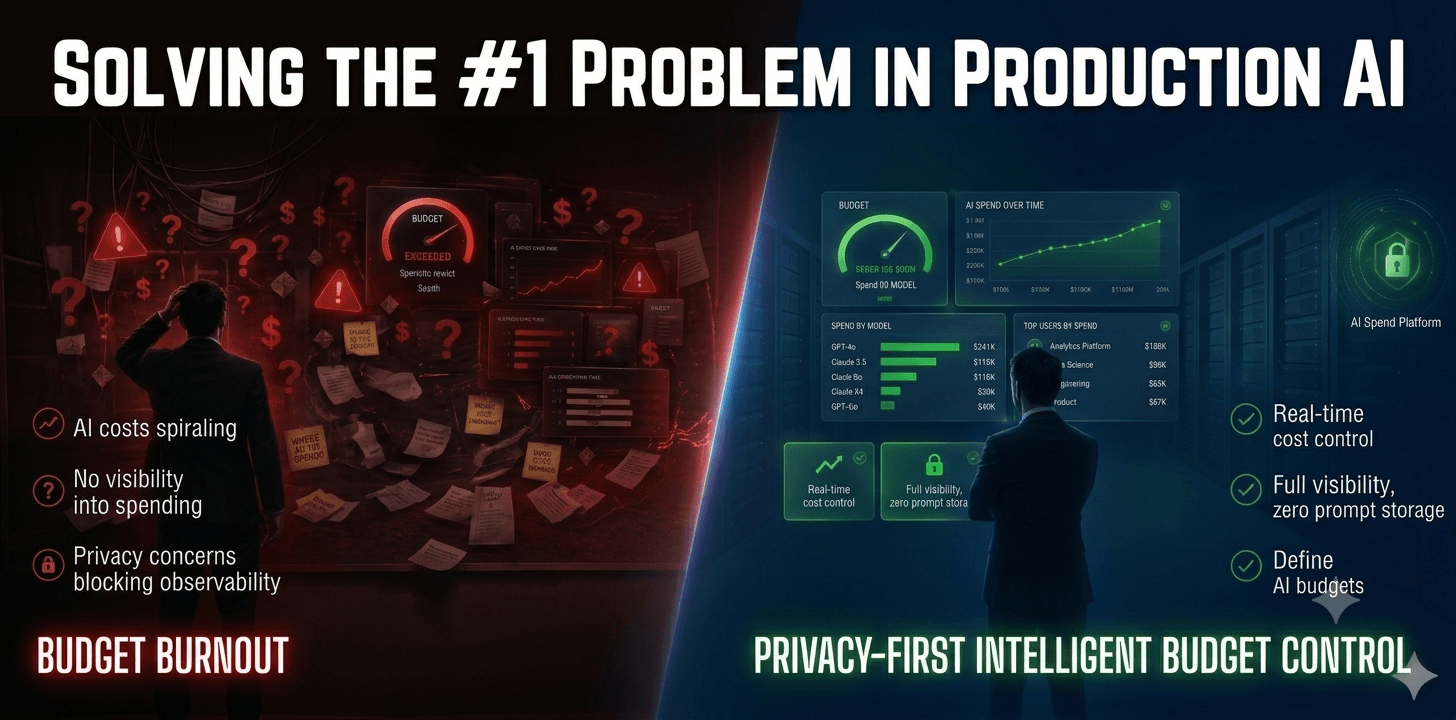
DoCoreAI — Privacy-First AI Observability & Budget Control
Full LLM Cost Visibility · Zero Prompt Storage · Autonomous Budget Management




What is DoCoreAI?
DoCoreAI is a privacy-first AI observability and budget control platform for enterprise teams running LLM-powered applications.
Most observability tools require logging prompts and conversations — making them incompatible with enterprise security and compliance policies. DoCoreAI solves this by using metadata-only telemetry: it captures cost, tokens, latency, and model behaviour without ever storing a prompt.
Privacy by architecture. Not by policy.
🎯 Who It's For
| Role | What DoCoreAI Solves |
|---|---|
| CTOs & VPs Engineering | Stop AI budget surprises. Full spend visibility across every team. |
| AI Platform Teams | Monitor multi-LLM deployments without compliance risk. |
| Enterprise Security Teams | Observability that your security team will actually approve. |
| Developers | Drop-in SDK. Live cost data in under 15 minutes. No infrastructure changes. |
🚀 Quick Start
pip install docoreai
⏱️ Average integration time: under 15 minutes.
Get your free token at docoreai.com/account-settings
Configure your .env file:
DOCOREAI_TOKEN=your_token_here
DOCOREAI_API_URL=https://docoreai.com
MODEL_PROVIDER=openai
MODEL_NAME=gpt-3.5-turbo
OPENAI_API_KEY=your_key_here
ALLOW_SYSTEM_MESSAGE_INJECTION=true
Start the sidecar engine:
docoreai start
Verify the setup:
docoreai test
View your cost dashboard:
docoreai dash
🐍 How Integration Works
DoCoreAI runs as a sidecar process alongside your application. It automatically intercepts and instruments all LLM API calls — no code changes required in your existing application.
# Terminal 1 — start the DoCoreAI sidecar
docoreai start

# Terminal 2 — run your application as normal
python your_app.py
# All LLM calls are captured automatically
The sidecar captures only metadata — cost, tokens, latency, model name, and timing — and sends it to the DoCoreAI cloud engine. Prompts and responses never leave your environment.
✅ Core Features
🔒 Privacy-First Observability
- Zero prompt storage — metadata-only telemetry by architecture
- Local-side instrumentation — the sidecar runs inside your environment
- PII detection at the edge — sensitive data never leaves your network
- SOC2-aligned telemetry — structured audit trails with no prompt exposure
💰 Intelligent Budget Control
- Autonomous pacing engine — prevents budget overruns proactively
- Soft limits per team, application, and model — configurable governance
- 30-day predictive model — learns spending patterns, allocates budget intelligently
- Auto-retrain triggers — model adapts as usage patterns evolve (coming soon)
📊 Real-Time Cost Intelligence
- Per-request cost tracking — every LLM call measured and attributed
- By team, feature & model — granular breakdown across your organisation
- Token waste detection — identify bloated prompts and agent loop inefficiencies
- A/B model comparison — compare cost vs quality across providers
- Drift detection — catch unexpected model behaviour changes early
🔌 Multi-LLM Support
Works with OpenAI, Anthropic, Google Gemini, Groq, Ollama, and llama.cpp — covering both cloud and local/on-premise deployments.
🏗️ How It Works
Your App    →    SDK (Local)        →    Cloud Engine    →    Dashboard
                 ─────────────           ─────────────        ─────────
Any LLM call     Extracts metadata       Aggregates           Full cost
                 Cost, tokens,           metrics              visibility
                 latency, model          No prompts
                 No prompts stored       ever transmitted
The DoCoreAI SDK intercepts LLM calls at the library level using an automatic instrumentation layer. Only structured metadata is forwarded to the DoCoreAI server. Prompts and responses are never transmitted or stored — by architecture.
🖥️ CLI Reference
docoreai start    # Launch the sidecar engine (captures all LLM calls)
docoreai test     # Run a test prompt to verify setup
docoreai show     # Open local Streamlit metrics viewer (client-side data)
docoreai dash     # Open cloud dashboard in browser
⚙️ Full Configuration
# .env

DOCOREAI_TOKEN=                         # Get from docoreai.com/account-settings
DOCOREAI_API_URL=https://docoreai.com   # Cloud endpoint
ALLOW_SYSTEM_MESSAGE_INJECTION=true     # Enables automatic LLM instrumentation

# LLM Providers — add whichever you use
OPENAI_API_KEY=
GROQ_API_KEY=
ANTHROPIC_API_KEY=
GOOGLE_API_KEY=

MODEL_PROVIDER=openai                   # openai | groq | anthropic | google | ollama
MODEL_NAME=gpt-3.5-turbo
📊 Dashboard
View your AI cost intelligence at docoreai.com/dashboard
Available metrics include:
- Budget vs Spend
- Cost by Project & Team
- Token Waste per Prompt
- Model Performance & Drift
- API Usage by Hour
- Prompt Success Rate
- ROI: Cost vs Time
- Response Efficiency
✅ Quick Start Checklist
-
pip install docoreai - Get your token at docoreai.com/account-settings
- Create
.envwith your API keys and DoCoreAI token - Run
docoreai start - Run
docoreai testto verify - Open
docoreai dashto view live cost data
📘 Resources
- 🌐 Official Website
- 📖 Documentation
- 📊 Dashboard
- 💰 Pricing
- 📝 Blog
- 💬 Support
📜 License
Licensed under CC BY-NC-ND 4.0
For commercial or enterprise licensing: saji@docoreai.com
Built for enterprise teams that cannot afford to choose between privacy and visibility. DoCoreAI gives you both.
Release history Release notifications | RSS feed


Download files
Download the file for your platform. If you're not sure which to choose, learn more about installing packages.
Source Distribution
Built Distribution
Filter files by name, interpreter, ABI, and platform.
If you're not sure about the file name format, learn more about wheel file names.
Copy a direct link to the current filters
File details
Details for the file docoreai-2.0.0b2.tar.gz.
File metadata
- Download URL: docoreai-2.0.0b2.tar.gz
- Upload date:
- Size: 220.2 kB
- Tags: Source
- Uploaded using Trusted Publishing? No
- Uploaded via: twine/6.2.0 CPython/3.13.5
File hashes
| Algorithm | Hash digest | |
|---|---|---|
| SHA256 |
0c69024f5088ea4d9045cec4294b2e57155e2f9f3084f55334ed2b3e49860f13
|
|
| MD5 |
8a163715b1da35186ea6ac9c111cbd86
|
|
| BLAKE2b-256 |
affbf9c2efe7745a121cf758cc5fea2b2a117408daa4624c6e625728fa0b0d4e
|
File details
Details for the file docoreai-2.0.0b2-py3-none-any.whl.
File metadata
- Download URL: docoreai-2.0.0b2-py3-none-any.whl
- Upload date:
- Size: 267.6 kB
- Tags: Python 3
- Uploaded using Trusted Publishing? No
- Uploaded via: twine/6.2.0 CPython/3.13.5
File hashes
| Algorithm | Hash digest | |
|---|---|---|
| SHA256 |
f20114bf1fe9bb8c965b5cffbfd43a93ea48b4dba8e81cbeda4f427f7ed3a4ac
|
|
| MD5 |
77da4c6be979ce308f063f1186243a56
|
|
| BLAKE2b-256 |
bbcc419f0d47fc61e09586c53f65c57bba45aeb767da40b5fd9c58e8f19b62a3
|






