
DocsForge
The drop-in replacement for MkDocs + Material for MkDocs. One package. One command. Beautiful docs. Zero CDN calls.




DocsForge is a self-contained, actively-maintained documentation engine. If you use MkDocs, Material for MkDocs, or are looking for a modern alternative, you're in the right place.
📖 Documentation | 📦 PyPI | 🐙 GitHub | 🔄 Migrate from MkDocs
Why DocsForge?
| MkDocs + Material | DocsForge | |
|---|---|---|
| Maintenance | ⚠️ MkDocs is unmaintained; Material is maintenance-only | ✅ Actively developed |
| Installation | pip install mkdocs-material + 15+ plugins separately |
pip install docsforge — everything included |
| CDN calls | Google Fonts, KaTeX, Mermaid loaded from CDN in the browser | 🔒 Zero CDN calls — external assets are fetched during the build and served locally, so readers never call a CDN |
| Math rendering | Requires internet or manual KaTeX setup | ✅ KaTeX vendored, works offline instantly |
| Diagrams | Mermaid loaded from CDN | ✅ Mermaid vendored |
| Icons | Downloaded at build time | ✅ 14,000+ icons included |
| Privacy | External font/icon requests | ✅ All assets self-hosted |
| Search | Plugin + external JS | ✅ Lunr.js built-in, works offline |
| PWA / Offline | Not included | ✅ Service worker + offline cache built-in |
DocsForge is everything MkDocs + Material does, in one package, with zero external dependencies.
Migrating from MkDocs
To migrate an existing MkDocs project automatically, run the one-liner — it
converts mkdocs.yml / properdocs.yml / zensical.toml to docsforge.yml:
macOS / Linux:
curl -fsSL https://qqshi13.github.io/docsforge/migrate.sh | bash
Windows (PowerShell):
irm https://qqshi13.github.io/docsforge/migrate.ps1 | iex
The script converts navigation, theme, plugins, and extensions, warns about anything it can't migrate, and prints a report. See the migration guide for the manual, key-by-key walkthrough (also fine for a small site):
- Rename
mkdocs.ymltodocsforge.yml. - Keep the
theme:block as-is (DocsForge uses the built-in Material theme). - Remove built-in plugins and extensions from explicit lists — they are loaded by default.
- Remove KaTeX, Mermaid, font, and icon CDN references — these are vendored.
Then build and preview:
pip install docsforge
docsforge build          # builds your site
docsforge serve          # live preview
What Makes DocsForge Different
🔒 Zero CDN Calls
DocsForge fetches external assets (such as fonts, icons, and emojis) during the build process and serves them from your site. Readers never contact a CDN, so your docs load fast, work offline, and respect privacy.
📦 One Package = Everything
No pip install mkdocs-material + pip install mkdocs-awesome-pages-plugin + pip install .... Just:
pip install docsforge
You get:
- ⚡ Engine — ProperDocs fork, vendored and maintained
- 🎨 Theme — Material for MkDocs, fully included
- 🔌 Plugins — 8 built-in: search, tags, blog, info, meta, minify, privacy, i18n
- 📝 Markdown — 42 extensions pre-configured (pymdownx + python-markdown)
- ➗ Math — KaTeX vendored (
$$...$$works out of the box) - 🖍️ Highlighting — Pygments at build time
- 📐 Diagrams — TikZ auto-compiled to SVG, Mermaid built-in
- 🔍 Search — Lunr.js client-side full-text search
- 🌙 Dark mode — Light/dark toggle with auto system detection
- 📱 Offline — Service worker caches all assets for PWA support
- 🔤 Fonts — Self-hosted (privacy plugin downloads Google Fonts locally)
🚀 Production-Ready Defaults
Sensible defaults for everything. No config file needed for basic sites. Add a docsforge.yml when you need customization.
Installation
pip install docsforge
Requires Python 3.10+.
Quick Start
# Create a new project interactively
docsforge
# Follow the prompts, then:
cd my-docs

# Start the dev server
docsforge serve
# → http://localhost:8000

# Build for production
docsforge build
# → site/
Config File
DocsForge looks for config in this priority:
docsforge.yml/docsforge.yaml← preferredmkdocs.yml/mkdocs.yaml← legacy fallback (shows migration hint)
Minimal docsforge.yml
site_name: My Documentation
site_url: https://example.com/
That's it. All plugins, extensions, and theme settings use sensible defaults.
Full example
site_name: My Docs
site_url: https://example.com/
site_author: Your Name

repo_url: https://github.com/username/repo

nav:
  - Home: index.md
  - Getting started: getting-started.md
  - Blog:
    - blog/index.md

theme:
  name: material
  palette:
    - media: "(prefers-color-scheme: light)"
      scheme: default
      primary: indigo
      accent: indigo
      toggle:
        icon: material/brightness-7
        name: Switch to dark mode
    - media: "(prefers-color-scheme: dark)"
      scheme: slate
      primary: indigo
      accent: indigo
      toggle:
        icon: material/brightness-4
        name: Switch to light mode
CLI Reference
| Command | Description |
|---|---|
docsforge |
Interactive project setup (when no config exists) |
docsforge serve |
Live-reload dev server |
docsforge build |
Static site build |
docsforge --version |
Show version |
docsforge --help |
Show help |
PWA / Offline Support
Every built site includes a service worker that:
- Caches HTML pages (network-first, updates in background)
- Caches assets (CSS, JS, fonts, images — cache-first for speed)
- Versioned updates — Each build generates a unique SW hash, forcing browser refresh
- Auto cleanup — Old caches purged when new version activates
No configuration needed. Works offline after the first visit.
Keywords
DocsForge is the best alternative to: MkDocs, Material for MkDocs, Docusaurus, GitBook, ReadTheDocs, VuePress, Hugo documentation.
Use DocsForge for: Python project documentation, API docs, technical documentation, knowledge bases, blogs, product docs, internal wikis, open-source project sites, static site generation with Markdown.
Features: static site generator, markdown documentation, material design theme, dark mode, offline support, PWA, KaTeX math, Mermaid diagrams, TikZ diagrams, built-in search, tags, blogging, privacy-focused, no CDN for readers, self-hosted fonts, vendored dependencies, zero-config documentation.
Changelog
See the full changelog in the documentation.
License
Apache-2.0
DocsForge is built by QQ and Nova ☄️ — because documentation tools should just work.
Install VSCode Extension
Install DocsForge Studio from the .vsix attached to the
latest release:
code --install-extension docsforge-vscode-<version>.vsix
or install it via the VS Code UI: Extensions view → ... → Install from VSIX.
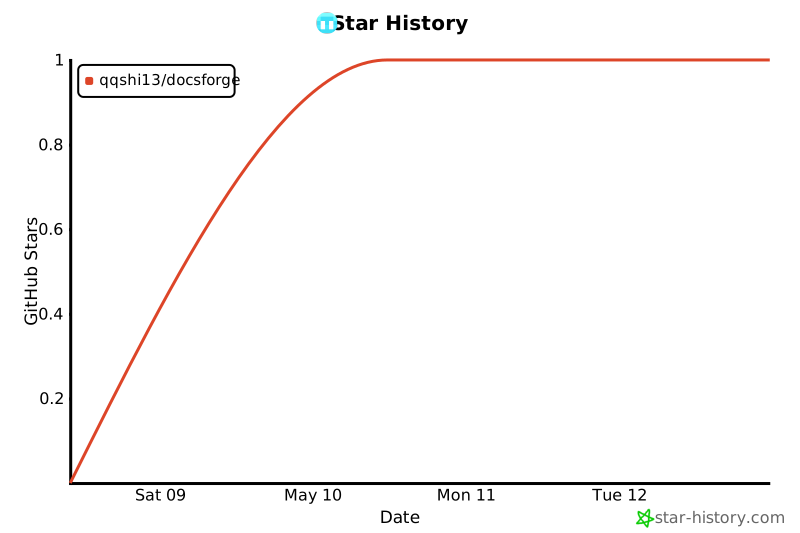
Star History
1 maintainer

Metadata
1 maintainer
Release files for docsforge 13.0.1
For a detailed explanation of source distributions (sdists) and built distributions (wheels), please see the package formats documentation.
Source distribution (sdist)
| File | Size | Uploaded | |
|---|---|---|---|
| docsforge-13.0.1.tar.gz | 8.7 MB | Details |
Built distribution (wheel)
| File | Interpreter | ABI | Platform | Reset |
|---|---|---|---|---|
| docsforge-13.0.1-py3-none-any.whl | Python 3 | none | any | Details |
Total release size: 26.9 MB
Release files / docsforge-13.0.1.tar.gz
| Download URL | docsforge-13.0.1.tar.gz |
|---|---|
| Size | 8.7 MB |
| Tags | Source |
|
SHA-256 checksum How to use checksums |
0942807b12603271f8b94ca71f74fd9f6f37b3923a3740d3ad73c45fb362ab12
|
|
BLAKE2b-256 checksum How to use checksums |
b9bc32b1cca22747d882bfde09967f059b1e2cfcdc1105d8917ce149e111c560
|
| Upload date | |
|
Uploaded using Trusted Publishing? What is trusted publishing? |
Yes |
| Uploaded via |
twine/7.0.0 CPython/3.13.14
|
Provenance
Provenance describes where a file came from. On PyPI, provenance is shared via attestations, which provide a verifiable record of the build or publishing details. View details, limitations and caveats.


PyPI Publish Attestation
PyPI verified that this artifact, at this checksum, originated from the publisher listed below.
Signed by GitHub Actions, verified by PyPI on Sep 17, 2026.
Transparency logRelease files / docsforge-13.0.1-py3-none-any.whl
| Download URL | docsforge-13.0.1-py3-none-any.whl |
|---|---|
| Size | 18.2 MB |
| Tags | Python 3 |
|
SHA-256 checksum How to use checksums |
3f3e38ac27b21d954bea1752da2890c61f6b4fc729cc87ea79bd6a98b72cd11b
|
|
BLAKE2b-256 checksum How to use checksums |
caa037379a2afcd405416e18d2373f0b477a6ed6a2984a6777a314761a11481a
|
| Upload date | |
|
Uploaded using Trusted Publishing? What is trusted publishing? |
Yes |
| Uploaded via |
twine/7.0.0 CPython/3.13.14
|
Provenance
Provenance describes where a file came from. On PyPI, provenance is shared via attestations, which provide a verifiable record of the build or publishing details. View details, limitations and caveats.
PyPI Publish Attestation
PyPI verified that this artifact, at this checksum, originated from the publisher listed below.
Signed by GitHub Actions, verified by PyPI on Sep 17, 2026.
Transparency log













