
dotbimpy
This is a maintained fork of dotbimpy by Wojciech Radaczyński, originally released under the MIT license. A PR has been raised to the original repository. If the original maintainer wishes to merge changes back, I'm happy to coordinate.
Description
Open-source Python library for dotbim file format.
Read more about dotbim here: https://github.com/paireks/dotbim
dotbim's website: https://dotbim.net/
Here you can find small manual for developers regarding development of tools that will work with .bim file format: https://github.com/paireks/dotbim/blob/master/DeveloperTips.md
Installation
Python
pip install dotbim-community
JupyterLab / Jupyter Notebooks
To display models inside notebooks additional steps are required, as displaying of models is based on plotly. Check out them there:
- JupyterLab: https://plotly.com/python/getting-started/#jupyterlab-support
- Jupyter Notebooks: https://plotly.com/python/getting-started/#jupyter-notebook-support
Google colab
To use it in Google colab add this line at the beggining of the notebook:
!pip install dotbim-community
Examples
Pyramid example
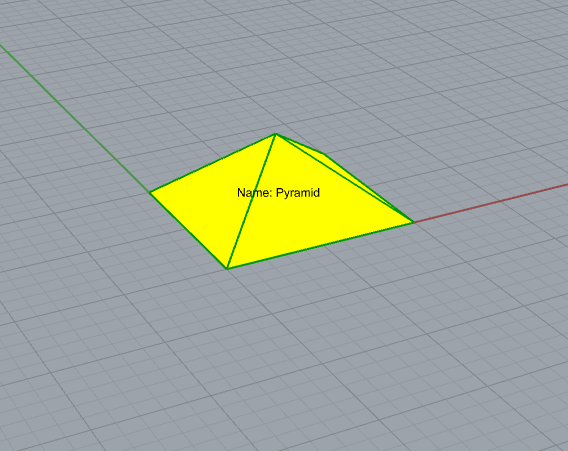
# Mesh properties
coordinates = [
    # Base
    0.0, 0.0, 0.0,
    10.0, 0.0, 0.0,
    10.0, 10.0, 0.0,
    0.0, 10.0, 0.0,

    # Top
    5.0, 5.0, 4.0
]

indices = [
    # Base faces
    0, 1, 2,
    0, 2, 3,

    # Side faces
    0, 1, 4,
    1, 2, 4,
    2, 3, 4,
    3, 0, 4
]

# Instantiate Mesh object
mesh = Mesh(mesh_id=0, coordinates=coordinates, indices=indices)

# Element properties
color = Color(r=255, g=255, b=0, a=255)
guid = "76e051c1-1bd7-44fc-8e2e-db2b64055068"
info = {"Name": "Pyramid"}
rotation = Rotation(qx=0, qy=0, qz=0, qw=1.0)
type = "Structure"
vector = Vector(x=0, y=0, z=0)

# Instantiate Element object
element = Element(mesh_id=0,
                  vector=vector,
                  guid=guid,
                  info=info,
                  rotation=rotation,
                  type=type,
                  color=color)

# File meta data
file_info = {
    "Author": "John Doe",
    "Date": "28.09.1999"
}

# Instantiate and save File object
file = File("1.0.0", meshes=[mesh], elements=[element], info=file_info)
file.save("Pyramid.bim")
3 cubes example
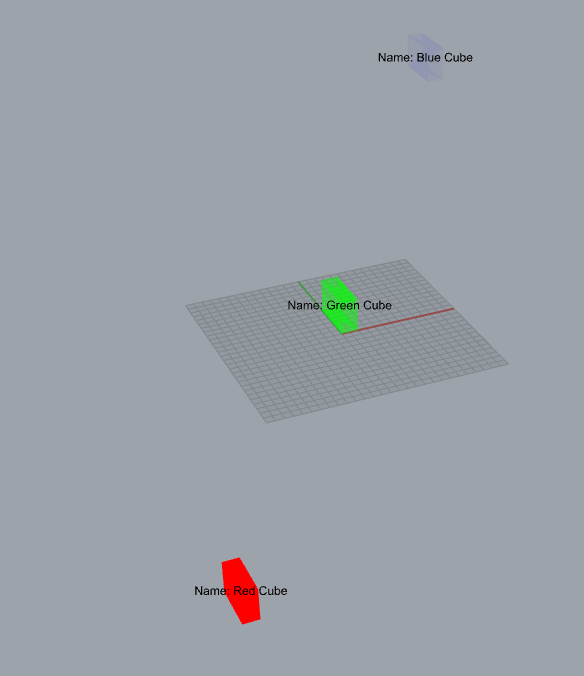
from dotbimpy import *


coordinates = [
    0.0, 0.0, 0.0,
    10.0, 0.0, 0.0,
    10.0, 0.0, 20.0,
    0.0, 0.0, 20.0,
    0.0, 30.0, 0.0,
    10.0, 30.0, 0.0,
    10.0, 30.0, 20.0,
    0.0, 30.0, 20.0
]

faces_ids = [
    # Front side
    0, 1, 2,
    0, 2, 3,

    # Bottom side
    0, 1, 4,
    1, 4, 5,

    # Left side
    0, 4, 3,
    4, 3, 7,

    # Right side
    1, 2, 5,
    2, 5, 6,

    # Top side
    2, 3, 7,
    2, 6, 7,

    # Back side
    4, 5, 7,
    5, 6, 7
]

mesh = Mesh(mesh_id=0, coordinates=coordinates, indices=faces_ids)

red_cube = Element(mesh_id=0,
                   color=Color(255, 0, 0, 255),
                   vector=Vector(x=-100.0, y=-100.0, z=-100.0),
                   rotation=Rotation(qx=0.0, qy=0.0, qz=0.0, qw=1.0),
                   guid="9f61b565-06a2-4bef-8b72-f37091ab54d6",
                   info={"Name": "Red Cube"},
                   type="Brick")

green_cube = Element(mesh_id=0,
                     color=Color(0, 255, 0, 126),
                     vector=Vector(x=-0.0, y=0.0, z=0.0),
                     rotation=Rotation(qx=0.0, qy=0.0, qz=0.0, qw=1.0),
                     guid="4d00c967-791a-42a6-a5e8-cf05831bc11d",
                     info={"Name": "Green Cube"},
                     type="Brick")

blue_cube = Element(mesh_id=0,
                    color=Color(0, 0, 255, 10),
                    vector=Vector(x=100.0, y=100.0, z=100.0),
                    rotation=Rotation(qx=0.0, qy=0.0, qz=0.0, qw=1.0),
                    guid="8501a5e3-4709-47d8-bd5d-33d745a435d5",
                    info={"Name": "Blue Cube"},
                    type="Brick")

file_info = {"Author": "John Doe"}

file = File(schema_version="1.0.0",
            meshes=[mesh],
            elements=[red_cube, green_cube, blue_cube],
            info=file_info)

file.save("Cubes.bim")
Read file
read_file = File.read("Pyramid.bim")
And then you can get all of the properties from it:
version = read_file.schema_version
View file
Default
If you want to view your file:
file.view()
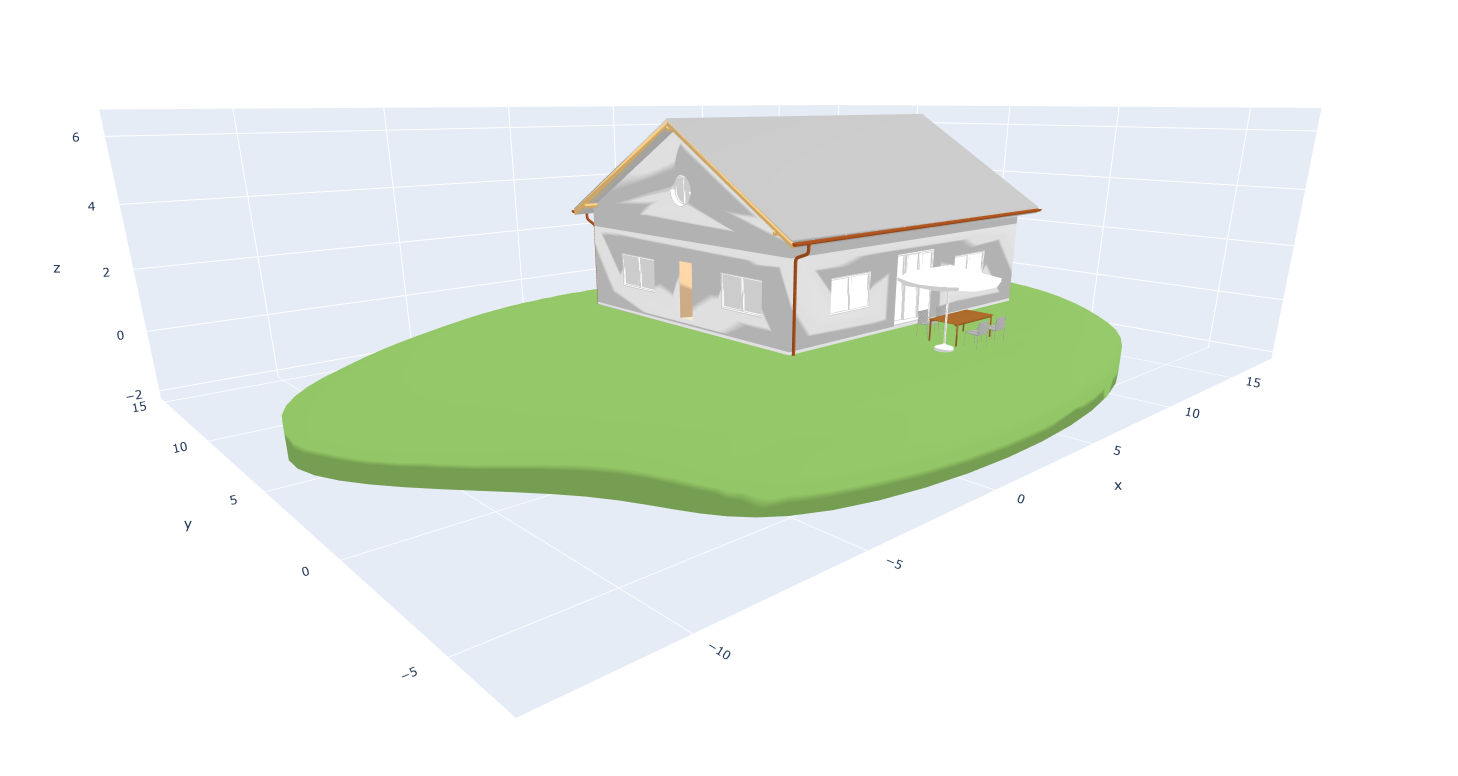
Customize
You can customize the plot that represents the .bim file. You can do it by using:
figure = file.create_plotly_figure()
Then you get plotly's figure, which can be edited. E.g.
- adding text tag:
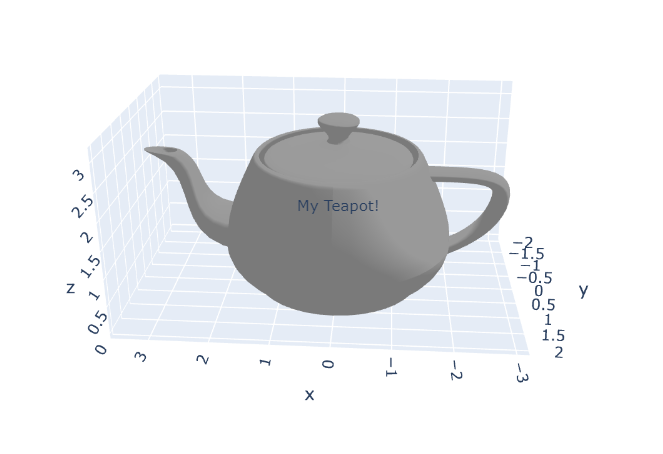
from dotbimpy import *

bim_file = File.read(r"Teapot.bim")
figure = bim_file.create_plotly_figure()

figure.update_layout(
    scene=dict(
        annotations=[
            dict(
                showarrow=False,
                x=0,
                y=0,
                z=1.5,
                text="My Teapot!"
            )]
    ),
)

figure.show()
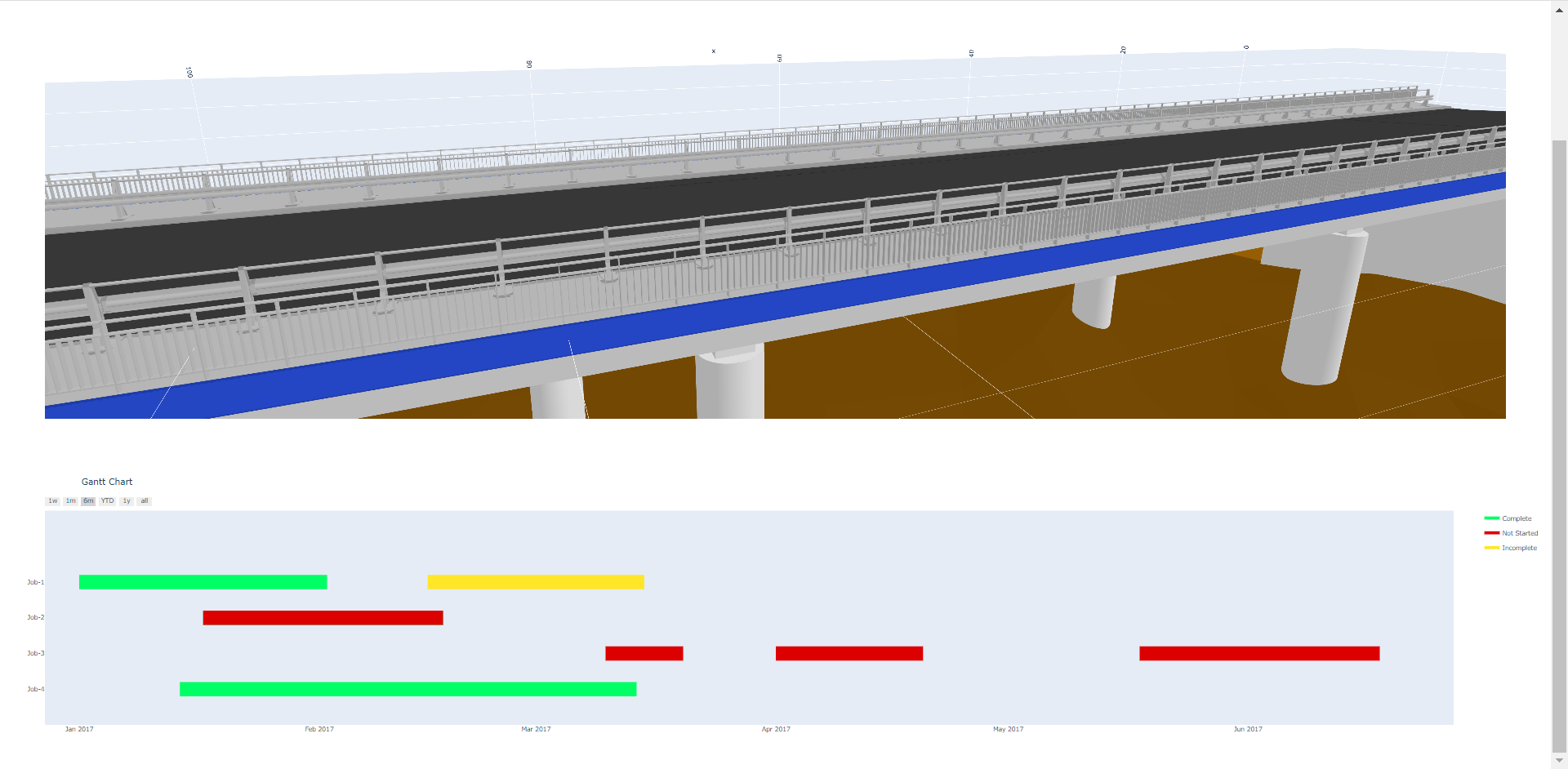
- combining model view with charts:
Merge files
If you want to merge two files together:
merged_file = file_a + file_b
dotbimpy + trimesh
There is a wonderful library called trimesh: https://github.com/mikedh/trimesh, that has a lot of features regarding meshes. Because .bim files relies on meshes only, therefore you can find this library really helpful for many tasks related dotbim, like:
- converting dotbim's geometries from and to different file formats
- faster preview of .bim files: https://trimsh.org/trimesh.scene.html
- clash detection: https://trimsh.org/trimesh.collision.html?highlight=collision#module-trimesh.collision
- convertion of .bim files to single separate .html file with the 3d model: https://trimsh.org/trimesh.viewer.html#trimesh.viewer.scene_to_html
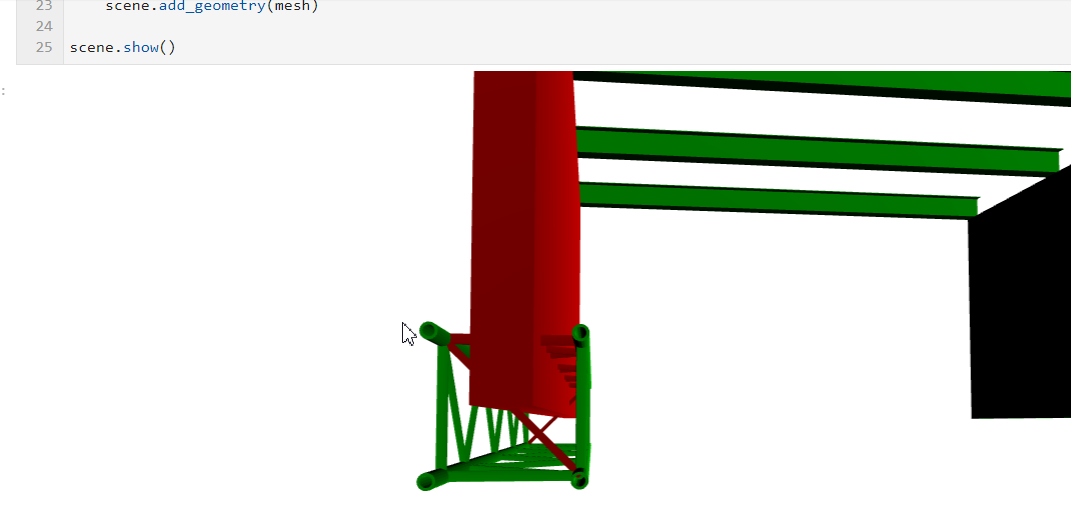
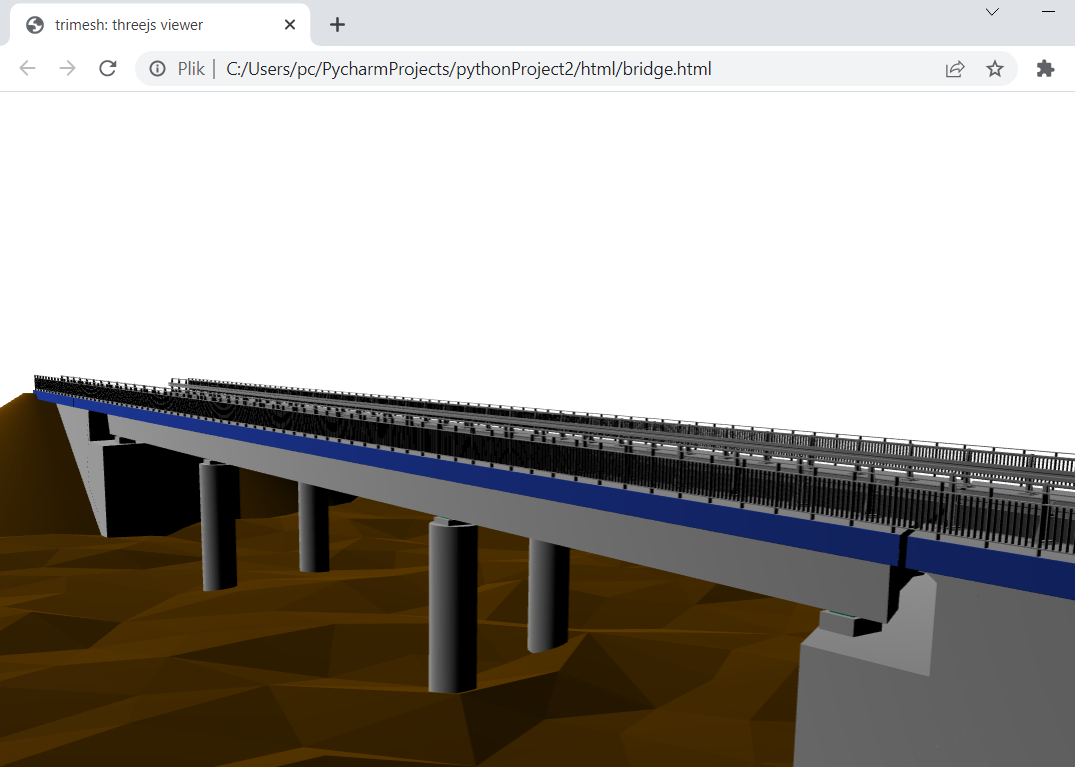
Example notebook: https://github.com/paireks/dotbimpy/blob/master/dotbimpy/other/DotbimToTrimeshScene.ipynb
dotbimpy + cadquery
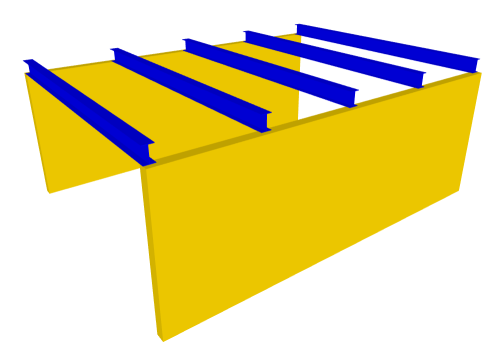
Sometimes it's much easier to create B-REP and then convert it into mesh. For this purpose you can try cadquery: https://github.com/CadQuery/cadquery
Example notebook 1: https://github.com/paireks/dotbimpy/blob/master/dotbimpy/other/WallsWithBeams.ipynb
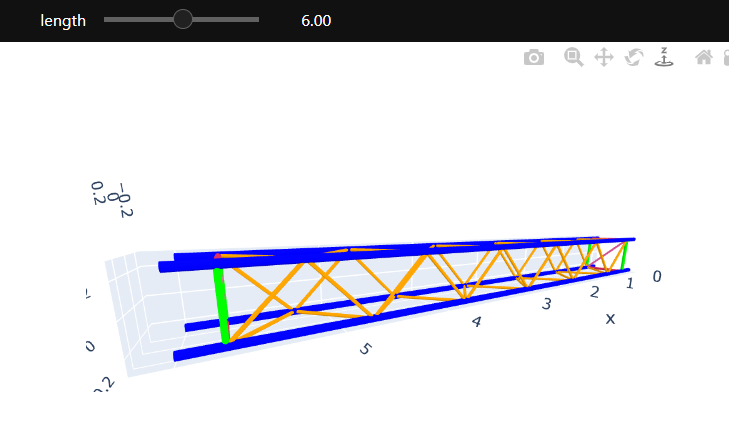
Example notebook 2: https://github.com/paireks/dotbimpy/blob/master/dotbimpy/other/Truss.ipynb
Libraries used
1 maintainer

Metadata
1 maintainer
Release files for dotbim-community 1.0.0
For a detailed explanation of source distributions (sdists) and built distributions (wheels), please see the package formats documentation.
Source distribution (sdist)
| File | Size | Uploaded | |
|---|---|---|---|
| dotbim_community-1.0.0.tar.gz | 221.6 kB | Details |
Built distribution (wheel)
| File | Interpreter | ABI | Platform | Reset |
|---|---|---|---|---|
| dotbim_community-1.0.0-py3-none-any.whl | Python 3 | none | any | Details |
Total release size: 229.4 kB
Release files / dotbim_community-1.0.0.tar.gz
| Download URL | dotbim_community-1.0.0.tar.gz |
|---|---|
| Size | 221.6 kB |
| Tags | Source |
|
SHA-256 checksum How to use checksums |
a67d48ad1c4838e22190017cf8ed2b15e95e173b247ddd7a1b1626a4786988a5
|
|
BLAKE2b-256 checksum How to use checksums |
974a96adb0fd0c07e7b06d142eb8b06426ed562bf02f12abc559b2a5e4a2a32b
|
| Upload date | |
|
Uploaded using Trusted Publishing? What is trusted publishing? |
Yes |
| Uploaded via |
twine/6.1.0 CPython/3.13.12
|
Provenance
Provenance describes where a file came from. On PyPI, provenance is shared via attestations, which provide a verifiable record of the build or publishing details. View details, limitations and caveats.


PyPI Publish Attestation
PyPI verified that this artifact, at this checksum, originated from the publisher listed below.
Signed by GitHub Actions, verified by PyPI on May 8, 2026.
Transparency logRelease files / dotbim_community-1.0.0-py3-none-any.whl
| Download URL | dotbim_community-1.0.0-py3-none-any.whl |
|---|---|
| Size | 7.8 kB |
| Tags | Python 3 |
|
SHA-256 checksum How to use checksums |
0935c7e969483962527085422d8d10862ae2a74aec87c2e654a75521ab8f944a
|
|
BLAKE2b-256 checksum How to use checksums |
486ece5b838cfd5fb3625c767d92d38f3fadd5b51bbd8869886d3ad2dff7fec8
|
| Upload date | |
|
Uploaded using Trusted Publishing? What is trusted publishing? |
Yes |
| Uploaded via |
twine/6.1.0 CPython/3.13.12
|
Provenance
Provenance describes where a file came from. On PyPI, provenance is shared via attestations, which provide a verifiable record of the build or publishing details. View details, limitations and caveats.
PyPI Publish Attestation
PyPI verified that this artifact, at this checksum, originated from the publisher listed below.
Signed by GitHub Actions, verified by PyPI on May 8, 2026.
Transparency log












