
A Pydantic-based fork of the official dotbim python package.

Project description
dotbimpy
This is a maintained fork of dotbimpy by Wojciech Radaczyński, originally released under the MIT license. A PR has been raised to the original repository. If the original maintainer wishes to merge changes back, I'm happy to coordinate.
Description
Open-source Python library for dotbim file format.
Read more about dotbim here: https://github.com/paireks/dotbim
dotbim's website: https://dotbim.net/
Here you can find small manual for developers regarding development of tools that will work with .bim file format: https://github.com/paireks/dotbim/blob/master/DeveloperTips.md
Installation
Python
pip install dotbim-community
JupyterLab / Jupyter Notebooks
To display models inside notebooks additional steps are required, as displaying of models is based on plotly. Check out them there:
- JupyterLab: https://plotly.com/python/getting-started/#jupyterlab-support
- Jupyter Notebooks: https://plotly.com/python/getting-started/#jupyter-notebook-support
Google colab
To use it in Google colab add this line at the beggining of the notebook:
!pip install dotbim-community
Examples
Pyramid example
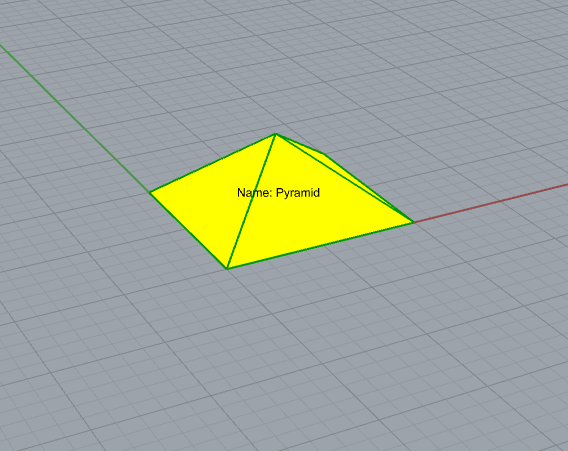
# Mesh properties
coordinates = [
    # Base
    0.0, 0.0, 0.0,
    10.0, 0.0, 0.0,
    10.0, 10.0, 0.0,
    0.0, 10.0, 0.0,

    # Top
    5.0, 5.0, 4.0
]

indices = [
    # Base faces
    0, 1, 2,
    0, 2, 3,

    # Side faces
    0, 1, 4,
    1, 2, 4,
    2, 3, 4,
    3, 0, 4
]

# Instantiate Mesh object
mesh = Mesh(mesh_id=0, coordinates=coordinates, indices=indices)

# Element properties
color = Color(r=255, g=255, b=0, a=255)
guid = "76e051c1-1bd7-44fc-8e2e-db2b64055068"
info = {"Name": "Pyramid"}
rotation = Rotation(qx=0, qy=0, qz=0, qw=1.0)
type = "Structure"
vector = Vector(x=0, y=0, z=0)

# Instantiate Element object
element = Element(mesh_id=0,
                  vector=vector,
                  guid=guid,
                  info=info,
                  rotation=rotation,
                  type=type,
                  color=color)

# File meta data
file_info = {
    "Author": "John Doe",
    "Date": "28.09.1999"
}

# Instantiate and save File object
file = File("1.0.0", meshes=[mesh], elements=[element], info=file_info)
file.save("Pyramid.bim")
3 cubes example
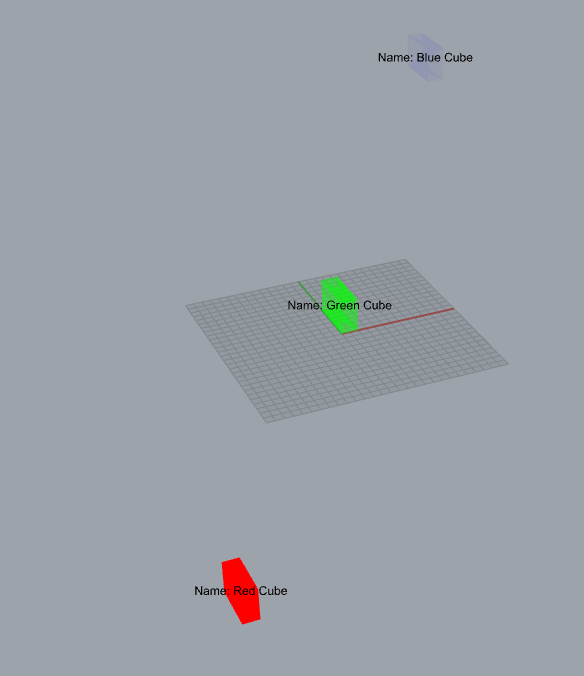
from dotbimpy import *


coordinates = [
    0.0, 0.0, 0.0,
    10.0, 0.0, 0.0,
    10.0, 0.0, 20.0,
    0.0, 0.0, 20.0,
    0.0, 30.0, 0.0,
    10.0, 30.0, 0.0,
    10.0, 30.0, 20.0,
    0.0, 30.0, 20.0
]

faces_ids = [
    # Front side
    0, 1, 2,
    0, 2, 3,

    # Bottom side
    0, 1, 4,
    1, 4, 5,

    # Left side
    0, 4, 3,
    4, 3, 7,

    # Right side
    1, 2, 5,
    2, 5, 6,

    # Top side
    2, 3, 7,
    2, 6, 7,

    # Back side
    4, 5, 7,
    5, 6, 7
]

mesh = Mesh(mesh_id=0, coordinates=coordinates, indices=faces_ids)

red_cube = Element(mesh_id=0,
                   color=Color(255, 0, 0, 255),
                   vector=Vector(x=-100.0, y=-100.0, z=-100.0),
                   rotation=Rotation(qx=0.0, qy=0.0, qz=0.0, qw=1.0),
                   guid="9f61b565-06a2-4bef-8b72-f37091ab54d6",
                   info={"Name": "Red Cube"},
                   type="Brick")

green_cube = Element(mesh_id=0,
                     color=Color(0, 255, 0, 126),
                     vector=Vector(x=-0.0, y=0.0, z=0.0),
                     rotation=Rotation(qx=0.0, qy=0.0, qz=0.0, qw=1.0),
                     guid="4d00c967-791a-42a6-a5e8-cf05831bc11d",
                     info={"Name": "Green Cube"},
                     type="Brick")

blue_cube = Element(mesh_id=0,
                    color=Color(0, 0, 255, 10),
                    vector=Vector(x=100.0, y=100.0, z=100.0),
                    rotation=Rotation(qx=0.0, qy=0.0, qz=0.0, qw=1.0),
                    guid="8501a5e3-4709-47d8-bd5d-33d745a435d5",
                    info={"Name": "Blue Cube"},
                    type="Brick")

file_info = {"Author": "John Doe"}

file = File(schema_version="1.0.0",
            meshes=[mesh],
            elements=[red_cube, green_cube, blue_cube],
            info=file_info)

file.save("Cubes.bim")
Read file
read_file = File.read("Pyramid.bim")
And then you can get all of the properties from it:
version = read_file.schema_version
View file
Default
If you want to view your file:
file.view()
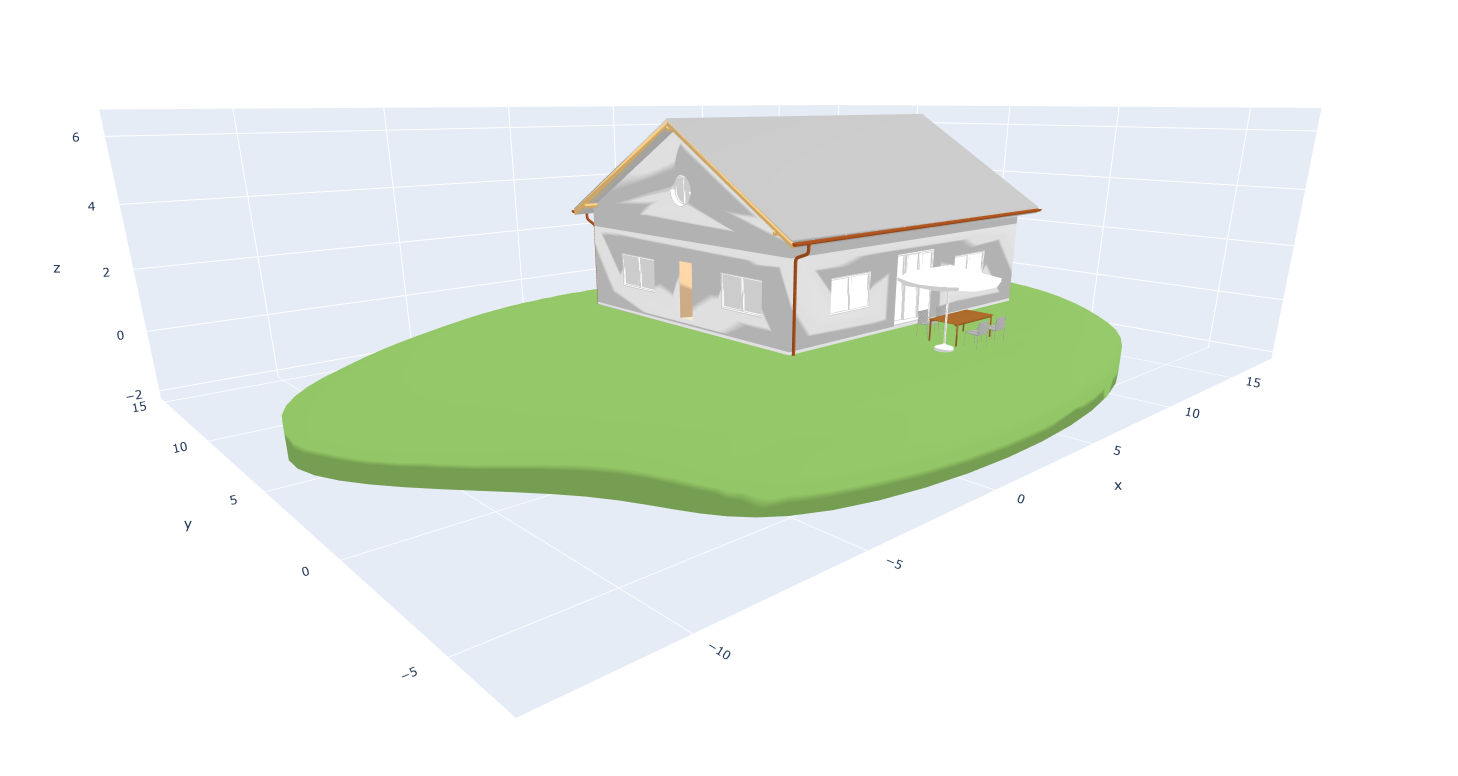
Customize
You can customize the plot that represents the .bim file. You can do it by using:
figure = file.create_plotly_figure()
Then you get plotly's figure, which can be edited. E.g.
- adding text tag:
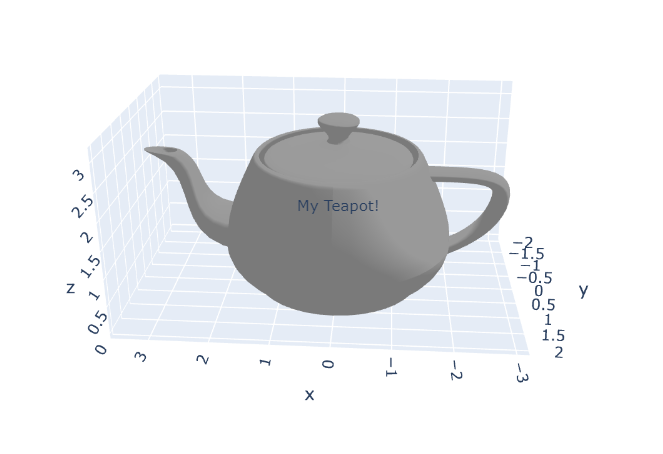
from dotbimpy import *

bim_file = File.read(r"Teapot.bim")
figure = bim_file.create_plotly_figure()

figure.update_layout(
    scene=dict(
        annotations=[
            dict(
                showarrow=False,
                x=0,
                y=0,
                z=1.5,
                text="My Teapot!"
            )]
    ),
)

figure.show()
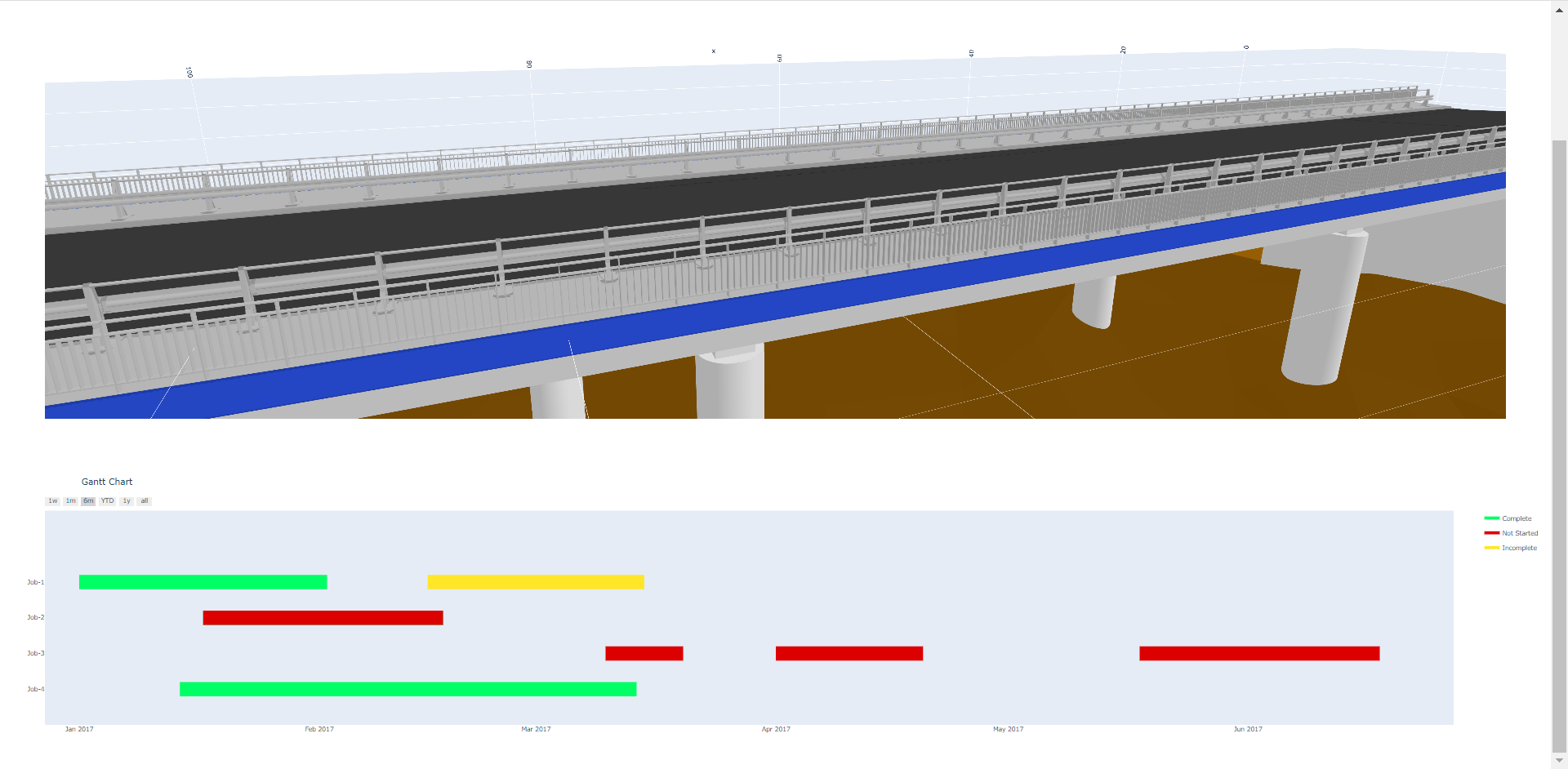
- combining model view with charts:
Merge files
If you want to merge two files together:
merged_file = file_a + file_b
dotbimpy + trimesh
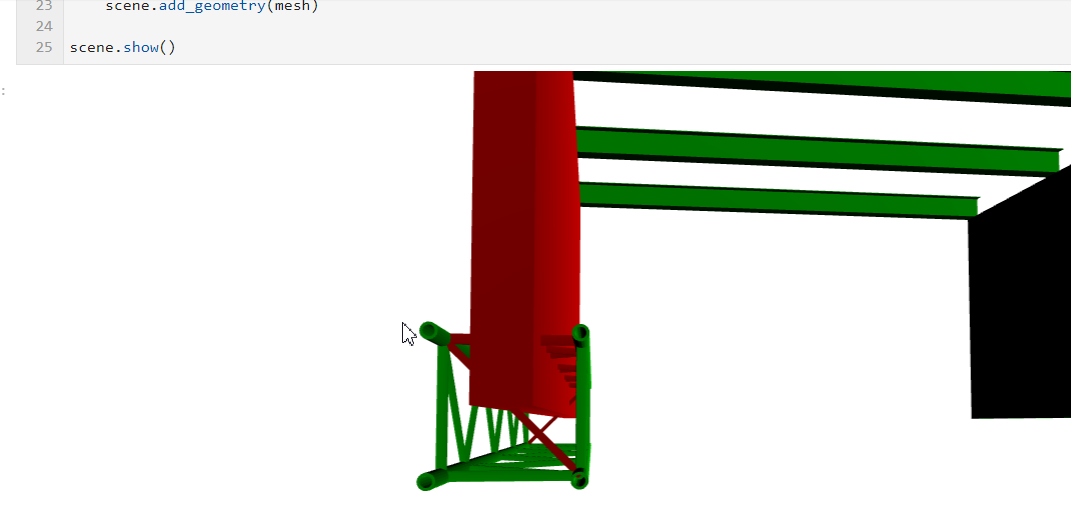
There is a wonderful library called trimesh: https://github.com/mikedh/trimesh, that has a lot of features regarding meshes. Because .bim files relies on meshes only, therefore you can find this library really helpful for many tasks related dotbim, like:
- converting dotbim's geometries from and to different file formats
- faster preview of .bim files: https://trimsh.org/trimesh.scene.html
- clash detection: https://trimsh.org/trimesh.collision.html?highlight=collision#module-trimesh.collision
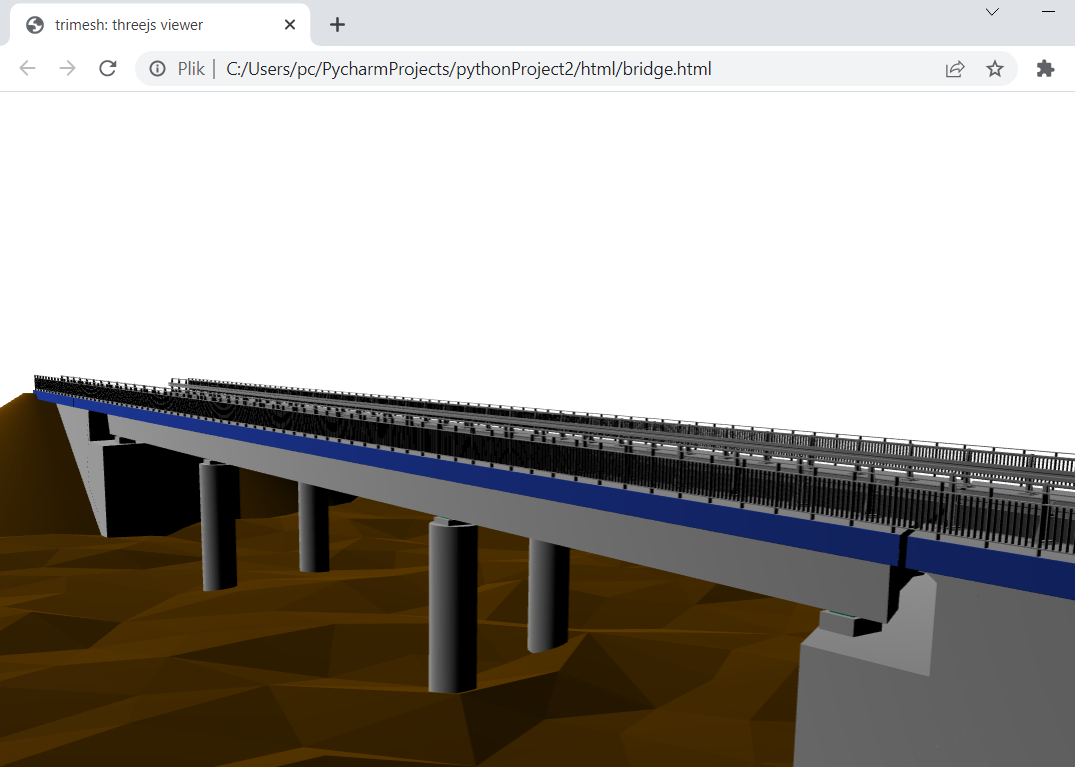
- convertion of .bim files to single separate .html file with the 3d model: https://trimsh.org/trimesh.viewer.html#trimesh.viewer.scene_to_html
Example notebook: https://github.com/paireks/dotbimpy/blob/master/dotbimpy/other/DotbimToTrimeshScene.ipynb
dotbimpy + cadquery
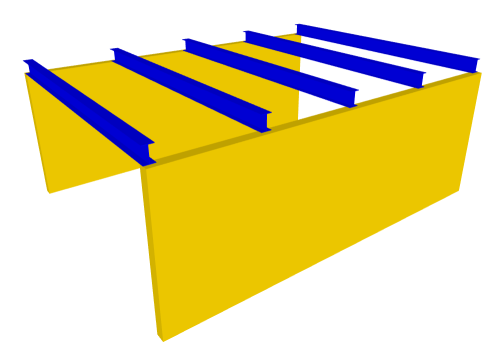
Sometimes it's much easier to create B-REP and then convert it into mesh. For this purpose you can try cadquery: https://github.com/CadQuery/cadquery
Example notebook 1: https://github.com/paireks/dotbimpy/blob/master/dotbimpy/other/WallsWithBeams.ipynb
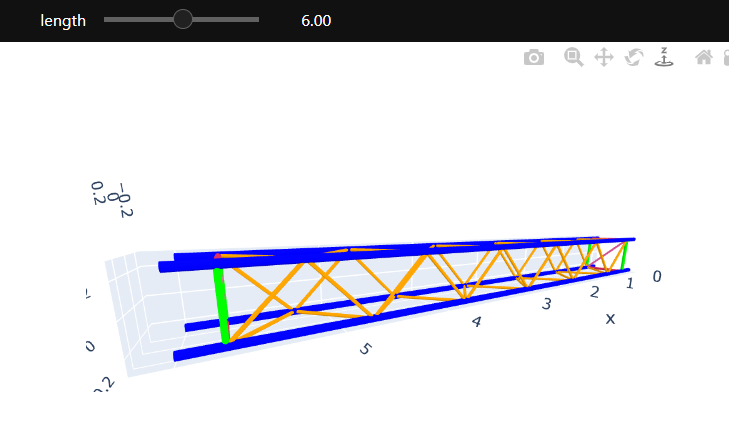
Example notebook 2: https://github.com/paireks/dotbimpy/blob/master/dotbimpy/other/Truss.ipynb
Libraries used
Release history Release notifications | RSS feed

Download files
Download the file for your platform. If you're not sure which to choose, learn more about installing packages.
Source Distribution
Built Distribution
Filter files by name, interpreter, ABI, and platform.
If you're not sure about the file name format, learn more about wheel file names.
Copy a direct link to the current filters
File details
Details for the file dotbim_community-1.0.0.tar.gz.
File metadata
- Download URL: dotbim_community-1.0.0.tar.gz
- Upload date:
- Size: 221.6 kB
- Tags: Source
- Uploaded using Trusted Publishing? Yes
- Uploaded via: twine/6.1.0 CPython/3.13.12
File hashes
| Algorithm | Hash digest | |
|---|---|---|
| SHA256 |
a67d48ad1c4838e22190017cf8ed2b15e95e173b247ddd7a1b1626a4786988a5
|
|
| MD5 |
584385303dbe328086c77df568b4906b
|
|
| BLAKE2b-256 |
974a96adb0fd0c07e7b06d142eb8b06426ed562bf02f12abc559b2a5e4a2a32b
|
Provenance
The following attestation bundles were made for dotbim_community-1.0.0.tar.gz:
Publisher:
pypi-publish.yml on thekaushikls/dotbim-community
-
Statement:
-
Statement type:
https://in-toto.io/Statement/v1 -
Predicate type:
https://docs.pypi.org/attestations/publish/v1 -
Subject name:
dotbim_community-1.0.0.tar.gz -
Subject digest:
a67d48ad1c4838e22190017cf8ed2b15e95e173b247ddd7a1b1626a4786988a5 - Sigstore transparency entry: 1474045493
- Sigstore integration time:
-
Permalink:
thekaushikls/dotbim-community@e5d31436a0d9fd5b69a05cb2f87d8150bf585ab5 -
Branch / Tag:
refs/tags/v1.0.0 - Owner: https://github.com/thekaushikls
-
Access:
public
-
Token Issuer:
https://token.actions.githubusercontent.com -
Runner Environment:
github-hosted -
Publication workflow:
pypi-publish.yml@e5d31436a0d9fd5b69a05cb2f87d8150bf585ab5 -
Trigger Event:
release
-
Statement type:
File details
Details for the file dotbim_community-1.0.0-py3-none-any.whl.
File metadata
- Download URL: dotbim_community-1.0.0-py3-none-any.whl
- Upload date:
- Size: 7.8 kB
- Tags: Python 3
- Uploaded using Trusted Publishing? Yes
- Uploaded via: twine/6.1.0 CPython/3.13.12
File hashes
| Algorithm | Hash digest | |
|---|---|---|
| SHA256 |
0935c7e969483962527085422d8d10862ae2a74aec87c2e654a75521ab8f944a
|
|
| MD5 |
cb48ed972992f4c4ef50a7655f352459
|
|
| BLAKE2b-256 |
486ece5b838cfd5fb3625c767d92d38f3fadd5b51bbd8869886d3ad2dff7fec8
|
Provenance
The following attestation bundles were made for dotbim_community-1.0.0-py3-none-any.whl:
Publisher:
pypi-publish.yml on thekaushikls/dotbim-community
-
Statement:
-
Statement type:
https://in-toto.io/Statement/v1 -
Predicate type:
https://docs.pypi.org/attestations/publish/v1 -
Subject name:
dotbim_community-1.0.0-py3-none-any.whl -
Subject digest:
0935c7e969483962527085422d8d10862ae2a74aec87c2e654a75521ab8f944a - Sigstore transparency entry: 1474045603
- Sigstore integration time:
-
Permalink:
thekaushikls/dotbim-community@e5d31436a0d9fd5b69a05cb2f87d8150bf585ab5 -
Branch / Tag:
refs/tags/v1.0.0 - Owner: https://github.com/thekaushikls
-
Access:
public
-
Token Issuer:
https://token.actions.githubusercontent.com -
Runner Environment:
github-hosted -
Publication workflow:
pypi-publish.yml@e5d31436a0d9fd5b69a05cb2f87d8150bf585ab5 -
Trigger Event:
release
-
Statement type:






