
drawspec
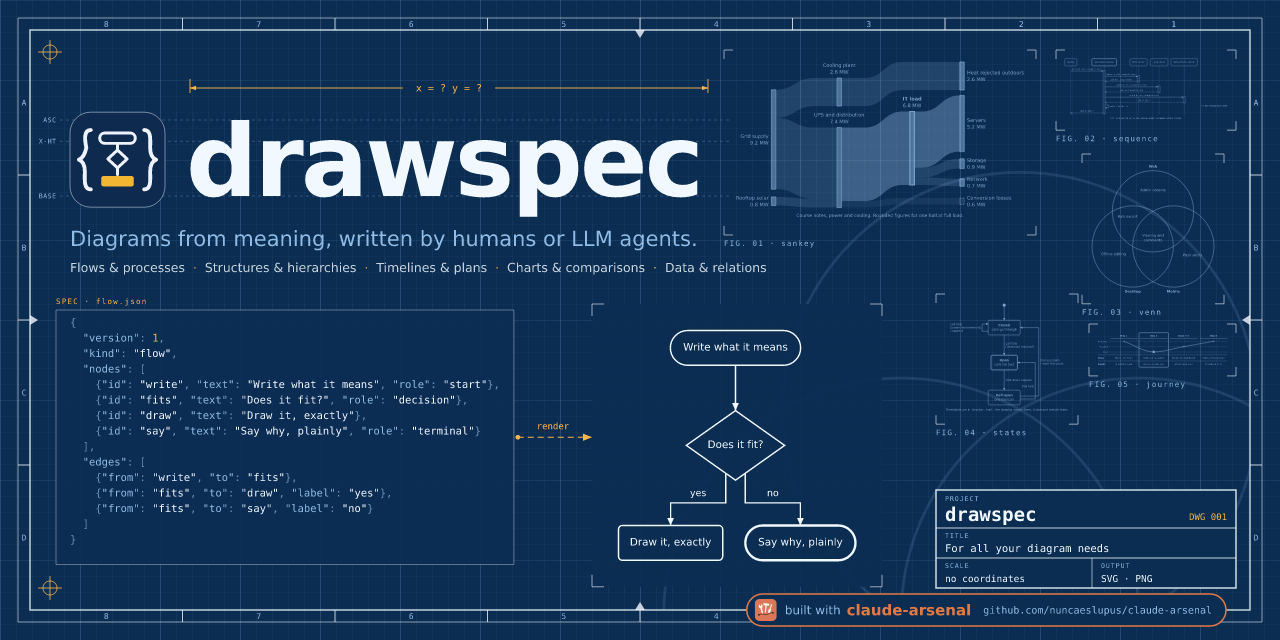
Declarative diagram spec → clean, themeable SVG. Writable by an LLM with no coordinates to get wrong.
Status: it draws. All twenty-six kinds render —
flow,tree,cycle,stack,timeline,columns,matrix,pyramid,rings,funnel,chart,quadrant,scatter,curve,files,states,sequence,lanes,entities,gantt,board,fishbone,venn,journey,treemapandsankey— and each of the eleven failure families below has a test asserting it cannot be expressed. The vocabulary opened from nine to thirteen on evidence: seedocs/kinds-wanted.md, which sorts all 89 hand-drawn originals by the kind that would have to draw them.scatteris the fourteenth, added on a different kind of evidence: a real consumer's need for two continuous, ticked axes, whichquadrantrefuses.filesis the fifteenth: a directory listing drawn from its paths, as pictures or as thetree-style text a code block wants.statesis the sixteenth: a state machine, with its initial and final dots, labelled transitions, self-loops, and a refusal for any state nothing reaches.sequenceis the seventeenth: messages between participants, in order, with activation bars inferred from each call and its reply.lanesis the eighteenth: aflowdocument whose actors are drawn as swimlanes, so every hand-off between parties is an arrow crossing a lane.entitiesis the nineteenth: ER models, database schemas and class diagrams as one kind — boxes of fields, relations that can land on one row, crow's feet or multiplicities at the ends, and inheritance with a hollow triangle.ganttis the twentieth: a plan, one row per task, with phases, milestones, finish-to-start dependencies and marks such as today — on a numbered axis in a unit you name, never dates.boardis the twenty-first: cards sorted into columns — a kanban board with work-in-progress limits drawspec counts, a retrospective, or a story map whose releases are slices across the columns with a heavy cut under the first.fishboneis the twenty-second: one effect and the causes investigated, grouped by category on bones slanting into a spine — the root cause drawn heavy.vennis the twenty-third: two or three equal circles, each region's words named by the sets it is in and placed inside it — no coordinates, no sizes.journeyis the twenty-fourth: one person's feeling, a named level per stage, drawn as a line through every stage over what they do there — no scores.treemapis the twenty-fifth: the parts of one known total, each a rectangle by its area with its label inside it — a few proportions stated, not explored.sankeyis the twenty-sixth: where a known quantity goes, each flow a band as thick as its amount, columns derived from the flows — a few flows stated, not explored.
The problem
Language models draw diagrams by emitting SVG with absolute x/y
coordinates, and they fail at the same things every time: arrows with a head
but no shaft, text that escapes its box, lines that stop short of the shape
they point at, a different font size in every element.
These are not failures of judgement. In a corpus of 87 LLM-written diagrams
reviewed by a human, 63 drew a complaint, and every one was about placement,
not content — nobody disputed what the diagram said, only where things ended
up. See docs/brief.md for the measured breakdown.
Placement failures cannot be reviewed away: a cheap mechanical check over finished SVG catches 17 of those 63 and misses 46. They have to be made impossible to express.
The approach
The author writes what the diagram means — nodes, edges, labels, and a semantic role for each. Everything that can be got wrong without seeing the result is not in the format at all:
| The author writes | The tool decides |
|---|---|
| Nodes, edges, labels | Coordinates, box sizes, canvas size |
| A semantic role per node | Font family and size, colour, stroke weight |
| Grouping and diagram type | Edge routing, anchor points, arrowheads |
| An optional size budget | Overlap resolution, label placement |
Output is SVG that can be pasted inline into a Markdown document: colour
inherited from the surrounding page, no global <style>, no ids that collide
when two diagrams share a page, and no information carried by colour alone —
so it survives dark mode and greyscale printing. For anywhere an SVG cannot go —
a chat, a slide, an attachment — the same drawing comes out as a PNG on a light,
dark or transparent background (pip install 'drawspec[png]', one self-contained
wheel; no PDF, no JPEG).
What it looks like
Three documents and the drawings they produced. Nothing was positioned by hand,
and every one of these is a file in docs/reference/ that
make gallery renders — so the picture is always the render of the spec beside
it.
A flow
{
  "version": 1,
  "kind": "flow",
  "title": "Triaging a report",
  "nodes": [
    {"id": "arrive", "text": "A report arrives", "role": "start"},
    {"id": "repro", "text": "Does it reproduce?", "role": "decision"},
    {"id": "fix", "text": "Schedule a fix", "role": "step"},
    {"id": "ask", "text": "Ask for the document", "role": "terminal"}
  ],
  "edges": [
    {"from": "arrive", "to": "repro"},
    {"from": "repro", "to": "fix", "label": "yes"},
    {"from": "repro", "to": "ask", "label": "no"}
  ]
}

The role on each node is the only appearance decision in the file, and it is a
semantic one: start and terminal came out as pills and decision as a
diamond because the theme says those roles look like that. Change the theme and
every diagram in your project changes with it.
A timeline
The twenty-six kinds are the part people do not expect, so here is one that is not a box-and-arrow diagram at all:
{
  "version": 1,
  "kind": "timeline",
  "title": "How the work went",
  "items": [
    {"text": "Brief", "note": "March"},
    {"text": "Specification", "note": "April"},
    {"text": "Plan", "note": "May"},
    {"text": "Foundation", "note": "June to July"},
    {"text": "Kinds", "note": "August"}
  ]
}

Above the line is what happened; below it is when. That is what note means on a
timeline, and it is the only kind that draws one.
A chart
{
  "version": 1,
  "kind": "chart",
  "title": "Where the tickets went",
  "axes": {
    "horizontal": { "label": "Quarter", "min": 0, "max": 5 },
    "vertical": { "label": "Incidents" }
  },
  "series": [
    { "name": "Platform", "mark": "bar", "data": [[1, 34], [2, 41], [3, 28], [4, 22]] },
    { "name": "Service desk", "mark": "bar", "data": [[1, 52], [2, 47], [3, 55], [4, 38]] },
    { "name": "Still open", "mark": "line", "data": [[1, 12], [2, 18], [3, 9], [4, 6]] }
  ]
}

No colours are named anywhere in that file. The series are told apart by fill
pattern as well as by hue, which is what lets the same drawing survive greyscale
printing — a theme is checked against that invariant by drawspec theme check.
There are no coordinates in any of them, and none may be written. x,
font_size, stroke and twenty-odd other fields are refused by name, with the
JSON pointer of the place they were written. A document may size the whole canvas
— width and height at the top level — and may not size one box in it.
Try it
pip install git+https://github.com/nuncaeslupus/drawspec   # not on PyPI yet

drawspec render diagram.json -o diagram.svg   # or to stdout
drawspec render diagram.json -o diagram.png   # needs drawspec[png]; --background dark, --scale 3
drawspec validate diagram.json                # every violation, by JSON pointer
drawspec theme check default                  # including the greyscale invariant
drawspec theme from site.css -o house.toml    # a theme from your brand's CSS or design tokens
drawspec schema --out drawspec-v1.schema.json # for editor completion
Put "$schema": "https://nuncaeslupus.github.io/drawspec/schema/drawspec-v1.schema.json" at the top
of a document and any editor with JSON Schema support completes the fields and
flags a refused one while you type it, rather than after a render.
The gallery
Every kind, drawn, on one page →
One document per kind lives in docs/reference, and make gallery renders every one of them into docs/gallery/index.html, which is what
that link publishes. It is the fastest way to see the whole vocabulary, and the
fastest way to see what a change did — looking at it is how four rendering
defects were found that no gate had caught.
It is committed as well as published, so a diff shows what a change did to the pictures.
Every kind is drawn to the theme's one canvas width, and a diagram narrower than
it is centred in it rather than cropped to its own ink. That is what makes the
three above the same type size at the same column width — and it is the whole
reason the width belongs to the theme. Set [canvas] width_mode = "ink" for a
diagram meant to be sized on its own.
Every kind is also framed alike: [canvas] margin is the blank between the
drawing and the edge of the figure, one number applied in one place. Before it
existed each family invented its own, so a timeline above a flow chart bled to
the edge beside the flow's quarter-inch of white.
What it is not
drawspec draws simple, declarative diagrams well, and it is the wrong tool for several jobs it might look like it does.
- It is not a Graphviz replacement. Graphviz is a graph-layout engine with
decades of work behind its layered and force-directed placement, and it will
lay out a hundred-node graph that drawspec refuses. drawspec's layout exists
to serve twenty-six named diagram shapes at the sizes a document reads at; past
each kind's readability budget (fifteen boxes on a
flow) it will tell you to split the diagram into an overview and details rather than produce something dense and unreadable, which is deliberate but is not what a graph tool does. - It is not charting software.
charthas lines, bars, areas, stacks, point labels and a legend. It has no statistics, no interactivity, no dates, no log scales, no error bars, and no second axis. If you are exploring data, use a plotting library; if you are stating a small number you already know, this draws it in the same ink and at the same type size as every other diagram on the page, which a plotting library will not.treemapandsankeyare held to the same line: ten parts and one level of groups at most, every part labelled inside itself; fourteen nodes in four columns, every flow balanced and thick enough to see — a few proportions and flows you already know, not a disk-usage explorer or a flow analyser. - It is not a drawing program. A document has no coordinates in it, on purpose — see The approach above. Anything whose whole point is where things are (a floor plan, a map, a picture of two overlapping Wi-Fi cells) has no declarative description, and drawspec should decline it rather than pretend.
- It is not a rich-text system. Text carries
**bold**and`code`spans and nothing else.
What it is good at is the long tail of ordinary explanatory diagrams — the kind that fills a set of course notes, a design document or a runbook — drawn consistently, reviewably, and without an author ever choosing a coordinate.
Documentation
The guide is the way in, and it is meant to be enough on its own — install, a first diagram, choosing a kind, embedding the output, validating in a build, and writing a theme. Under it sit three references, each generated from the code it describes, so none of them can quietly go out of date:
| Page | What it answers |
|---|---|
| The document format | Every field a document may carry, by kind — and every field that is refused, with the reason |
| The command line | Every command, argument and exit code |
| The theme reference | Every key a theme may set, and what the default sets it to |
make docs regenerates all three; a test fails if what is committed is not what
the code would write, which is the same arrangement the published JSON Schema
has.
If you are an agent, or pointing one here
AGENTS.md is the whole format on one page — whether to draw
at all, which kind fits what the reader must understand, the readability budget,
the roles, worked examples, and what each refusal is telling you to do. It is written to be read in a single pass rather than navigated, which is
what the guide and the references are for. llms.txt is the index
that points at it.
And if your client speaks MCP, pip install 'drawspec[mcp]' gives you
drawspec-mcp: validate, render and kinds as tools, so a refusal arrives as
{"pointer": "/edges/0/to", "message": …} in the model's own loop instead of as
prose on stderr it has to read. Same checks, same messages, no shell. See
the guide.
For agents that load Agent Skills, copy
skills/drawspec/ into your skills directory: a
short pointer that installs drawspec, reads AGENTS.md, and validates before rendering.
It cannot drift either: a test asserts that every kind in the vocabulary is named in it, that every role the theme declares appears, and that every example in it is a document that still validates. An agent copying from a stale brief is the failure that file exists to prevent, so it is held to the same standard as the generated references.
Repository layout
Everything you would look in, and the two directories you can ignore.
| Path | What |
|---|---|
src/ |
The library and CLI — src/drawspec/ is the whole of the shipped package |
docs/ |
Everything written. The four entries below are the ones worth knowing apart |
docs/guide.md |
Using drawspec in another project: install, first diagram, embedding, theming |
docs/format.md, docs/cli.md, docs/theme.md |
The three generated references. make docs writes them; tools/docs.py is the generator |
docs/reference/ |
One document per kind — the examples, and what the gallery and the acceptance suite both render |
docs/gallery/ |
The rendered gallery: make gallery writes it, and it is committed so a diff shows what a change did to the pictures |
docs/brief.md |
The originating brief: the problem, the measured failure taxonomy, the acceptance tests. theme-requirements.md, kinds-wanted.md and the plan-round-*.md files sit beside it — the evidence each round was decided on |
schema/ |
The published JSON Schema, versioned and addressable. Copied into the wheel from here, so there is only ever one of it |
corpus/ |
87 anonymized LLM-written diagrams and their measurements, as evidence |
skills/ |
An Agent Skill that points an agent at drawspec — install, read AGENTS.md, validate, render. A test holds every command it names to the CLI |
tests/ |
The suite. test_acceptance.py and test_failure_families.py are the two that encode the promises rather than the mechanics |
tools/ |
Development scripts, not shipped: the docs generator, the gallery builder, and the two checkers — collisions.py (is the word readable) and clipping.py (is the word on the page) |
status/ |
The origin documents: the specification this was built from, and its plan. Kept because docs/brief.md is the summary and this is the source, and because the session protocol reads status/plan.md |
.claude/, claude-arsenal/ |
Development machinery for the agent workflow this is built with — task queue, session protocol, vendored skills. Nothing here affects the package; skip both if you are reading the project rather than working on it |
Development
make sync     # install with dev extras
make lint     # ruff + strict mypy
make test     # pytest
make gallery  # render every reference document and look at it
make docs     # regenerate the format, CLI and theme references
make schema   # regenerate the published JSON Schema
License
MIT — see LICENSE.
1 maintainer

Metadata
1 maintainer
Release files for drawspec 0.1.0
For a detailed explanation of source distributions (sdists) and built distributions (wheels), please see the package formats documentation.
Source distribution (sdist)
| File | Size | Uploaded | |
|---|---|---|---|
| drawspec-0.1.0.tar.gz | 2.1 MB | Details |
Built distribution (wheel)
| File | Interpreter | ABI | Platform | Reset |
|---|---|---|---|---|
| drawspec-0.1.0-py3-none-any.whl | Python 3 | none | any | Details |
Total release size: 2.9 MB
Release files / drawspec-0.1.0.tar.gz
| Download URL | drawspec-0.1.0.tar.gz |
|---|---|
| Size | 2.1 MB |
| Tags | Source |
|
SHA-256 checksum How to use checksums |
99468d5ad3dcca939bec7ec2360b30631766fb128d2995001f996f3f14da8d44
|
|
BLAKE2b-256 checksum How to use checksums |
fc24c8bf36cd46633d01eebcc4ada2afa322f52f1edbcc1d01a8bd015a036d3a
|
| Upload date | |
|
Uploaded using Trusted Publishing? What is trusted publishing? |
Yes |
| Uploaded via |
twine/7.0.0 CPython/3.13.14
|
Provenance
Provenance describes where a file came from. On PyPI, provenance is shared via attestations, which provide a verifiable record of the build or publishing details. View details, limitations and caveats.


PyPI Publish Attestation
PyPI verified that this artifact, at this checksum, originated from the publisher listed below.
Signed by GitHub Actions, verified by PyPI on Oct 10, 2026.
Transparency logRelease files / drawspec-0.1.0-py3-none-any.whl
| Download URL | drawspec-0.1.0-py3-none-any.whl |
|---|---|
| Size | 779.1 kB |
| Tags | Python 3 |
|
SHA-256 checksum How to use checksums |
fd8fbccaefba5b9c27bafb738cf19c32101ca66b6d7f59bfefce64f651c1c5e8
|
|
BLAKE2b-256 checksum How to use checksums |
12e25ce20118e520e55a50b8dfde6e2ae5f34f69f667962b2dd040c45e20f469
|
| Upload date | |
|
Uploaded using Trusted Publishing? What is trusted publishing? |
Yes |
| Uploaded via |
twine/7.0.0 CPython/3.13.14
|
Provenance
Provenance describes where a file came from. On PyPI, provenance is shared via attestations, which provide a verifiable record of the build or publishing details. View details, limitations and caveats.
PyPI Publish Attestation
PyPI verified that this artifact, at this checksum, originated from the publisher listed below.
Signed by GitHub Actions, verified by PyPI on Oct 10, 2026.
Transparency log













